KO
|
EN
gitlite — search
Search
#python
#java
#python3
#arduino
#golang
#machine-learning
#rust
#html
#flask
#javascript
#seismology
#nodejs
Tinitter
★ 23
Open GitHub ↗
(Abandon) PHP sample web application
Download README (.md)
Explore Similar Repositories
toastr8
:
Windows 8 toast notifications for web or javascript apps
php-teaser
:
Summarize text or articles into a few bullet points
vco-angular-mobile
:
angular mobile
sge_spark
:
The configuration and scripts for using spark within a Sun Grid Engine environment
ext-tea
:
TYPO3 example extension for unit testing and best practices.
// repository documentation
Was this content helpful?
★ 0
(0 ratings)
Select Rating:
★
★
★
★
★
Submit Feedback
Recent Feedback
×
Download README
Do you want to download the
README.md
file for
Tinitter
?
Download (.md)
サンプルアプリケーション Tinitter ==============================  これは下記書籍向けサンプルアプリケーションのTinitterです。 [Webアプリエンジニア養成読本 [しくみ、開発、環境構築・運用…全体像を最新知識で最初から! ](Software Design plus)](http://www.amazon.co.jp/gp/product/4774163678/ref=as_li_ss_tl?ie=UTF8&camp=247&creative=7399&creativeASIN=4774163678&linkCode=as2&tag=uzulla-22) 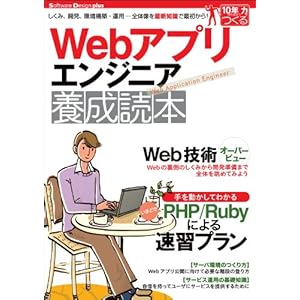 - 掲示板プログラム - ニックネームとテキストを投稿できる - 投稿をページ送りで見る事ができる 単純なPHP製のウェブアプリケーションです。 # 書籍時点からの非互換なアップデート masterブランチの対象PHPバージョンを7.3 に上げました。 php5系で動作をさせたい場合には、`php5.6`ブランチを参照ください。 - https://github.com/uzulla/Tinitter/tree/php5.6 # 正誤情報(2014/04/14更新) 上記書籍にて一部誤りがございました、以下正誤情報をご覧ください。 [お詫びと訂正](http://gihyo.jp/book/2014/978-4-7741-6367-3/support) お詫び申し上げます。 # ダウンロード (勿論Gitでcloneいただいても問題ありません) - 通常版 解説ページ(本ページ) - [通常版をZIPでダウンロード](https://github.com/uzulla/Tinitter/archive/master.zip) *** - [PHP5.3以下用 解説ページ](https://github.com/uzulla/Tinitter/tree/php53) - [PHP5.3以下用をZIPでダウンロード](https://github.com/uzulla/Tinitter/archive/php53.zip) *** - [レンタルサーバーなど向け 解説ページ](https://github.com/uzulla/Tinitter/tree/for_rental_server) - [レンタルサーバーなど向け用をZIPでダウンロード](https://github.com/uzulla/Tinitter/archive/for_rental_server.zip) 以下は通常版についての解説になります。 通常版以外のREADMEは各ブランチ(上のリンクやプルダウンで選択)を変更してください。 # 構成要素 - WAF: Slim Framework - Template Engine: Twig - ORM: Illuminate/Eloquent - Varidator: Respect/Validation - Test: phpunit, faker # 確認動作環境 - PHP 7.3以上 - sqlite3 サポート - (DBセットアップのためにsqlite3のcli) # セットアップ 以下の実行でMac,Linux系ならばサンプル的なセットアップが完了します。 ``` $ make dev-setup ``` 以後は個別に実行する際の手順です。 ## composerでライブラリを取得 ### Composerインストール ``` # プロジェクトトップディレクトリで $ php -r "eval('?>'.file_get_contents('https://getcomposer.org/installer'));" ``` ### Composerでライブラリのインストール ``` # プロジェクトトップディレクトリで $ php composer.phar install ``` ## config を作成 ``` # サンプルコンフィグファイルをコピーして作成する $ cp config.php.sample config.php ``` SQLiteを使う場合には、内容を変更する必要はありません。 Mysqlを利用する場合には、後述の設定を行ってください。 ## .htaccess設定 Apacheの場合、以下の設定をおこなってください ``` $ cp htdocs/.htaccess.sample htdocs/.htaccess ``` ## DBセットアップ ### SQLite利用時 ``` # プロジェクトトップディレクトリで $ sqlite3 sqlite.db < schema.sqlite3.sql ``` データを初期化したい場合、上記を再度実行してください。 ### Mysql利用時(オプショナル) - DB名:tinitter - ユーザー名:tinitter_user - パスワード:tinitter_pass の場合 以下を実行してDBにテーブルを登録 ``` $ mysql -u tinitter_user -p tinitter < schema.mysql.sql # プロンプトがでたら、パスワードを入力 ``` `config.php`を修正し、既存の`$db_settings〜`を以下のように書き換えます。 ``` $db_settings = [ 'driver' => 'mysql', 'host' => '127.0.0.1', 'port' => '3306', 'database' => 'tinitter', 'username' => 'tinitter_user', 'password' => 'tinitter_pass', 'charset' => 'utf8', 'collation' => 'utf8_unicode_ci' ]; ``` **上記設定をしても、テストはSQLiteで動作します。詳しくはテストの項目を参照ください。** # Builtin Serverでの起動 ``` # プロジェクトディレクトリで $ make strt # あるいは # プロジェクトの`htdocs/`ディレクトリで $ php -S 127.0.0.1:8080 ``` `http://localhost:8080/`にアクセス # 他の実行環境での実行 プロジェクトの`htdocs/`をDocumentRootに設定してください。 # 設定項目 ## デバッグモード切替 DEBUG定数を`true`/`false`で切り換える。 ``` # config.php define('DEBUG', true); ``` `true`時は、例外時にSlimがスタックトレースを出力します。本番では`false`にします。 # 自動テスト ``` $ make test ``` あるいは、`test/README.md`を参照してください
