KO
|
EN
gitlite — search
Search
#python
#java
#python3
#arduino
#golang
#machine-learning
#rust
#html
#flask
#javascript
#seismology
#nodejs
gohelix
★ 10
Open GitHub ↗
No description available.
Download README (.md)
Explore Similar Repositories
tbook_converter
:
Tbook converter
HashPulse
:
Artificial-Intelligence Driven Real-Time Data Integration Fabric for Scalable Stream-Based Analytics and Intelligent Distributed Processing Hub.
Readest-google-drive-mod-patcher
:
Patcher to create apk that use google drive to sync books on readest
lapsmith
:
Telemetry-driven tuning assistant for Forza Horizon 6.
Hellen720.github.io
:
这是我的简历
// repository documentation
Was this content helpful?
★ 0
(0 ratings)
Select Rating:
★
★
★
★
★
Submit Feedback
Recent Feedback
×
Download README
Do you want to download the
README.md
file for
gohelix
?
Download (.md)
# gohelix A terminal game for practicing [Helix](https://helix-editor.com) motions. Each challenge gives you a `before.go` and an `after.go`; transform one into the other in as few keystrokes as possible. | 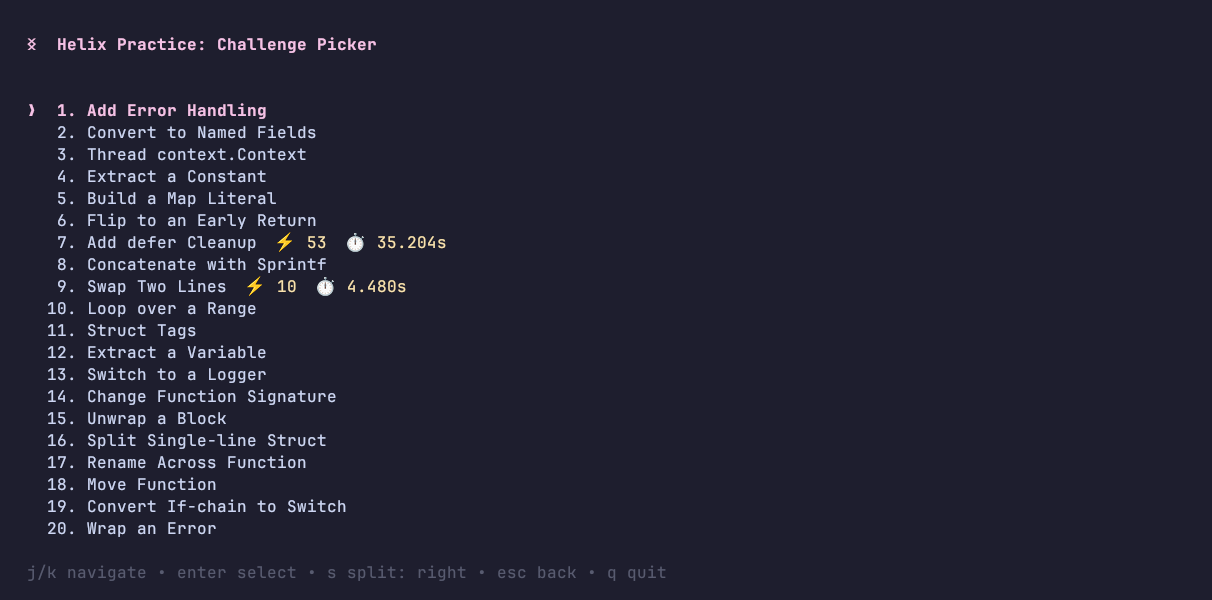 | 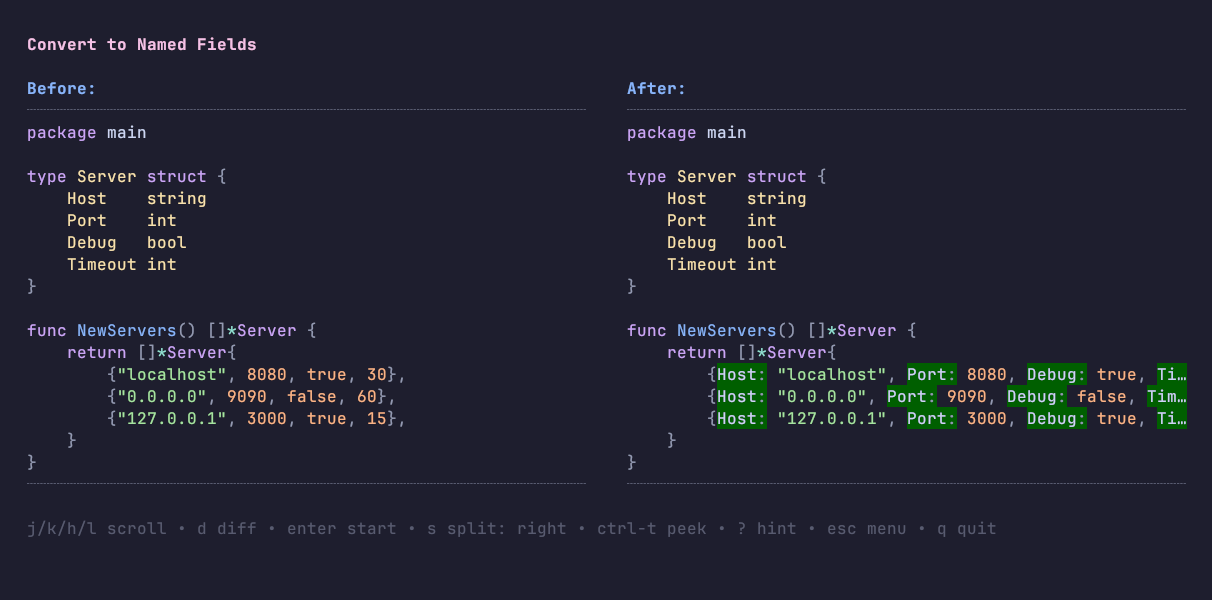 | | :-------------------------------------------: | :----------------------------------------------: | | challenge picker | preview (difft diff view) | | 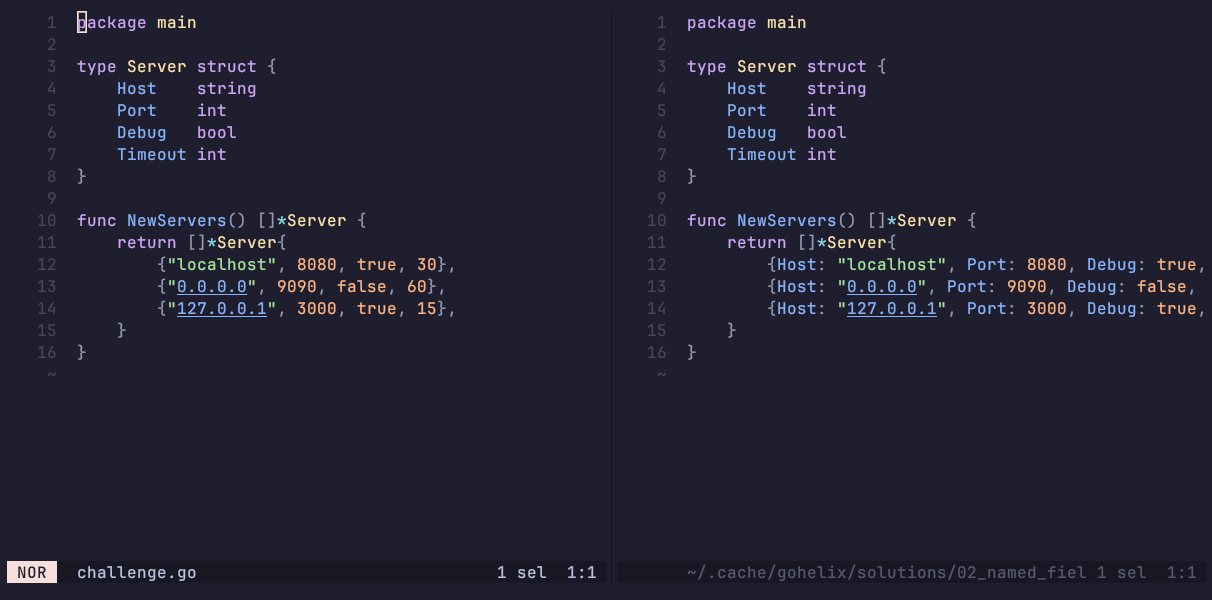 | 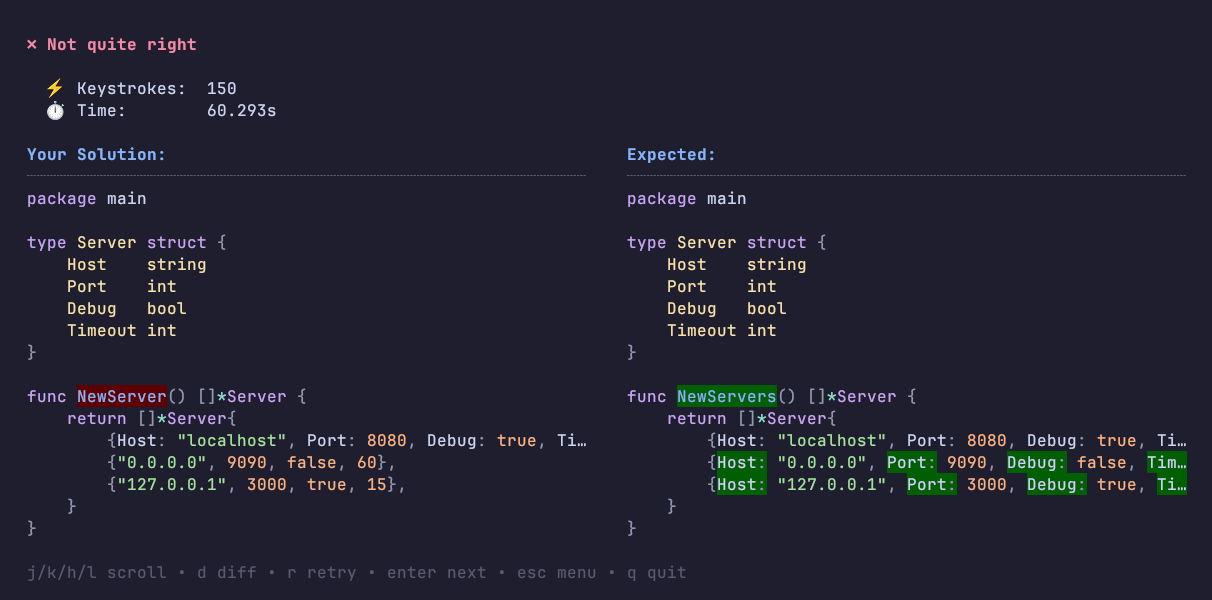 | | editing in helix with split view | result after a failed attempt | ## Install Try it without installing: ```sh go run github.com/sollniss/gohelix@latest ``` Or install it: ```sh go install github.com/sollniss/gohelix@latest ``` Or build from source: ```sh go build -o gohelix . ``` Requires `hx` (Helix) on your `PATH`. Optional: [`bat`](https://github.com/sharkdp/bat) adds syntax highlighting, [`difftastic`](https://difftastic.wilfred.me.uk) adds an aligned diff view with change highlighting (toggle with `d`). ## Usage ```sh gohelix # random challenge order (each appears once per cycle) gohelix -c 9 # start at challenge 9 ``` Keys: - **Preview** — `enter` start • `j/k/h/l` scroll • `d` diff view • `?` hint • `s` solution split • `esc` picker • `q` quit - **Picker** — `j/k` move • `enter` select • `s` solution split • `esc` back • `q` quit - **Result** — `r` retry • `enter` next • `j/k/h/l` scroll diff • `d` diff view • `esc` picker • `q` quit Arrow keys work wherever `j/k/h/l` do. The `d` and `s` choices persist across sessions. ## Configuration `config.json` in the config dir (`~/.config/gohelix/` on Linux). `diff_mode` and `solution_split` are written by the in-app toggles. | Field | Meaning | | ----------------------------------------------- | ------------------------------------------------------------------------------------------------------------- | | `diff_mode` | diff view: `"builtin"` or `"difft"` | | `solution_split` | `"off"`, `"left"`, `"right"`, `"top"`, `"bottom"` | | `peek_key` | peek toggle for split runs, e.g. `"ctrl-t"` | | `window_move_left` / `_right` / `_up` / `_down` | key sequences injected to move helix window focus, for remapped window-mode keys (defaults `"ctrl-w h"` etc.) | | `quit_commands` | extra quit detections for remapped quits: `[{"typed": "ZZ", "inject": ":qa enter"}]` | Key sequences are space-separated tokens: `ctrl-x`, `esc`, `space`, `tab`, `enter`, `up`/`down`/`left`/`right`; any other token is typed literally.
