KO
|
EN
gitlite — search
Search
#javascript
#python
#hacktoberfest
#react
#ai
#typescript
#llm
#go
#golang
#android
#machine-learning
#rust
#deep-learning
#linux
urbanWear
★ 12
Open GitHub ↗
React Django Ecommerce clothing store
Download README (.md)
Explore Similar Repositories
esx_policejob
:
Police Job for ESX Servers. Based of the esx_policejob of ESX_Framework and esx_sheriffjob of CptSpeedy.
oak-mysql-restapi
:
A Rest API using Oak Deno Framework and mysql
kuso-subdomain-adder
:
A super-easy kuso subdomain utility
vueye-phone-input
:
phone number input built for Vue.js 3
OpenRGB
:
No description available.
// repository documentation
Was this content helpful?
★ 0
(0 ratings)
Select Rating:
★
★
★
★
★
Submit Feedback
Recent Feedback
×
Download README
Do you want to download the
README.md
file for
urbanWear
?
Download (.md)
# urbanWear 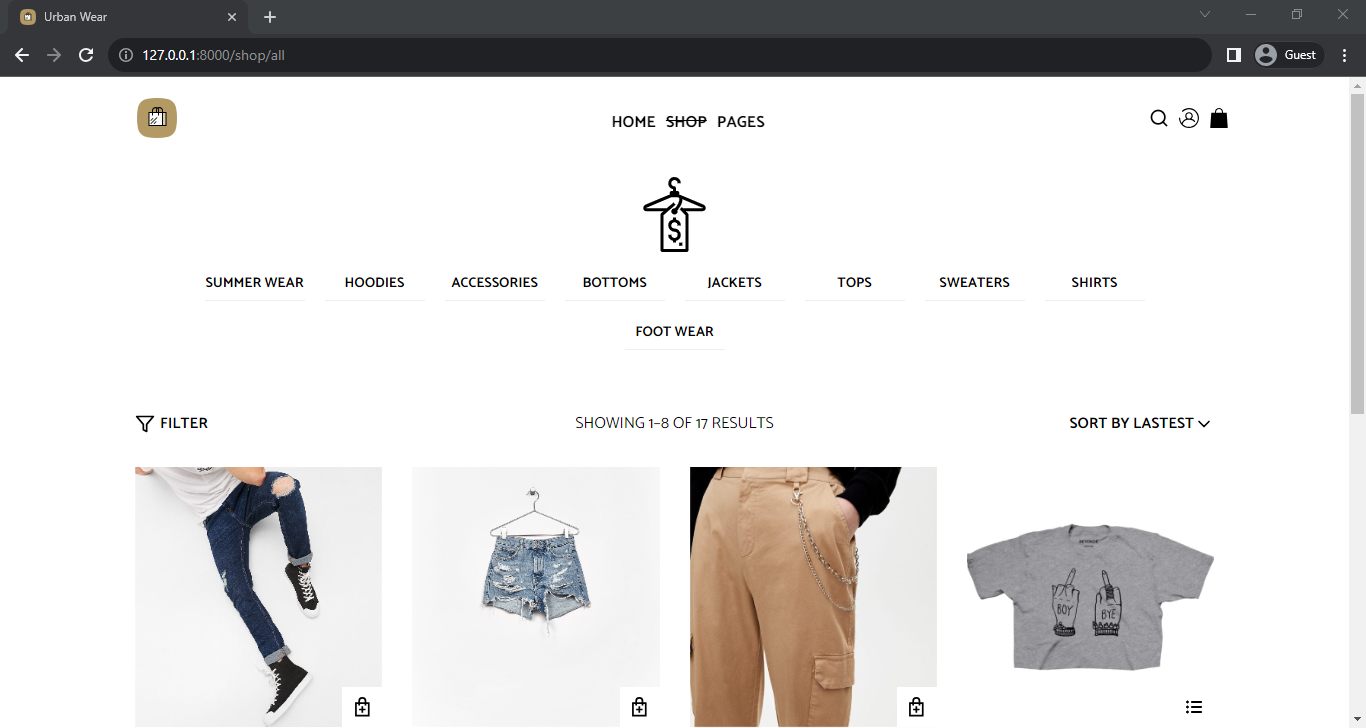 ## Overview This is a full-stack e-commerce application built using Django and React. It allows users to browse and purchase products, manage their shopping cart, checkout using Stripe, create accounts, manage orders, apply coupons, and more. [Visit the Website](https://urbanwear.onrender.com) ## Features - **Product Catalog:** - View a list of products with details. - Filter products by size, category, and price range. - **Shopping Cart:** - Add products to the cart. - Specify quantities and select sizes if required. - Edit cart items, including quantity and size. - Remove items from the cart. - **User Accounts:** - Create an account during checkout. - Log in with existing accounts. - Change passwords for logged-in users. - Manage billing and shipping addresses. - **Checkout:** - Securely checkout and pay with Stripe. - Choose different billing and shipping addresses or use the same for both. - **Order History:** - View order history for logged-in users. - **Coupons:** - Apply coupons to orders and get discounts. - **Guest Cart:** - Users can add items to the cart without creating an account. ## Installation 1. Clone the repository: `git clone https://github.com/IgweDaniel/urbanWear.git` 2. Navigate to the project directory: `cd <cloned-folder-name>` 3. Install Python dependencies using Poetry: `poetry install` 4. Install Node.js dependencies for the React frontend: `cd client && npm install` ## Configuration ### Django 1. Set up your Django settings: - Create a `.env` file from the provided `.env.example` and configure your environment variables such as `SECRET_KEY`, `DEBUG`, `DATABASE_URL`, and `STRIPE_SECRET_KEY`. - Run Django migrations: `python manage.py migrate` 2. Seed the Database (Optional): - If you want to populate the database with default products and sizes, run the seed function: `python manage.py seed data.json` 3. Media Storage Configuration: - The project supports two media storage options based on the `DEBUG` environment variable: - If `DEBUG` is set to `True`, media files are stored locally using file storage. - If `DEBUG` is set to `False`, media files are stored on Cloudinary using django-cloudinary-storage. ### React 1. Build the React frontend: - In the `frontend` directory, run `npm run build`. 2. Start the Django development server: `python manage.py runserver` 3. Access the application in your web browser at `http://localhost:8000`. ## Technologies Used - Django with Django Rest Framework - PostgreSQL database - Redux Toolkit for state management - Styled Components for styling - Axios for making HTTP requests - Formik for form handling - React-Query for data fetching and synchronization - Stripe for payment processing
