KO
|
EN
gitlite — search
Search
#typescript
#ai-agents
#deepseek-harness
#dsh-plugin
#open-source
#ai
#cli
#dsh
#claude-code
#codex
#developer-tools
#react
waydroid-helper
★ 430
Open GitHub ↗
No description available.
Download README (.md)
Explore Similar Repositories
trailing-slash-guide
:
Understand and fix your static website trailing slash issues!
Icons.Avalonia
:
No description available.
DataDrivenDiffEq.jl
:
Data driven modeling and automated discovery of dynamical systems for the SciML Scientific Machine Learning organization
imbalanced-ensemble
:
[NeurIPS'25]🛠️Class-imbalanced Ensemble Learning Toolbox. | 类别不平衡/长尾机器学习库
rpt
:
A physically-based path tracer
// repository documentation
Was this content helpful?
★ 0
(0 ratings)
Select Rating:
★
★
★
★
★
Submit Feedback
Recent Feedback
×
Download README
Do you want to download the
README.md
file for
waydroid-helper
?
Download (.md)
# Waydroid Helper **Language**: [English](README.md) | [中文](README_zh.md) | [Русский](README_ru.md) Waydroid Helper is a graphical user interface application written in Python using PyGObject. It provides a user-friendly way to configure Waydroid and install extensions, including Magisk and ARM translation. ## Features - Configure Waydroid settings - **Key Mapper**: Keyboard and mouse mapping for Android apps and games - Multiple control widgets (buttons, directional pad, aim controls, macros) - Customizable key bindings and layouts - Support for complex gaming scenarios (FPS, MOBA) - See the [Key Mapping Guide](docs/KEY_MAPPING.md) for detailed instructions - Install extensions for Waydroid - [Magisk](https://github.com/topjohnwu/Magisk) - ~~[Magisk](https://github.com/HuskyDG/magisk-files/)~~ - [libhoudini](https://github.com/supremegamers/vendor_intel_proprietary_houdini) - [libndk](https://github.com/supremegamers/vendor_google_proprietary_ndk_translation-prebuilt) - [OpenGapps](https://sourceforge.net/projects/opengapps/) - [MindTheGapps](https://github.com/MindTheGapps) - [MicroG](https://microg.org/) - [SmartDock](https://github.com/axel358/smartdock) ## Installation ### Arch For Arch users, Waydroid Helper is available in the AUR: ``` yay -S waydroid-helper ``` ### Debian ##### For **Debian Unstable** run the following: ``` echo 'deb http://download.opensuse.org/repositories/home:/CuteNeko:/waydroid-helper/Debian_Unstable/ /' | sudo tee /etc/apt/sources.list.d/home:CuteNeko:waydroid-helper.list curl -fsSL https://download.opensuse.org/repositories/home:CuteNeko:waydroid-helper/Debian_Unstable/Release.key | gpg --dearmor | sudo tee /etc/apt/trusted.gpg.d/home_CuteNeko_waydroid-helper.gpg > /dev/null echo -e "Package: python3-pywayland\nPin: origin \"download.opensuse.org\"\nPin-Priority: 1001" | sudo tee /etc/apt/preferences.d/99-pywayland.pref sudo apt update sudo apt install waydroid-helper ``` ##### For **Debian Testing** run the following ``` echo 'deb http://download.opensuse.org/repositories/home:/CuteNeko:/waydroid-helper/Debian_Testing/ /' | sudo tee /etc/apt/sources.list.d/home:CuteNeko:waydroid-helper.list curl -fsSL https://download.opensuse.org/repositories/home:CuteNeko:waydroid-helper/Debian_Testing/Release.key | gpg --dearmor | sudo tee /etc/apt/trusted.gpg.d/home_CuteNeko_waydroid-helper.gpg > /dev/null echo -e "Package: python3-pywayland\nPin: origin \"download.opensuse.org\"\nPin-Priority: 1001" | sudo tee /etc/apt/preferences.d/99-pywayland.pref sudo apt update sudo apt install waydroid-helper ``` ##### For **Debian 12** run the following: ``` echo 'deb http://download.opensuse.org/repositories/home:/CuteNeko:/waydroid-helper/Debian_12/ /' | sudo tee /etc/apt/sources.list.d/home:CuteNeko:waydroid-helper.list curl -fsSL https://download.opensuse.org/repositories/home:CuteNeko:waydroid-helper/Debian_12/Release.key | gpg --dearmor | sudo tee /etc/apt/trusted.gpg.d/home_CuteNeko_waydroid-helper.gpg > /dev/null echo -e "Package: python3-pywayland\nPin: origin \"download.opensuse.org\"\nPin-Priority: 1001" | sudo tee /etc/apt/preferences.d/99-pywayland.pref sudo apt update sudo apt install waydroid-helper ``` ##### For **Debian 13** run the following: ``` echo 'deb http://download.opensuse.org/repositories/home:/CuteNeko:/waydroid-helper/Debian_13/ /' | sudo tee /etc/apt/sources.list.d/home:CuteNeko:waydroid-helper.list curl -fsSL https://download.opensuse.org/repositories/home:CuteNeko:waydroid-helper/Debian_13/Release.key | gpg --dearmor | sudo tee /etc/apt/trusted.gpg.d/home_CuteNeko_waydroid-helper.gpg > /dev/null echo -e "Package: python3-pywayland\nPin: origin \"download.opensuse.org\"\nPin-Priority: 1001" | sudo tee /etc/apt/preferences.d/99-pywayland.pref sudo apt update sudo apt install waydroid-helper ``` ### Fedora ``` sudo dnf copr enable cuteneko/waydroid-helper sudo dnf install waydroid-helper ``` ### Ubuntu ``` sudo add-apt-repository ppa:ichigo666/ppa echo -e "Package: python3-pywayland\nPin: origin \"ppa.launchpadcontent.net\"\nPin-Priority: 1001" | sudo tee /etc/apt/preferences.d/99-ichigo666-ppa.pref sudo apt update sudo apt install waydroid-helper ``` ### Installing from Releases 1. Go to the [releases](https://github.com/waydroid-helper/waydroid-helper/releases) page 2. Download the appropriate package for your distribution 3. Install the package ### Manual Build and Installation For manual installation, you'll need to install the dependencies and build the project using Meson. #### Arch, Manjaro and EndeavourOS based distributions 1. Install dependencies: ```bash sudo pacman -S gtk4 libadwaita meson ninja ``` 2. Clone the repository: ``` git clone https://github.com/waydroid-helper/waydroid-helper.git cd waydroid-helper ``` 3. Build and install using Meson: ``` python3 -m venv .venv source .venv/bin/activate pip install -r requirements.txt meson setup --prefix /usr build sudo ninja -C build install # Uninstall waydroid helper # sudo ninja -C build uninstall ``` #### Debian and Ubuntu based distributions 1. Install dependencies: ```bash sudo apt install libgtk-4-1 libgtk-4-dev libadwaita-1-dev libadwaita-1-0 libgirepository1.0-dev gcc libcairo2-dev pkg-config python3-dev gir1.2-gtk-4.0 gir1.2-adw-1 gettext ninja-build fakeroot libdbus-1-dev desktop-file-utils software-properties-common -y ``` 2. Clone the repository: ``` git clone https://github.com/waydroid-helper/waydroid-helper.git cd waydroid-helper ``` 3. Build and install using Meson: ``` python3 -m venv .venv source .venv/bin/activate pip install meson pip install -r requirements.txt meson setup --prefix /usr build sudo ninja -C build install # Uninstall waydroid helper # sudo ninja -C build uninstall ``` #### RHEL, Fedora and Rocky based distributions 1. Install dependencies: ```bash sudo dnf install gtk4 gtk4-devel libadwaita libadwaita-devel gobject-introspection-devel gcc cairo-devel pkgconf-pkg-config python3-devel gobject-introspection gtk4-devel libadwaita-devel gettext ninja-build fakeroot dbus-devel desktop-file-utils -y ``` 2. Clone the repository: ``` git clone https://github.com/waydroid-helper/waydroid-helper.git cd waydroid-helper ``` 3. Build and install using Meson: ``` python3 -m venv .venv source .venv/bin/activate pip install meson pip install -r requirements.txt meson setup --prefix /usr build sudo ninja -C build install # Uninstall waydroid helper # sudo ninja -C build uninstall ``` ## Screenshots 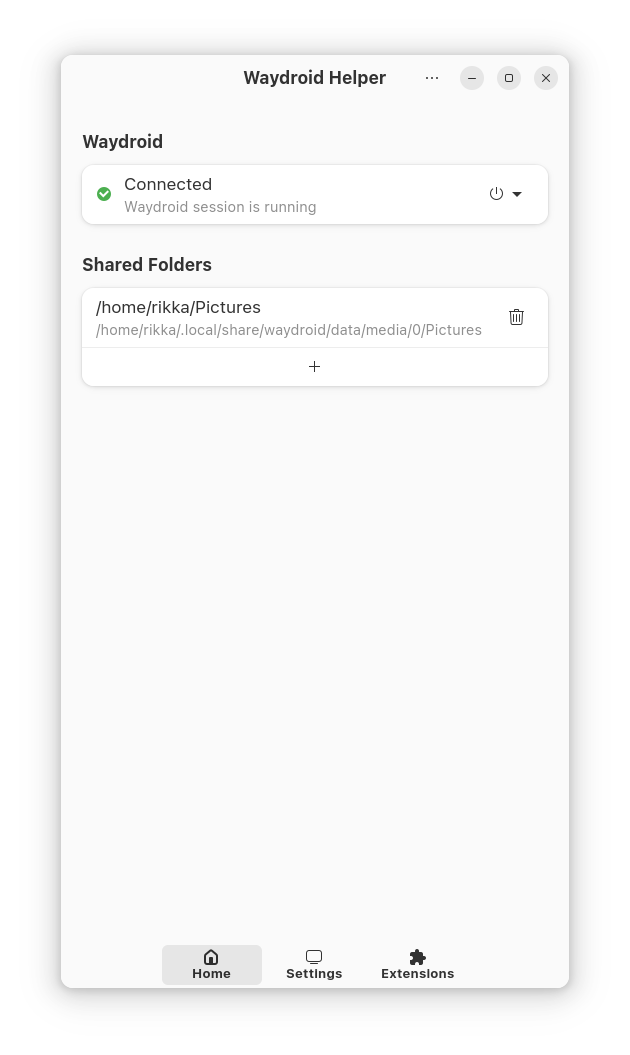 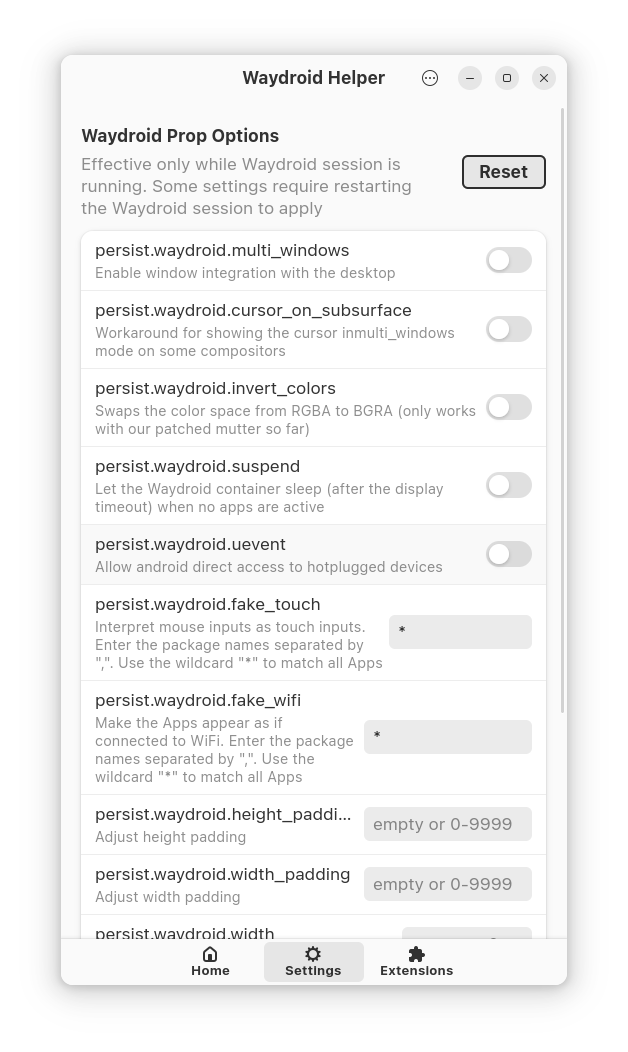 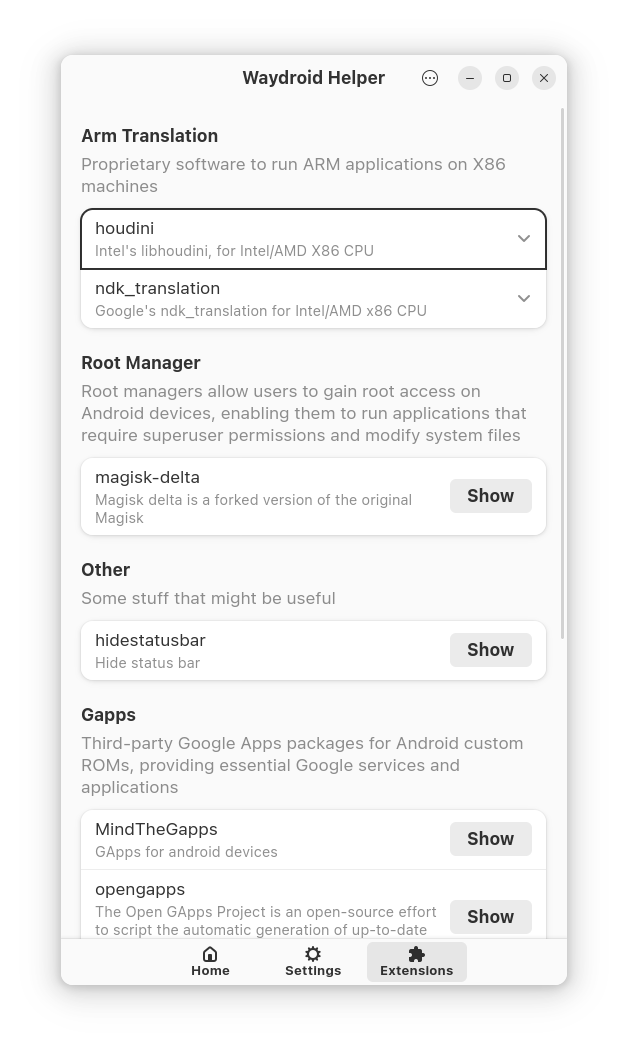 ## Documentation - **[Key Mapping Guide](docs/KEY_MAPPING.md)**: Comprehensive guide for using the key mapping system to control Android apps and games with keyboard and mouse ## Troubleshooting ### Shared Folders not working Enable systemd service ``` systemctl --user enable waydroid-monitor.service --now sudo systemctl enable waydroid-mount.service --now ``` For AppImage users, you need to manually copy the D-Bus configuration files and systemd unit files to their respective system locations to enable proper functionality. Here's the suggested file structure: ``` usr ├── lib │ └── systemd │ ├── system │ │ └── waydroid-mount.service │ └── user │ └── waydroid-monitor.service └── share ├── dbus-1 │ ├── system.d │ │ └── id.waydro.Mount.conf │ └── system-services │ └── id.waydro.Mount.service ``` ### Waydroid fails to start after installing MicroG or GApps If you encounter issues with waydroid not starting after installing microg or gapps, try the following solutions: 1. **Ensure vanilla image usage**: Confirm that you are using a vanilla image instead of a gapps version 2. **Complete data reset**: If the above methods still don't resolve the issue, completely remove the `~/.local/share/waydroid/data` directory and re-run `sudo waydroid init -f`. **Note**: This operation will delete all waydroid data, so please ensure you have backed up any important information. ### ZygiskNext / ReZygisk not working In some cases, ZygiskNext or ReZygisk may fail to function inside Waydroid. These modules rely on SuperCall, a kernel-side IOCTL interface installed through a reboot kprobe hook. Waydroid's default seccomp profile blocks the reboot syscall, which prevents the SuperCall interface from being initialized. Remove the reboot rule from the Waydroid seccomp configuration and then apply the change: ``` sudo sed -i '/reboot/d' /usr/lib/waydroid/data/configs/waydroid.seccomp sudo waydroid upgrade -o ``` ## Credits Special thanks to the [scrcpy](https://github.com/Genymobile/scrcpy) project. This project utilizes scrcpy's server component to enable seamless control of Android devices within Waydroid. The robust communication protocol and device interaction capabilities provided by scrcpy form the foundation of our key mapping features.
