KO
|
EN
gitlite — search
Search
#javascript
#python
#hacktoberfest
#react
#ai
#typescript
#llm
#go
#golang
#android
#machine-learning
#rust
#deep-learning
#linux
TOTP
★ 9
Open GitHub ↗
A CLI app to view your TOTP codes
Download README (.md)
Explore Similar Repositories
plate_ocr_system_share
:
010 基于卷积神经的车牌识别系统-设计源码展示 深度学习 pytorch tensorflow python 卷积神经 图像识别 车牌识别 神经网络 可识别:蓝牌、黄牌(单双行)、绿牌、大型新能源(黄绿)、领使馆车牌、警牌、武警牌(单双行)、军牌(单双行)、港澳出入境车牌、农用车牌、民航车牌
SaveExif
:
No description available.
webcamSnapshot
:
网络摄像头截图(海康大华通过rstp协议或者onvif截个图)
xxhash
:
XXH64 as a single function call
wechat-read-mode
:
📕 网页版微信读书护眼配色多种模式选择,现已集成10种不同的颜色模式来供于你的阅读!
// repository documentation
Was this content helpful?
★ 0
(0 ratings)
Select Rating:
★
★
★
★
★
Submit Feedback
Recent Feedback
×
Download README
Do you want to download the
README.md
file for
TOTP
?
Download (.md)
# TROTP A CLI tool for managing TOTP accounts. All accounts are stored in a local file that's encrypted with the provided password. If you don't provide the -p argument it will expect the password on stdin. Running `trotp` without any arguments will run the TUI interface. [](https://github.com/Krakaw/TOTP/actions/workflows/test.yml) 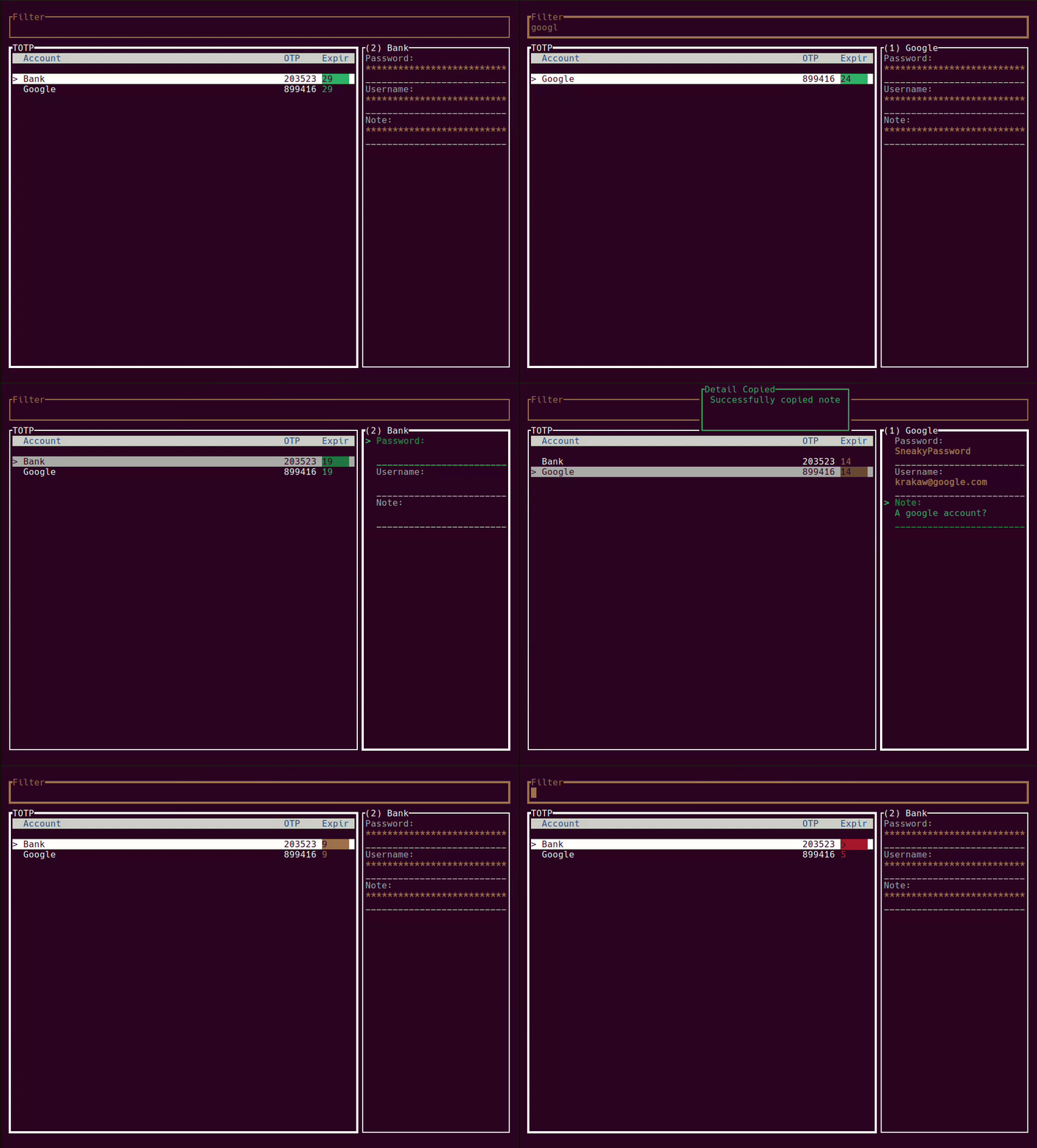 ## Installation ```bash cargo install trotp ``` ## Usage ```bash trotp --help ``` ``` TUI TOTP generator Usage: trotp [OPTIONS] [COMMAND] Commands: add Add a new account edit Edit an existing account delete Delete an account interactive Run in interactive mode [default] check Check an OTP dump Dump the config file secret Extract the TOTP Secret from a record serve Start an HTTP Server help Print this message or the help of the given subcommand(s) Options: -p, --password <PASSWORD> The encryption password -s, --sqlite-path <SQLITE_PATH> The sqlite filename [default: .totp.sqlite3] -a, --auto-lock-key Automatically set the table lock key -h, --help Print help -V, --version Print version ``` ### Add accounts trotp -p password add -a AccountName -s SecretToken -u Username -p Password123 -n Note ### Delete an account trotp -p password delete -a AccountName ### Edit an account trotp -p password edit -i 1 -a NewAccountName -s NewTOTPSecret -p NewPassword -n NewNote -u NewUserName ### Check an OTP against a secret for a specific time within a range trotp -p password check -t TokenSecretKey -o 123456 -s 2022-06-03T08:35:00+02:00 -r 10 ### Start an HTTP REST server that will return an OTP from your accounts if a name is provided or generate one for a provided secret trotp -p password serve # Example using a secret for a once off TOTP curl localhost:8080/JBSWY3DPEHPK3PXP {"account_name":"Secret","code":"359962","expiry":11} curl localhost:8080/acc {"account_name":"Account 1","code":"783196","expiry":30} ### MCP Server (Model Context Protocol) This repo also ships an MCP server binary: `trotp-mcp` (stdio transport). It exposes tools to **add**, **edit**, **delete**, and **generate** TOTPs using the same encrypted sqlite store as the CLI. #### Run ```bash # From source cargo run --bin trotp-mcp # Or if installed via cargo (installs all package binaries) trotp-mcp ``` #### Configure an MCP client Add an MCP server that runs `trotp-mcp` over stdio. Example config (Claude Desktop style): ```json { "mcpServers": { "trotp": { "command": "trotp-mcp", "args": [] } } } ``` #### Available tools - `trotp_add`: add a record - `trotp_edit`: edit a record by `id` - `trotp_delete`: delete a record by `id` - `trotp_generate`: generate a TOTP from a stored record (`id` or `account`) or from a one-off `secret` #### Examples Generate a one-off code from a secret (no DB needed): ```json { "name": "trotp_generate", "arguments": { "secret": "JBSWY3DPEHPK3PXP" } } ``` Generate from a stored account (requires DB password): ```json { "name": "trotp_generate", "arguments": { "db_password": "password", "sqlite_path": ".totp.sqlite3", "account": "acc" } } ``` Add a new account: ```json { "name": "trotp_add", "arguments": { "db_password": "password", "sqlite_path": ".totp.sqlite3", "account": "Example", "secret": "JBSWY3DPEHPK3PXP", "digits": 6, "step": 30, "skew": 1 } } ``` ## Key Bindings ### User Interface #### Global Key Bindings | Key Binding | Action | |-------------|---------------------------------| | `/` | Switch to search/filter mode | | `Esc` | Return to normal mode | | `Tab` | Toggle between OTP table and detail view | | `Down` | Select next account | | `Up` | Select previous account | | `Home` | Jump to first account | | `End` | Jump to last account | | `Enter` | Copy OTP or selected detail to clipboard | | `Ctrl-c` | Exit | #### Normal Mode | Key Binding | Action | |-------------|---------------------------------| | `e` | Edit account name (OTP table) or detail field (detail view) | | `d` | Delete selected account | | `q` | Quit application | | `?` | Show help modal | #### Edit Modal When editing a field, a modal appears with the current value pre-populated: | Key Binding | Action | |-------------|---------------------------------| | `Enter` | Save changes | | `Esc` | Cancel editing | | `Backspace` | Delete character | | `Shift` | Capital letters | | `Ctrl-V` | Paste text | #### Help Modal The help modal displays all available keyboard shortcuts: | Key Binding | Action | |-------------|---------------------------------| | `Esc` or `?` | Close help modal | | `Up/Down` | Scroll help text (page-based) | | `Home/End` | Jump to top/bottom of help | | `PageUp/PageDown` | Scroll by page |
