KO
|
EN
gitlite — search
Search
#python
#java
#python3
#arduino
#golang
#machine-learning
#rust
#html
#flask
#javascript
#seismology
#nodejs
Pype
★ 24
Open GitHub ↗
Python + HTML desktop app framework
Download README (.md)
Explore Similar Repositories
shopctl
:
🛠️ [WiP] Manage Shopify store straight from the terminal
AAAI25-S5VH
:
The code for the paper "Efficient Self-Supervised Video Hashing with Selective State Spaces" (AAAI'25).
memory-journal-mcp-server
:
MCP server designed to help you search and analyze your photo library (iCloud - Apple photos)
social_app_flutter_supabase
:
Social media app built with Flutter and Supabase
pago
:
Command-line password manager
// repository documentation
Was this content helpful?
★ 0
(0 ratings)
Select Rating:
★
★
★
★
★
Submit Feedback
Recent Feedback
×
Download README
Do you want to download the
README.md
file for
Pype
?
Download (.md)
# Pype  **Fast** and **Simple** GUI framework for Python Render **Python** computed values and interact them via **HTML** in a webview application Good for fast visualization or **lightweight applications** | The application | The backend | The frontend | |-----------------|--------------|---------------| | 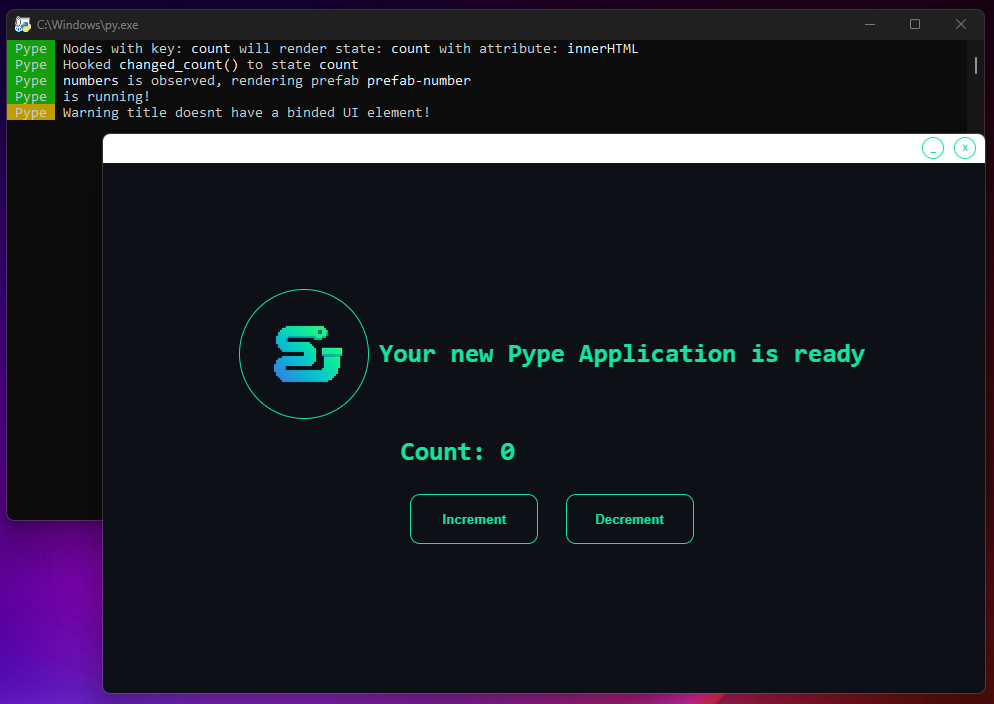 | 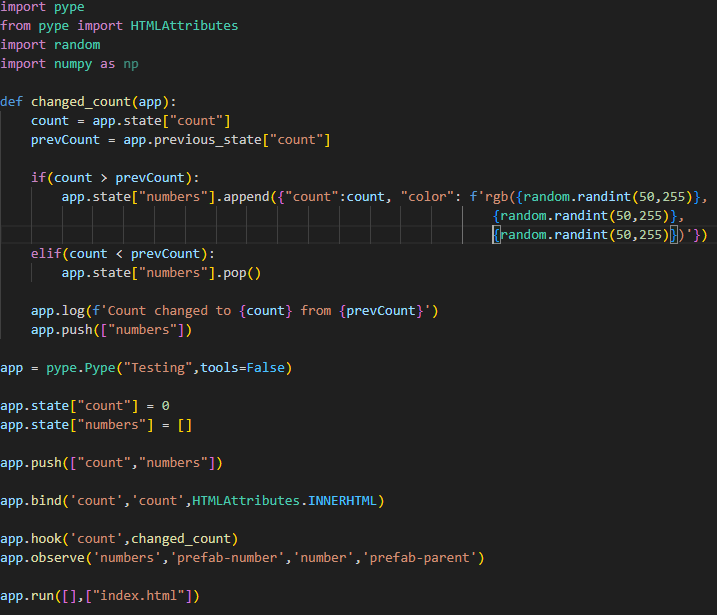 | 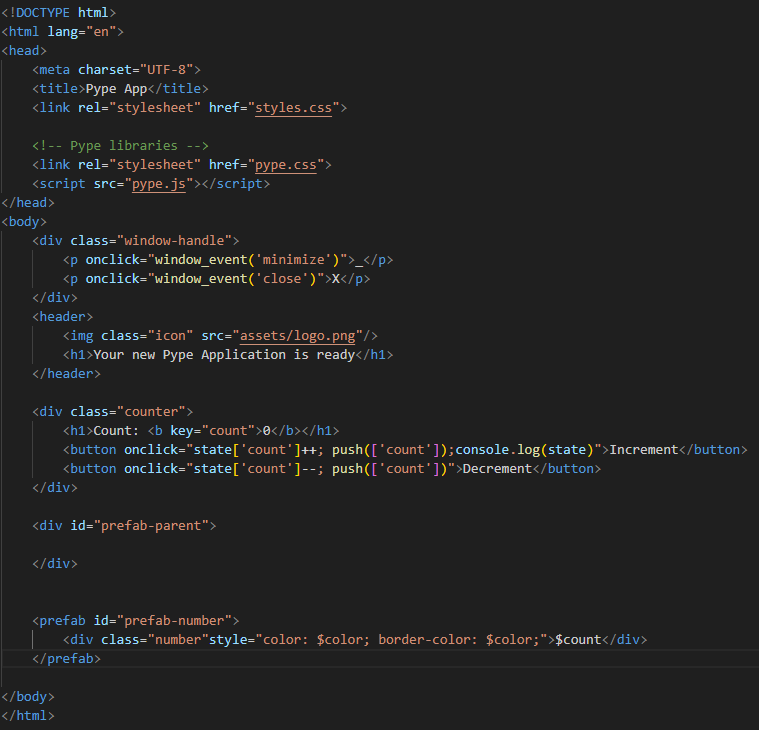 | # Installation ```shell pip install pype-framework ``` # Import ```python from Pype import pype ``` # Documentation ## Project creation Generates the project with all needed files. **Project-Name** ├── **frontend** - HTML, CSS, Pype frontend library. │ └── **assets** - Any asset file. └── **app.py** ```shell plumber new project-name ``` ## Project build Generates an `.exe` executable file from the given project. The project should follow the generated structure. Call from the projects directory. ```shell plumber build ``` ## Project upgrade Upgrade the frontend API in a given project, to stay up to date with the backend API. ```shell plumber upgrade ``` ## Expose **Description:** Exposes a function to the frontend side to be called **Example:** ```python app.expose(functionFromPython) ``` ## Call **Description:** Calls an exposed function from the frontend. Attributes can be left empty. **Example:** ```javascript onclick="call('functionFromPython')" onclick="call('functionFromPython', [attrib-1, attrib-2])" ``` ## State Management ### Push Applies and finalizes state changes by triggering observers and hooks. Updates are batched for efficiency, ensuring cleaner and more controlled state management. It offers on-demand state updates, reducing unnecessary processing. **Python:** ```python app.state["numbers"].append(value) app.push(["numbers","some other key","...another"]) #finalizes state change ``` **JavaScript:** ```javascript onclick="state['count']++; push(['count'])" ``` ### Pull Gets a state values deep copied value, for other usage then just immidietly setting state. **Python:** ```python app.pull("count") ``` **JavaScript:** ```javascript onclick="alert(pull('count'))" ``` --- ## Binds **Description:** Binds a state to an element via its `key` attribute and specifies which attribute should be updated upon a state change. **Example:** ```python app.bind('state-key', 'element-key', HTMLAttributes.INNERHTML) ``` --- ## Hooks **Description:** Attaches a function to a specific state change. When the state updates, the hooked function is called. **Example:** ```python app.hook('state-key', hooked_function) ``` --- ## Prefabs ### Creation **Description:** Users can create prefabs that can be instantiated or destroyed by the app. Attributes are passed as Python dictionaries. **Example (HTML):** ```html <prefab id="prefab-name"> <div class="number" style="color: $attribute-name-2; border-color: $attribute-name-2;">$attribute-name</div> </prefab> ``` --- ### Instantiate **Description:** Instantiates a prefab with a unique key under a specified parent element, passing attributes to customize its content. **Example:** ```python app.instantiate("prefab-name", f"key-prefix-{count}", "prefab-parent-id", {"attribute1": 'something', "attribute2": 0}) ``` --- ### Destroy **Description:** Destroys a prefab with the specified ID and key. During destruction, the prefab enters its destruction phase and receives the `.destroyed` class for exit animations. **Example:** ```python app.destroy("prefab-name", f"key-prefix-{prevCount}") ``` ### Observer **Description:** Observes a state array that contains attributes for prefabs, upon its change automatically instantiates or destroys prefabs. **Example:** ```python app.observe('state-key','prefab-id','key-prefix','prefab-parent-id') ``` ### Load Page **Description:** Loads a given page exposed to the run function. `.unloaded` class for the current page for exit animations. **Example:** ```python app.run([updatingFunc],["index.html","new-page.html"]) #Expose pages to app app.load_page(1) ``` ### Custom Window Handle **Description:** All pages has a `.window-handle` div at top. This area is customizable too for making it fit with your app.
