KO
|
EN
gitlite — search
Search
#python
#java
#python3
#arduino
#golang
#machine-learning
#rust
#html
#flask
#javascript
#seismology
#nodejs
acf-rrule
★ 22
Open GitHub ↗
RRule field for Advanced Custom Fields
Download README (.md)
Explore Similar Repositories
M5StickC-uPy
:
Micropython utilities for the M5StickC
Chinese-Error-Checking
:
No description available.
build-vscode-win-arm64
:
No description available.
go-subkey
:
Subkey port in Go
signalling-server
:
No description available.
// repository documentation
Was this content helpful?
★ 0
(0 ratings)
Select Rating:
★
★
★
★
★
Submit Feedback
Recent Feedback
×
Download README
Do you want to download the
README.md
file for
acf-rrule
?
Download (.md)
# ACF RRule Field Create recurring rules within a single ACF field and retrieve all the dates using the [simshaun/recurr](https://github.com/simshaun/recurr) package. 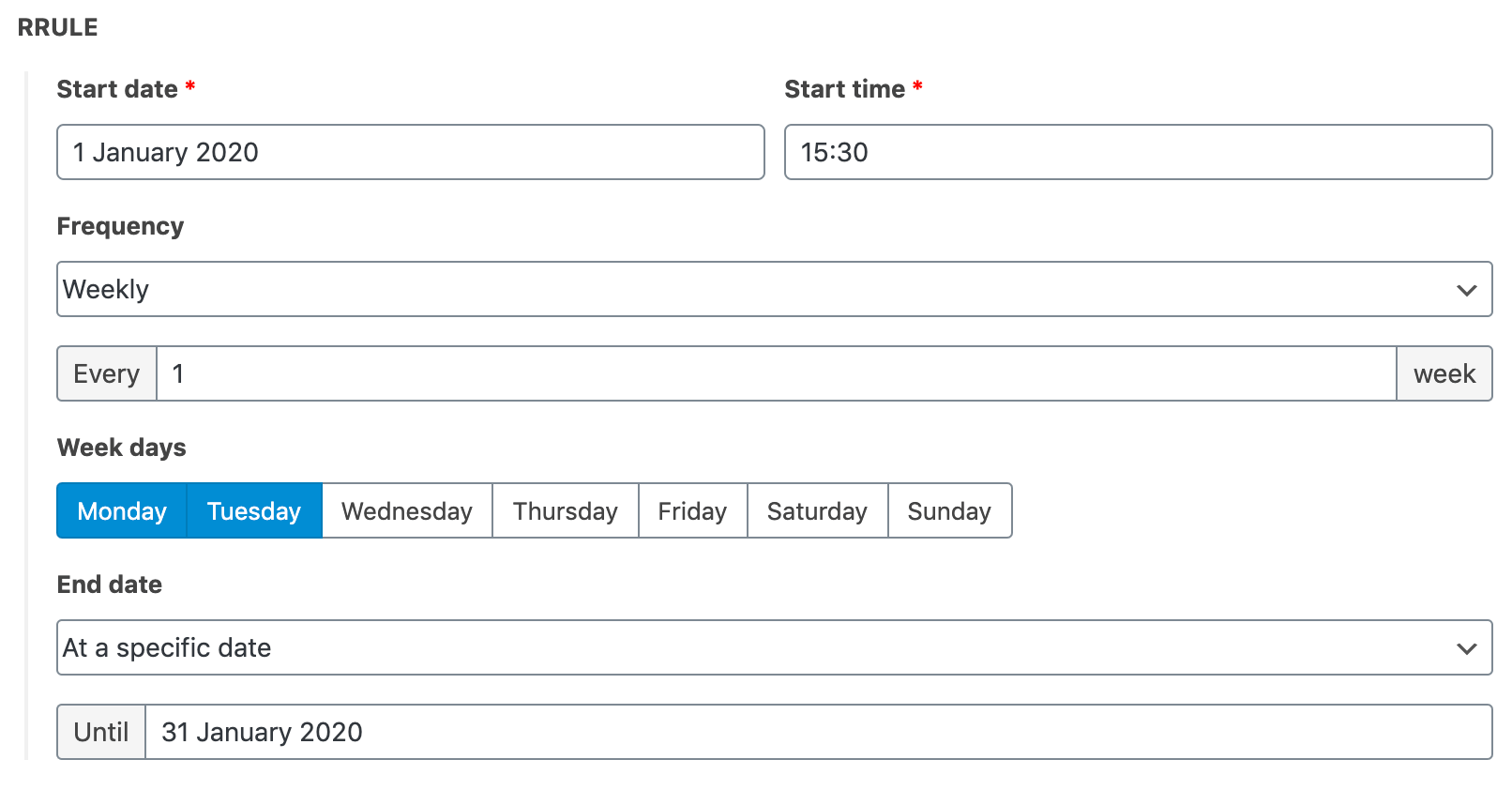 ## Usage ```php <?php $rrule = get_field('rrule'); ?> ``` The RRule field returns an array with the following attributes: | Attribute | Type | Description | | --------------------- | ------------------- | ----------------------------------------------------------------------------------- | | **rrule** | *string* | The RRule string describing the recurring rule | | **start_date** | *string* | The start date of the recurrence (Ymd) | | **start_time** | *string* | The start time of the recurrence (H:i:s) | | **frequency** | *string* | The selected frequency (DAILY\|WEEKLY\|MONTHLY\|YEARLY) | | **interval** | *int* | The interval set for the frequency | | **weekdays** | *array\<string\>* | An array of days for the weekly frequency | | **monthdays** | *array\<string\>* | An array of days for the monthly frequency | | **months** | *array\<int\>* | An array of months for the yearly frequency | | **monthly_by** | *string* | The selected option for the monthly frequency (monthdays\|setpos) | | **bysetpos** | *array\<int\>* | The starting numbers for the monthly "setpos" option | | **byweekday** | *array\<string\>* | The selected days for the monthly "setpos" option | | **end_type** | *string* | The end of the recurrence (date\|count) | | **end_date** | *string* | The end date in YYYYMMDD format for the recurrence when `end_type` is set to "date" | | **occurence_count** | *int* | The number of occurences for the recurrence when `end_type` is set to "count" | | **dates_collection** | *array\<DateTime\>* | An array containing all the DateTime objects generated by your recurring rule | | **text** | *string* | A text representation for your recurring rule | | **first_date** | *DateTime* | The first occurrence of the recurrence (since v1.4.0) | | **last_date** | *DateTime* | The last occurrence of the recurrence (since v1.4.0) | ### Advanced usage A common use case for this plugin is creating an agenda-style display for your events. Here is how I usually do it. In the following example we will assume you have an `event` custom post type with an ACF RRule field named `rrule`. The first step is to use the `acf/save_post` hook to save the first and last dates in database. This is necessary for querying our events later. ```php /** * Save first & last occurrences of an event in database. * * @param int|string $post_id * @return void */ add_action('acf/save_post', function (int|string $post_id) { if (! $post_id || get_post_type($post_id) !== 'event') { return; } $rrule = get_field('rrule'); update_post_meta($post_id, 'start_date', $rrule['first_date']->format('Y-m-d')); update_post_meta($post_id, 'end_date', $rrule['last_date']->format('Y-m-d')); }); ``` You will then be able to use the `start_date` and `end_date` meta values in a custom `WP_Query` to filter events that may have occurrences between the specified dates. ```php $startDate = date('Y-m-d'); // Today $endDate = date('Y-m-d', strtotime('+1 month', strtotime($startDate))); // Today + 1 month // Retrieve events starting before the end date // and ending after the start date $eventsQuery = new WP_Query([ 'post_type' => 'event', 'posts_per_page' => -1, 'post_status' => 'publish', 'meta_query' => [ 'relation' => 'AND', [ 'key' => 'start_date', 'compare' => '<=', 'value' => $endDate, 'type' => 'DATE', ], [ 'key' => 'end_date', 'compare' => '>=', 'value' => $startDate, 'type' => 'DATE', ], ], ]); ``` The next and last step is to create an associative array of dates. Each date will be an array of events that occurs at the given date. ```php // Instanciate an array for our list of dates $dates = []; while ($eventsQuery->have_posts()) { $eventsQuery->the_post(); $recurrence = get_field('rrule'); // Loop through the individual dates for the recurrence foreach ($recurrence['dates_collection'] as $datetime) { $date = $datetime->format('Y-m-d'); if ($date < $startDate) { // If the date is before the start date, jump directly to the next one continue; } elseif ($date > $endDate) { // If the date is after the end date, break the loop break; } // Create the date if it doesn't exist yet if (! isset($dates[$date])) { // Each date will contain an array of events $dates[$date] = []; } // Use the event ID as key to avoid duplicates $dates[$date][$post->ID] = $post; } // Sort array by key ksort($dates); } ``` Of course this is a very basic example that you will have to adapt to your use case. ## Testing ``` vendor/bin/phpcs -p . --standard=PHPCompatibilityWP --extensions=php --runtime-set testVersion 7.2- ```
