KO
|
EN
gitlite — search
Search
#python
#java
#python3
#arduino
#golang
#machine-learning
#rust
#html
#flask
#javascript
#seismology
#nodejs
DHConsole
★ 12
Open GitHub ↗
Web Console for DanhengServer.
Download README (.md)
Explore Similar Repositories
file-preview-demo
:
基于 Vue.js 的文件预览解决方案,支持 Word、Excel、PPT、PDF 在线预览,完美适配 PC 和移动端,全部代码由 Cursor AI 助手生成。
reimagined-goggles
:
No description available.
glowing-garbanzo
:
No description available.
automatic-octo-happiness
:
No description available.
hybrid_rag_app
:
No description available.
// repository documentation
Was this content helpful?
★ 0
(0 ratings)
Select Rating:
★
★
★
★
★
Submit Feedback
Recent Feedback
×
Download README
Do you want to download the
README.md
file for
DHConsole
?
Download (.md)
# DHConsole English | [中文](./README.zh-CN.md) A local web app to control Danheng Server via UI with i18n support in 12 languages. Visit https://anyrainel.github.io/DHConsole/ to use the latest version. ## Features - [x] Character Management (change Stats, Light Cone, Relics, etc.) - [x] Relic Management (pick your affixes and upgrades, or let DHConsole recommend for you) - [x] Mission Management (pick missions to skip) - [x] Scene Management (unlock props in the scene, as a workaround for not implemented features) - [x] Inventory Management (send more items to inventory) - [x] Account level, gender and other controls (e.g. unlock everything) - [x] Custom Commands 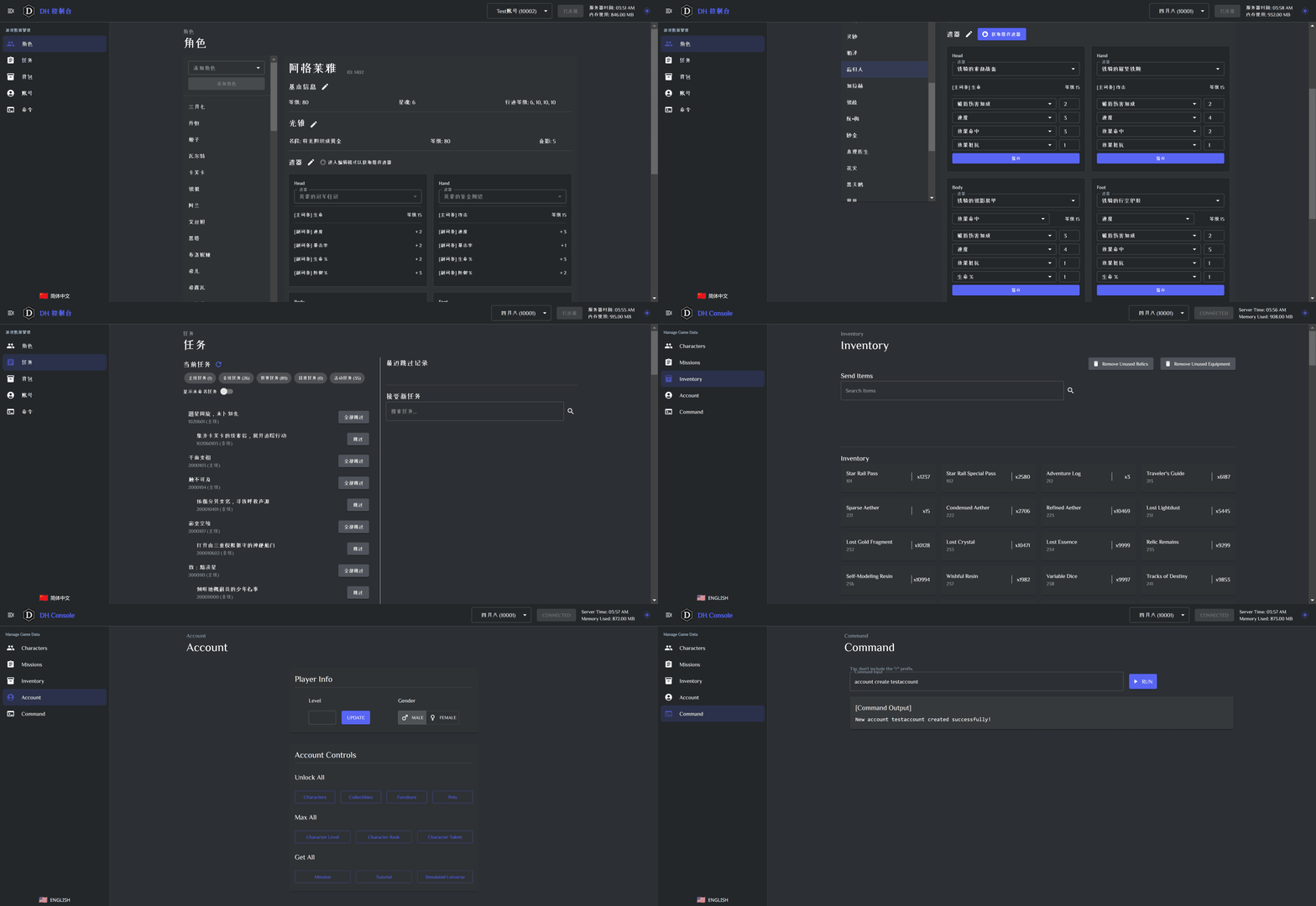 ### Full i18n support 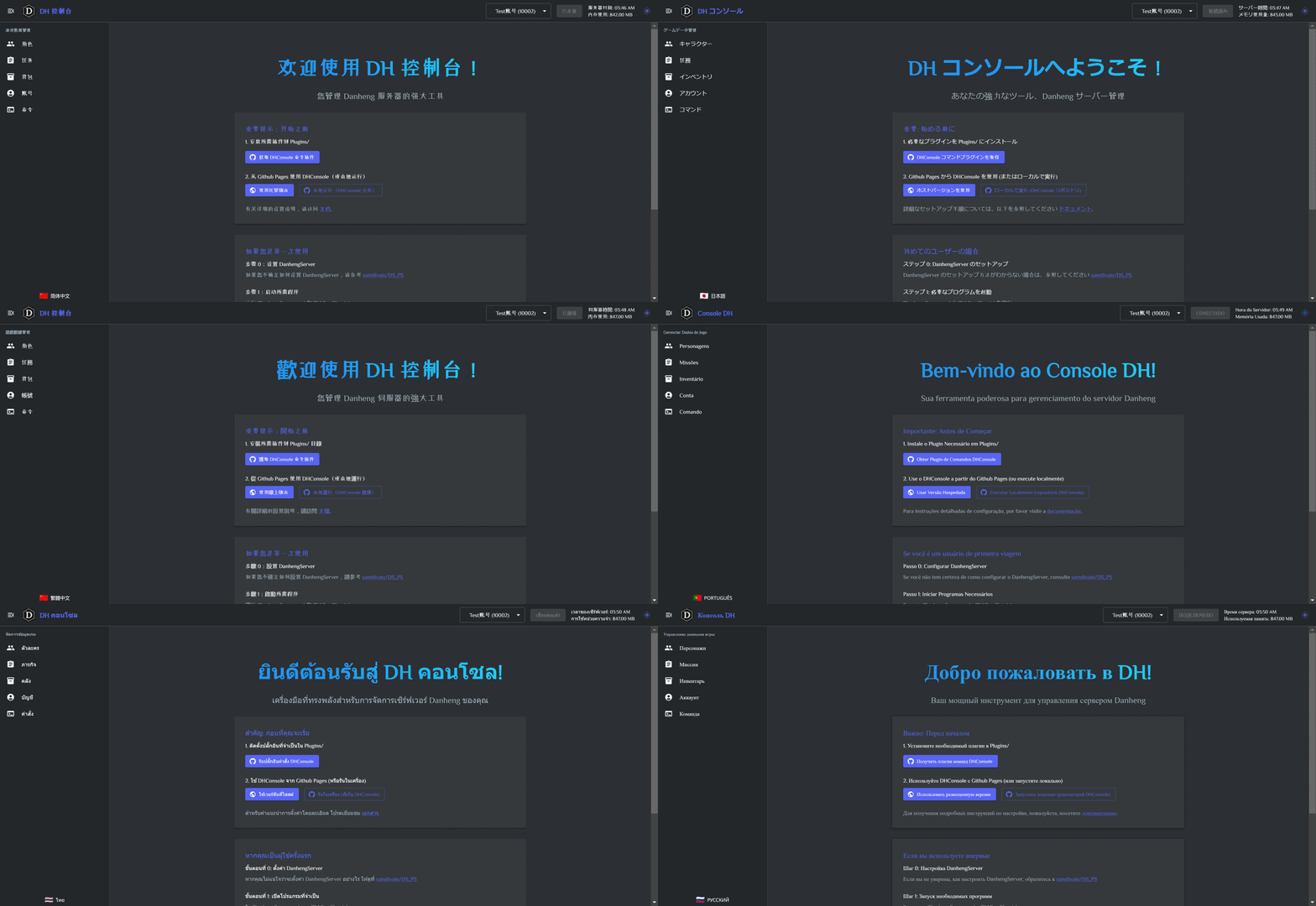 ### Dark / Light Color Theme 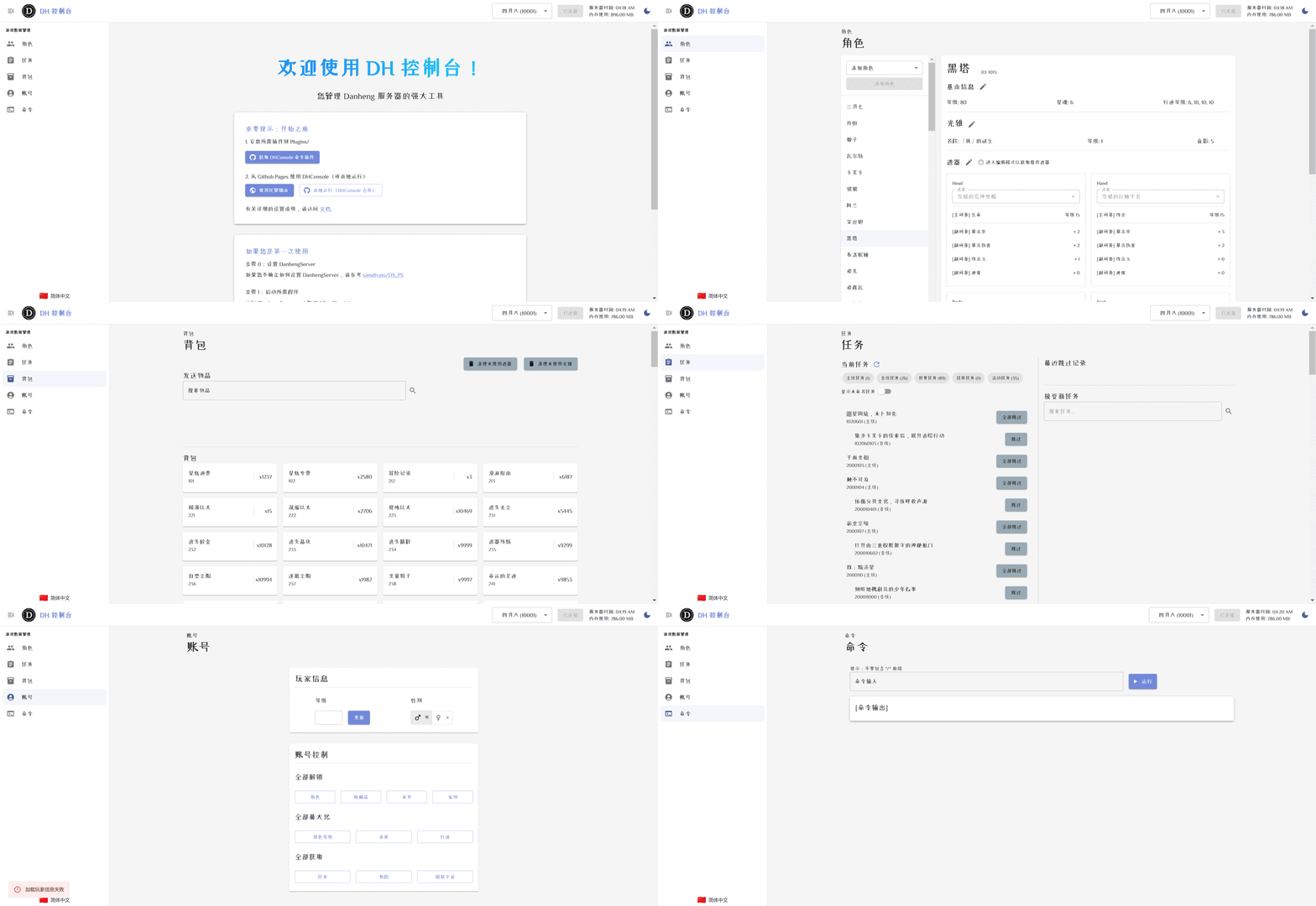 ## Usage ### Prerequisite - Download plugin dll from [DanhengPlugin-DHConsoleCommands](https://github.com/Anyrainel/DanhengPlugin-DHConsoleCommands). - Place the dll in the `Plugins` folder of your Danheng Server. ### Option 1: Use github pages - Open [DHConsole](https://anyrainel.github.io/DHConsole/) in your browser. ### Option 2: Clone and run via npm ```bash git clone https://github.com/Anyrainel/DHConsole.git --depth 1 cd DHConsole npm install npm run dev ``` Then open the url from the terminal output. ### Tips Remember to click the `Connect` button after opening the page. You will need to find the `config.json` file from your private server to initiate the connection. The connection with Danheng Server can sometimes be unstable, you might need to connect again if the connection is lost. ## Questions Open new issues in this repo.
