KO
|
EN
gitlite — search
Search
#python
#hacktoberfest
#llm
#rust
#hacktoberfest2024
#csharp
#dotnet
#machine-learning
#python3
#windows
#php
#linux
react-native-wheel
★ 39
Open GitHub ↗
DEPRECATED
Download README (.md)
Explore Similar Repositories
bayesian_optimization
:
Bayesian optimization
news-corpus-builder
:
Automatic News Corpus Builder
rancher-api
:
Connect to Rancher API easily to provision VMs, deploy, watch and scale your containers in cloud. With Ruby.
material-progress
:
A Material design multi-progress bar collection, inspired by Google Fit and made with Polymer.
FSharpVerbalExpressions
:
Compoable F# regular expressions made easy
// repository documentation
Was this content helpful?
★ 0
(0 ratings)
Select Rating:
★
★
★
★
★
Submit Feedback
Recent Feedback
×
Download README
Do you want to download the
README.md
file for
react-native-wheel
?
Download (.md)
# PLEASE NOTE, THIS PROJECT IS NO LONGER BEING MAINTAINED * * * # react-native-wheel [](https://www.npmjs.com/package/react-native-wheel) <a href="https://david-dm.org/shexiaoheng/react-native-wheel"><img src="https://david-dm.org/shexiaoheng/react-native-wheel.svg" alt="Dependency Status"></a> RN的Android滚轮组件 ### [Combination use](https://github.com/beefe/react-native-picker) ## PropTypes * values 数据源(支持 String int double boolean) * isLoop 是否循环滚动 * textSize 字体大小 * selectedIndex 默认选中的下标 * velocityFling 滚动速度,建议 15-25 * onItemChange 滚动回调 ## Install And Use #### Npm Install ```shell $ npm install --save react-native-wheel ``` #### Update Gradle Settings ```gradle // file: android/settings.gradle ... include ':react-native-wheel' project(':react-native-wheel').projectDir = new File(rootProject.projectDir, '../node_modules/react-native-wheel/android') ``` #### Update app Gradle Build ```gradle // file: android/app/build.gradle ... dependencies { ... compile project(':react-native-wheel') } ``` #### Register React Package ```java // file: android/src/main/java/com.xx/MainApplication.java ... private final ReactNativeHost mReactNativeHost = new ReactNativeHost(this) { @Override protected boolean getUseDeveloperSupport() { return BuildConfig.DEBUG; } @Override protected List<ReactPackage> getPackages() { return Arrays.<ReactPackage>asList( new MainReactPackage(), new WheelPackage() // Added there ); } }; ``` #### Use ```js import React, { Component } from 'react'; import { AppRegistry, StyleSheet, Text, View, ToastAndroid } from 'react-native'; import WheelView from 'react-native-wheel'; import Dimensions from 'Dimensions'; let SCREEN_WIDTH = Dimensions.get('window').width; let SCREEN_HEIGHT = Dimensions.get('window').height; let wheelData = [1,'two',false,0.10,'six','seven','eight','nine','ten']; let currentIndex; class AwesomeProject extends Component { ok(){ ToastAndroid.show('select index : ' + currentIndex +' select item : ' + wheelData[currentIndex] ,ToastAndroid.SHORT); } _onItemChange(index){ currentIndex = index; } render() { return ( <View style={styles.container}> <Text style={styles.ok} onPress={this.ok.bind(this)} > 确定 </Text> <WheelView style={styles.wheelview} onItemChange={this._onItemChange.bind(this)} values={wheelData} isLoop={false} selectedIndex={0} textSize={20} velocityFling={20} /> </View> ); } }; var styles = StyleSheet.create({ container: { flex: 1, justifyContent: 'flex-end', alignItems: 'center', backgroundColor: '#F5FCFF', }, ok: { margin: 5, color: '#000000', fontSize: 18, }, wheelview: { width: SCREEN_WIDTH, height: SCREEN_HEIGHT/5*2, }, }); AppRegistry.registerComponent('AwesomeProject', () => AwesomeProject); ``` ## Run Renderings  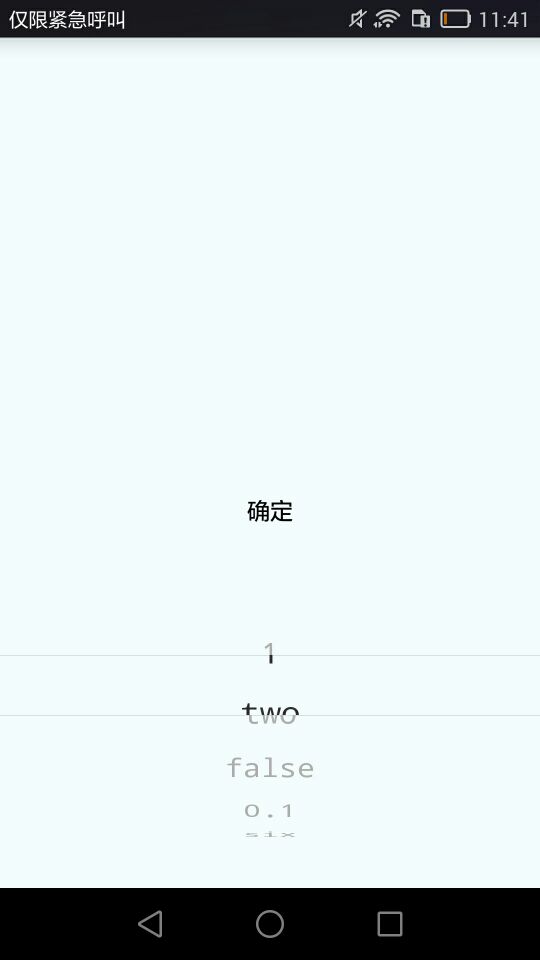 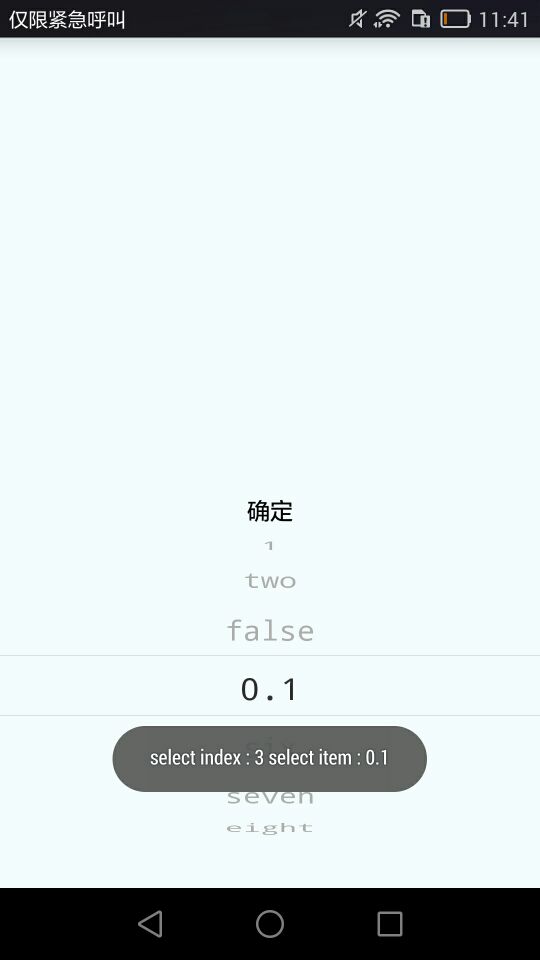 ## Reference https://github.com/weidongjian/androidWheelView
