KO
|
EN
gitlite — search
Search
#javascript
#python
#hacktoberfest
#react
#ai
#typescript
#llm
#go
#golang
#android
#machine-learning
#rust
#deep-learning
#linux
ace-mock
★ 8
Open GitHub ↗
一款前端 api mock 工具
Download README (.md)
Explore Similar Repositories
i2c_verilog
:
I2c
searchutils
:
Set of scripts and techniques to search for through office documents, or leverage the Windows indexing service
DeepCommenter
:
No description available.
chinese-calligraphy-dataset
:
No description available.
haskell-setup
:
Haskell setup for vscode with cabal and nix
// repository documentation
Was this content helpful?
★ 0
(0 ratings)
Select Rating:
★
★
★
★
★
Submit Feedback
Recent Feedback
×
Download README
Do you want to download the
README.md
file for
ace-mock
?
Download (.md)
# 一款前端 api mock 工具 #### 界面预览 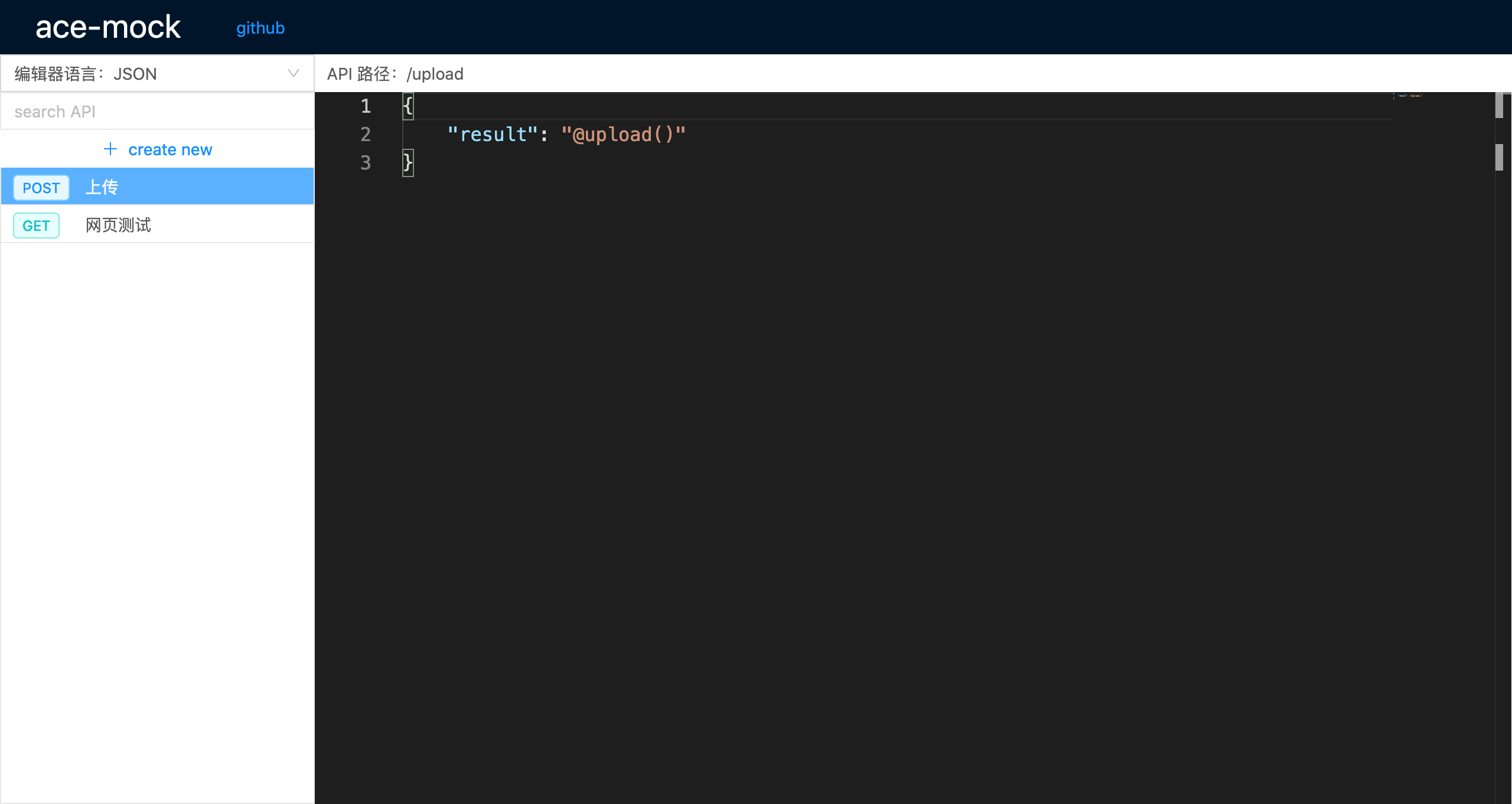 #### 安装 ```sh $ yarn global add ace-mock # 或 $ npm i -g ace-mock ``` #### 使用 ``` $ ace-mock [options] ``` #### 示例 ```sh $ ace-mock # 或 $ ace-mock --port=12345 ``` 执行上述命令后,就会开启 mock 服务,地址为:`http://localhost:12345` ## 更多功能(持续奇思妙想中,欢迎贡献) 1、ace-mock 支持 Mock.js 语法,如有需要,可以参考:http://mockjs.com/examples.html **示例:** ```json { "list|30": [ { "id": "@guid", "title": "@ctitle(10, 20)", "date": "@date('yyyy-MM-dd')" } ] } ``` 2、支持字段回显,语法:`@request(field)` **示例:** 请求列表接口的时候,需要用到翻页,因为当前页数是由前端控制的,所以可以使用`@request`语法来回显前端发送过来的页数: ```json { "code": 200, "message": "ok", "currentPage": "@request(page)", "total": 50, "resultList|10": [ { "id": "@guid", "title": "@ctitle(10, 20)", "date": "@date('yyyy-MM-dd')" } ] } ``` 假设接口为:POST /test 这时前端请求:`curl -X POST -d page=2 http://localhost:12345/test` 返回: ```json { "code": 200, "message": "ok", "currentPage": 2, <--这里被替换为请求的字段了 "total": 50, "resultList": [ //... ] } ``` 3、支持文件上传,语法:`@upload()` 示例,上传照片: ```json { "status": 200, "message": "ok", "result": "@upload()" } ``` 前端使用表单上传单张照片后会返回如下结果: ```json { "status": 200, "message": "ok", "result": "http://localhost:12345/files/file-1579452917264.jpg" } ``` 批量上传多张照片后会返回如下结果: ```json { "status": 200, "message": "ok", "result": [ "http://localhost:12345/files/file-1579452927117.jpg", "http://localhost:12345/files/file-1579452927118.jpg", "http://localhost:12345/files/file-1579452927125.jpg" ], } ``` 4、模拟网络延迟,语法:`"@delay": 1000`,单位:ms 示例: ```json { "@delay": 1000, "status": 200, "message": "ok", "result": "@upload()" } ``` 这样在请求该接口后,服务端将会延迟 1000 毫秒才会向前端响应结果,这样在测试慢速网络下的交互或逻辑异常是非常有帮助的。 5、模拟接口的各种状态码,比如,模拟接口异常:503 状态 ```json { "@status": 503, } ``` 6、GET 方法的接口可以使用 HTML 示例: 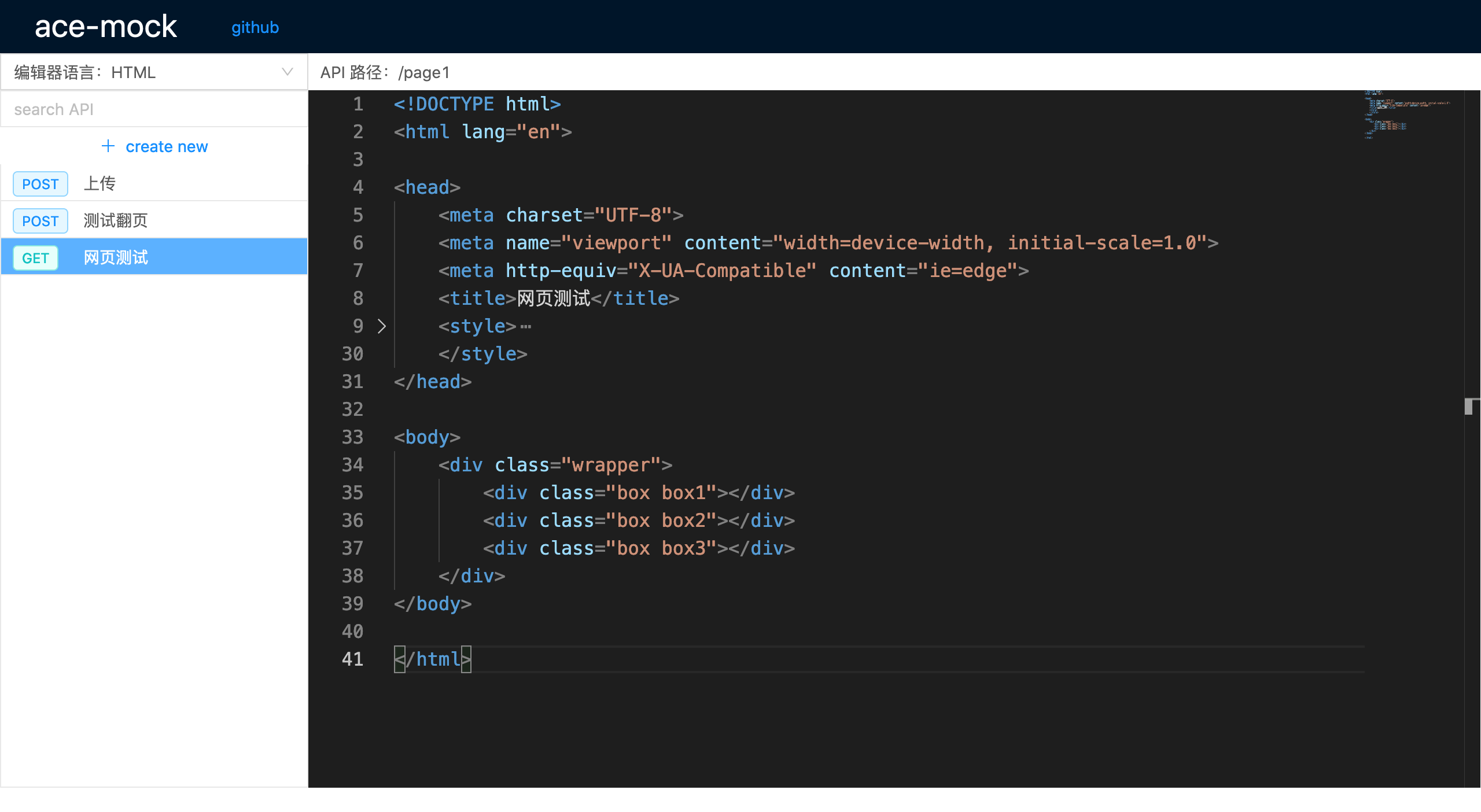 这时,访问:`http://localhost:12345/page1` 就可以看到所编辑的页面了 你可以使用它来做一些测试,样式调整等,很方便。 甚至,你还可以在服务器上启动 ace-mock,就可以在线编辑网页,做一些简单的页面展示。
