KO
|
EN
gitlite — search
Search
#python
#java
#python3
#arduino
#golang
#machine-learning
#rust
#html
#flask
#javascript
#seismology
#nodejs
gdluxx
★ 20
Open GitHub ↗
self-hosted browser based gui for gallery-dl
Download README (.md)
Explore Similar Repositories
Scrapple
:
Bad Apple played as a Scrabble Bot
Koolcenter_openlist
:
koolcenter梅林/官改固件 OpenList 文件列表插件。
PhysUniBenchmark
:
No description available.
2025fall-cs201
:
No description available.
claude_astgrep
:
A workflow for ast-grep rules generation with Claude Code. Enforce your LLM-generated code with strict rules!
// repository documentation
Was this content helpful?
★ 0
(0 ratings)
Select Rating:
★
★
★
★
★
Submit Feedback
Recent Feedback
×
Download README
Do you want to download the
README.md
file for
gdluxx
?
Download (.md)
# gdluxx gdluxx is nothing more than a self-hosted browser based gui for [_gallery-dl_](https://github.com/mikf/gallery-dl) <details> <summary><h3>Screenshots</h3></summary> | gdluxx - Main | gdluxx - Job Output | |:------------------------------------------------------------:|:--------------------------------------------------------------:| | 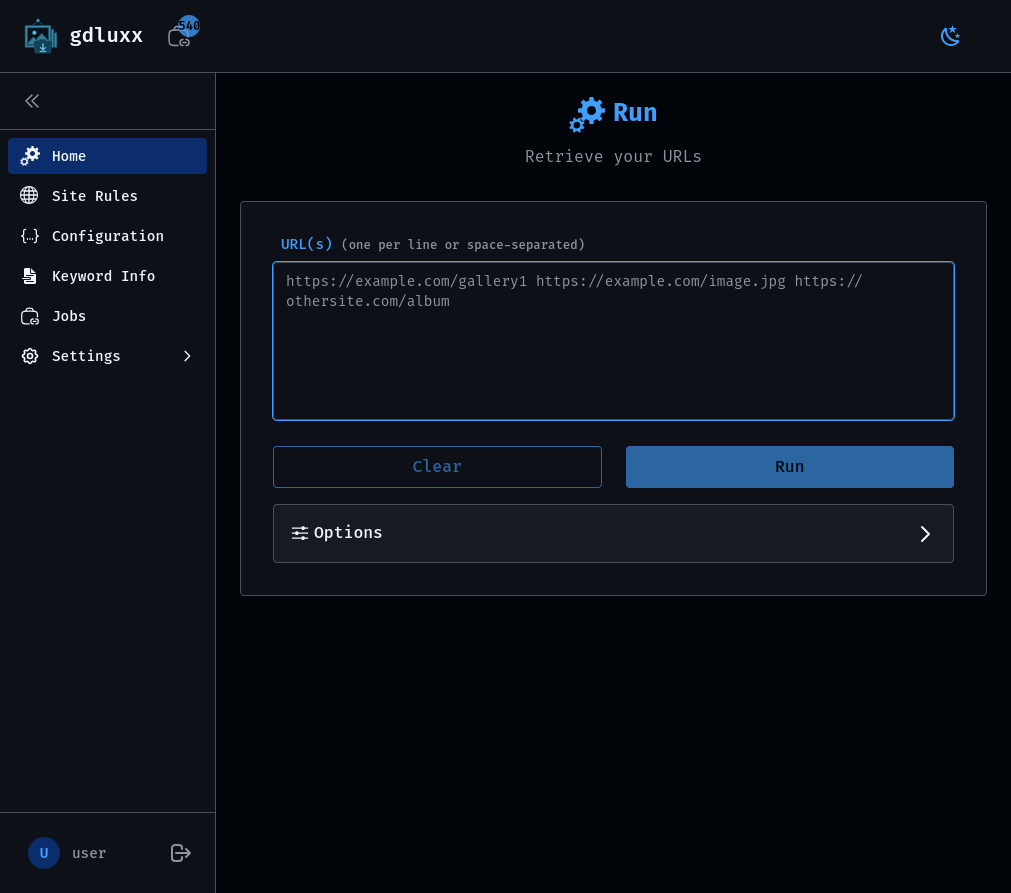 | 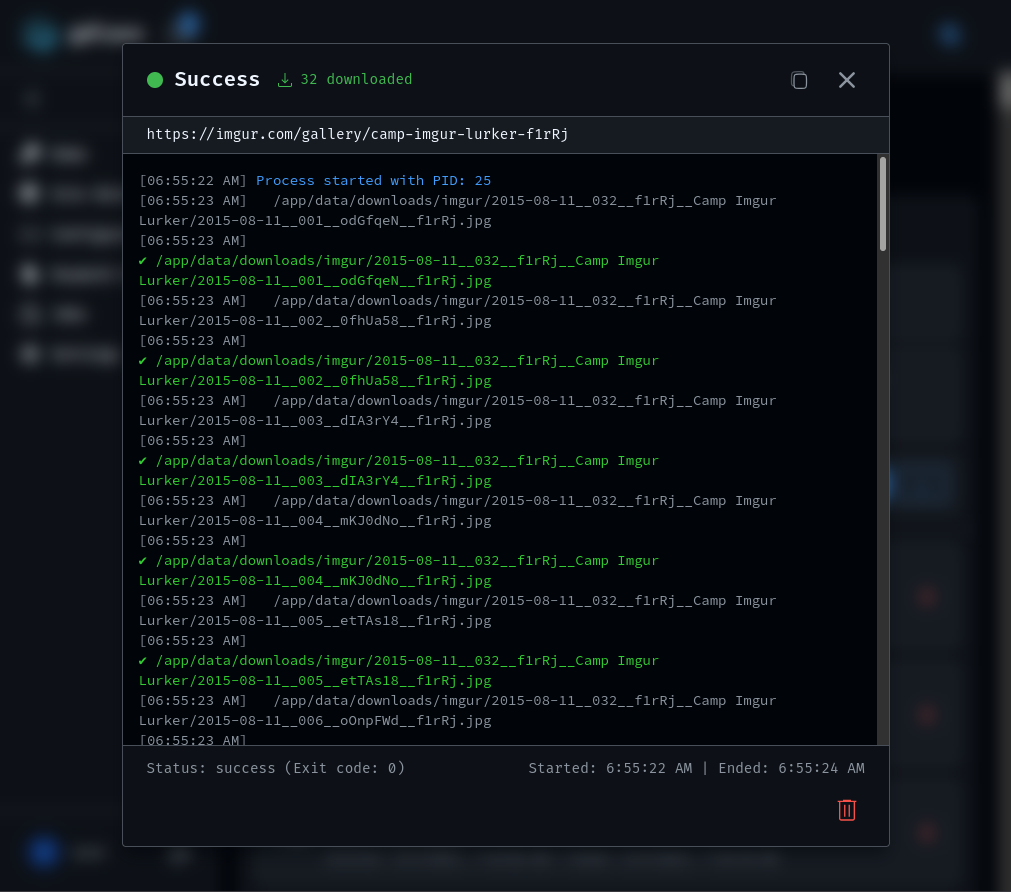 | | Extension - Main | Extension - Advanced Filtering | |:------------------------------------------------------------------:|:----------------------------------------------------------------------------:| | 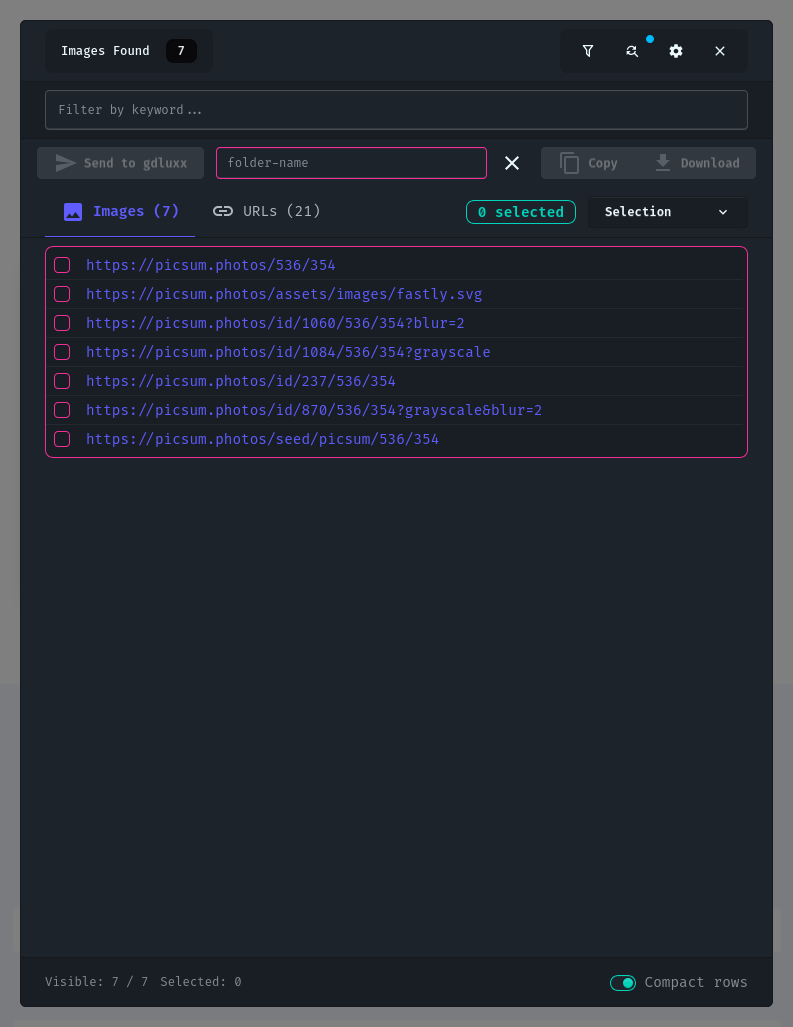 | 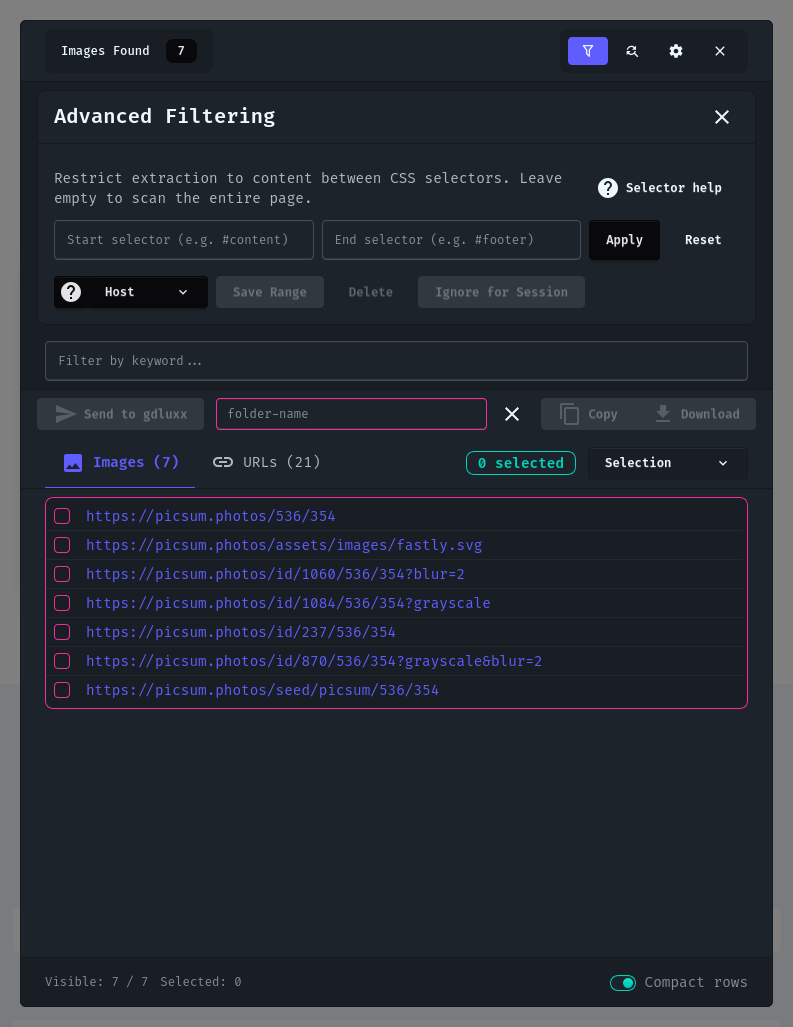 | ##### Additional screenshots - [gdluxx screenshots](https://gdluxx.app/screenshots/gdluxx) - [extension screenshots](https://gdluxx.app/screenshots/extension) </details> ## What's it about? - **GUI**: Paste one or more URLs and download. No command line required - **Batch Processing**: Submit multiple URLs at once - **Site Rules**: Apply specific gallery-dl options based on URL patterns - **Config Editor**: Built-in JSON editor with syntax highlighting, validation, and file upload - **Keyword Info**: Test what metadata different sites provide for use in your config file - **Job Management**: View running, completed, and failed jobs with output and statistics - **Browser Extension**: Send URLs directly from your browser with a click - **API**: Programmatically send URLs via API endpoint from your own scripts - **Version Management**: Download and update _gallery-dl_ binary without leaving the app ## Browser Extension The browser extension allows sending URLs directly to gdluxx without leaving your browser - **Click to send**: URL sending from your toolbar - **Keyboard shortcut**: Alt+L (customizable) opens the UI - **Image context menu**: Right-click any image to send it directly - **Batch sending**: Send multiple URLs at once - **URL substitution**: Match and replace parts of URLs - **Permissions Control**: Limit the extension to specific sites you choose or all of them ## Why? I've been using _gallery-dl_ for a long time now, it's a great program. And while I've come up with processes to make using _gallery-dl_ simpler (rather than executing it against one URL at a time in the terminal), this will eliminate the need to leave the browser. I'm guessing I'll be needing more storage space very soon. ## Docs - [Overview](https://gdluxx.app) - [gdluxx install](https://gdluxx.app/getting-started/installation) - [extension install](https://gdluxx.app/extension/index) ## Quick Start Install Only Docker installation is supported. > [!WARNING] > To avoid permissions issue, the bind mount directory must not be created by > the container. 1. ```shell git clone https://github.com/gdluxx/gdluxx.git ``` 2. ```shell cd gdluxx ``` 3. ```shell mkdir data ``` 4. ```shell cp .env.example .env ``` 5. ```shell openssl rand -hex 32 | xargs -I{} sed -i'' "s/^AUTH_SECRET=.*/AUTH_SECRET={}/" .env ``` - This will generate an AUTH_SECRET token and update the `.env` file with it 6. ```shell docker compose up -d ``` 7. Navigate to [http://localhost:7755](http://localhost:7755) in your browser > [!TIP] > See [install guide](https://gdluxx.app/getting-started/installation) for > details on ORIGIN configuration and custom paths, including redirecting > downloads to a separate drive/volume via `DOWNLOAD_PATH` ## Extension Install The extension is available on both the Chrome Web Store and Firefox Add-ons. - [Chrome](https://chromewebstore.google.com/detail/gdluxx-extension/cbhdooiekcodjfckmgemblgikbdipgmc) - [Firefox](https://addons.mozilla.org/en-US/firefox/addon/gdluxx-extension/) ## What's in a name? gdluxx is pronounced `jee dee luks` It's a combination of _gallery-dl_ and deluxe
