KO
|
EN
gitlite — search
Search
#python
#javascript
#deep-learning
#react
#nodejs
#html
#ai
#nextjs
#portfolio
#web-development
#telegram
#docker
retro-frame
★ 67
Open GitHub ↗
No description available.
Download README (.md)
Explore Similar Repositories
shader-fractals
:
A repository containing various GLSL Shaders that render 2D and 3D fractals.
metaflow-tools
:
Tools and utilities for operating Metaflow in production
stream
:
stream is a concurrency pattern implementation using Go generics. a.k.a. my accidentally awesome library
anitop
:
Anitop is an unofficial simple API from https://anitrendz.net/ site
testable-rust-web-project
:
A reference on structuring a Rust project for testability
// repository documentation
Was this content helpful?
★ 0
(0 ratings)
Select Rating:
★
★
★
★
★
Submit Feedback
Recent Feedback
×
Download README
Do you want to download the
README.md
file for
retro-frame
?
Download (.md)
# Retro Frame DIY pixel art frame, inspired by [Game Frame](https://ledseq.com/product/game-frame/). 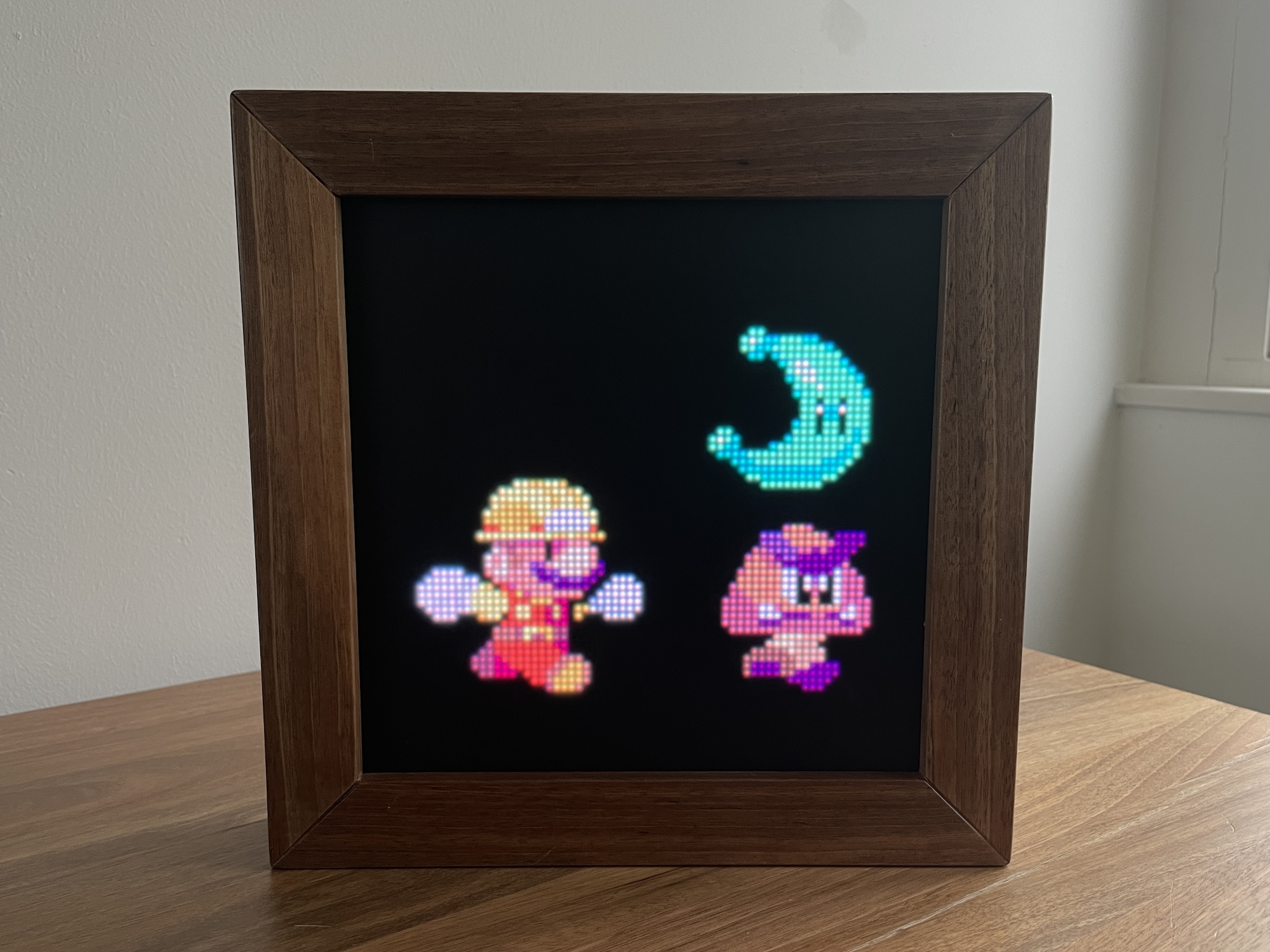 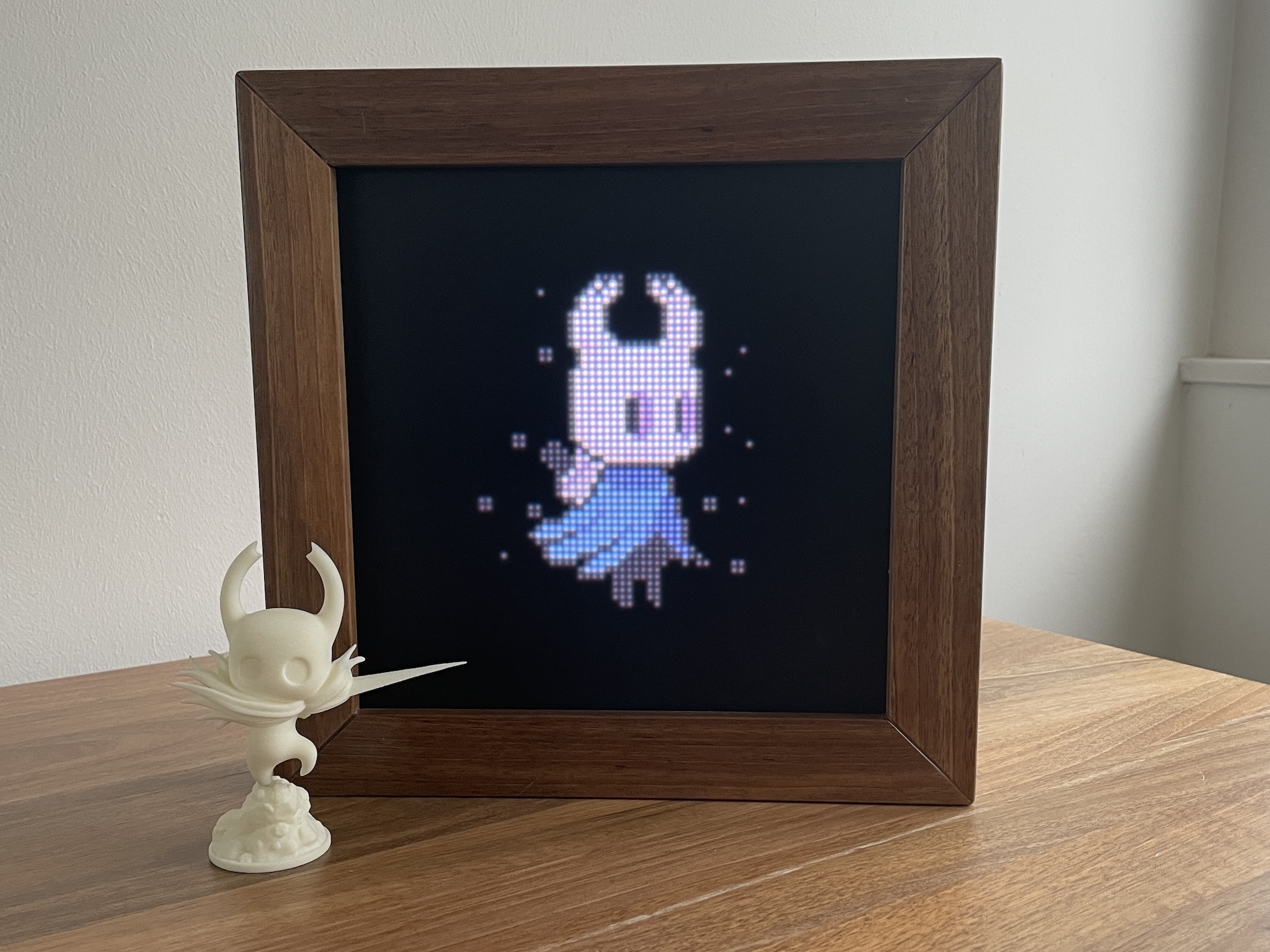 <video src="https://github.com/Stanko/retro-frame/assets/776788/32b4b00a-9a80-41c9-9a88-cf3a86338d27"></video> <video src="https://github.com/Stanko/retro-frame/assets/776788/2ef91225-8ba0-4dff-8bf8-045a9eec68e6"></video> ## Intro The brain is [Adafruit MatrixPortal M4](https://www.adafruit.com/product/4745), an ESP32-based controller. You'll need to follow Adafruit's documentation to install CircuitPython. Then you can copy the code (don't forget to create src/settings.py). Files you'll need to copy to your MatrixPortal are: Rename `src/settings_example.py` to `src/settings.py`. If you want the frame to connect to the internet in order to fetch the correct time, add your network name, password, and set `skip_connection=False`. Then copy the following files and folders: - `code.py` and all Python files under `src/` (see `copy.bat|sh`) - `firmware/[current_version]/lib` to `lib` - `assets` (which includes splash screen and digital clock sprite) - `gif` (pick and choose animations you like) If you are using a Matrix Portal M4 chip, the latest retro-frame version is saved in branch: `v1` For Matrix Portal S3 chips, use the latest commit from branch `dev` ## Real Time Clock (RTC) Support The current RTC implementation supports the Adafruit PCF8523 on the shared I2C bus. Configuration: - Enable RTC support by setting `real_time=RealTimeSettings(timezone="Europe/Amsterdam", chip_name="PCF8523")` - If `chip_name` is omitted, the project falls back to the built-in software RTC only Required CircuitPython libraries for PCF8523 support: - `adafruit_pcf8523` package - `adafruit_bus_device` - `adafruit_register` Behavior: - On boot, Retro Frame tries to read time from the external RTC - The external RTC is only trusted after the device has completed at least one successful online sync - That trust flag is stored internally in `microcontroller.nvm`, not in user settings and not in the filesystem - If the trust flag is missing, the stored RTC time is ignored until the first successful online sync - After a successful online sync, Retro Frame updates: - the built-in CircuitPython runtime RTC (`RTC().datetime`) - the external PCF8523 RTC - the internal `microcontroller.nvm` sync flag Update cycle: - If the hardware clock has been updated once and the flag is set, no further automatic syncs are made. You can use Retro-Frame completely offline. - If retro frame is connected, pressing the main action button while either clock app is active also triggers an immediate online refresh and saves the latest time into the hardware clock. - On star-up, the hardware clock is printed on console for debugging. - If the hardware clock continue to lose time, check the battery. Fallback behavior: - If the PCF8523 hardware is not connected, not configured, or its libraries are missing, the system falls back to software RTC only - In software-only mode, time is still fetched from the network when Wi-Fi is available - If stored hardware RTC time looks wrong after it has been trusted, the current implementation will still use it; check the RTC backup battery in that case ## Hardware Addresses If your hardware uses different I2C addresses, update them in `src/settings.py` (see `src/settings_example.py` for the expected structure). Common defaults in this project: - LIS3DH accelerometer: `0x19` - Seesaw rotary encoder: `0x36` Relevant settings are: - `accelerometer=AccelerometerSettings(address=0x19)` - `rotary_encoder=RotaryEncoderSettings(enabled=True, address=0x36, button_pin=24)` If you are not sure what address your Seesaw encoder is using, run the I2C Seesaw diagnostic and read the detected address from serial output. ## Apps There are four apps: - Gif player (runs each animation for 5 minutes then switches to the next one) - Digital clock - Analogue clock - Blank - used to preserve power during the night Without an external RTC, the clock apps need internet access to get correct time after boot. With a configured PCF8523 that has already been synced once, the clocks can start from stored RTC time and then refresh online later. By default, the display will switch to the digital clock at 23:30, to blank at midnight, and to gif player at 8:30 in the morning. Check [src/settings_example.py](./src/settings_example.py), copy it to src/settings.py, and update it to your preferences. ### Controls Tilting the display **left** and **right** will cycle between the apps (button up will do the same). Tilting the display **back** and **forward** will (button down will do the same): - Gif app - switch between gifs - Digital clock - switch between 12 and 24 hours clock modes - Digital clock / Analogue clock - force an immediate online time refresh | Digital Clock | Analogue Clock | | ----------------------------------------------------------------------------- | ------------------------------------------------------------------------------ | | 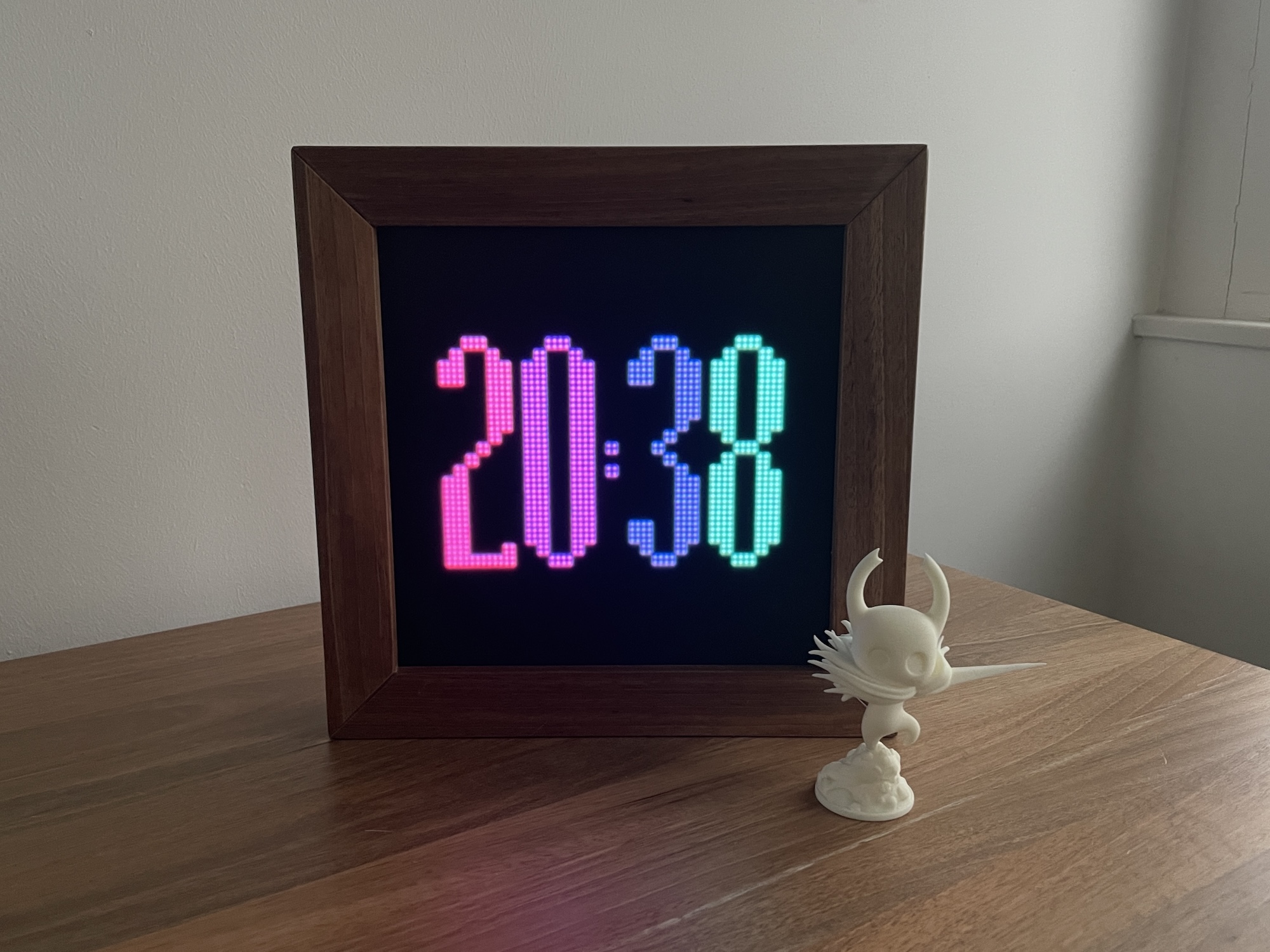 | 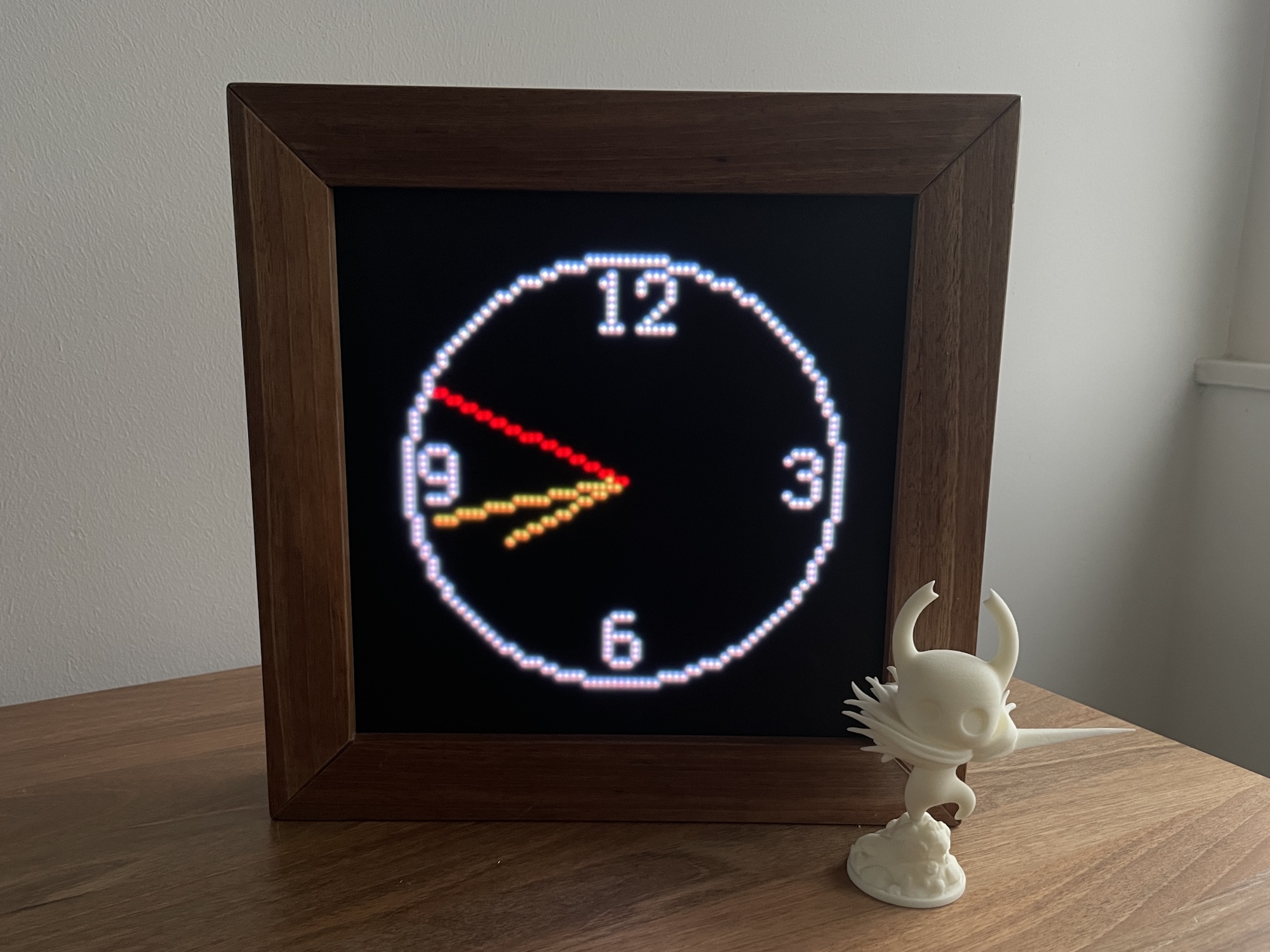 | ## List of parts This is a list of all of the main parts with the links to the ones we used. - Adafruit MatrixPortal M4 https://www.adafruit.com/product/4745 - 64x64 RGB LED Matrix - 2.5mm Pitch - 1/32 Scan - https://www.adafruit.com/product/3649 or https://www.aliexpress.com/item/32816409052.html - LED diffuser - https://www.adafruit.com/product/4594 - USB C charger - I had one lying around - The display fits into the IKEA SANNAHED picture frame. But check [frame-v2.png](./random-backup-files/frame/frame-v2.png) for a custom frame blueprints. - USB C cable - https://www.aliexpress.com/item/1005002105030431.html - You can control the display by tilting it, but if you want to add buttons, I used these in the first version - https://www.aliexpress.com/item/4000043687021.html - [3D printed hooks](./random-backup-files/frame/hook.png) for the rubber band that presses the display against the diffuser. Code for generating the model is [here](./random-backup-files/frame/hook.js). 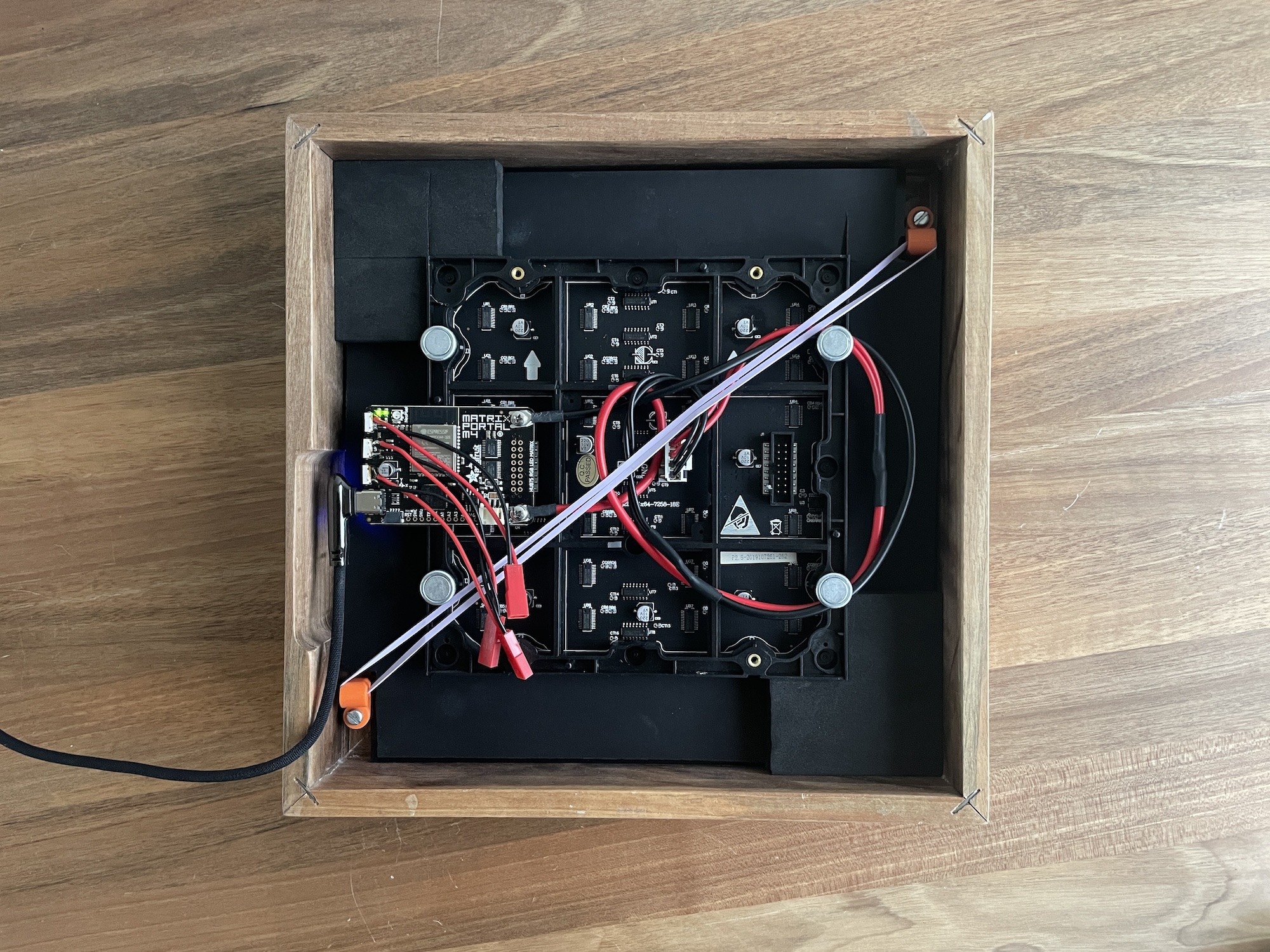 ## Similar projects There is a few similar projects you might want to check out: - https://github.com/hanneslinder/esp-pixel-matrix - https://www.youtube.com/watch?v=A5A6ET64Oz8 ## Art credits If I included your art and you want it removed, I'm sorry, just open an issue and I'll take care of it. The only reason I included your work in the first place is because it is awesome and it makes me happy. ### Other people: - [Bear](https://rephildesign.tumblr.com/post/120859307063/filbertgames-this-is-what-happens-when-you) - [Bunny](https://x.com/ko_dll/status/1792974719563485218) - [Dog](https://dribbble.com/shots/2367354-Doggy-Rabbit) - [Dota emojis (diretide, giff, es)](https://dota2.fandom.com/wiki/Emoticons) - Earth and Moon - generated using wonderful [PixelPlanets](https://github.com/Deep-Fold/PixelPlanets) - [Ember Spirit](https://33.media.tumblr.com/3f53a2565f16799b155d33072ef5fca0/tumblr_nalmwaJGah1sgajexo2_250.gif) - [Firepit](https://old.reddit.com/r/PixelArt/comments/7d0y1p/oc_fireplace_animation/) - [Fox](https://elthen.itch.io/2d-pixel-art-fox-sprites) - [Hollow Knight](https://www.deviantart.com/haykira/art/Hallownest-Fellas-841502305) - [Jim](https://hani-amir.com/blog/2017/2/7/pixel-art-animation-basics-5-classic-side-scrolling-walking-running-animations-from-the-snes-era) - [Link](https://www.deviantart.com/world-of-noel/art/Linked-Seasons-Link-361192040) - [Madeline](https://rephil.dribbble.com/) - [Mario chase](https://rephil.dribbble.com/) - [Mario jumping](https://pug-of-war.tumblr.com/post/116535010016/its-a-me-ah-mario) - [Mega Man](https://www.deviantart.com/bionicandrew1/art/MegaMan-MvC-Moves-736040903) - [Nyan cat](https://www.nyan.cat/credits.php) - [Ori](https://twitter.com/WoostarsPixels/status/1543954734108872705?cxt=HHwWgsC8vdCpne0qAAAA) - [Rafael](https://adamklingpixel.weebly.com/) - [Robin](http://www.playiconoclasts.com/) - [Spinning skull](https://www.artstation.com/artwork/ykRDB3) - [The One Ring](https://dribbble.com/shots/3273233-The-One-Ring) - [Tears of the Kingdom](https://www.pixeljess.com/portfolio) - [WC2 Footman](https://old.reddit.com/r/warcraft3/comments/f3b6fw/warcraft_2_footman_remaster/) ### Myself - Splash screen - Clock digits - [Pulsar](https://muffinman.io/pulsar) animations - Totoro - heavily inspired by [this one](https://www.deviantart.com/andrewjohnnnn/art/Totoro-Rain-GIF-613239881) - Tutur, in loving a memory of Artur <3
