KO
|
EN
gitlite — search
Search
#typescript
#ai-agents
#ai
#dsh-plugin
#deepseek-harness
#open-source
#cli
#claude-code
#codex
#developer-tools
#react
#windows
fastkaggle
★ 56
Open GitHub ↗
Kaggling for fast kagglers!
Download README (.md)
Explore Similar Repositories
pypi_template
:
A minimal template for creating a pypi package
nbdev-vscode
:
No description available.
tinykernel
:
A minimal Python kernel so you can run Python in your Python
ipyannotator
:
the infinitely hackable annotation framework
// repository documentation
Was this content helpful?
★ 0
(0 ratings)
Select Rating:
★
★
★
★
★
Submit Feedback
Recent Feedback
×
Download README
Do you want to download the
README.md
file for
fastkaggle
?
Download (.md)
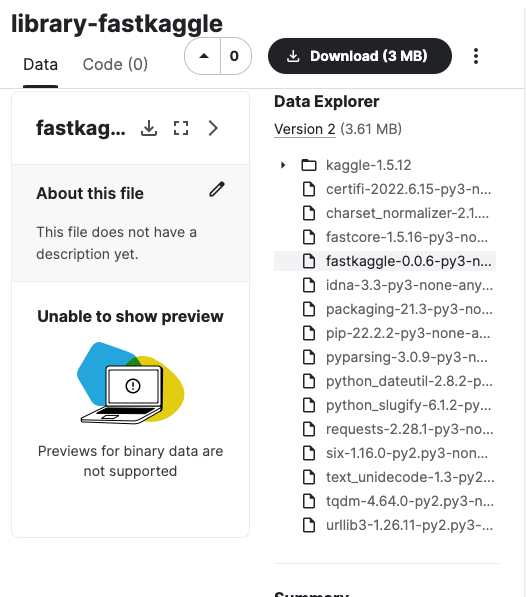
fastkaggle ================ <!-- WARNING: THIS FILE WAS AUTOGENERATED! DO NOT EDIT! --> ## Install Either: pip install fastkaggle or: mamba install -c fastai fastkaggle (or replace `mamba` with `conda` if you don’t mind it taking much longer to run…) ## How to use ### Competition This little library is where I’ll be putting snippets of stuff which are useful on Kaggle. Functionality includes the following: It defines [`iskaggle`](https://fastai.github.io/fastkaggle/core.html#iskaggle) which is `True` if you’re running on Kaggle: ``` python 'Kaggle' if iskaggle else 'Not Kaggle' ``` 'Not Kaggle' It provides a [`setup_comp`](https://fastai.github.io/fastkaggle/core.html#setup_comp) function which gets a path to the data for a competition, downloading it if needed, and also installs any modules that might be missing or out of data if running on Kaggle: ``` python setup_comp('titanic') ``` Path('titanic') There’s also [`push_notebook`](https://fastai.github.io/fastkaggle/core.html#push_notebook) to push a notebook to Kaggle Notebooks, and [`import_kaggle`](https://fastai.github.io/fastkaggle/core.html#import_kaggle) to use the Kaggle API (even when you’re on Kaggle!) See the `fastkaggle.core` docs for details. ### Datasets This section is designed to make uploading pip libraries to kaggle datasets easy. There’s 2 primary high level functions to be used. First we can define our kaggle username and the local path we want to use to store datasets when we create them. <div> > **Usage tip** > > The purpose of this is to create datasets that can be used in no > internet inference competitions to install libraries using > `pip install -Uqq library --no-index --find-links=file:///kaggle/input/your_dataset/` </div> ``` python lib_path = Path('/root/kaggle_datasets') username = 'isaacflath' ``` #### List of Libraries We can take a list of libraries and upload them as seperate datasets. For example the below will create a `library-fastcore` and `library-timm` dataset. If they already exist, it will push a new version if there is a more recent version available. ``` python libs = ['fastcore','timm'] create_libs_datasets(libs,lib_path,username) ``` Processing fastcore as library-fastcore at /root/kaggle_datasets/library-fastcore -----Downloading or Creating Dataset -----Checking dataset version against pip -----Kaggle dataset already up to date 1.5.16 to 1.5.16 Processing timm as library-timm at /root/kaggle_datasets/library-timm -----Downloading or Creating Dataset -----Checking dataset version against pip -----Kaggle dataset already up to date 0.6.7 to 0.6.7 Complete This creates datasets in kaggle with the needed files. 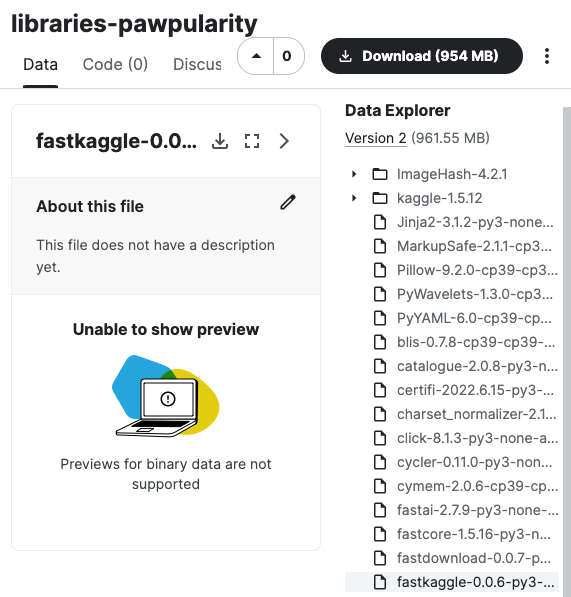 #### requirements.txt We can also create a singular dataset with multiple libraries based on a `requirements.txt` file for the project. If there are any different files it will push a new version. ``` python create_requirements_dataset('test_files/requirements.txt',lib_path,'libraries-pawpularity', username) ``` Processing libraries-pawpularity at /root/kaggle_datasets/libraries-pawpularity -----Downloading or Creating Dataset Data package template written to: /root/kaggle_datasets/libraries-pawpularity/dataset-metadata.json -----Checking dataset version against pip -----Updating libraries-pawpularity in Kaggle Complete This creats a dataset in kaggle with the needed files.