KO
|
EN
gitlite — search
Search
#typescript
#ai-agents
#ai
#dsh-plugin
#deepseek-harness
#open-source
#claude-code
#codex
#cli
#developer-tools
#react
#windows
TabStrip
★ 27
Open GitHub ↗
Tab Strip control for Xamarin.Forms
Download README (.md)
Explore Similar Repositories
homebridge-simple-wled
:
Homebridge Plugin to control WLED LED-Strips
magic-home
:
A CLI and library written in Go for controlling Magic Home (Magic Hue) LED Strip Controllers.
Adafruit_Python_WS2801
:
Python code to control WS2801 and similar SPI interface addressable RGB LED strips on a Raspberry Pi & BeagleBone Black.
ArduinoPixel
:
An Android app that communicates with an Arduino web server to control a NeoPixel LED strip.
redoid
:
Node.js package that provides an API to control your IKEA Dioder LED light strip on your Raspberry Pi.
// repository documentation
Was this content helpful?
★ 0
(0 ratings)
Select Rating:
★
★
★
★
★
Submit Feedback
Recent Feedback
×
Download README
Do you want to download the
README.md
file for
TabStrip
?
Download (.md)
# TabStrip for Xamarin.Forms Tab Strip control for Xamarin.Forms ## Screenshots | iOS | Android | UWP | |---------------------------|-----------------------------|---------------------------| |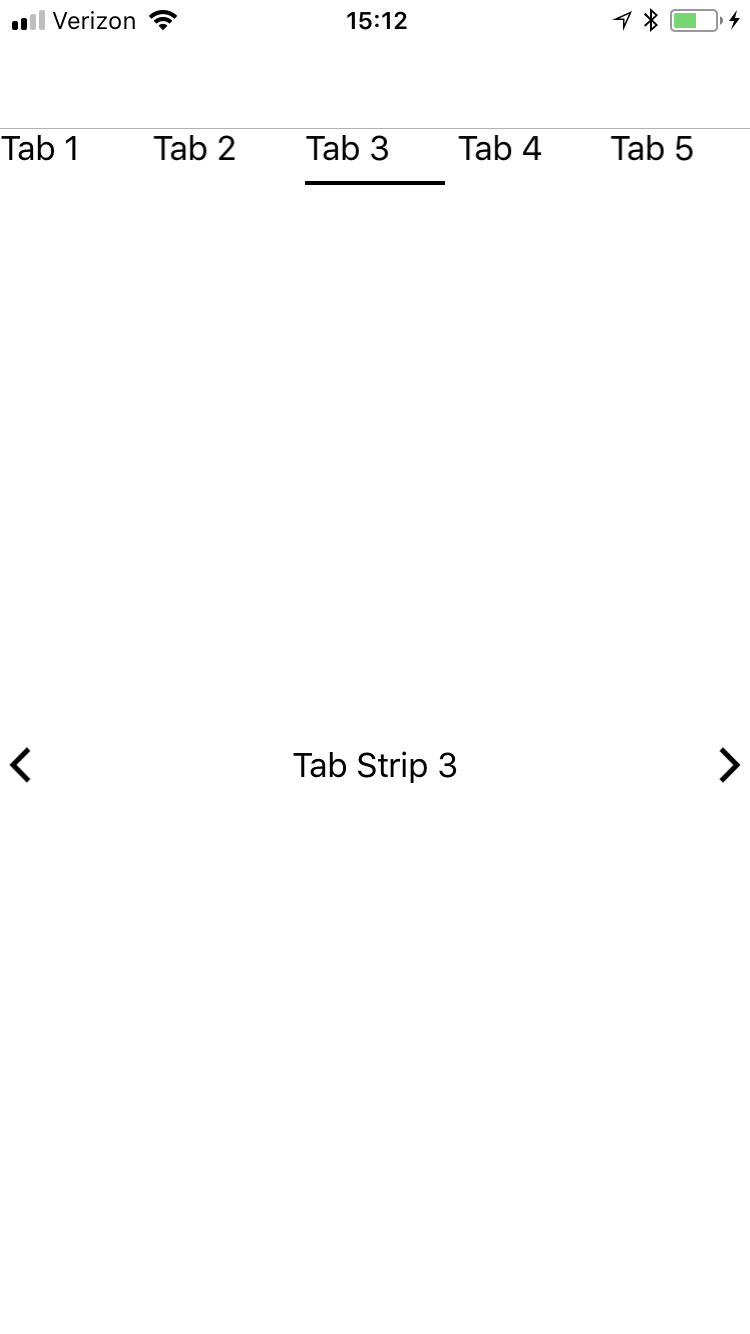 | 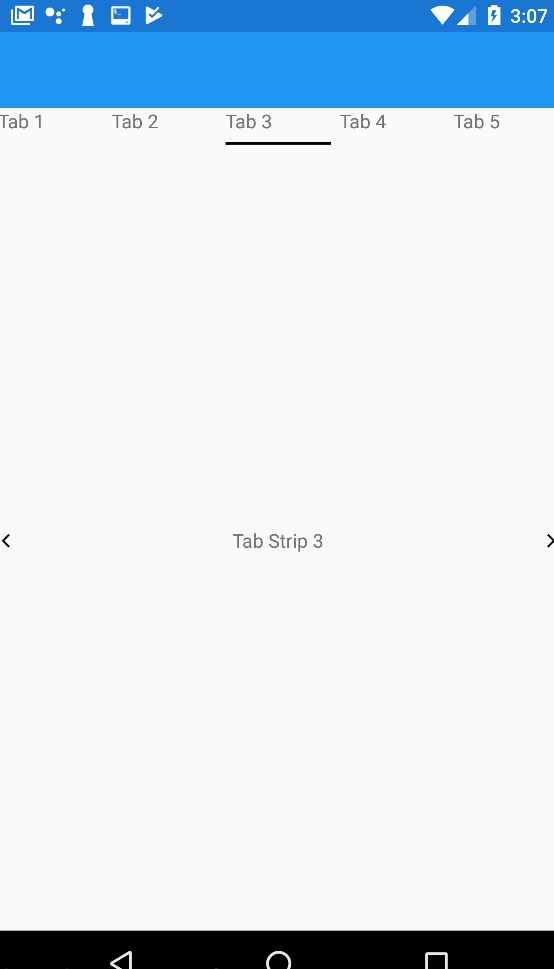 |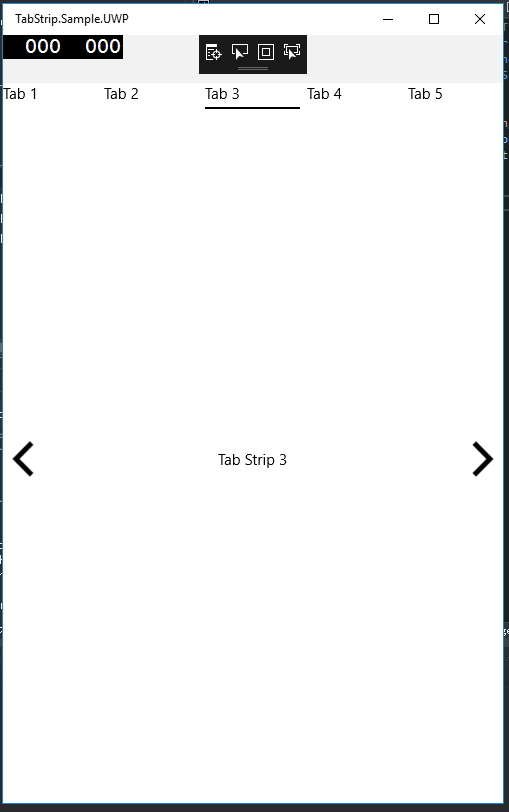 | ## Setup * Available on NuGet: [](https://www.nuget.org/packages/TabStrip) * Install into your PCL/.NET Standard and Client Projects ## Build * [](https://ci.appveyor.com/project/ahoefling/tabstrip) * CI NuGet Feed: [https://ci.appveyor.com/nuget/tabstrip](https://ci.appveyor.com/nuget/tabstrip) ### Platform Support TabStrip is available for use in *Xamarin.Forms* only targetting the following supported platforms. | Platform | Supported | Version | |------------------|-----------|-------------| | Xamarin.Android | Yes | API 15 + | | Xamarin.iOS | Yes | iOS 10 + | | Xamarin 10 UWP | Yes | 16299 + | | macOS | No | | | linux | No | | | tvOS | No | | | watchOS | No | | ## Usage ## #### UWP (Known Issue) #### Add CarouselView.FormsPlugin as a nuget reference otherwise it will not work #### iOS, Droid and UWP #### Initialize the renderers in your iOS and Android projects ```c# Xamarin.Forms.Init(); TabStripRenderer.Init(); ``` ### XAML: #### Add the namespace in the xmlns: ```xml xmlns:plugin="clr-namespace:TabStrip.FormsPlugin.Abstractions;assembly=TabStrip.FormsPlugin.Abstractions" ``` Add the control: ```xml <plugin:TabStripControl Position="{Binding CurrentPosition}" ItemsSource="{Binding Views}" /> ``` Add the following code to your BindingContext. The `ItemsSource` property needs to be mapped to an `IEnumerable<TabModel>` where `TabModel` is provided in the `TabStrip.FormsPlugin.Abstractions` namespace. ```c# BindingContext = new { Views = new ObservableCollection<TabModel>(new [] { new TabModel { Header = new Tuple<View, object>(new HeaderView(), new { Title = "Tab 1" }), View = new Tuple<View, object>(new HelloView(), new HelloPageModel()) }, new TabModel { Header = new Tuple<View, object>(new HeaderView(), new { Title = "Tab 2" }), View = new Tuple<View, object>(new HelloView(), new HelloPageModel()) } }); }; ``` ## Bindable Properties | Property | Description | Default Value | |-------------|-------------------------------------------------------------------------------------------------------------------------------------|----------------------------| | Position | Gets or Sets current tab position of the tab strip. | `0` | | ItemsSource | Gets or Sets the `IEnumerable<TabModel>` where the `TabModel` defines the Tab Name and the View/ViewModel relationship for each Tab | `null` | | ShowArrows | Gets or Sets the `bool` value that determines if navigation arrows will appear on top of the content area | `fakse` | | LeftArrow | Gets or Sets the `ImageSource` for the `LeftArrow` which is displayed when the tab can navigate left | Embedded Left Arrow Image | | RightArrow | Gets or Sets the `ImageSource` for the `RightArrow` which is displayed when the tab can navigate right | Embedded Right Arrow Image | ## Roadmap * [Minimal Viable Product (MVP)](https://github.com/ahoefling/TabStrip/wiki/Minimal-Viable-Product) * Windows Support * macOS Support * linux Support * Native Support ### Minimal Viable Product * Implement basic cross-platform Tabstrip that supports Android and iOS via Xamarin.Forms ### Windows Support * Implement Windows UWP support via Xamarin.Forms ### macOS Support * Implement macOS support via Xamarin.Forms ### linux Support * Implement linux support via Xamarin.Forms ### Native Support * Implement Xamarin Navite support so it can be consumed in a Xamarin Native project instead of Xamarin.Forms. This will require a larger code re-write since it will be using Xamarin.Forms wrappers prior to this release ## Created By: [@Andrew_Hoefling](https://twitter.com/andrew_hoefling) * Twitter: [@Andrew_Hoefling](https://twitter.com/andrew_hoefling) * Blog: [andrewhoefling.com](http://www.andrewhoefling.com) ## History * project started from this conversation: [https://github.com/alexrainman/CarouselView/issues/232#issuecomment-338496021](https://github.com/alexrainman/CarouselView/issues/232#issuecomment-338496021) ### Xamarin Dependencies Thanks to other plugin creators to make this plugin possible * [Carousel View](https://github.com/alexrainman/CarouselView) ### License The MIT License (MIT) see License File
