KO
|
EN
gitlite — search
Search
#python
#java
#python3
#arduino
#golang
#machine-learning
#rust
#html
#flask
#javascript
#seismology
#nodejs
Yolov5-CPP
★ 13
Open GitHub ↗
Yolo v5 with CPP
Download README (.md)
Explore Similar Repositories
B450M-Hackintosh
:
AMD B450 Hackintosh EFI Files based on Opencore. Tested for macOS Monterey 12.1 & Ventura 13&Sonoma 14.
FrostyMail
:
No description available.
ShapeTexture2D
:
A Godot 4 addon for creating simple shape textures.
kratos.sh
:
kratos is a command line application that brings AI to your terminal.
xai-compare
:
No description available.
// repository documentation
Was this content helpful?
★ 0
(0 ratings)
Select Rating:
★
★
★
★
★
Submit Feedback
Recent Feedback
×
Download README
Do you want to download the
README.md
file for
Yolov5-CPP
?
Download (.md)
# YOLOv5 Inference C++ ***This example demonstrates how to perform inference using YOLOv5 models in C++ with OpenCV's DNN API.*** ## Usage ### Clone the repository ```bash git clone https://github.com/matin-ghorbani/Yolov5-CPP.git ``` ### Copy the onnx models in the models directory *First you need to download the `weight` that you want from [here](https://github.com/ultralytics/yolov5#pretrained-checkpoints)* *Then you need to convert the `.pt` format to `.onnx` format To export YOLOv5 models:* First install `ultralytics` ```bash pip install ultralytics ``` Then clone the ultralytics repository and convert the `.pt` format to `.onnx` format with this command: ```bash git clone https://github.com/ultralytics/yolov5.git cd yolov5 python3 export.py --weights YOUR_WEIGHT.pt --img 480 640 --include onnx --opset 12 ``` Finally, Copy the `YOUR_WEIGHT.onnx` file to `assets/models` directory. ### Go to the repository directory and make a build directory ```bash cd Yolov5-CPP/ mkdir build cd build/ ``` ### Config CMake ```bash cmake .. ``` ### Build ```bash make ``` ### Run and detect: - On Image: ```./run YOUR_IMG.JPG``` - On Video: ```./run YOUR_VIDEO.MP4``` - On Webcam: ```./run YOUR_WEBCAM_ID``` ### Result 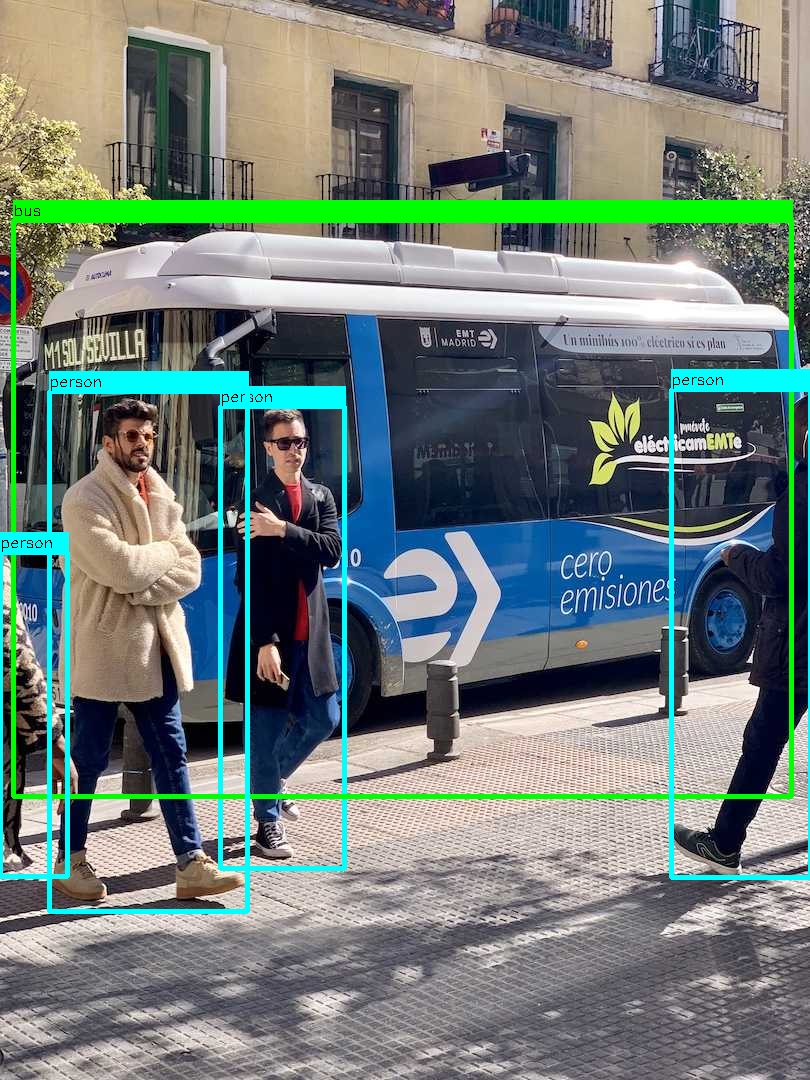 *Note that the example networks are exported with rectangular (640x480) resolutions*
