KO
|
EN
gitlite — search
Search
#python
#java
#python3
#arduino
#golang
#machine-learning
#rust
#html
#flask
#javascript
#seismology
#nodejs
paleofetch-mac-prettier
★ 12
Open GitHub ↗
My fork of paleofetch
Download README (.md)
Explore Similar Repositories
paginate-aws
:
Typesafe AWS Pagination using async generators
hello-microverse
:
This project displays hello world
open-source-python-projects-2023
:
No description available.
bacpaq
:
Bacterial Genomics workflow for short(Illumina) and long-read (Oxford Nanopore) sequencing data
aidfuzzer
:
No description available.
// repository documentation
Was this content helpful?
★ 0
(0 ratings)
Select Rating:
★
★
★
★
★
Submit Feedback
Recent Feedback
×
Download README
Do you want to download the
README.md
file for
paleofetch-mac-prettier
?
Download (.md)
# paleofetch-mac-prettier :ribbon: ### This is a fork of [`paleofetch-mac`](https://gitlab.com/DesantBucie/paleofetch-mac) > I have added some aesthetic changes to make it look like my old neofetch config ##### Few comments from the previous readme :newspaper: _A rewrite of [neofetch](https://github.com/dylanaraps/neofetch) started by [ss7m for linux](https://github.com/ss7m/paleofetch). Not much code was left, but the logic is similar._ ### Why use paleofetch-mac-prettier over neofetch? > It is fast, and aesthetic out of the box :zap: 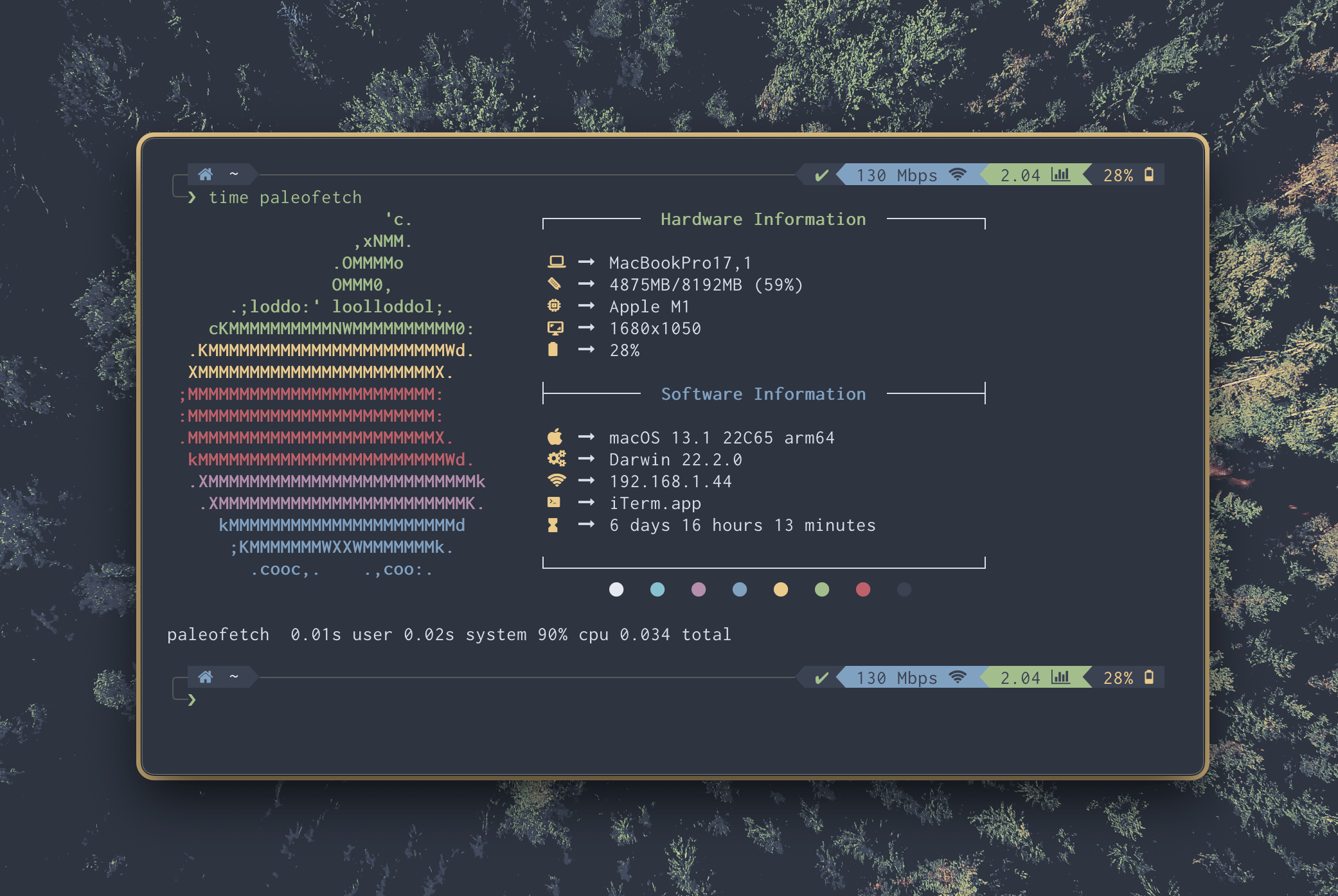 ## Installation instructions :wrench: > It is mainly intended for mac you only need to have make installed pretty much #### Requirements - Install one of the [`Nerd Fonts`](https://github.com/ryanoasis/nerd-fonts) if you haven't already - To install the same font i use: ```brew install font-inconsolata-lgc-nerd-font``` > Then set that as your terminal font ##### Step by step instruction 1. Cloning and moving into the directory ```bash git clone https://github.com/Jac-Zac/paleofetch-mac-prettier.git && cd paleofetch-mac-prettier. ``` 2. Compiling and installing ```bash make install ``` 3. Run it for the first time to create the cache ```bash paleofetch ``` _Now you should be able to use it without problems_ #### Recaching Paleofetch uses caching to run faster. To recache data run `paleofetch -r` #### If your terminal is not showing up correctly You can set your `TERM_PROGRAM` variable in your environment variables. > For example you can fix kitty by adding ```export TERM_PROGRAM="kitty"``` ---- #### IMPORTANT This is developed on M1 arm64. It should work on x86_64, if not make an issue. No support for powerpc, but maybe will add it. ### FAQ **Q**: Do you really run neofetch every time you open a terminal? **ss7m**: Yes, I like the way it looks and like that it causes my prompt to start midway down the screen. I do acknowledge that the information it presents is not actually useful. **DB**: Yea, me too that's why I forked it.
