KO
|
EN
gitlite — search
Search
#ai-agents
#python
#ai
#typescript
#llm
#ai-agent
#react
#claude-code
#mcp
#claude
#agentic-ai
#multi-agent
echo
★ 985
Open GitHub ↗
A New Cross-Platform 2D 3D Game Engine
Download README (.md)
Explore Similar Repositories
airbrake
:
The official Airbrake library for Ruby applications
rbnacl
:
Ruby FFI binding to the Networking and Cryptography (NaCl) library (a.k.a. libsodium)
volantmq
:
High-Performance MQTT Server
usernetes
:
Kubernetes without the root privileges
sprockets
:
Rack-based asset packaging system
// repository documentation
Was this content helpful?
★ 0
(0 ratings)
Select Rating:
★
★
★
★
★
Submit Feedback
Recent Feedback
×
Download README
Do you want to download the
README.md
file for
echo
?
Download (.md)
<p align="center"> <img width="48" height="48" src="https://raw.githubusercontent.com/timi-liuliang/echo/master/editor/echo/Resource/App.ico"> </p> # Echo ## Introduction **Echo** is a new game engine, which uses many industry-standards of nowadays for game development. This new design concept makes the engine simpler to use and more powerful. [Download](https://github.com/timi-liuliang/echo/releases) [Examples](https://github.com/timi-liuliang/echo-examples) [Documentation](https://github.com/timi-liuliang/echo/wiki) ## Build ### [Editor] [How to Compile "Echo Engine" From Source Code](https://github.com/timi-liuliang/echo/wiki/Compile-Echo-From-Source-Code) ### [App] ## Features ### Easy Concept Scene manager is easy, No Entiy, No GameObject, No Component, No Prefab. Only Node and NodeTree. ### Highly Efficient Workflow 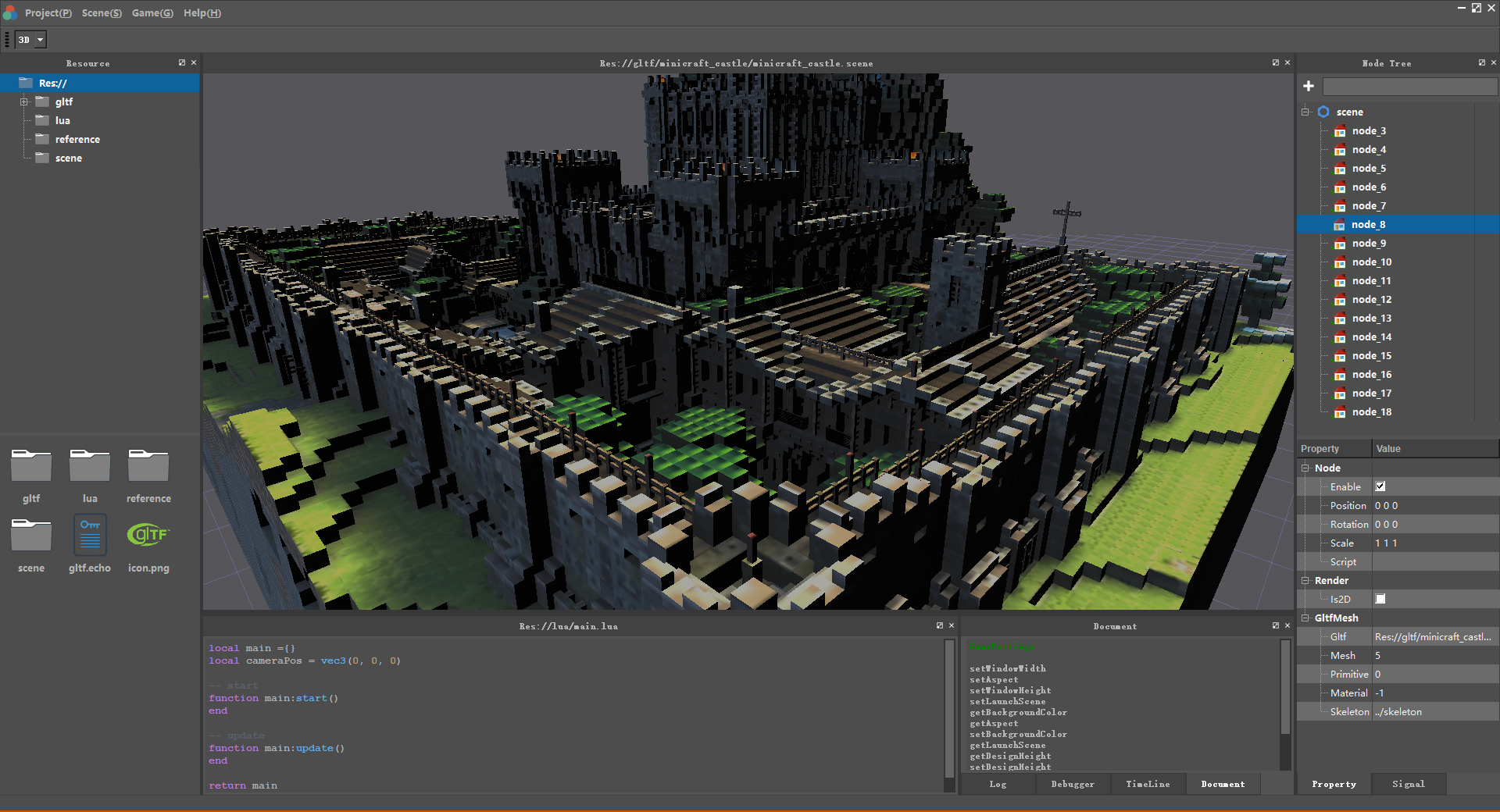 ### Multi-Platform Support iOS Android Html5 Windows Mac Linux Steam ### New Industry Standards Supported Gltf 2.0, Vulkan, Metal, Pbr, real time ray tracing. ### 2D And 3D Seamless Transition Every node can be 2d or 3d. The core difference is the camera and the unit the node use. So you can just switch a node to 2d or 3d easily. ### Easy To Program Mostly, you'll use Lua as your main programming language. and also can also use C++ directly. The design of our node tree makes the Lua logic code more easy to write. And the embedded Lua editor and the embedded documents help you to write code in the echo editor directly. Besides Lua, can you also choose to use the embedded Scratch language as the main development tool. This is a type of visual script inspired by [MIT](https://scratch.mit.edu/). In the Echo engine is Scratch based on Lua, when running the app, It'll convert to Lua and make sure it's good both to merge and will run efficent.. If you really like other types of scripting languages, you can tell us or you can support it by modifying the C++ code directly. 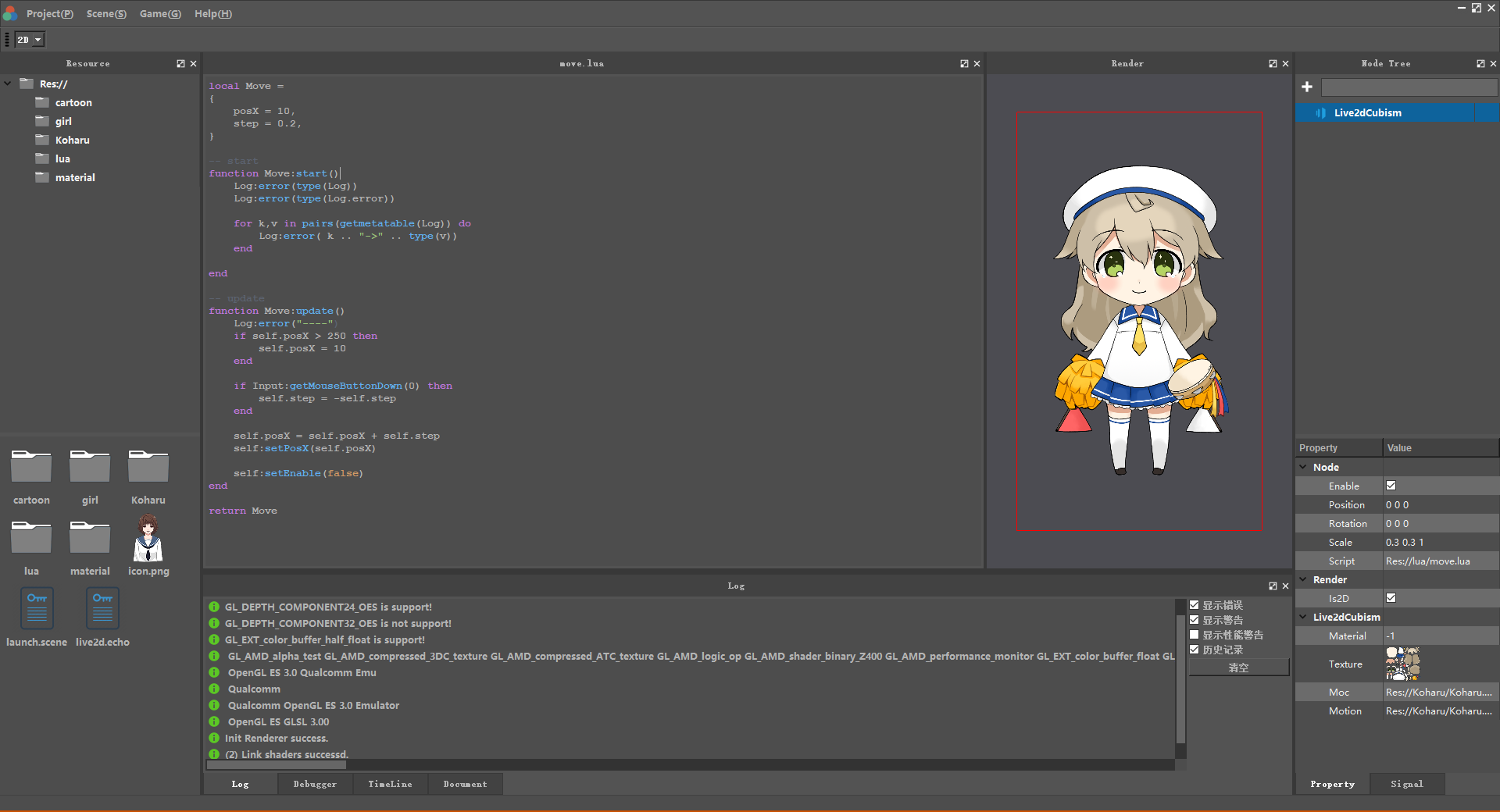 ### Data Flow Programming Based ShaderEditor Programming visualization is a very important concept for non-programmers and with the help of the DataFlowProgramming framework [nodeeditor](https://github.com/paceholder/nodeeditor), shader programming becomes easier to understand. 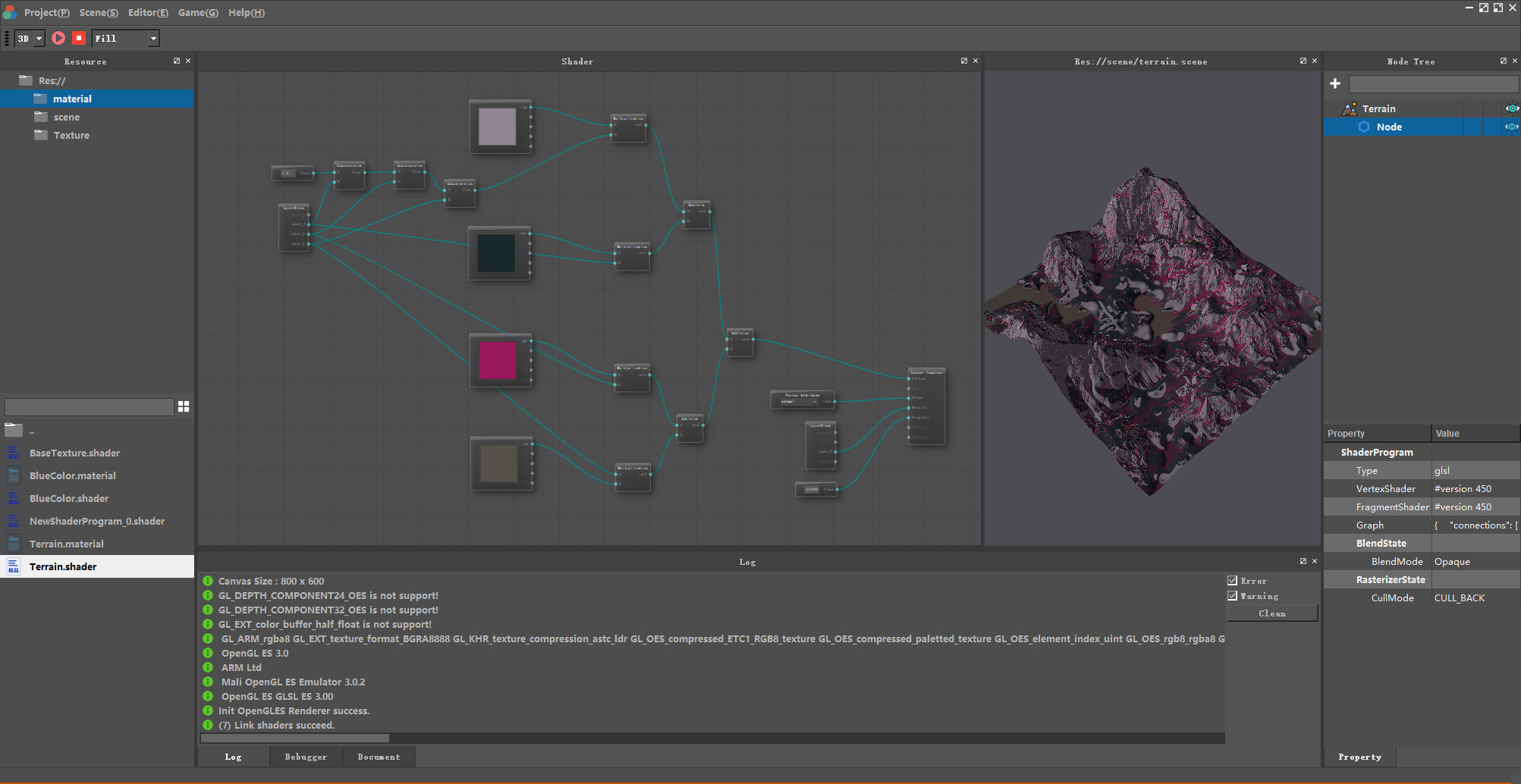 ### Frame Pipeline Visualization (Developing) Inspired by [CI|CD pipeline](https://semaphoreci.com/blog/cicd-pipeline), we decided to make a frame pipeline editor, so that not only programmers, but everyone can configure the engine frame render process. 1. Forward Rendering? 2. Deferred Shading? 3. Forward+ (Tiled Forward Rendering)? Try configuring it by your needs. 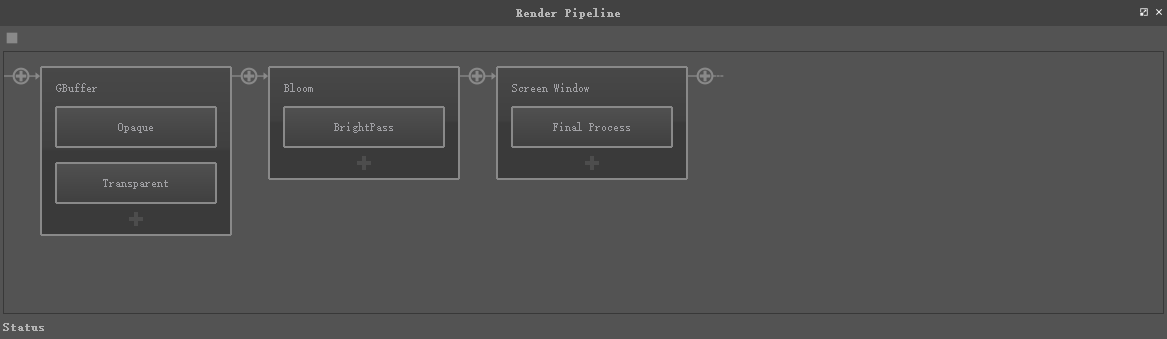 ### Configurable Module Most of the engine's Functionality was implemented by configurable modules. that means when you release your app, you can just choose the module you really need. Which makes your app smaller in size and more efficiently running. ### Animate Everything With Timeline, you can animate everything. You can not only animate any Object's (Node, Setting, Res) property. But also you can call any Object's function. ### Channel References You can compute the value of one property based on the value of another property, possibly on a different node. This lets you duplicate values, or makes values relative to other values, and have the Echo automatically update them whenever they change. ### Open Source Echo is licensed under the MIT license. You can just do what you want as you wish. ## Examples |Example|Screenshot|Description|Download| |---|---|---|---| |Build-House|<img src="https://github.com/timi-liuliang/echo-examples/blob/master/ads/build_house.gif?raw=true" alt="build house" height="128px" />|A little build house game, used for test sprite node|[build-house-android.apk](https://github.com/timi-liuliang/echo-examples/releases/tag/build-house-1.0)| |Spine|<img src="https://github.com/timi-liuliang/echo-examples/raw/master/ads/spine.gif?raw=true" alt="build house" height="128px" />|Spine 2d animation| |Live2D|<img src="https://github.com/timi-liuliang/echo-examples/raw/master/ads/live2d.gif?raw=true" alt="build house" height="128px" />|live2d animation| |Pbr|<img src="https://github.com/timi-liuliang/echo-examples/raw/master/ads/cubemap.png?raw=true" alt="build house" height="128px" />|gltf and light prob test| |Force Field|<img src="https://github.com/timi-liuliang/echo-examples/blob/master/ads/forcefield.gif?raw=true" alt="force field" height="128px" />|Force Field Effect; Shader Graph + Procedural Sphere| |Gaussian Blur|<img src="https://github.com/timi-liuliang/echo-examples/blob/master/ads/gaussianblur.png?raw=true" alt="gaussian blur" height="128px" />|Gaussian blur; Shader Graph + Procedural plane| |Zoom Blur|<img src="https://github.com/timi-liuliang/echo-examples/blob/master/ads/zoomblur.png?raw=true" alt="zoom blur" height="128px" />|Zoom blur; Shader Graph + Procedural plane|
