KO
|
EN
gitlite — search
Search
#javascript
#python
#hacktoberfest
#react
#ai
#typescript
#llm
#go
#golang
#android
#machine-learning
#rust
#deep-learning
#linux
lart1
★ 9
Open GitHub ↗
SDR-based, low cost APRS Tracker Project
Download README (.md)
Explore Similar Repositories
reddit-text-extract
:
Python code to extract text from subreddits
Optimal-interpolation
:
Optimal interpolation of T, S, u, v data onto a regularly spaced 2D grid
website-visual-diff
:
Compare your website before and after making changes
VitaGameManagement-macOS
:
PSVita Game Manager For macOS
FFmpegDemo
:
Android中用FFmpeg进行简单的音视频文件合并操作。
// repository documentation
Was this content helpful?
★ 0
(0 ratings)
Select Rating:
★
★
★
★
★
Submit Feedback
Recent Feedback
×
Download README
Do you want to download the
README.md
file for
lart1
?
Download (.md)
# LART/1 Arduino Software for an APRS Tracker 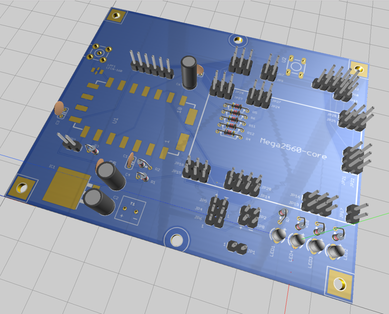 a.k.a Livermore Amateur Radio Club APRS Tracker (LART/1) # Introduction This arduino software provides an aprs tracker, which can act as an APRS beacon transmiter or Receiver. In beacon mode, it can send out APRS position reports (lat/lon and altitude). It also acts as an APRS receiver (KISS interface planned). Unlike commerical units, this tracker was designed for low cost and easy of use. # Features + Reads configuration from SD card (and can writes log file) + Send APRS position reports (fields sent: lat/lon/altitude/comments) + Adaptive Interval Beacon Mode (NotSoSmart_Beacon mode) + adjusts update intervals based on degree of position change (mph thresholding) + Adjustable Update Intervals + Adjustable APRS packet settings + path routing, dest, preamble, tail, symbol + Adjustable Transceiver Settings + Freq, CTCSS Tones, Squelch, Bandwidth, Filters, and Volume + Receives APRS message and print output + KISS interface planned + LCD Display with Status LEDs # Hardware LART1 requires/assumes the following hardware: + an Mega2560 compatible arduino board + APRS circuit based on the MicroModem Circuit. A schematic is provided. + GPS that provides NMEA output. The Ublox Neo-6m GPS, used for flight controllers, are a good choice. + 2 meter transceiver module (recommend a DRA818vhf or SA818vhf) + Arduino miniSD Card Module (for setting configuration data, and writing a log) + LCD (16x2 or 20x4) i2c # Dependencies requires the following libraries to be installed in your Arduino Sketchbook `libraries/` directory. These libraries have been modified to work with the LART tracker code (bug fixes and extensions), so you'll need to use the version provided in the repository, and install them in your Arduino library. # Installation + Download the zip file and unzip to a temporary location + `unzip lart1-master.zip` + `cd lart1-master + Find your Arduino directory location `<ARDUINO>` + default for Linux: `$HOME/Sketchbook` + default for Mac : `$HOME/Documents/Arduino` + default for Windows : `My Documents\Arduino` + Move the library directories to your Arduino libraries location: + Linux/Mac: `cp -a libraries/* <ARDUINO>/libraries/` + Windows: copy the directories under `libraries/` to `<ARDUINO>\libraries\` + Create a LART1 sketchbook directory and move the src files + Linux/Mac: + `mkdir <ARDUINO>/LART1` + `cp -a *.ino *.h *.cpp License <ARDUINO>/LART1/` + Windows: + create new directory `<ARDUINO>/LART1` + copy *.ino *.h *.cpp License to this directory + Start up the Arduino IDE (or close and restart it if it was open) + open "File->Sketchbook->LARK1" + compile and upload the sketch to the Arduino # References + [MicroModem Circuit](https://github.com/markqvist/MicroModem). + [LibAPRS](https://github.com/markqvist/LibAPRS) + [TinyGPSplus](https://github.com/mikalhart/TinyGPSPlus) + [DRA818](https://github.com/darksidelemm/dra818) + [LiquidCrystal_I2C](https://bitbucket.org/fmalpartida/new-liquidcrystal/wiki/Home) + [ClickButton](https://code.google.com/archive/p/clickbutton/) # Status + Version 1.000a - first major release
