KO
|
EN
gitlite — search
Search
#python
#nodejs
#android
#hacktoberfest
#mongodb
#machine-learning
#php
#docker
#python3
#json
#cli
#cpp
gbz_overlay
★ 68
Open GitHub ↗
Gameboy Zero status icon overlay display
Download README (.md)
Explore Similar Repositories
frame-scheduling
:
Asynchronous non-blocking running many tasks in JavaScript. Demo https://codesandbox.io/s/admiring-ride-jdoq0
EventCollect
:
android实现无埋点,收集用户行为统计
FFmpegVideo
:
android ffmpeg小视频功能
lambda-zsh-theme
:
λ Beautiful lambda theme for Zsh
Tensorboard2Seaborn
:
Plot Tensorflow Summary Event in a Beautiful Way 🌈
// repository documentation
Was this content helpful?
★ 0
(0 ratings)
Select Rating:
★
★
★
★
★
Submit Feedback
Recent Feedback
×
Download README
Do you want to download the
README.md
file for
gbz_overlay
?
Download (.md)
# Gameboy Zero RetroPie status overlays This repository contains a script to display lovely slightly-transparent overlays on top of your RetroPie games and emulationstation menus ## What can it do? - display battery level (Requires ADS1x15) - display WiFi state (connected/disconnected/disabled) - display Bluetooth state (connected/disconnected/disabled) - display under-voltage state - display warning if frequency-capped - display warning if throttling - adjust icons' position to current display resolution - gracefully shut down the Pi after 60s from when voltage goes below 3.2V - show a big imminent shutdown warning when the counter starts ticking ## What do I need to get it running? - See [installation instructions](#installation-instructions) below for setup steps - [pngview](https://github.com/AndrewFromMelbourne/raspidmx/tree/master/pngview) from AndrewFromMelbourne - [material-design-icons](https://github.com/google/material-design-icons/archive/master.zip) from Google - Adafruit ADS1015 with Vbat on A0 (or alternative) - a symbolic link to *overlay\_icons/ic\_battery\_alert\_red\_white\_36dp.png* under *material\_design\_icons\_master/device/drawable-mdpi/* - an entry in crontab to start this on boot - check and adjust paths in the script header if required - some battery readings calibration - check logs - some patience ## But what does it look like? Like that:  Bluetooth, wifi connected, battery discharging  Bluetooth, wifi disconnected, battery discharging 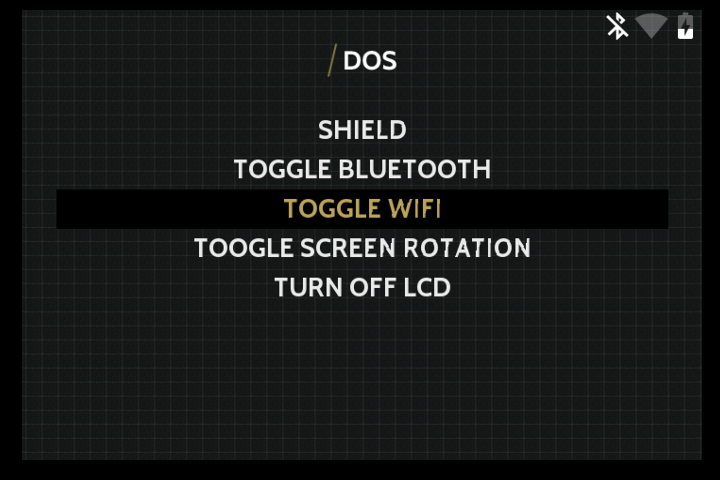 Bluetooth, wifi disabled, battery charging  CPU throttled due to high temperature 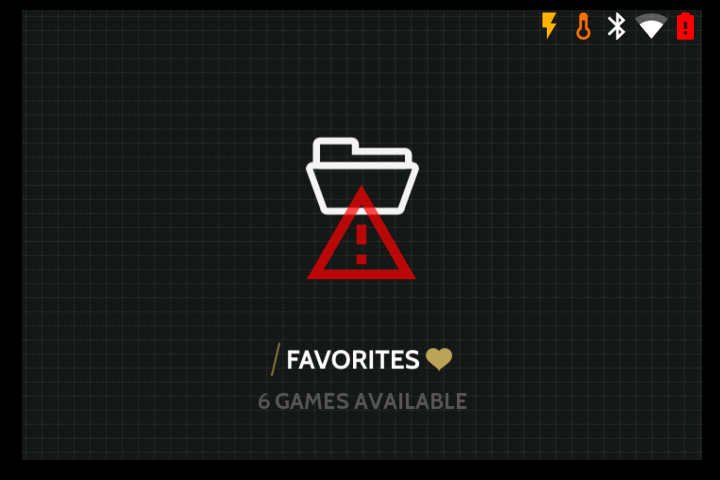 Under-Voltage, Freq-capped due to high temperature, battery critical, shutdown imminent warning - shutting down in 60s 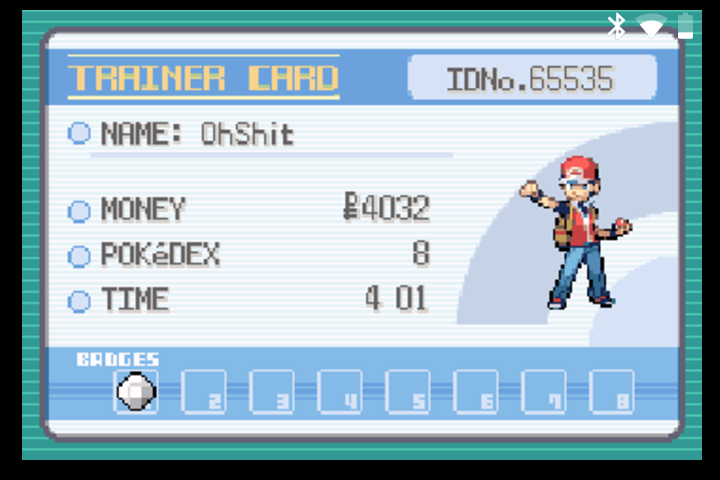 In-game ## Installation Instructions SSH into your device or access the terminal using F4. We're assuming you already have Internet access configured ### 1. Install pngview by AndrewFromMelbourne mkdir ~/src && cd ~/src git clone --depth 1 https://github.com/AndrewFromMelbourne/raspidmx.git cd raspidmx/ make -j4 sudo cp pngview/pngview /usr/local/bin/ ### 2. Download Material Design Icons by Google cd ~/src git clone --depth 1 https://github.com/google/material-design-icons.git material-design-icons-master ### 3. Download the script and install dependencies: mkdir ~/scripts && cd ~/scripts git clone --depth 1 https://github.com/d-rez/gbz_overlay.git ln -s ~/scripts/gbz_overlay/overlay_icons/ic_battery_alert_red_white_36dp.png ~/src/material-design-icons-master/device/drawable-mdpi/ic_battery_alert_red_white_36dp.png sudo apt-get update sudo apt-get install build-essential python3-dev python3-smbus python3-pip sudo pip3 install adafruit-ads1x15 #### Test the script: python3 ~/scripts/gbz_overlay/overlay.py & You should now see overlay icons ### 4. Set up script autostart Note: Do not use rc.local, it's deprecated sudo crontab -e Then at the bottom of the file, add the line: @reboot python3 /home/pi/scripts/gbz_overlay/overlay.py You can use this one-liner instead if you prefer: (crontab -l ; echo "@reboot python3 /home/pi/scripts/gbz_overlay/overlay.py") | crontab - ### 5. Reboot
