KO
|
EN
gitlite — search
Search
#javascript
#python
#hacktoberfest
#react
#ai
#typescript
#llm
#go
#golang
#android
#machine-learning
#rust
#deep-learning
#linux
na
★ 21
Open GitHub ↗
Share files on your local network
Download README (.md)
Explore Similar Repositories
exploitdb-API
:
No description available.
docker-example-nginx-tomcat-mysql
:
No description available.
open-vnc
:
A VNC server implementation written in Rust
magento2-traduzione-italiana
:
Magento2 Italian Language Pack (It_IT)
request-promise-any
:
The simplified HTTP request client 'request' with Promise support. Powered by 'any-promise'.
// repository documentation
Was this content helpful?
★ 0
(0 ratings)
Select Rating:
★
★
★
★
★
Submit Feedback
Recent Feedback
×
Download README
Do you want to download the
README.md
file for
na
?
Download (.md)
# Na > Share your files with people next to you without having to send them under the ocean and back again. [](https://travis-ci.org/srdja/na) [](http://www.gnu.org/licenses/gpl-3.0) **Na** allows you to easily share files over a local network by serving the current working directory through HTTP. ## Usage ``` na [OPTIONS] ``` Navigate to a directory that you wish to share and run `na`. Once it's running, you'll be able to access the files from that directory from any device that's on the same network and has a web browser (or something that understands HTTP). 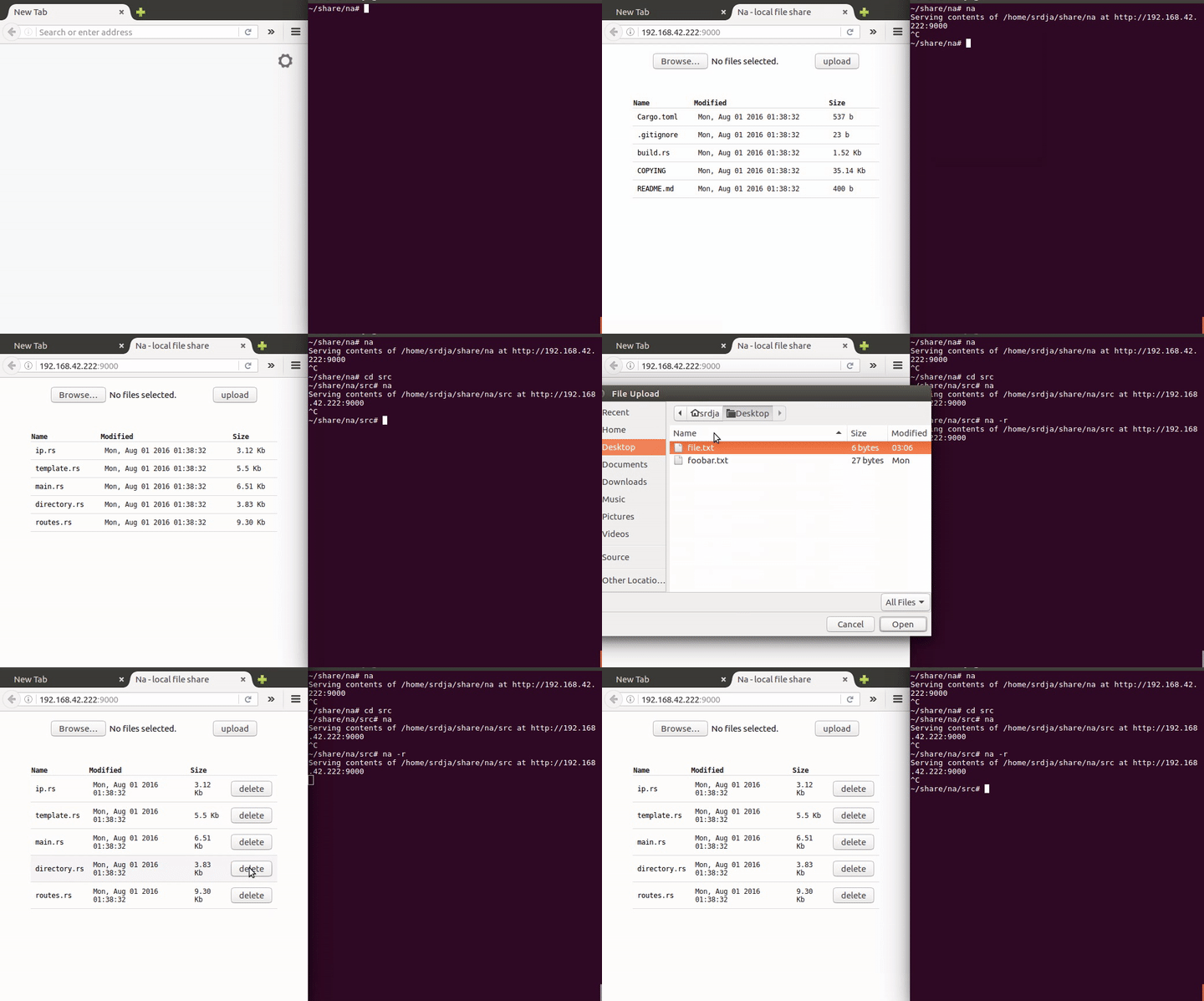 ## Options ``` -h | --help display help and exit -d | --dir [PATH] specifies the path of the served directory (default is the working directory) -p | --port [PORT] specifies the port number (default 8888) -i | --interface [INTERFACE] specify the network interface to use (eg. `eth0`, `wlo0`, `localhost`, etc...) -r | --enable-delete enables file deletions through DELETE requests (disabled by default) -u | --disable-upload disables file uploads (enabled by default) -s | --show-directory show the path of the served directory to client (disabled by default) -l | --list-interfaces print a list of available network interfaces and exit -o | --overwrite-file if enabled, uploaded files will overwrite existing files with the same name (disabled by default) -6 | --ipv6 prefer IPv6 if available -v | --verbose verbose output ``` ## Using Na without a browser #### Obtaining a list of available files Lists of available resources can be obtained either in JSON at `/json`, or in a simple list form separated by a newline `\n` at `/list`. ##### An example of obtaining a list of files in JSON form: ``` curl -X GET http://127.0.0.1:9000/json ``` ```json [ { "name": ".cargo-lock", "url": "/files/.cargo-lock", "size": 0, "modified": "Tue, Aug 02 2016 02:08:53", "modified_raw": 1470096533 }, { "name": "na", "url": "/files/na", "size": 18404960, "modified": "Wed, Aug 03 2016 04:36:33", "modified_raw": 1470191793 } ] ``` ##### An example of obtaining a simple list of URLs separated by a newline `\n`: ``` curl -X GET http://127.0.0.1:9000/list ``` ``` /files/.cargo-lock /files/na ``` ##### Fetching a file: ``` curl -X GET "http://127.0.0.1:9000/files/example.txt" ``` ##### Uploading a single file: ``` curl --form "upload=@example.txt" http://127.0.0.1:9000 ``` ```json [ { "source_name": "README.md", "saved_name": "README.md" } ] ``` ##### Uploading multiple files in a single request: ``` curl -F "upload[]=@example.txt" -F "upload[]=@example2.txt" http://127.0.0.1:9000 ``` ```json [ { "source_name": "README.md", "saved_name": "README.md (1)" }, { "source_name": "build.rs", "saved_name": "build.rs" } ] ``` Deleting a file: ``` curl -X DELETE "http://127.0.0.1:9000/files/example.txt" ``` **note**: `DELETE` is disabled by default, so it needs to be enabled by passing the `-r` or `--enable-delete` flag to `na` ## Installation #### Linux Download **na**: ``` sudo curl -L https://github.com/srdja/na/releases/download/v0.2.0/na-linux64 -o /usr/local/bin/na ``` Make **na** readable and executable for all users: ``` sudo chmod a+rx /usr/local/bin/na ``` #### OS X Download **na**: ``` sudo curl -L https://github.com/srdja/na/releases/download/v0.2.0/na-osx -o /usr/local/bin/na ``` Make **na** readable and executable for all users: ``` sudo chmod a+rx /usr/local/bin/na ``` #### Windows Download the **na** [executable](https://github.com/srdja/na/releases/download/v0.2.0/na-win64.exe) and place it into a directory that you wish to share, or you can put it into a directory that's in your `PATH` if you wish to use it from the command line. ## Building the project Currently Rust [nightly](https://www.rust-lang.org/en-US/downloads.html) is required to build the project. - Build debug with `cargo build` - Build release with `cargo build --release` ## License GPLv3+ ## Contributing ##### Bugs and Features If you have a feature request, or have found a bug, feel free to open a [new issue](https://github.com/srdja/na/issues/new). ##### Pull Requests To get started, fork the repo to your account and then clone your fork: ```bash git clone https://github.com/yourusername/na.git ``` Once you're done making changes, commit your work and push it to your fork. You can then open a [pull request](https://help.github.com/articles/using-pull-requests/) from your fork to the upstream repository.
