KO
|
EN
gitlite — search
Search
#python
#java
#python3
#arduino
#golang
#machine-learning
#rust
#html
#flask
#javascript
#seismology
#nodejs
WBTopicCheckTool
★ 19
Open GitHub ↗
微博超话一键签到,蓝奏云密码:3d8a
Download README (.md)
Explore Similar Repositories
FairMarkClient
:
FairMark Client library for .NET (work in progress): OMS Cloud API + True API + EDO Lite API. Честный знак, ГИС МТ, ИС «Маркировка».
DataSizeMatters
:
Contains the scripts, pre-trained networks, and data for our paper:
EPITECH_to_GOOGLE_calendar
:
Synchronize your Epitech calendar with Google.
tesla-dash-and-sentry
:
UWP app to view Tesla Dashcam / Sentry videos and browse event locations on a map.
cmakeTutorialCN
:
cmake 12步 配置教程,中文整理版
// repository documentation
Was this content helpful?
★ 0
(0 ratings)
Select Rating:
★
★
★
★
★
Submit Feedback
Recent Feedback
×
Download README
Do you want to download the
README.md
file for
WBTopicCheckTool
?
Download (.md)
# 🎨WBTopicCheckTool ## 前言 由于之前的很多接口作废了,暂时也不想花时间在这上面了,之前也挖了点坑,这个写出来算是给之前 [WeiBo_SuperTopics](https://github.com/ReaJason/WeiBo_SuperTopics) 一个交代,简单的用 PyQt5 封装了微博网页版的扫码登陆以及签到请求,想要学习的小伙伴可以下载源码进行学习。 ## 开发环境 1. Windows 10 2. Python 3.7.9 3. requests==2.25.1,PyQt5==5.15.1 ## 界面截图 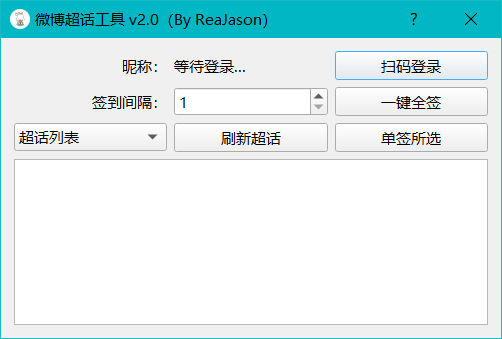 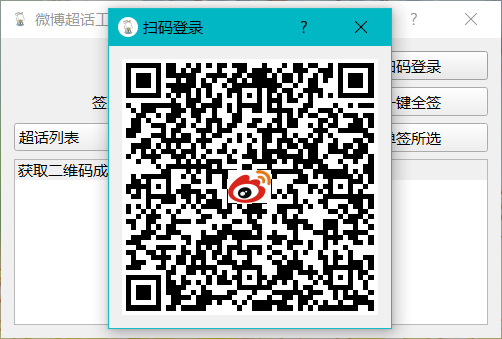 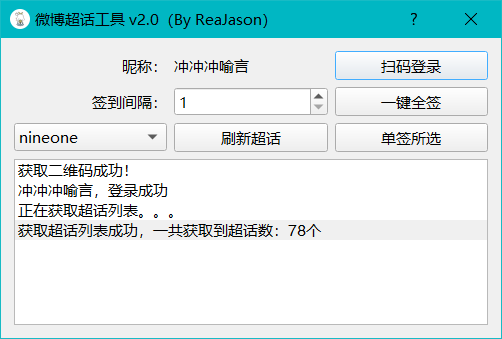 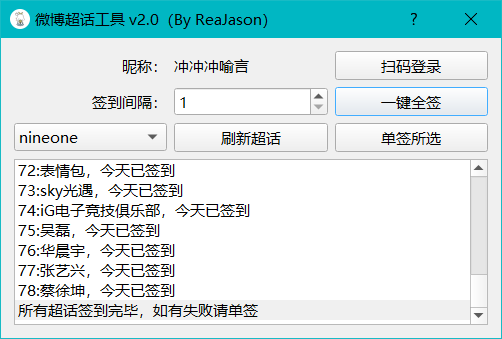 ## 注意事项 1. 下载源码之后,先安装第三方库`pip install -r requirements.txt `,再使用 `python start.py`启动程序 2. 程序打包命令,`pyinstaller -F -w -i ./res/favicon.ico start.py`,然后将`res`目录复制到 `dist`目录 3. 扫码登录成功之后会自动获取超话列表,获取失败,刷新超话重新获取即可 4. 超话数量越多,签到间隔建议设置大一点,以防请求异常 5. 若无法使用本程序,请检查自己账号是否异常,不要拿异常账号反馈 6. 本程序只供参考学习,请勿用于违法用途 7. 使用本程序导致微博账号异常或冻结甚至封禁都与作者无关 8. 凡以任何方式下载使用本程序者,视为自愿接受本声明约束。
