KO
|
EN
gitlite — search
Search
#typescript
#ai-agents
#ai
#dsh-plugin
#deepseek-harness
#open-source
#cli
#claude-code
#codex
#developer-tools
#react
#windows
gui-widgets.nvim
★ 46
Open GitHub ↗
No description available.
Download README (.md)
Explore Similar Repositories
Dipper
:
Dipper is a simple Polygon Paraswap stables arbitrage bot.
A1200_keyb_MPU
:
Amiga 1200 keyboard MPU drop-in replacement pcb
qndxx
:
青年大学习截图生成
Passky-Android
:
Android application for Passky (password manager)
metamask-react-auth
:
React Component for MetaMask Authentication
// repository documentation
Was this content helpful?
★ 0
(0 ratings)
Select Rating:
★
★
★
★
★
Submit Feedback
Recent Feedback
×
Download README
Do you want to download the
README.md
file for
gui-widgets.nvim
?
Download (.md)
# gui-widgets.nvim -- supporting library for gui widgets 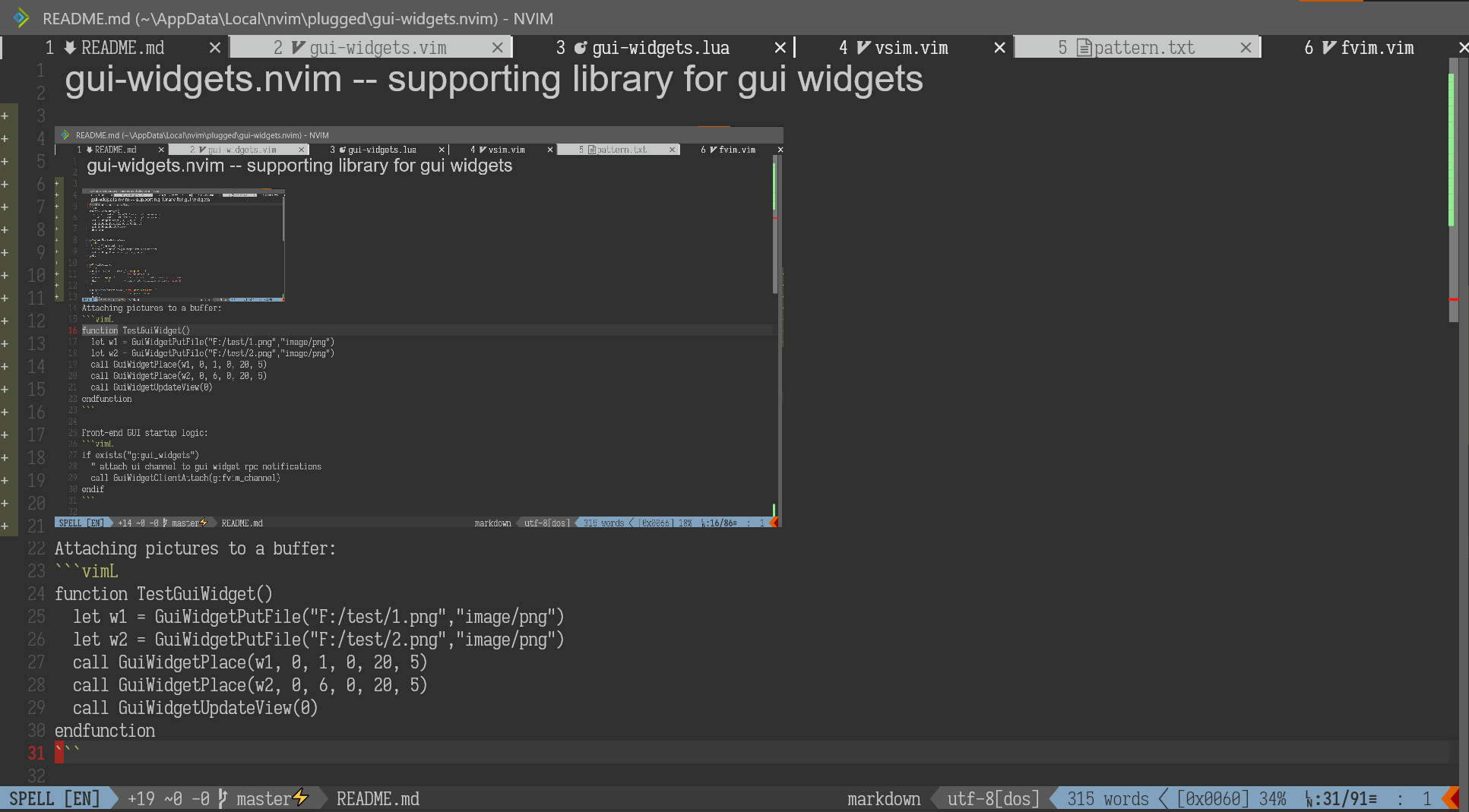 ## For Front-End Devs: Front-end GUI startup logic: ```vimL if exists("g:gui_widgets") " attach ui channel to gui widget rpc notifications call GuiWidgetClientAttach(g:fvim_channel) endif ``` RPC notifications: ```lua vim.rpcnotify(clientChannel,"GuiWidgetPut", { id = 123; -- the gui widget id mime = "image/png"; -- the mime data, client chooses how to present data = { ... }; -- binary data, serializes to str8 in msgpack }) vim.rpcnotify(clientChannel, "GuiWidgetUpdateView", { buf = 5; -- the updated buffer widgets = { { 1, 123, 5, 10 }, -- [mark_id, res_id, width, height] tuple { 2, 234, 1, 5, -- can have an opt dictionary { ['key'] = value; ... } } } }) ``` A front-end needs to listen to these two notifications -- `GuiWidgetPut` pushes visual resource data to the front-end, and `GuiWidgetUpdateView` sends a list of "placements". A placement associates an extmark with a resource id, and provides display options for a widget (width, height, mouse events etc.). In addition, the UI client should keep track of the on-screen coordinates for the extmarks, so that the widgets can be aligned, clipped, scrolled, clicked, etc. etc. in the grid. The idea of this paradigm is that plugins can frequently update the placements of ui elements for a buffer without sending the large ui resource files(images). When a plugin calls `GuiWidgetPut`, it will be sent right away to the client after it's loaded from the path. The client may use a LRU cache to evict resources, and use `GuiWidgetRequest` later if the cache misses. Note, `gui-widgets` does not comply to the MIME standards so it may as well send a mime 'image/*'... Some MIME types worth implementing are: - `image/*` for bitmap images. A lot of UI frameworks can automatically detect the actual format. - `image/svg` for vector images and math formulas. - `text/plain` for virtual text -- the benefit is custom font/color/style, like markdown headers. - Suggestions? :) ## For Plugin Devs `local gui = require'gui-widgets'` to begin with. ```lua -- load a resource file and push it to the frontend: local img1 = gui.put_file('/foo/bar/baz.jpg', 'image/*') -- automatically download from the web too: local img2 = gui.put_file('http://test-image.png', 'image/*') -- push raw data local txt1 = gui.put_data('Hello world!', 'text/plain') -- delete one or more resources, and notify the client: gui.del(txt1) -- place a widget in a buffer -- (id, bufnr, row, col, w, h, opt) local mark1 = gui.place(img1, buf, 0, 0, 10, 5) -- send the updated placements to the client gui.update_view(buf) -- clear all resources and placements for a buffer gui.clear_view(buf) ``` See [the implementation](https://github.com/yatli/gui-widgets.nvim/blob/master/lua/gui-widgets.lua) `refresh_mkd` automatically generates UI elements for headers and images. Latex math support: $e^{i \pi}+1=0$ A thin vimL layer is also provided: ```vimL " Attaching pictures to a buffer: function TestGuiWidget() let w1 = GuiWidgetPutFile("F:/test/1.png","image/png") let w2 = GuiWidgetPutFile("F:/test/2.png","image/png") call GuiWidgetPlace(w1, 0, 1, 0, 20, 5) call GuiWidgetPlace(w2, 0, 6, 0, 20, 5) call GuiWidgetUpdateView(0) endfunction ``` ## Placement options | Name | Type | Description | |------------------------|-------------------|--------------------------------------------------------------------------------------------------------| | Mouse events | | | | mouse | bool | automatically added to indicate whether a widget is mouse-enabled. | | clicked-widget | widget id | target widget to display when clicked | | clicked-exec | vimL | callback on mouse clicked | | released-widget | widget id | target widget to display when released | | released-exec | vimL | callback on mouse released | | Widget display options | | | | halign | string | Horizontal alignment: left/center/right/stretch | | valign | string | Vertical alignment: left/center/right/stretch | | stretch | string | Image stretch: non/uniform/uniformfill | | hide | string | Hide widget on cursor overlap: none/cursor/cursorline | | virt-lines | bool | Add virt_lines to make up the widget height | | Text display options | | | | text-font | string | Font family name for a text widget | | text-scale | float | Font size relative to guifont size. Useful for displaying headers. | | text-hlid | string or integer | A highlight group name. Can be either an integer (1 for default), or a semantic hightlight group name. | | Misc. | | | | svg-themed | bool | Theme svg with normal fg/bg. | ## TODO - `GuiWidgetRequest` should be rpcnotify, not a function -- so it can be used in redraw. - win_viewport does not have horizontal scroll information and sign column/number column sizes... - see https://github.com/neovim/neovim/pull/15674
