KO
|
EN
gitlite — search
Search
#javascript
#python
#hacktoberfest
#react
#ai
#typescript
#llm
#go
#golang
#android
#machine-learning
#rust
#deep-learning
#linux
dia-dfd
★ 9
Open GitHub ↗
DFD diagramming sheet for Dia
Download README (.md)
Explore Similar Repositories
firecracker
:
Rainmeter for Ubuntu, done in Python.
rsyslog-scripts
:
scripts that make rsyslog easy to use.
arr-pluck
:
Get the value of a specified property from all elements in a collection.
PD-IP-Checker
:
No description available.
harmonic_centrality
:
fast harmonic centrality algorithm for networkx library
// repository documentation
Was this content helpful?
★ 0
(0 ratings)
Select Rating:
★
★
★
★
★
Submit Feedback
Recent Feedback
×
Download README
Do you want to download the
README.md
file for
dia-dfd
?
Download (.md)
-------------------- -------------------- -------------------- <p align="center"><b>No Longer Maintained</b></p> <p align="center">I have released Data Flow Diagram and Attack Tree libraries for <a href="https://www.draw.io/">draw.io</a> which is much better than Dia. Please see <a href="http://michenriksen.com/blog/drawio-for-threat-modeling/">the blog post</a> for more information.</p> -------------------- -------------------- -------------------- # Data Flow Diagramming shapes for [Dia](https://wiki.gnome.org/Apps/Dia) [Data Flow Diagramming](https://en.wikipedia.org/wiki/Data_flow_diagram) is a simple diagramming technique used to gain an understanding of how data flows in an application or system. DFD diagrams are especially helpful when conducting [threat modeling](https://www.owasp.org/index.php/Application_Threat_Modeling). This project extends the free and open source [Dia](https://wiki.gnome.org/Apps/Dia) diagramming tool with a new Sheet for doing DFD diagramming: 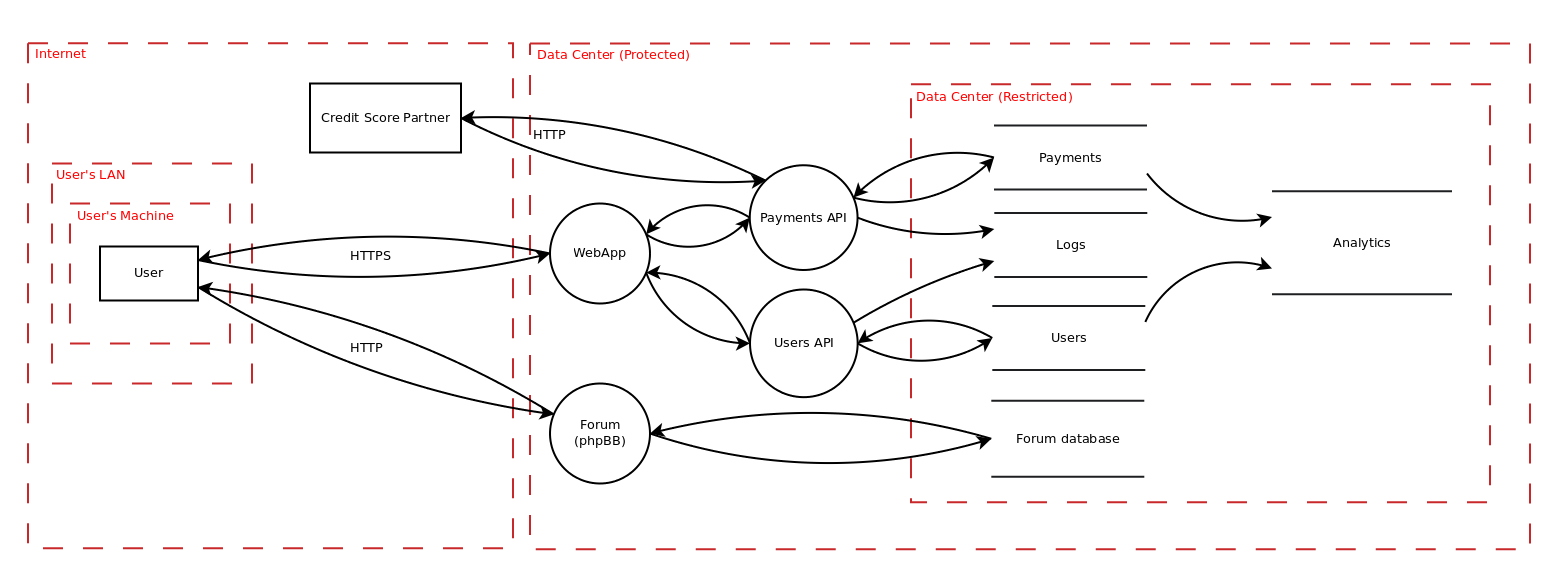 ## Installation Installation on Linux is pretty straight-forward: 1. Check out the repository with `git clone https://github.com/michenriksen/dia-dfd.git` 2. Make symbolic links to the diagram shapes with `ln -s /path/to/dia-dfd/shapes/* ~/.dia/shapes/` 3. Make symbolic link to the diagram sheet with `ln -s /path/to/dia-dfd/sheets/dfd.sheet ~/.dia/sheets/` 4. Restart Dia if it's already open You should now have a new Sheet called DFD, ready to use. **Happy diagramming!**
