KO
|
EN
gitlite — search
Search
#javascript
#python
#python3
#typescript
#chatgpt
#java
#flutter
#css
#html
#sql
#security
#mongodb
orochi
★ 274
Open GitHub ↗
The Volatility Collaborative GUI
Download README (.md)
Explore Similar Repositories
ngx-socket-io
:
Socket.IO module for Angular
DNTIdentity
:
A highly customized sample of the ASP.NET Core Identity
saturn-datepicker
:
Angular Material Datepicker with range selection
Hierarchical-Actor-Critc-HAC-
:
This repository contains the code to implement the Hierarchical Actor-Critic (HAC) algorithm.
FMLayoutKit
:
自定义CollectionView的布局,可以快速实现瀑布流,标签布局,商品详情,各种电商首页等,悬停,拖拽排序等等功能丰富,可以穿插布局(垂直水平),多种布局样式让你专注业务
// repository documentation
Was this content helpful?
★ 0
(0 ratings)
Select Rating:
★
★
★
★
★
Submit Feedback
Recent Feedback
×
Download README
Do you want to download the
README.md
file for
orochi
?
Download (.md)
# Orochi [](http://shields.io/) [](https://github.com/LDO-CERT/orochi/blob/master/LICENSE) [](https://github.com/pydanny/cookiecutter-django/) [](https://github.com/LDO-CERT/orochi/actions/workflows/push.yml) [](https://github.com/LDO-CERT/orochi/actions/workflows/codeql-analysis.yml) [](https://bestpractices.coreinfrastructure.org/projects/5014) [](https://gitter.im/ldo-cert-orochi?utm_source=badge&utm_medium=badge&utm_campaign=pr-badge&utm_content=badge) --- > 🧠 **Orochi** — A modern, distributed web interface for collaborative memory forensics built on **Volatility 3**, **Django**, and **Dask**. 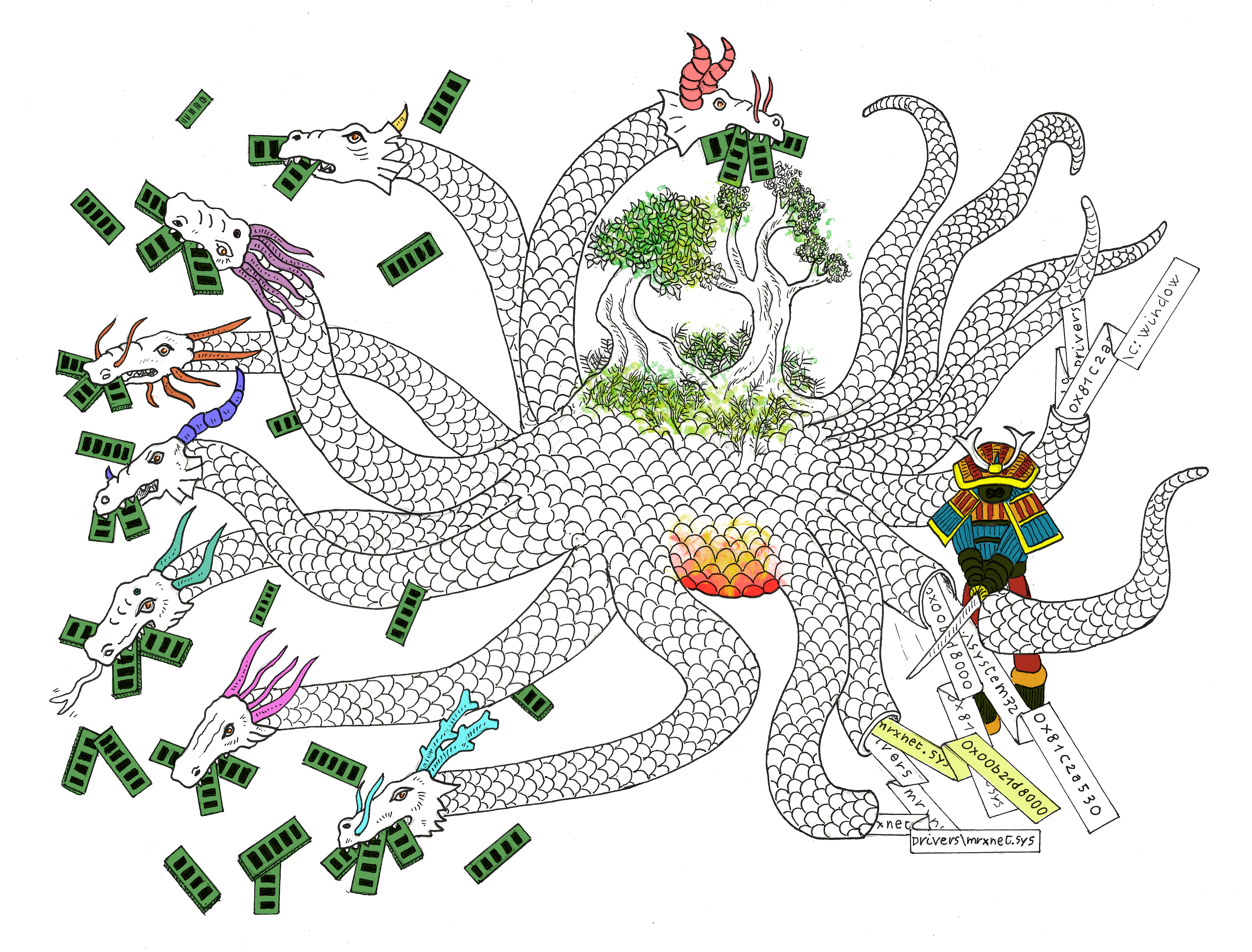 --- ## Table of Contents - [About Orochi](#about-orochi) - [Fastest Way to Try Orochi](#fastest-way-to-try-orochi) - [Architecture Overview](#architecture-overview) - [Getting Started](#getting-started) - [Installation](#installation) - [Quick Start Guide](#quick-start-guide) - [Video Guide](#video-guide) - [Documentation](#documentation) - [Community](#community) - [Contributing](#contributing) - [Origin of the Name](#origin-of-the-name) --- ## About Orochi **Orochi** is an open-source framework for collaborative forensic memory dump analysis. It lets multiple analysts upload, analyze, and correlate memory dumps simultaneously via an intuitive web interface. 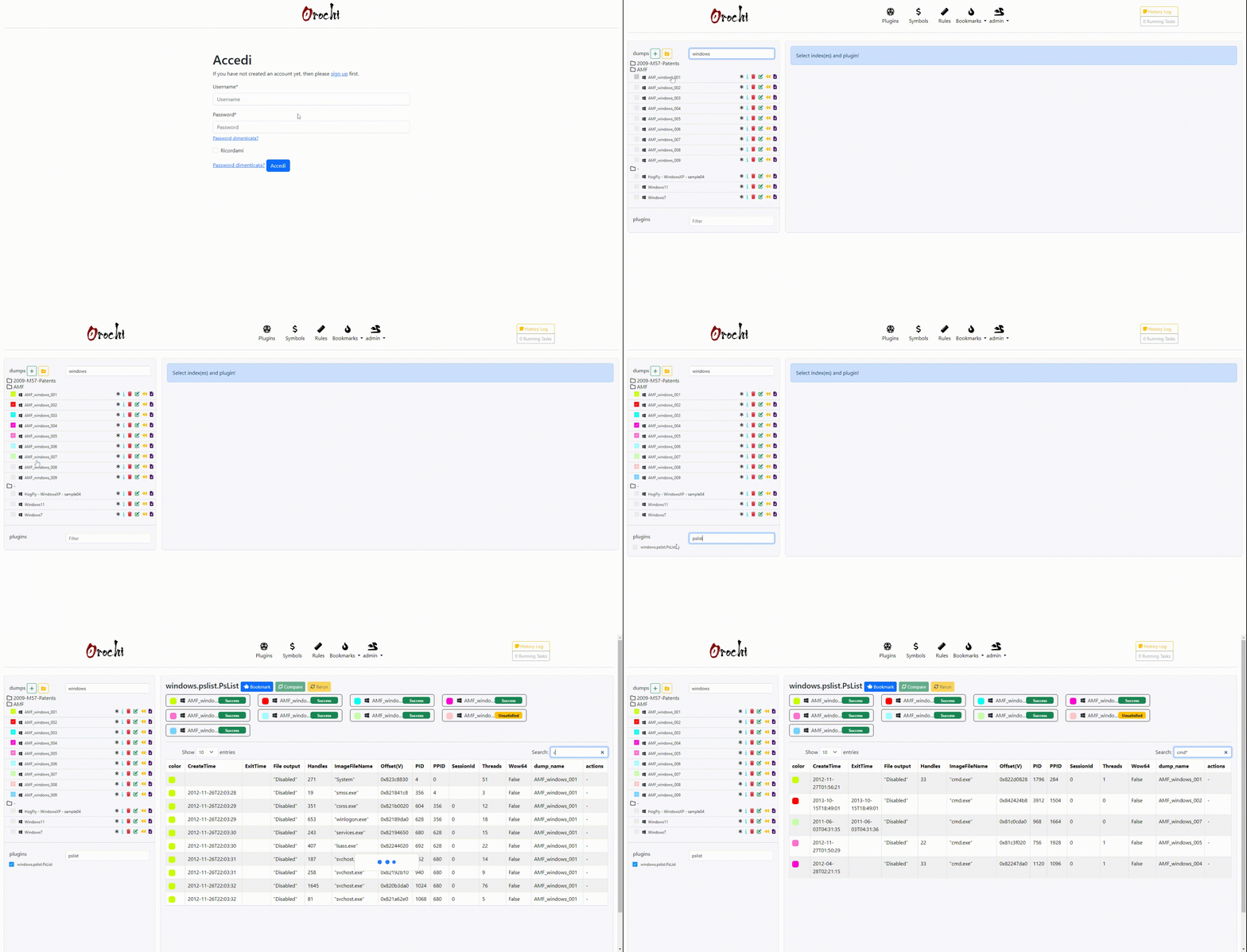 --- ## 🚀 Fastest Way to Try Orochi <a id="fastest-way-to-try-orochi"></a> If you just want to get hands-on immediately: ```bash git clone https://github.com/LDO-CERT/orochi.git cd orochi sudo docker-compose up ``` Then open [https://localhost](https://localhost) and log in with: **Username:** `admin` **Password:** `admin` At first run, Orochi will need to download **Volatility plugins** and **symbol files**. You can do this directly from the **Admin Page** or by running the management commands described below. --- ## ⚙️ Architecture Overview <a id="architecture-overview"></a> Orochi combines the power of Volatility 3 with distributed task management and a modern web stack: - 🧩 **[Volatility 3](https://github.com/volatilityfoundation/volatility3):** Memory forensics framework for extracting digital artifacts. - ⚙️ **[Dask](https://github.com/dask/dask):** Parallel computing library that distributes plugin execution across workers. - 🗄️ **[PostgreSQL](https://www.postgresql.org/):** Database for user and analysis metadata. - ✉️ **[Mailpit](https://github.com/axllent/mailpit):** Local SMTP service for user registration emails. - 🧱 **[Django WSGI / ASGI](https://www.djangoproject.com/):** Core web backend, including real-time WebSocket updates. - 🔁 **[Redis](https://github.com/redis/redis):** Message broker and cache for asynchronous communications. - 🌐 **[Nginx](https://github.com/nginx/nginx):** Reverse proxy providing HTTPS termination. - 🐳 **[Docker Compose](https://docs.docker.com/compose/):** Orchestrates the entire Orochi stack for both x64 and arm64 platforms. ```mermaid flowchart TB %% Orientation: Top -> Bottom %% Frontend (visible label) subgraph FRONTEND[Frontend] direction TB client["Client (Browser)"] nginx["Nginx (Reverse Proxy)"] end %% Application Layer subgraph APP[Application Layer] direction TB wsgi["Django WSGI (REST / Pages)"] asgi["Django ASGI (WebSockets / Realtime)"] end %% Core Services subgraph CORE[Core Services] direction TB postgres["PostgreSQL (Primary Datastore)"] redis["Redis (Cache & Channels)"] mailpit["Mailpit (SMTP for Sign-up)"] end %% Distributed Execution subgraph DASK[Distributed Execution] direction TB scheduler["Dask Scheduler"] worker1["Dask Worker 01 (Volatility 3)"] worker2["Dask Worker 02 (Volatility 3)"] end storage["Uploads Storage (/media/uploads)"] %% Ingress client -->|HTTPS| nginx nginx --> wsgi nginx --> asgi %% Database access wsgi <-->|auth, metadata, results R/W| postgres asgi -->|state / R/W| postgres %% Redis roles wsgi -->|cache| redis asgi -->|channels| redis %% Email (SMTP) wsgi -->|SMTP| mailpit %% Task submission & execution wsgi -->|submit tasks| scheduler scheduler --> worker1 scheduler --> worker2 %% Files wsgi <-->|upload/download| storage worker1 <-->|read/write| storage worker2 <-->|read/write| storage worker1 -->|store analysis results| postgres worker2 -->|store analysis results| postgres ``` --- ## 🧰 Getting Started <a id="getting-started"></a> ### Installation Orochi supports **multi-architecture builds** for both `x64 (amd64)` and `arm64` systems (e.g., Apple Silicon). #### Clone the Repository ```bash git clone https://github.com/LDO-CERT/orochi.git cd orochi ``` #### Configure Environment Variables Set your environment configuration in `.envs/.local/.postgres`: ``` POSTGRES_HOST=postgres POSTGRES_PORT=5432 POSTGRES_DB=orochi POSTGRES_USER=debug POSTGRES_PASSWORD=debug ``` And `.envs/.local/.django`: ``` USE_DOCKER=yes IPYTHONDIR=/app/.ipython REDIS_URL=redis://redis:6379/0 DASK_SCHEDULER_URL=tcp://scheduler:8786 ``` > 💡 **Tip:** You can adjust the number of Dask workers in `docker-compose.yml` by editing the `replicas` value under the **worker** service. #### Build or Pull the Images To pull prebuilt images: ```bash docker-compose pull ``` Or build locally with automatic architecture detection: ```bash # Auto-detects your system architecture (amd64/arm64) and builds accordingly docker-compose build ``` **For production deployment** with bind mounts and ModSecurity WAF: Create a local `docker-compose.override.yml` file (not tracked in git) to customize: - Volume bind mounts for persistent data (`../orochi_data/nginx/`, etc.) - Environment variables and proxy settings - Service-specific configurations The build automatically detects your system architecture (ARM64 for Apple Silicon, Raspberry Pi, AWS Graviton; x86_64 for standard servers) and compiles all services accordingly—no manual configuration or TARGETARCH export needed. See `docker-compose.override.yml.example` in the repo for reference on the structure and available options. #### Start the Stack ```bash docker-compose up ``` Check the running containers: ```bash docker ps -a ``` Example output: ``` NAME IMAGE COMMAND SERVICE STATUS orochi-worker-2 ghcr.io/ldo-cert/orochi_worker:new "/usr/bin/tini -g --…" worker Up 5 weeks orochi_nginx ghcr.io/ldo-cert/orochi_nginx:new "/docker-entrypoint.…" nginx Up 2 weeks (healthy) 0.0.0.0:443->443/tcp ... ``` Once the containers are running, Orochi will be available at: 🔗 [https://127.0.0.1](https://127.0.0.1) #### Update & Sync Plugins / Symbols ```bash docker-compose run --rm django python manage.py plugins_sync docker-compose run --rm django python manage.py symbols_sync ``` > ⚙️ These commands can also be executed directly from the Admin page if new plugins or symbols are available. --- ### ⚡ Quick Start Guide <a id="quick-start-guide"></a> 1. Register a user via **Sign Up** 2. Log in with your credentials 3. Upload a memory dump (supports `.raw`, `.mem`, and zipped files) 4. Choose the OS and optional color label 5. Orochi automatically runs the enabled Volatility plugins in parallel via **Dask** 6. View results, compare dumps, and bookmark findings **Default URLs:** | Service | URL | | --------------- | -------------------------------------------------- | | Orochi Homepage | [https://127.0.0.1](https://127.0.0.1) | | Admin Panel | [https://127.0.0.1/admin](https://127.0.0.1/admin) | | Mailpit | [http://127.0.0.1:8025](http://127.0.0.1:8025) | | Dask Dashboard | [http://127.0.0.1:8787](http://127.0.0.1:8787) | --- ## 🎥 Video Guide <a id="video-guide"></a> [](https://youtu.be/9g8EfC0OK7k) **Watch a complete 15-minute setup and walkthrough** showing how to install, configure, and use Orochi. **Guide Timestamps:** - **00:00** ➡️ _Introduction:_ Cloning the GitHub repository - **00:30** ➡️ _Docker Launch:_ Starting Orochi with `docker-compose up` - **03:00** ➡️ _Platform Access:_ Opening the web interface - **03:35** ➡️ _Admin Configuration:_ Downloading plugins & symbols - **04:00** ➡️ _Dask Monitoring:_ Observing parallel analysis tasks - **05:20** ➡️ _Memory Dump Upload:_ Uploading and analyzing a file - **10:45** ➡️ _Download Process:_ Retrieving dumped artifacts - **12:15** ➡️ _Regipy Plugins:_ Viewing parsed registry data - **12:40** ➡️ _Hex Viewer:_ Navigating memory data in hex - **14:35** ➡️ _Bookmarks:_ Saving and revisiting filtered results --- ### 📘 Documentation <a id="documentation"></a> - [Users Guide](docs/Users-Guide.md) - [Admin Guide](docs/Admin-Guide.md) - [API Guide](docs/API-Guide.md) - [Deploy to Swarm Guide](docs/Deploy-to-Swarm-Guide.md) --- ## 👥 Community <a id="community"></a> Join discussions and get help on [Gitter](https://gitter.im/ldo-cert-orochi/community). We welcome questions, feedback, and new ideas to improve Orochi! > 💡 **Tip:** You can also open GitHub Discussions or Issues directly in this repository. --- ## 🤝 Contributing <a id="contributing"></a> We love community contributions! Please review the [Contributing Guidelines](CONTRIBUTING.md) and [Code of Conduct](CODE_OF_CONDUCT.md). > 🧩 Pull requests are welcome — from typo fixes to new integrations and plugin improvements. --- ## 🐉 Origin of the Name <a id="origin-of-the-name"></a> > _"Its eyes are like akakagachi, it has one body with eight heads and eight tails. Moss and cypress grow on its back, its belly is constantly bloody and inflamed."_ [Read the full legend on Wikipedia →](https://en.wikipedia.org/wiki/Yamata_no_Orochi) 🗡️ _Let's go cut tails and find your Kusanagi-no-Tsurugi!_ --- © 2025 LDO-CERT — Collaborative Memory Forensics Platform
