KO
|
EN
gitlite — search
Search
#javascript
#python
#hacktoberfest
#react
#ai
#typescript
#llm
#go
#golang
#android
#machine-learning
#rust
#deep-learning
#linux
utm-department-analysis
★ 13
Open GitHub ↗
rmp data ranking
Download README (.md)
Explore Similar Repositories
ocireg-mcp
:
An MCP (Model Context Protocol) server that provides tools for querying OCI registries and image references.
qwen-cli-zig
:
An attempt to make Gemini 2.5 create a simple chat program with Zig
mcp-registry
:
MCP Registry Demo - A reference implementation on Azure API Center
WS-4.3
:
No description available.
BiliNote
:
No description available.
// repository documentation
Was this content helpful?
★ 0
(0 ratings)
Select Rating:
★
★
★
★
★
Submit Feedback
Recent Feedback
×
Download README
Do you want to download the
README.md
file for
utm-department-analysis
?
Download (.md)
# UTM Department Data Analysis (Demo Only) This project demonstrates how to analyze and visualize rating data using Bayesian averaging, based on data that was collected from publicly available pages on [RateMyProfessors](https://www.ratemyprofessors.com/). Only analysis logic and example plots are retained for educational purposes. --- ## Project Structure - `system_class.py`: Defines core classes including `University`, `Department`, `ProfData`, and `CourseUnderProf`. - `analysis.py`: Contains statistical functions and Bayesian scoring logic, as well as plotting utilities. - `main.py`: Main script to run analysis and generate plots (no longer includes any scraping or data fetching). --- ## Current Status - Code for analysis, Bayesian ranking, and visualization - Sample output plots generated from previously available data (shown below) --- ## Sample Visualizations These plots are **examples** only, based on previously generated data that has now been removed: 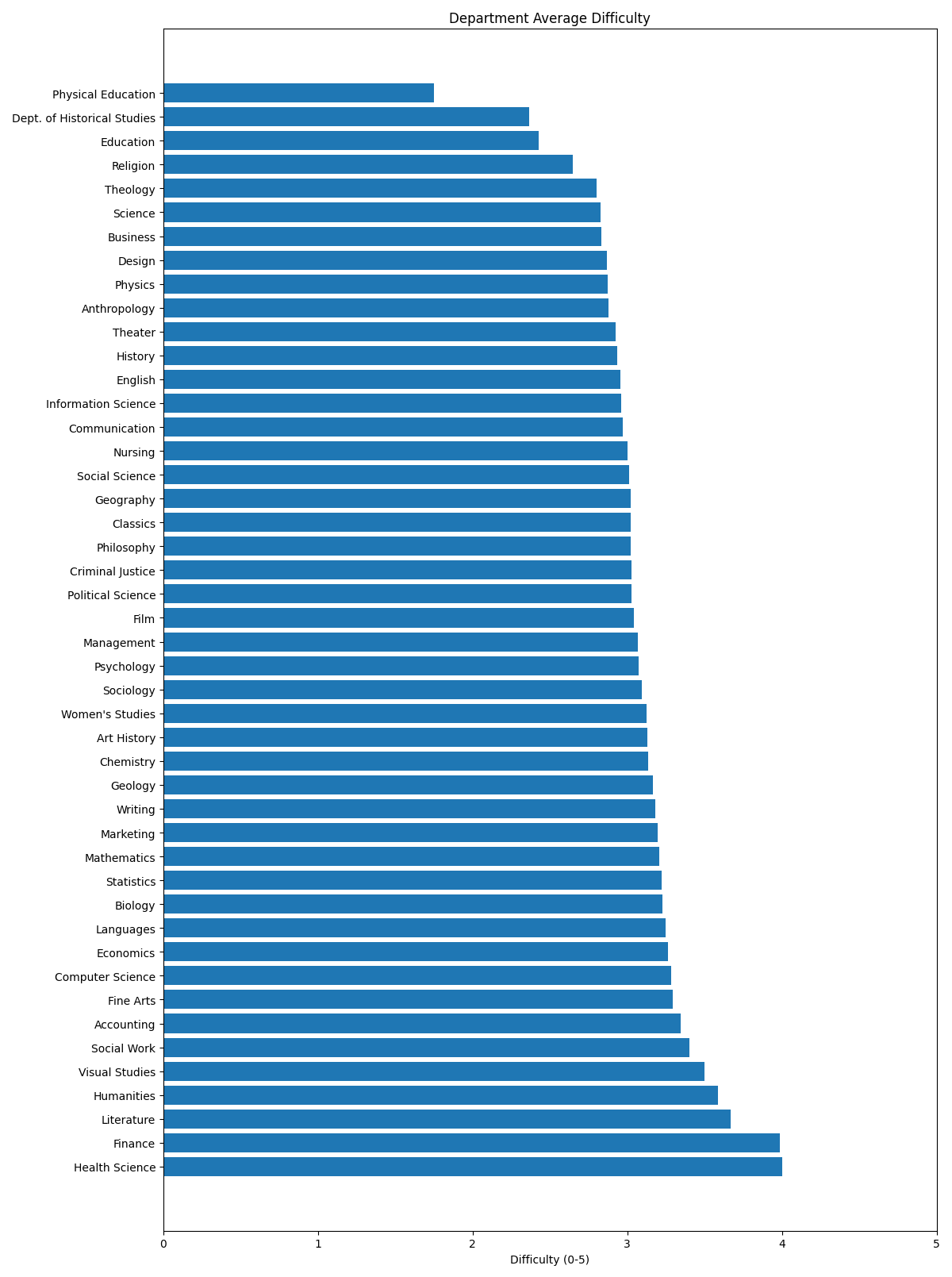 --- ## Usage (With Your Own Data) If you have your own JSON-formatted professor data (not provided here), you can place it in the `data/` directory: - The expected filename is `all_prof_data.json` - Run the main script: First set up environment ```bash pip install -r requirements.txt ```bash python main.py
