KO
|
EN
gitlite — search
Search
#typescript
#ai-agents
#ai
#dsh-plugin
#deepseek-harness
#open-source
#claude-code
#codex
#cli
#developer-tools
#react
#windows
Wireless-ADXL
★ 68
Open GitHub ↗
No description available.
Download README (.md)
Explore Similar Repositories
adxl345spi
:
ADXL345 three-axis accelerometer reader (SPI interface)
zhuque
:
开放源码的一站式广告平台,包含ssp/adx/dsp/dmp模块
Arduino-ADXL345
:
ADXL345 Triple Axis Accelerometer Arduino Library.
ADX-Controller-Guide
:
No description available.
rp2040-zero-adxl345-klipper
:
Instructions on how to connect your ADXL345 to your host Raspberry Pi via a RP2040-Zero
// repository documentation
Was this content helpful?
★ 0
(0 ratings)
Select Rating:
★
★
★
★
★
Submit Feedback
Recent Feedback
×
Download README
Do you want to download the
README.md
file for
Wireless-ADXL
?
Download (.md)
# Wireless ADXL for Klipper ## This is the public release of my wireless ADXL project developed for Klipper resonance testing. I originally built this as a commercial product but due to budget restrictions I could not move it into production. Instead of shelving it, I decided to release everything here so the community can benefit from it. The full projects source is now fully available. Hardware, firmware and host-side tools are included. ## If you find the project useful and want to support future work, you can donate here: <a href="https://www.buymeacoffee.com/arteuspw" target="_blank"><img src="https://cdn.buymeacoffee.com/buttons/v2/default-yellow.png" alt="Buy Me A Coffee" style="height: 60px !important;width: 217px !important;" ></a> 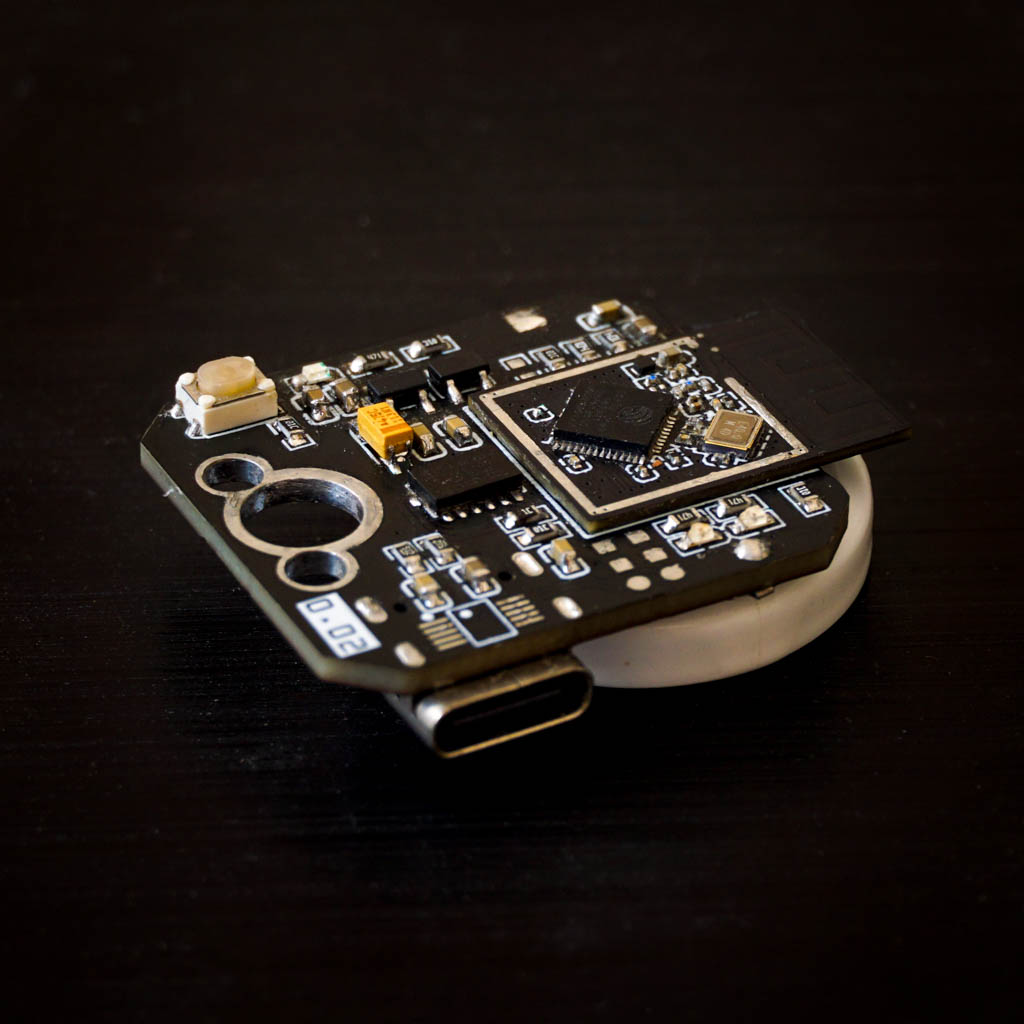 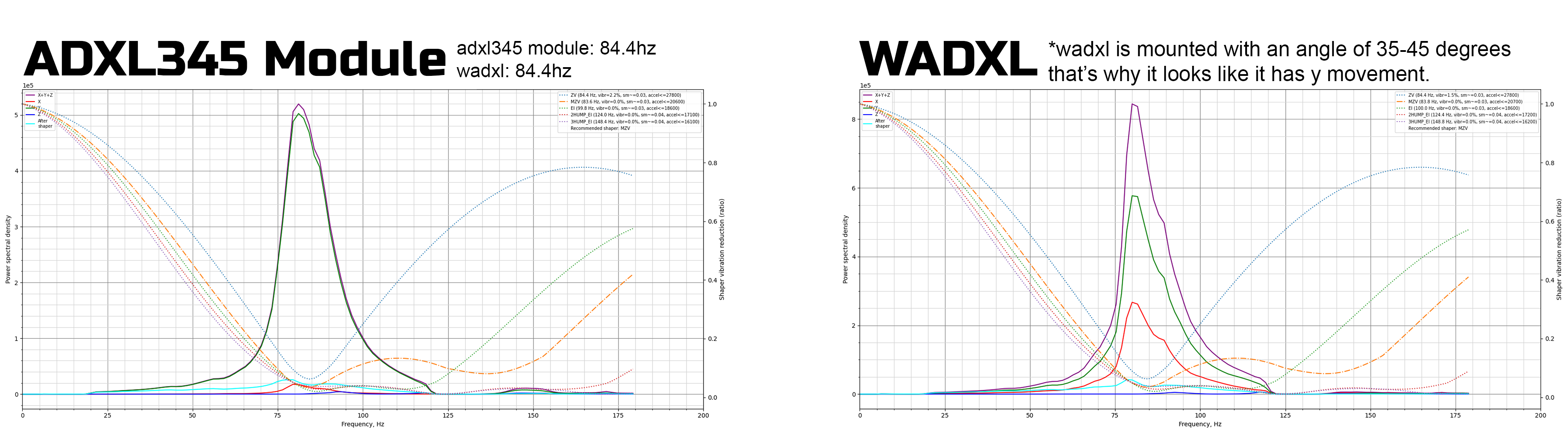 ## What This Project Provides - Wireless ADXL345 sensor module for Klipper - No USB cable required on the toolhead - Stable and low-noise accelerometer data over Wi-Fi - Compatible with Klipper resonance testing - Full hardware design, firmware source and host utilities ## Contents hardware: Gerber and BOM firmware: MCU firmware host: Python client for Klipper integration docs: Setup guide and usage notes ## Docs: ### First the setup 1) Power it with a 5V source or battery using the battery mounting holes 2) A wireless network named WADXL should appear, connect to it 3) You should be redirected to wifi setup page, if you don't, go to 192.168.4.1 4) Enter your ssid and password You should be connected successfully ### The OTA updater GUI : 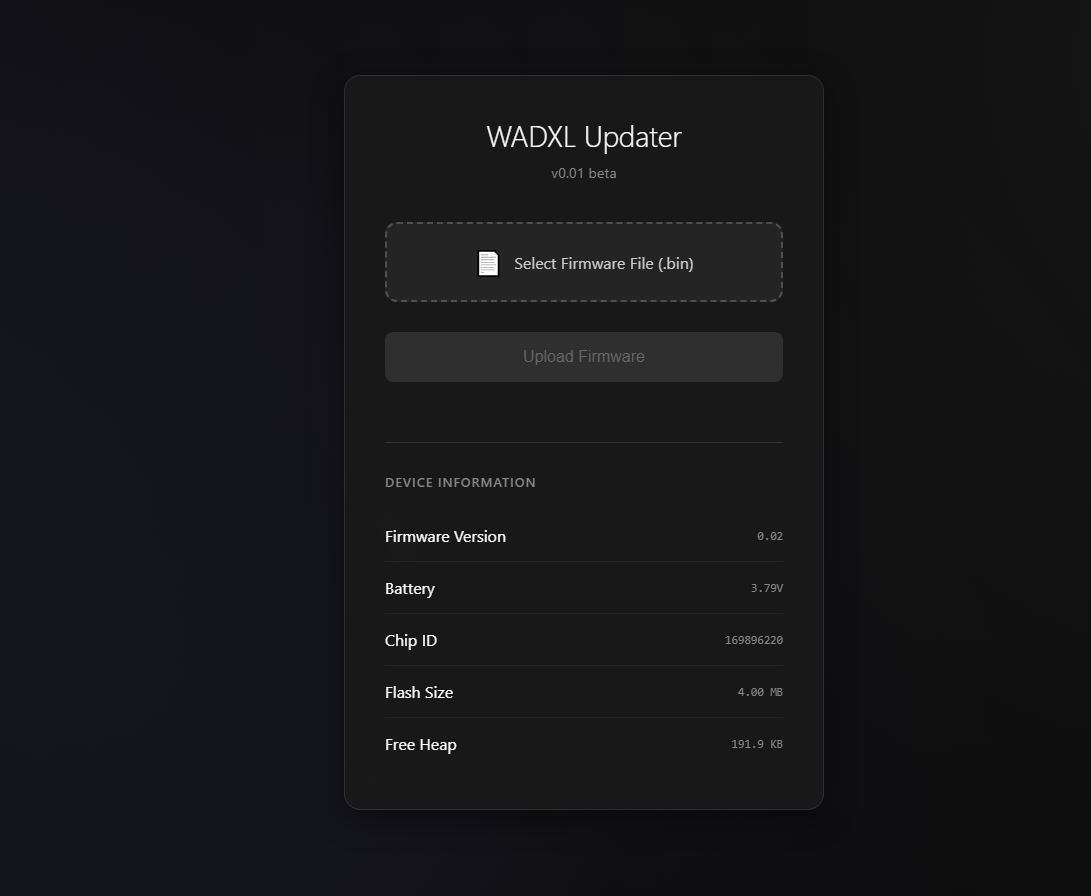 - Go to wadxl.local (if that doesn't work, find it's ip in your router) you should see the ota page, that's where you can update it. ### Klipper setup: - Run this command ```wget -qO- https://raw.githubusercontent.com/Pole-Engineering/Wireless-ADXL/main/software/install_wadxl.sh | bash``` - Klipper config: ``` [wadxl] ip = optional, entering the ip manually is better [resonance_tester] probe_points = 117.5,117.5, 10 accel_chip = wadxl accel_per_hz = 160 min_freq = 20 max_freq = 120 ``` ### What does various patterns of LEDs mean **RED on GREEN off:** -Faulty ADXL or Error **RED off GREEN on:** -Standby mode **RED blinking GREEN off:** -Low voltage, charge **RED off GREEN blinking:** -Sampling in progress **RED blinking GREEN blinking:** -Connecting to wifi No leds will turn on before the initial setup when you boot it first time. ## Please note that this version is actually updated and not tested (it has better battery protection implementation.) so, if you spot some mistakes, please create an issue on github. ## License Shield: [![CC BY-NC-SA 4.0][cc-by-nc-sa-shield]][cc-by-nc-sa] This work is licensed under a [Creative Commons Attribution-NonCommercial-ShareAlike 4.0 International License][cc-by-nc-sa]. [![CC BY-NC-SA 4.0][cc-by-nc-sa-image]][cc-by-nc-sa] [cc-by-nc-sa]: http://creativecommons.org/licenses/by-nc-sa/4.0/ [cc-by-nc-sa-image]: https://licensebuttons.net/l/by-nc-sa/4.0/88x31.png [cc-by-nc-sa-shield]: https://img.shields.io/badge/License-CC%20BY--NC--SA%204.0-lightgrey.svg
