KO
|
EN
gitlite — search
Search
#typescript
#ai-agents
#ai
#dsh-plugin
#deepseek-harness
#open-source
#cli
#claude-code
#codex
#developer-tools
#react
#windows
OctoPrint-Anywhere
★ 62
Open GitHub ↗
No description available.
Download README (.md)
Explore Similar Repositories
OctoPrint-AndroidApp
:
No description available.
OctoPrint-LEDStripControl
:
OctoPrint plugin that intercepts M150 GCode commands and controls local GPIOs connected to LEDs.
OctoPrint-Prometheus-Exporter
:
An octoprint plugin for prometheus compatible metrics endpoint
mjpeg_stream_webcam
:
Webcam Streamer for Octoprint MacOs
OctoPrint-Resource-Monitor
:
An OctoPrint plugin to view current CPU and RAM usage
// repository documentation
Was this content helpful?
★ 0
(0 ratings)
Select Rating:
★
★
★
★
★
Submit Feedback
Recent Feedback
×
Download README
Do you want to download the
README.md
file for
OctoPrint-Anywhere
?
Download (.md)
# OctoPrint Anywhere Remote monitoring and control of your 3D printers. ANYWHERE. ON YOUR PHONE. No more port forwarding or VPN. OctoPrint Anywhere streams the webcam feed, bed/nozzle temperature, and other critical status from your 3D printer to your phone via the cloud. Now you don't have to be on the same WiFi network as the OctoPrint to monitor and control your 3D printer. ## Highlights of OctoPrint Anywhere * Webcam feed on your phone. Extremely low latency (usually <3s). * Real-time feed on temperatures and status of active print. Pause or cancel the active print. * Bandwidth-efficiency. Streams data only when you are watching. Data transmission immediately stops when browser tab goes to background. * Sharing realtime webcam feed with your friends with an encrypted link! * Access to your timelapses anywhere so that you can show them off! Sharing them too! * Remote control of X/Y/Z movement. * Seeing the IP address of your OctoPrint. * Check status of all your 3D printers on the same page at a glance. * Many more to come... ## Screenshots 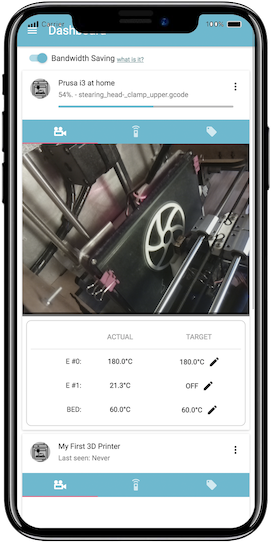 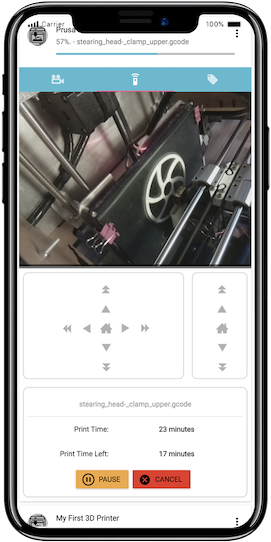 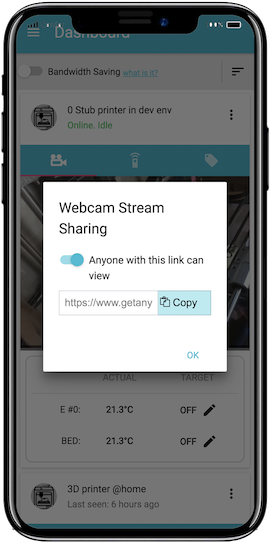 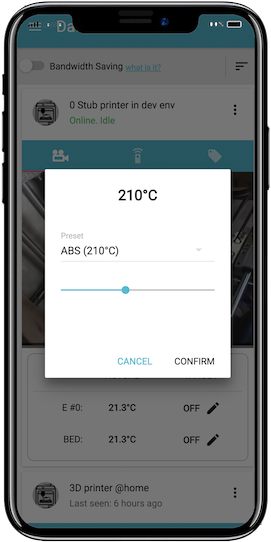 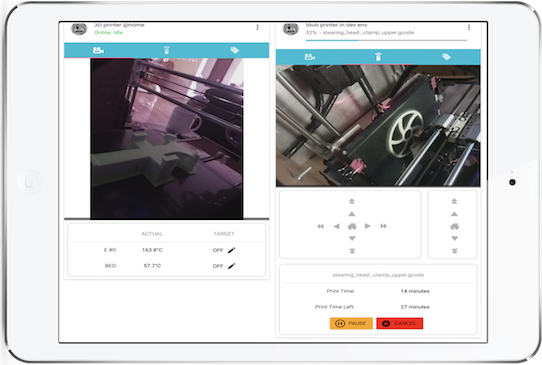 ## Installation And Setup       ## Contribute 1. Clone OctoPrint-Anywhere ```bash git clone https://github.com/kennethjiang/OctoPrint-Anywhere.git ``` 2. Launch a Vagrant VM. This step will take about 10 minutes or longer. ``` cd OctoPrint-Anywhere vargrant up ``` 3. Log into the Vagrant VM ``` vagrant ssh ``` 4. Start OctoPrint with OctoPrint Anywhere pre-installed as develop mode. These commands need to run in the Vagrant VM. ``` cd /vagrant ./start.sh ``` 5. On your laptop, go to http://192.168.134.30:5000/ to access the OctoPrint running on the Vagrant VM.
