KO
|
EN
gitlite — search
Search
#javascript
#python
#hacktoberfest
#react
#ai
#typescript
#llm
#go
#golang
#android
#machine-learning
#rust
#deep-learning
#linux
code-line
★ 15
Open GitHub ↗
Let your code have line numbers.
Download README (.md)
Explore Similar Repositories
headfirst_design_patterns
:
Source code of headfirst design patterns book
shawarma
:
Just a simple inventory management system in React-Native
lila
:
一个可扩展的、基于 gulp 的流式构建工具,支持多入口模式。An extensible streaming build tool of gulp, supporting multiple entries.
tweeli
:
Python 3 script for managing of your twitter account using twitter official api's
ruby-sdk
:
A Ruby wrapper around Procore's API
// repository documentation
Was this content helpful?
★ 0
(0 ratings)
Select Rating:
★
★
★
★
★
Submit Feedback
Recent Feedback
×
Download README
Do you want to download the
README.md
file for
code-line
?
Download (.md)
# Code-Line.js Code-line.js is a lightweight plugin, it finds every `<pre><code>...` in your page, and append line numbers. Most of the features are dependent on CSS to complete, so very flexible & efficient. It's mainly use with [Highlight.js](https://github.com/isagalaev/highlight.js) or [Prism](http://prismjs.com/), but you can also render your code in any way. [GitHub Pages](https://js-zheng.github.io/code-line/) --- ## Demo Let's demonstrate a "Hello, World!" to you. (Highlight code by [Highlight.js](https://github.com/isagalaev/highlight.js)) 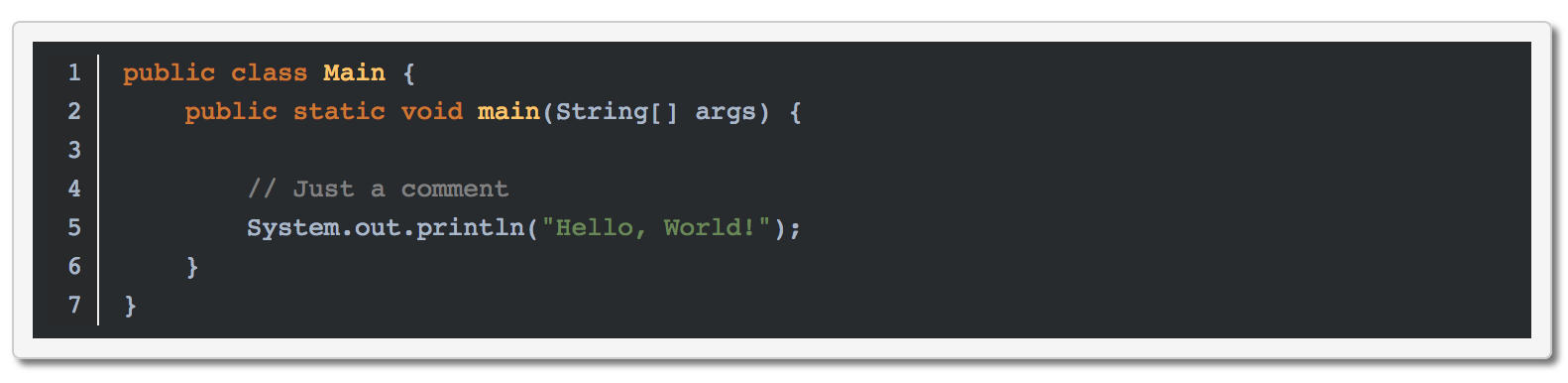 If you like, keep looking down 😆 or see more [Example](https://js-zheng.github.io/code-line/demo/). --- ## Install ### HTML ```html <script src="https://cdn.jsdelivr.net/npm/code-line"></script> ``` ### NPM ``` npm install code-line ``` --- ## Getting Started The only thing you need to do is: ```html <script>CodeLine.initOnPageLoad()</script> ``` ### Choose the loading time If you want to customize the loading time: ```javascript // Maybe event-triggered or <script> below the html body CodeLine.load() ``` important: > If you use [Prism](http://prismjs.com/) as a syntax-highlighter, CodeLine needs to be `load()` **after** it. > Ex: `Prism.hooks.add('complete', CodeLine.load)` ### Nohighlight Same as the [Highlight.js](https://github.com/isagalaev/highlight.js), to disable code-line altogether use the `nohighlight` class: ```html <pre><code class="nohighlight">...</code></pre> ``` ### Absolute Position We usually have to trace codes with mobile devices. <img src="demo/img/need-to-trace-code.png" alt="need-to-trace-code?.png" width="500px"> Line-numbers.js use `position: absolute` default. As a result, you can slide your screen without losing direction and number. <img src="demo/img/slide-it.png" alt="slide it!" width="400px"> If you don't like it, just append your CSS rules, like: ```css pre.cljs code { position: relative; } ``` ### Soft Wrap `Hard Wrap` is the default setting of Code-line. If you want to use `Soft Wrap`, append `soft-wrap` class to your `<code>`: ```html <pre><code class="soft-wrap">...</code></pre> ``` ### Widget Currently, CodeLine supports two widgets -- **CopyButton** & **LineNumbersToggle**. <img src="demo/img/two-widgets.png" alt="two-widgets.png" width="500px"> It may be useful or annoying, you can enable/disable it whatever you love. --- ### Options | Name | Type | Default | Description | |------------------|-----------|-----------------------------------------------------------------------------------|---------------------------------------------------------------| | `minLine` | {Number} | 3 | Code below `minLine` will not be applied | | `show` | {Boolean} | true | Enable/Disable Line Numbers | | `showOnMobile` | {Boolean} | false | Enable/Disable Line Numbers on mobile | | `softWrap` | {Boolean} | false | Enable/Disable softwrap | | `maxMobileWidth` | {Number} | 420 | Width below the `maxMobileWidth` will be considered as mobile | | `copyBtn` | {Object} | {show: true, position: 'bottom', showOnMobile: false, positionOnMobile: 'bottom'} | The setting of the `Copy Button` | | `toggleBtn` | {Object} | {show: true, position: 'top', showOnMobile: true, positionOnMobile: 'top'} | The setting of the `Line Numbers Toggle Button` | Example: ```html <script> CodeLine.initOnPageLoad({ showOnMobile: true, toggleBtn: {show: true, showOnMobile: false, position: 'bottom'} }) </script> ```
