KO
|
EN
gitlite — search
Search
#typescript
#python
#react
#llm
#mcp-server
#nextjs
#open-source
#linux
#llms
#mcp
#flutter
#flutter-apps
AutoScrollTextView
★ 45
Open GitHub ↗
android 上下滚动播放与走马灯效果结合
Download README (.md)
Explore Similar Repositories
react-native-autoscroll-flatlist
:
An enhanced React Native <FlatList> component to provide auto-scrolling functionality.
puppeteer-autoscroll-down
:
Handle infinite scroll on websites by puppeteer
router-autoscroll
:
[DEPRECATED] Smart management of scroll position across route changes for iron and flow router
react-auto-scroll
:
Automatically scroll an element to the bottom
AutoScrollTextView
:
垂直滚动TextView
// repository documentation
Was this content helpful?
★ 0
(0 ratings)
Select Rating:
★
★
★
★
★
Submit Feedback
Recent Feedback
×
Download README
Do you want to download the
README.md
file for
AutoScrollTextView
?
Download (.md)
# [AutoScrollTextView](https://github.com/ronghao/FrameAnimationView) [](https://jitpack.io/#ronghao/AutoScrollTextView) [](https://travis-ci.org/ronghao/AutoScrollTextView) [](https://raw.githubusercontent.com/ronghao/CacheManage/master/LICENSE) android 上下滚动播放与走马灯效果结合,暂时只支持textview # 实现原理 + 实现上下滚动 + 使用[ViewSwitcher](https://android.googlesource.com/platform/frameworks/base/+/refs/heads/master/core/java/android/widget/ViewSwitcher.java) + 使用scrollTo(x,y)和runable循环调用,移动textview,形成走马灯效果 + 单个页面多个滚动效果会卡顿问题:由于handler的消息队列机制,导致滚动需要等待上一个message处理完成,现改为线程池ScheduledExecutorService # 演示 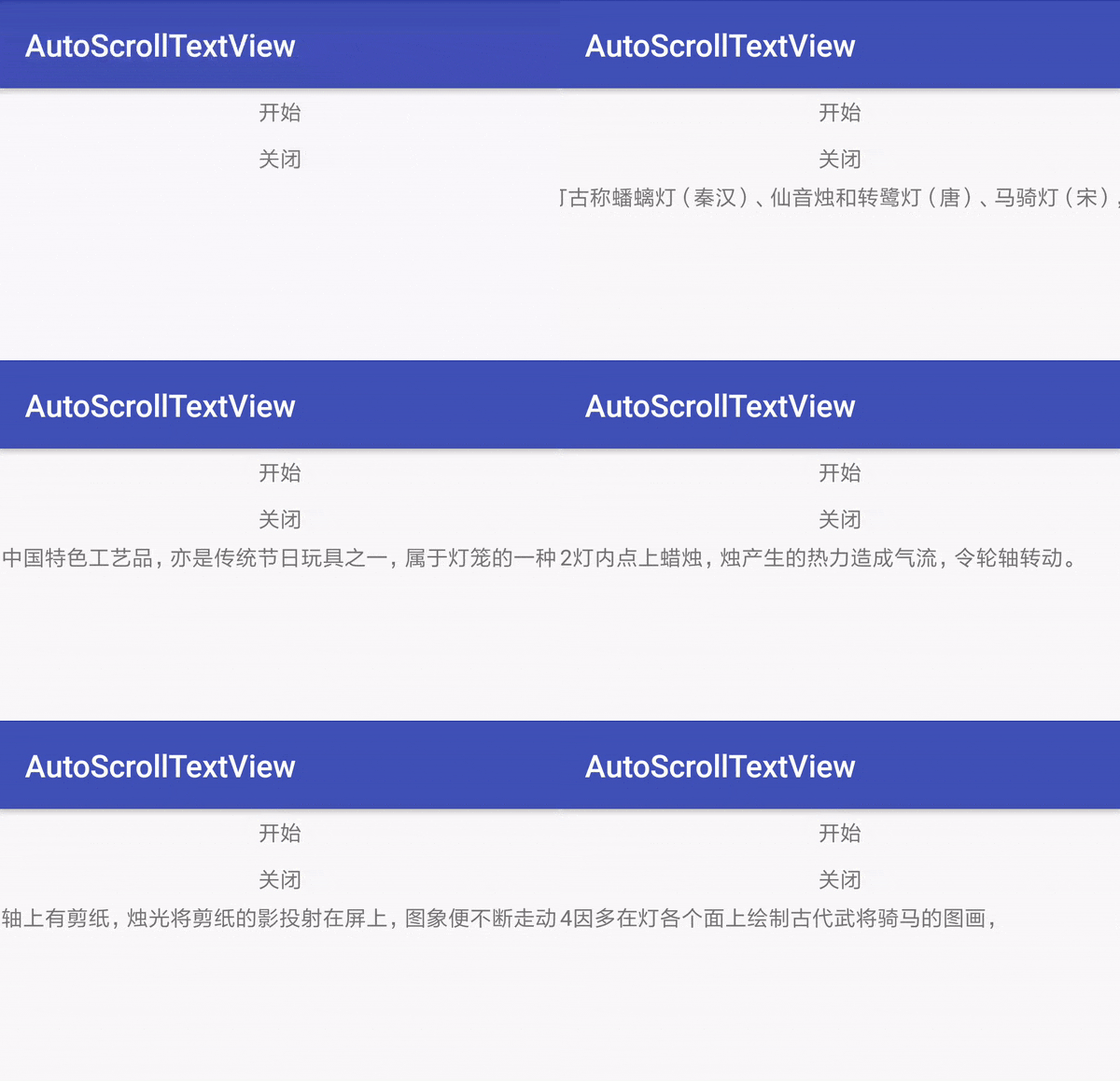 # 项目添加方法 在根 build.gradle中添加 allprojects { repositories { ... maven { url 'https://jitpack.io' } } } 在项目build.gradle中添加  dependencies { compile 'com.github.ronghao:AutoScrollTextView:1.0.3' } # 使用 ### 只有左右滚动 ``` <com.haohaohu.autoscrolltextview.MarqueeTextView android:id="@+id/main_marguee_text" android:layout_width="match_parent" android:layout_height="20dp" /> ``` ### 左右滚动加上下滚动 ``` <com.haohaohu.autoscrolltextview.AutoScrollTextView android:id="@+id/main_autoscroll_text1" android:layout_width="match_parent" android:layout_height="20dp" /> ``` ### 自定义文本样式 继承BaseScrollTextView,在继承类中实现makeTextView()方法中,自定义效果 ``` @Override public MarqueeTextView makeTextView() { MarqueeTextView textView = new MarqueeTextView(getContext()); textView.setTextColor(getResources().getColor(R.color.colorAccent)); return textView; } ``` ### 一些方法 |方法|类|解释| |-|-|-| |startAutoScroll|AutoScrollTextView|开始滚动| |stopAutoScroll|AutoScrollTextView|停止滚动| |makeTextView|AutoScrollTextView|创建一个内部可横向滚动的textview| |setOnItemClickListener|AutoScrollTextView|设置点击事件回调| |setTextList|AutoScrollTextView|设置数据源| |startScroll|MarqueeTextView|开始滚动| |postStartScroll|MarqueeTextView|延迟开始滚动| |stopScroll|MarqueeTextView|停止滚动| |setSpeed|MarqueeTextView|设置速度| |setMarqueeListener|MarqueeTextView|设置单个走马灯的开始和结束回调| # 版本更新说明 + 1.0.3 + 添加MarqueeTextViewForViewPager类,临时解决Jars-of-jam-Scheduler的问题 + 1.0.2 + 解决单个页面多个滚动效果会卡顿问题 # 关于 + 个人博客:[www.haohaohu.com](http://www.haohaohu.com/) + 如果你也喜欢这个库,Star一下吧,欢迎Fork # License Copyright 2016 haohaohu Licensed under the Apache License, Version 2.0 (the "License"); you may not use this file except in compliance with the License. You may obtain a copy of the License at http://www.apache.org/licenses/LICENSE-2.0 Unless required by applicable law or agreed to in writing, software distributed under the License is distributed on an "AS IS" BASIS, WITHOUT WARRANTIES OR CONDITIONS OF ANY KIND, either express or implied. See the License for the specific language governing permissions and limitations under the License.
