KO
|
EN
gitlite — search
Search
#javascript
#python
#hacktoberfest
#react
#ai
#typescript
#llm
#go
#golang
#android
#machine-learning
#rust
#deep-learning
#linux
gpsd-simulator
★ 13
Open GitHub ↗
simple gpsd simulator
Download README (.md)
Explore Similar Repositories
Jinja2Cpp.jl
:
Julia wrapper for Jinja2Cpp for Jinja2 template rendering
officesdk
:
Office SDK: Easily view and edit document formats with high fidelity on any platform. Secure and customizable for various use cases.
moodle-local_yeswecanquiz
:
YesWeCanQuiz was a Moodle plugin. It enabled unauthenticated visitors to take quizzes.
yoda-frame
:
yoga + sdl2
homepage
:
No description available.
// repository documentation
Was this content helpful?
★ 0
(0 ratings)
Select Rating:
★
★
★
★
★
Submit Feedback
Recent Feedback
×
Download README
Do you want to download the
README.md
file for
gpsd-simulator
?
Download (.md)
# gpsd-simulator ## About The goal of this project is to provide a simple way to simulate GPS data generation in gpsd format. Application provides - a gpsd-like server - a simple web interface to define the route and run/pause the simulation and to save/load the route to/from the file. The interface as simple as possible. All you need is to define the route by clicking on the starting and on the ending points, and click on the "Run simulation" button. The simulation will start and the gpsd server will start sending the data to the client. If you then click on the "Pause simulation" button, the simulation will be paused and the gpsd server will continue sending the latest point, but with speed set to zero. When you click on the "Run simulation" button again, the simulation will continue from the last point. 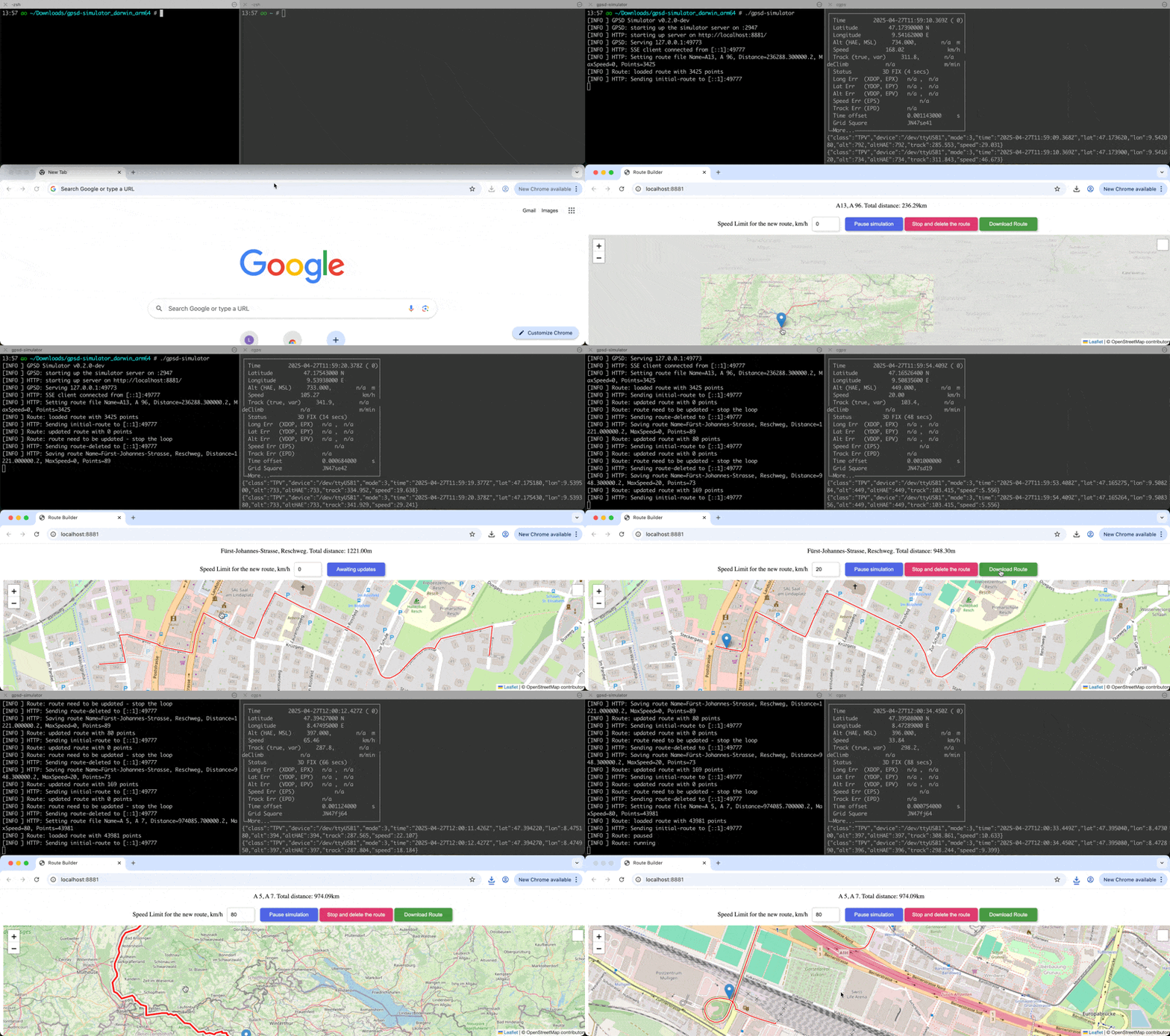 ## Features ### Web interface - [x] Define route by clicking on the starting and on the ending points - [x] Run/pause simulation - [x] Save route to the file - [x] Load route from the file - [x] Define the maximum speed on the route The speed limit could be set only prior to the route calculation. If it's set to zero - there is no speed limit. And since the simulator is sending one point per second, and the speed is calculated based on the distance between the points, the speed could vary a lot. 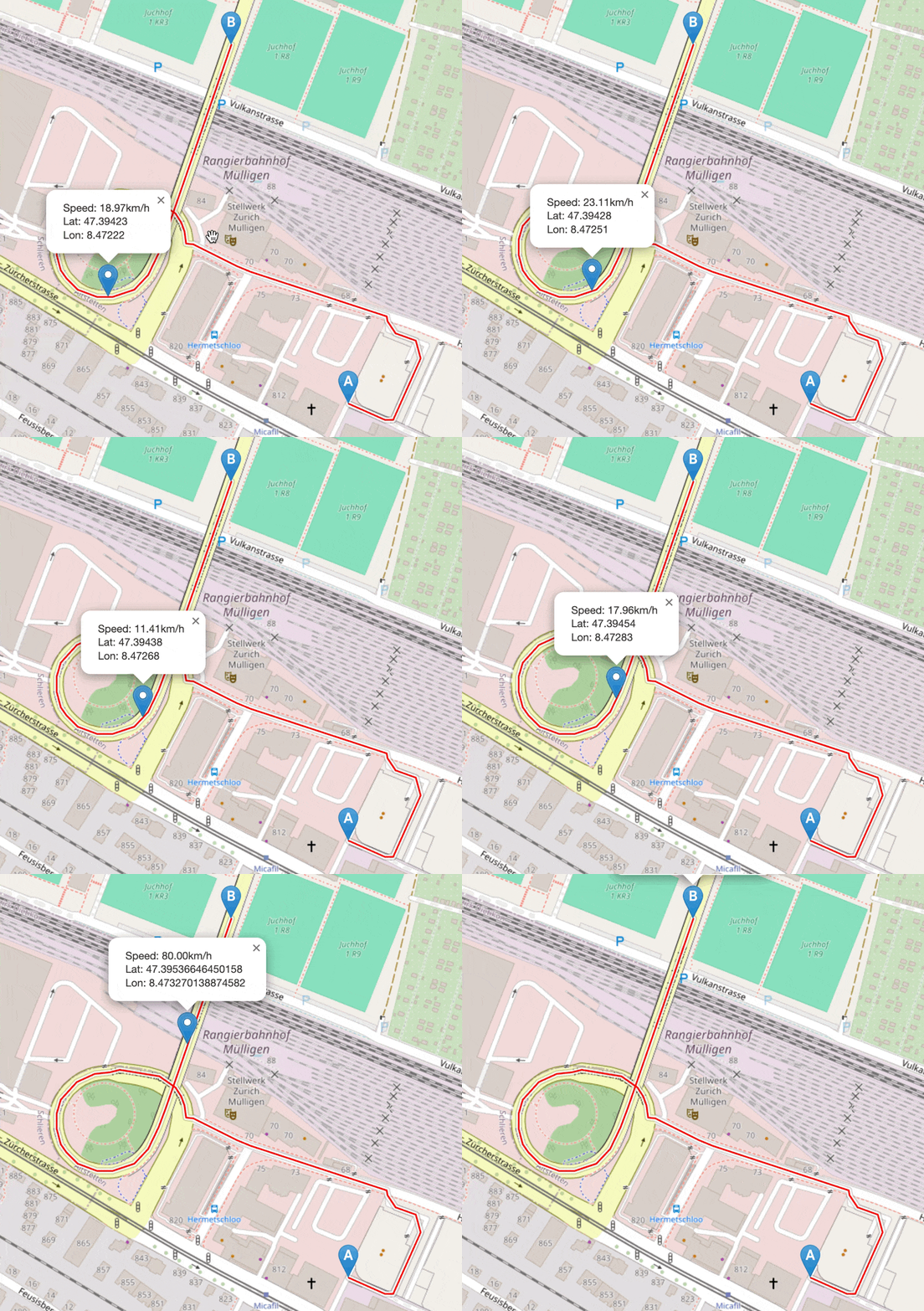 ### GPSD server Commands: - [x] WATCH without any parameter processing TPV report: - [x] Time - [x] Latitude - [x] Longitude - [x] Altitude - [x] Speed - [x] Track - [x] Device customization - [x] Mode customization ## Installation Download the latest [releases](https://github.com/aokhrimenko/gpsd-simulator/releases) for your platform. Under the MacOsX before run the binary you have to remove the quarantine attribute: ```shell xattr -d com.apple.quarantine gpsd-simulator ``` ## Usage Simply run the binary: ```shell gpsd-simulator ``` It will start the gpsd server on port `2947` and the web interface on port `8881`. After running the application, open the browser and navigate to the `http://localhost:8881` to open the UI. Also, don't forget to point your application which is intended to work with gpsd to the `localhost:2947`. Default ports could be changed with command line arguments: ```shell gpsd-simulator --gpsd-port 2947 --webui-port 8881 ``` Additional debug information could be enabled with the `-d` flag, or even more debug information with `-v` flag. Also, you can load the route from the file, created by the web interface. In this case the web interface isn't needed at all. Loaded route will be started automatically. You could find some example routes in the [examples](examples) folder. ```shell gpsd-simulator --file examples/A13-A96-236km.json ``` Different GPSD messages could be customized with the command line arguments: ```shell --version-release string VERSION/release field (default "3.25") --version-revision string VERSION/rev field (default "3.25") --version-proto-major uint VERSION/proto_major field (default 3) --version-proto-minor uint VERSION/proto_minor field (default 25) --device-path string DEVICES/devices/path field (default "/dev/ttyUSB1") --device-driver string DEVICES/devices/driver field (default "NMEA0183") --device-activated string DEVICES/devices/activated field (default "2025-03-21T12:20:29.002Z") --device-bps uint DEVICES/devices/bps field (default 9600) --device-parity string DEVICES/devices/parity field (default "N") --device-stop-bits uint DEVICES/devices/stopbits field (default 1) --tpv-mode uint TPV/mode field (default 3) ``` ## Credits In this project the following libraries/products are used: - [Leaflet](https://leafletjs.com/) - [Leaflet Routing Machine](http://www.liedman.net/leaflet-routing-machine/) - [Open Elevation API](https://open-elevation.com/) - [gpsd](https://gpsd.gitlab.io/gpsd/index.html) not used directly, but the data format is used
