KO
|
EN
gitlite — search
Search
#html
#javascript
#css
#java
#android
#typescript
#python
#rust
#c
#react
#minecraft
#flutter
example-swift
★ 128
Open GitHub ↗
Codecov: Swift coverage example
Download README (.md)
Explore Similar Repositories
abaculus
:
Library for creating static maps from tiles based on center or corner lng,lat coordinates. Uses node-blend.
docker-trino-cluster
:
Multiple node presto cluster on docker container
symfony
:
Symfony SDK for Auth0 Authentication and Management APIs.
Alamofire-Synchronous
:
Synchronous requests for Alamofire
SwiftStock
:
A Swift financial markets library for accessing Yahoo! Finance APIs :warning: Not maintained
// repository documentation
Was this content helpful?
★ 0
(0 ratings)
Select Rating:
★
★
★
★
★
Submit Feedback
Recent Feedback
×
Download README
Do you want to download the
README.md
file for
example-swift
?
Download (.md)
[Codecov][1] Swift Example ========================== [](https://travis-ci.org/codecov/example-swift) [](https://codecov.io/gh/codecov/example-swift/branch/master) [](https://app.fossa.com/projects/git%2Bgithub.com%2Fcodecov%2Fexample-swift?ref=badge_shield) ## Guide ### Travis Setup Add to your `.travis.yml` file. ```yml language: swift # or objective-c osx_image: xcode7 script: - xcodebuild -scheme SwiftExample -workspace SwiftExample.xcworkspace -sdk iphonesimulator -destination 'platform=iOS Simulator,name=iPhone 6S,OS=9.1' build test after_success: - bash <(curl -s https://codecov.io/bash) ``` ### Produce Coverage Reports Enable "Gather coverage data" in your test scheme:  ### Bitrise CI 1. Open dashboard. 2. Click on workflow 3. Add a workflow step 4. Search for `Codecov` 5. Paste the `Codecov Token` 6. You are all set ## Private Repos > Set `CODECOV_TOKEN` in your environment variables. #### Strategies for producing coverage reports ##### plist coverage `default` This technique will upload the plist containing coverage data. - This format includes all files and projects. However, this can be very large causing issues processing. - Partial coverage data is included, which will look beautiful in Codecov UI. Again, this is enabled by default. ##### llvm-cov This technique will run `llvm-cov` which produces coverage reports. - You can specify specific packages to run coverage against (see below) - No partial coverage data To enable: ``` bash <(curl -s https://codecov.io/bash) -X xcodellvm # - or - bash <(curl -s https://codecov.io/bash) -J '^MyPackage$' # ^^ will enable xcodellvm and only process MyPackage coverage ``` You may provide your Codecov token by either: - Setting `CODECOV_TOKEN` in your environment variables and adding the following to Travis: ```yml after_success: - bash <(curl -s https://codecov.io/bash) ``` - Providing the Codecov token directly to the invocation by adding the following to Travis: ```yml after_success: - bash <(curl -s https://codecov.io/bash) -t {YOUR-TOKEN-HERE} ``` ## Speed up the build The uploader has a *boil-the-ocean* approach, which can take a longer time to complete coverage report processing. We suggest you add the following to only build reports for the project being tested: ```sh bash <(curl -s https://codecov.io/bash) -J 'SwiftExample' ``` > Use your project name instead of `SwiftExample`. You can also provide multiple arguments via `-J 'ProjA' -J 'ProjB'` ## Caveats ### Private Repos > Set `CODECOV_TOKEN` in your environment variables. Add to your `.travis.yml` file. ```yml after_success: - bash <(curl -s https://codecov.io/bash) -t uuid-repo-token ``` > Or you can set the environment variable `CODECOV_TOKEN` to your token. ### Xcode8/Swift3 resulting in `0%` coverage. 1. Update the test scheme with Xcode 8 2. Do not use `xcpretty`. Seems broken with code coverage Xcode 8... Example project with Xcode8/Swift3: [yannickl/DynamicColor](https://github.com/yannickl/DynamicColor/blob/6ac768ba5c14941be5ebe169aca408655e185b20/.travis.yml) ### Parsing Xcode 10 Coverage Reports Older versions of Codecov (<4.4) are not able to parse the coverage output directly from Xcode 10. As a workaround, you can feed the raw coverage information to a tool such as Slather, have it create a Cobertura XML style report, and upload that to Codecov. Detailed information on this workaround can be found (here)[https://github.com/SlatherOrg/slather#usage-with-codecov]. ## Support ### Contact - Email: support@codecov.io - Slack: slack.codecov.io - [gh/codecov/support](https://github.com/codecov/support) 1. More documentation at https://docs.codecov.io 2. Configure codecov through the `codecov.yml` https://docs.codecov.io/docs/codecov-yaml We are happy to help if you have any questions. Please contact email our Support at [support@codecov.io](mailto:support@codecov.io) [1]: https://codecov.io/ [4]: https://github.com/codecov/codecov-python ## License [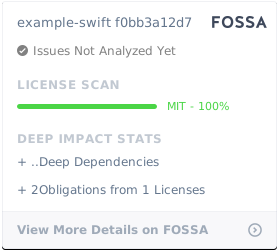](https://app.fossa.com/projects/git%2Bgithub.com%2Fcodecov%2Fexample-swift?ref=badge_large)
