KO
|
EN
gitlite — search
Search
#javascript
#python
#css
#html
#java
#sql
#docker
#css3
#automation
#security
#typescript
#golang
block-tracker
★ 57
Open GitHub ↗
Blockchain wallet tracker
Download README (.md)
Explore Similar Repositories
starknet-node
:
1-click deployment of a Starknet node to a Raspberry Pi, powered by balena.
naumachia
:
Cardano Smart Contract SDK and Testing Framework
no-optional
:
Replace `Optional[T]` by `Union[T, None]` 👀
profitable_flashloans
:
Profitable flashloans by arbitraging the ETH Price on Kyber and Uniswap - Bot Arbitrage
AutoNaviIncar
:
高德地图车机版incar小窗版
// repository documentation
Was this content helpful?
★ 0
(0 ratings)
Select Rating:
★
★
★
★
★
Submit Feedback
Recent Feedback
×
Download README
Do you want to download the
README.md
file for
block-tracker
?
Download (.md)
<div align="center"> ## Block Tracker ### Track your wallet's transactions and the portfolio's value over time   [](https://github.com/rfreis/block-tracker/actions/workflows/ci.yaml) [](https://codecov.io/github/rfreis/block-tracker?branch=main)  [](https://github.com/rfreis/block-tracker/wiki/Roadmap) </div> # Table of contents * [Introduction](#introduction) * [Supported protocols](#supported-protocols) * [Requirements](#requirements) * [Development](#development) * [Running application](#running-application) * [Stopping application](#stopping-application) * [Local bash](#local-bash) * [Logs](#logs) * [Tests](#tests) * [Emails](#emails) * [Workers](#workers) * [Blockbook websocket](#blockbook-websocket) * [Celery workers](#celery-workers) * [Exchange rates](#exchange-rates) * [Screenshots](#screenshots) * [Contact and Support](#contact-and-support) # Introduction This is an Open Source project with the goal to track wallet's transactions and the portfolio values over time. Block Tracker uses `Django`, `Celery` and `Postgresql`. # Supported protocols Initially it supports only Bitcoin with P2PKH/P2WPKH addresses. The project aims to support multiple assets in multiple protocols. # Requirements To run this app you must have installed: * docker * docker-compose # Development Before commiting new changes, make sure you have `pre-commit` installed: ```bash pre-commit install ``` # Running application ```bash make start-local ``` For the first time, you can use `make build` to download and build the containers. # Stopping application ```bash make stop ``` # Local bash ```bash make local-bash ``` # Logs ```bash make logs ``` # Tests ```bash make test # shortcut to e2e and unit tests make unit make e2e make integration ``` # Emails We use [mailhog](https://github.com/mailhog/MailHog) to display the emails sent by SMTP on development server. The emails sent to SMTP server on `localhost:1025` gets available on [localhost:8025](http://localhost:8025). # Workers ## Blockbook websocket ```bash python manage.py wss_blockbook <ProtocolType attribute> python manage.py wss_blockbook BITCOIN python manage.py wss_blockbook BITCOIN_TESTNET ``` ## Celery workers ```bash python -m celery -A app worker python -m celery -A app beat ``` # Exchange rates We use [Coingecko API](https://www.coingecko.com/en/api/documentation) to fetch exchange rates. We try to get a daily rate for the max period as possible and a 5 minutes rate using the `celery beat & worker`. # Screenshots ## Dashboard Dashboard with KPIs, Portfolio Overview, Asset Dominance and Last Transactions 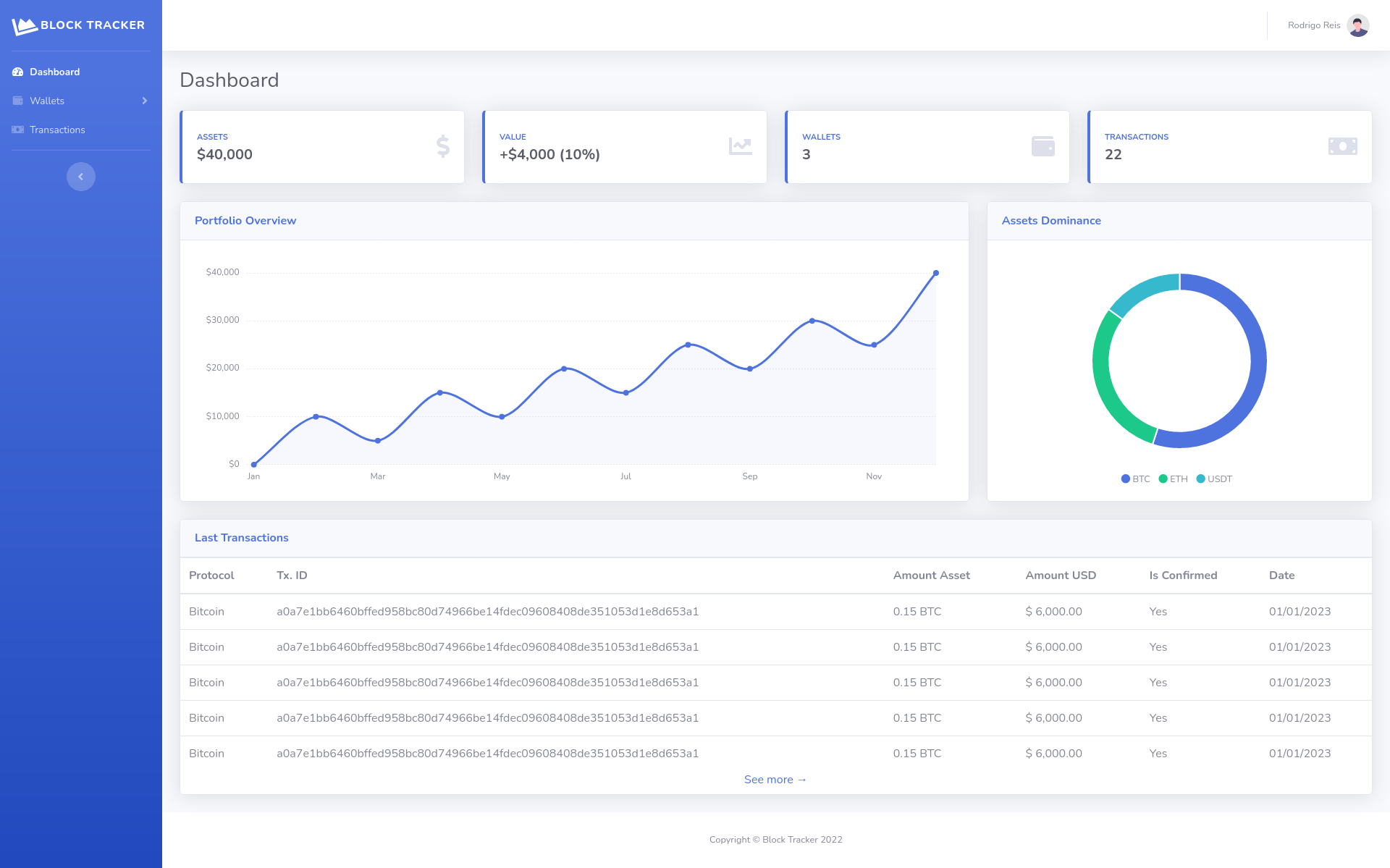 ## Sent emails Email sent for an user with a new transaction on his wallet 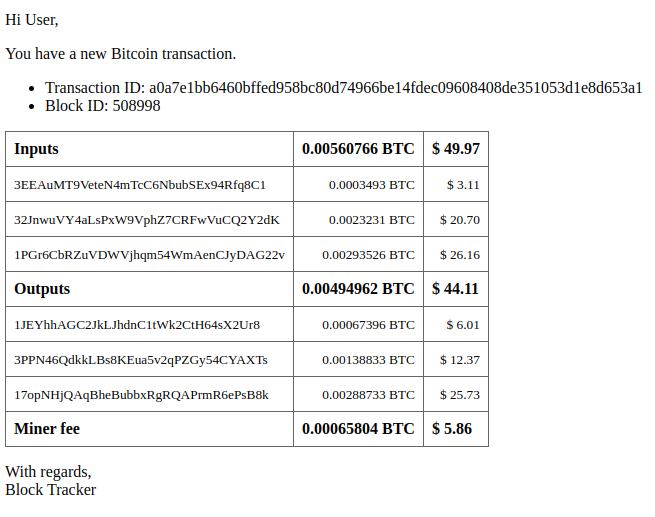 # Contact and Support Got interested and want to support our project? Reach me out by email on [rodrigreis@gmail.com](mailto:rodrigreis@gmail.com)
