KO
|
EN
gitlite — search
Search
#typescript
#ai-agents
#deepseek-harness
#dsh-plugin
#open-source
#ai
#claude-code
#cli
#windows
#codex
#developer-tools
#dsh
component-tester-oled
★ 78
Open GitHub ↗
Component Tester in a Keychain
Download README (.md)
Explore Similar Repositories
bio
:
Making bioinformatics fun again
react-native-internet-connection-alert
:
Fully customizable internet connection listener with the built-in alert for React Native
abs_cd
:
CI/CD for the Arch build system with webinterface.
spidertrap
:
Traps web spiders
Modern-GUI-Multi-Form-Winform
:
No description available.
// repository documentation
Was this content helpful?
★ 0
(0 ratings)
Select Rating:
★
★
★
★
★
Submit Feedback
Recent Feedback
×
Download README
Do you want to download the
README.md
file for
component-tester-oled
?
Download (.md)
# Component Tester OLED (Keychain) <a href="https://www.tindie.com/stores/akshaybaweja/?ref=offsite_badges&utm_source=sellers_akshaybaweja&utm_medium=badges&utm_campaign=badge_small"><img src="https://d2ss6ovg47m0r5.cloudfront.net/badges/tindie-smalls.png" alt="I sell on Tindie" width="200" height="55"></a> 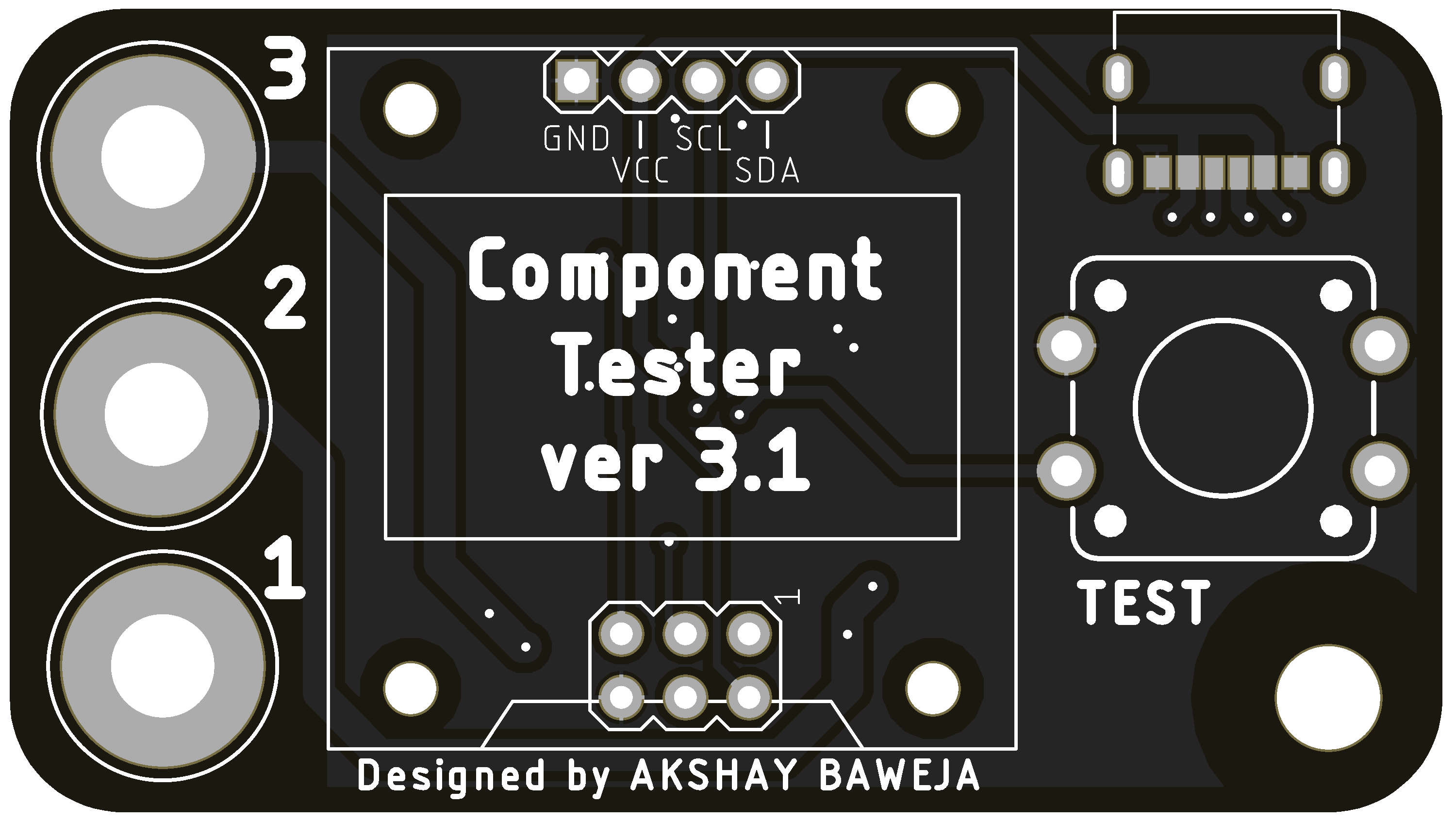 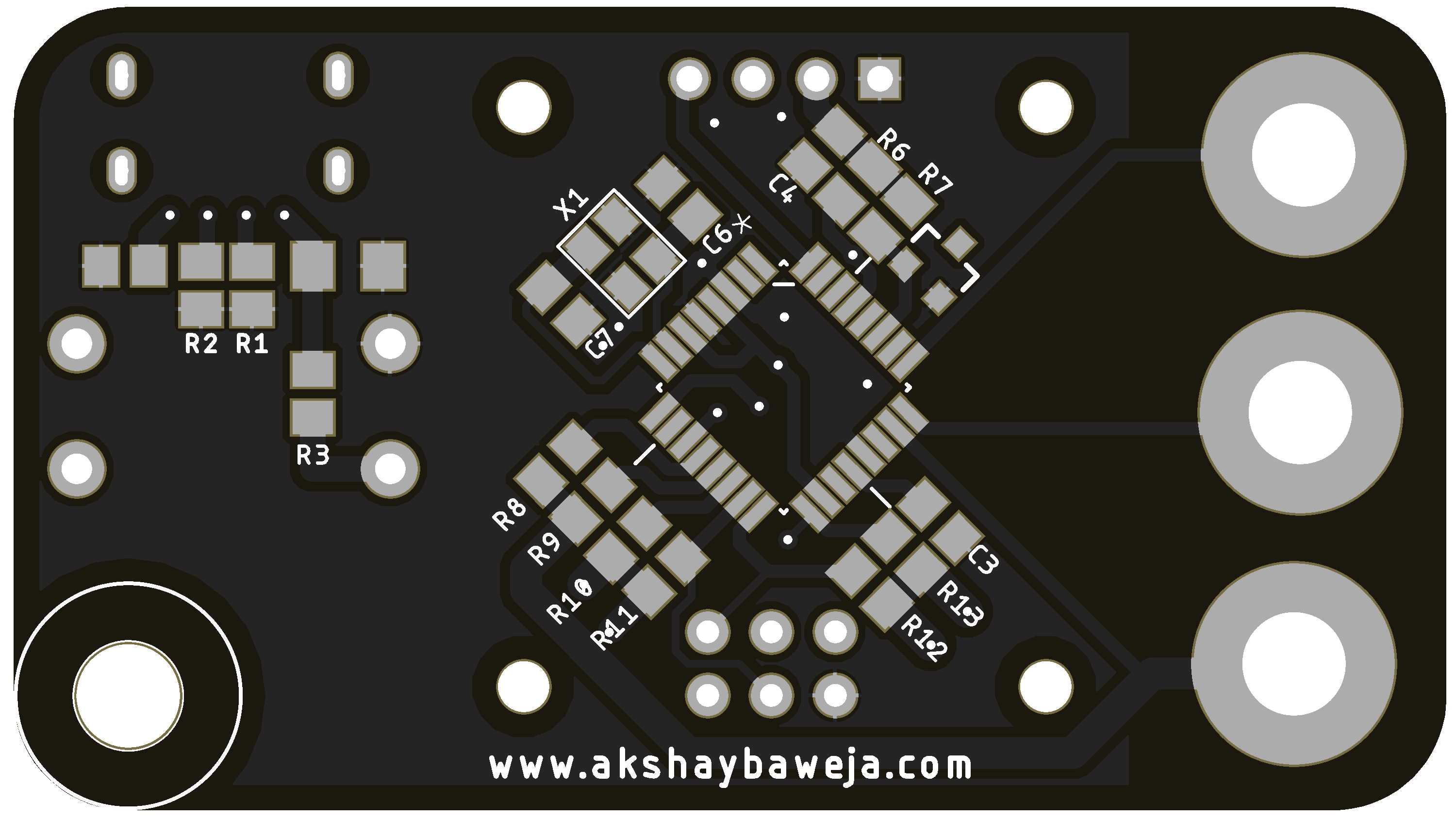 ## Sending PCBs for fabrication 1. Download the [Gerber Files](GERBER_FILES.zip) 2. Goto [PCBWAY](https://www.pcbway.com/QuickOrderOnline.aspx) for sending files for fabrication 3. Upload **GERBER_FILES.zip** using the **+Add Gerber File** option 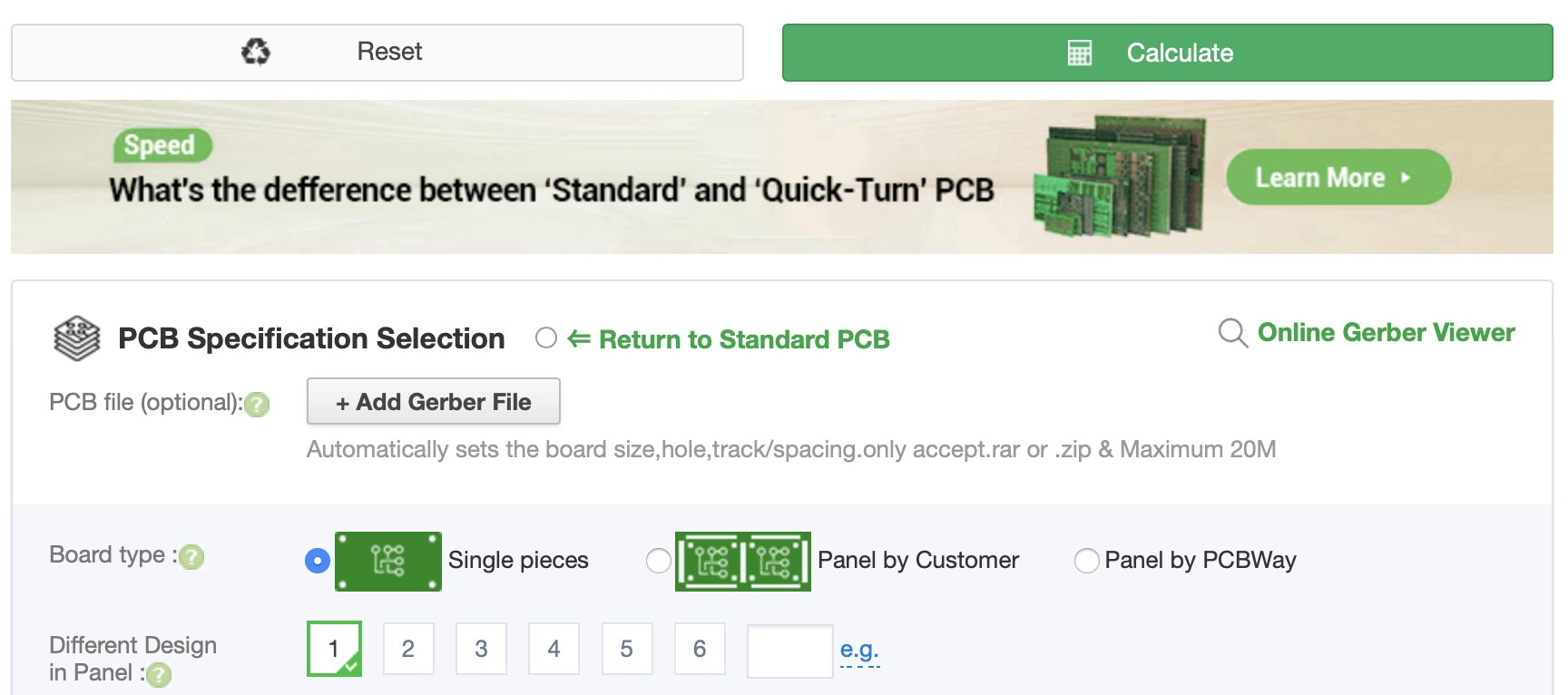 4. Select Quantity of PCBs 5. Select your desired *soldermask color*. 6. Select your shipping method on thr right 7. Click **Save to Cart** and **Checkout** ## Bill of Materials |Qty|Designator|Package|Value|Description|MANUFACTURER PART NUMBER| |---|----------|-------|-----|-----------|------------------------| |1|C2|0805|100nF|CAP CER 0805 0.1UF 100V X7R|C0805C104K1RECAUTO| |1|C3|0805|1nF|CAP CER 1000PF 50V C0G/NP0 0805|C0805C102J5GACTU| |1|C4|0805|10nF|CAP CER 0805 10NF 100V X7R|C0805X103K1RAC3316| |1|C5|1206|10uF|CAP CER 10UF 25V X5R 1206|C1206C106M3PACTU| |2|C6, C7|0805|22pF|CAP CER 22PF 50V C0G/NP0 0805|C0805C220J5GACTU| |2|R1, R2|0805|5.1kΩ|RES 5.1K OHM 5% 1/4W 0805|RK73B2ATTD512J| |1|R3|0805|27kΩ|RES SMD 27K OHM 1% 1/8W 0805|CRG0805F27K| |1|R6|0805|10kΩ|RES 10K OHM 1% 1/4W 0805|RNCP0805FTD10K0| |1|R7|0805|3.3kΩ|RES 3K3 OHM 1% 0805|CRGCQ0805F3K3| |3|R8, R10, R12|0805|680Ω|RES SMD 680 OHM **0.1%** 1/4W 0805|ERJ-PB6B6800V| |3|R9, R11, R12|0805|470kΩ|RES SMD 470K OHM **0.1%** 1/4W 0805|ERJ-PB6B4703V |1|U1|TQFP32|ATMEGA328P-AU|IC MCU 8BIT 32KB FLASH 32TQFP|ATMEGA328P-AUR |1|U2|SOT23-3|LM4040|IC VREF SHUNT 2% SOT23-3|LM4040EIM3X-2.5/NOPB |1|X1|TSX-3225|16MHz|CRYSTAL 16.00 MHZ 9PF SMD|TSX-3225 16.0000MF09Z-AC0| |1|J1|CUI_UJC-HP-3-SMT-TR|USB C (Power Only)|USB JACK, C TYPE, POWER ONLY, 6|UJC-HP-3-SMT-TR |1|TEST|12MM PTH TACTILE SWITCH|-|SWITCH TACTILE SPST-NO 0.05A 12V|PTS125SM43-2 LFS| |1|DISPLAY|-|-|OLED 0.96" 4 PIN I2C Interface|[Amazon](https://www.amazon.com/dp/B06XRBYJR8)| |3|1, 2, 3|2MM BANANA JACK FEMALE|-|-|[Amazon](https://www.amazon.com/Tegg-Banana-Binding-Terminal-Connector/dp/B07GSLPCBV/)| ## Uploading Firmware ### Hardware Setup Using a USBasp programmer connect it to the ICSP Header on the board. Refer the following pinout for connections - 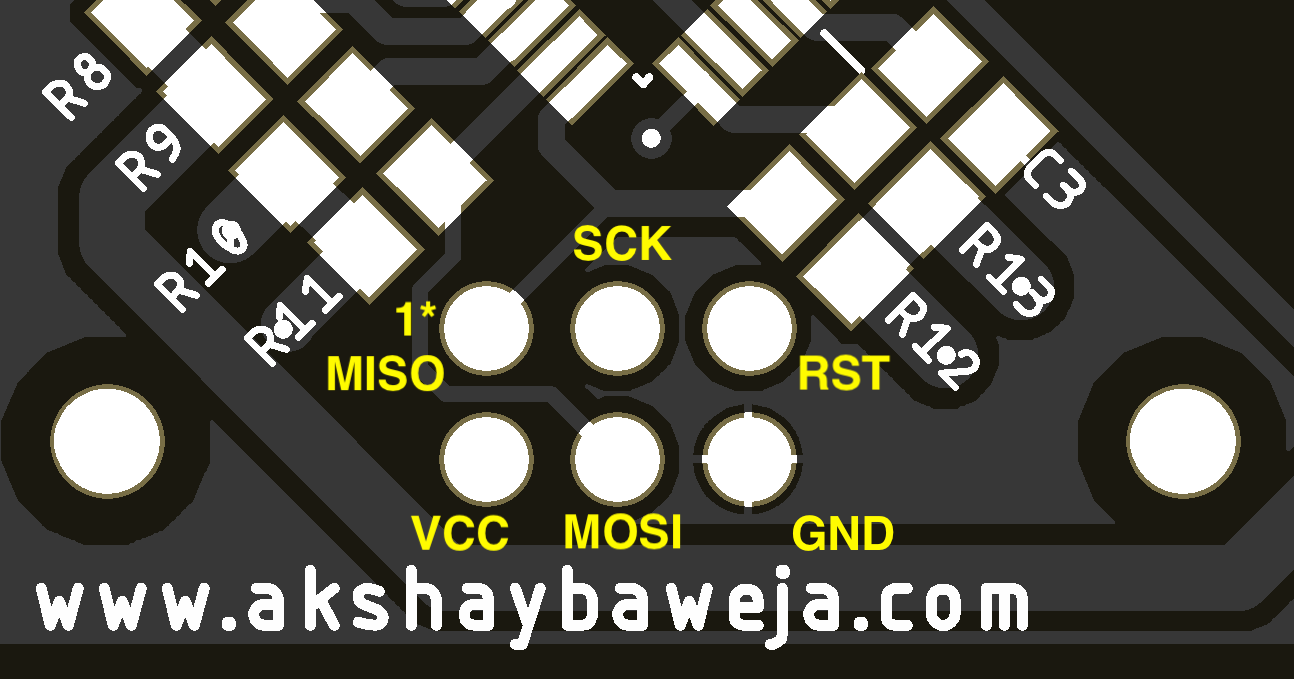 > PCB Bottom Side ### Software Installation >**NOTE:** AVRDUDE must be installed in your computer in order for the following instructions to work. Open Terminal/ Command Prompt in your system, navigate to folder's location with above files and run the following commands - #### Uploading the .HEX file and .EEP file to MCU ``` avrdude -c usbasp -B 20 -p m328p -P usb -U flash:w:./TransistorTester.hex:a -U eeprom:w:./TransistorTester.eep:a ``` #### Setting the FUSES ``` avrdude -c usbasp -B 200 -p m328p -P usb -U lfuse:w:0xe2:m -U hfuse:w:0xd9:m -U efuse:w:0xfc:m ``` --- ### References - [Schematic](./Schematic.pdf) - [Original Transistor Tester](https://www.mikrocontroller.net/articles/AVR_Transistortester)
