KO
|
EN
gitlite — search
Search
#javascript
#python
#hacktoberfest
#react
#ai
#typescript
#llm
#go
#golang
#android
#machine-learning
#rust
#deep-learning
#linux
PxgBot
★ 12
Open GitHub ↗
No description available.
Download README (.md)
Explore Similar Repositories
datascript-notes
:
No description available.
NYU2020
:
This is the course material for my 2020 Bayesian inference class at NYU.
rnative-splash
:
React Native Splash Screen component for Android and iOS
Algorithm-Templates_Cpp
:
NOIP重要算法模板 key algorithm templates used in NOIP
acx
:
An authorization library that supports access control mechanisms like ACL, RBAC in Elixir
// repository documentation
Was this content helpful?
★ 0
(0 ratings)
Select Rating:
★
★
★
★
★
Submit Feedback
Recent Feedback
×
Download README
Do you want to download the
README.md
file for
PxgBot
?
Download (.md)
# IMPORTANT: The bot needs a rework, mainly in the cavebot functionalities. It was created before the new interface, and since it reads a lot of information in the screen, almost everything is not working anymore. I am trying to find some time to fix it and doing it little by little. ## What is this? PxgBot is a bot for the game PokeXGames with some great functionalities such as cavebot, auto revive, auto food eating, auto fishing, auto attacking and others. You can manually assign hotkeys to the bot functions, to make your life easier while playing too. (Remember that bot using in this game is illegal, so if you abuse it, you can get banned) (Since I was using for studying purposes only, I wasn't worried about that) ## Why I made it? I was looking for some ways to read and modify memory in games, so I decided to automate some PxG game functions to study and understand how it works. ## How does it work? It's all about images. I am using a C++ DLL called ImageSearch.dll to help me compare images, and with that I can check a lot of things, like if the Pokemon is in or out the pokeball, check if the screen is available, check the chat for alerts and others. Since the program uses OpenGL/DirectX to renderize everything, I can't do a 'ControlClick' on it, so I didn't found a way to simulate mouse and keyboard functions (can you help me with that? :smile:). To overcome that, I am using mouse and keyboard control with AutoIt, to make it even easier than dealing with User32.dll calls. **Cavebot running:** 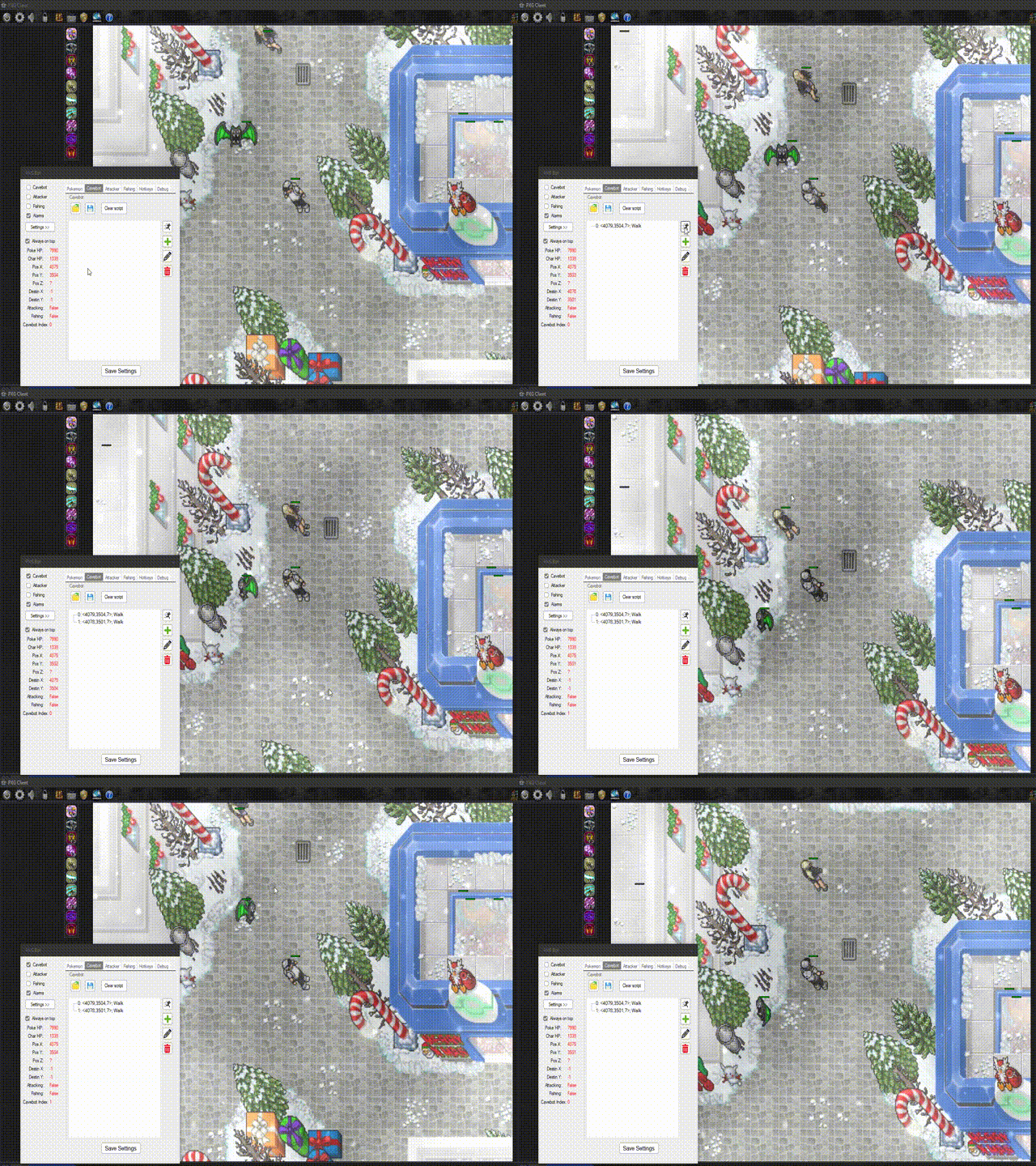 ## Usage All files are already in the project folder, so it's only build and run it on the main monitor. ## Contributing Do you have interest in it? Open a issue, send me an email, fire signal or whatever you want. I will be happy to share what I've done here. ## License [MIT](https://choosealicense.com/licenses/mit/)
