KO
|
EN
gitlite — search
Search
#python
#typescript
#javascript
#react
#flutter
#python3
#deep-learning
#machine-learning
#reactjs
#config
#github-config
#data-science
reinette-II-plus-dot-py
★ 54
Open GitHub ↗
Apple II emulator in python
Download README (.md)
Explore Similar Repositories
DiskII
:
An Apple Disk II controller clone using standard EPROMs
SB-mini-II
:
A homebrewed Apple II clone
smartportsd
:
Various PCB and case designs of the SmartPortSD hard disk emulator for Apple II computers.
anti-m
:
Boot any Apple II disk on any Apple II
ii-pix
:
Convert images to Apple II graphics formats
// repository documentation
Was this content helpful?
★ 0
(0 ratings)
Select Rating:
★
★
★
★
★
Submit Feedback
Recent Feedback
×
Download README
Do you want to download the
README.md
file for
reinette-II-plus-dot-py
?
Download (.md)
# REINETTE II PLUS DOT PY An easy to use, yet efficient, Apple II plus emulator in python 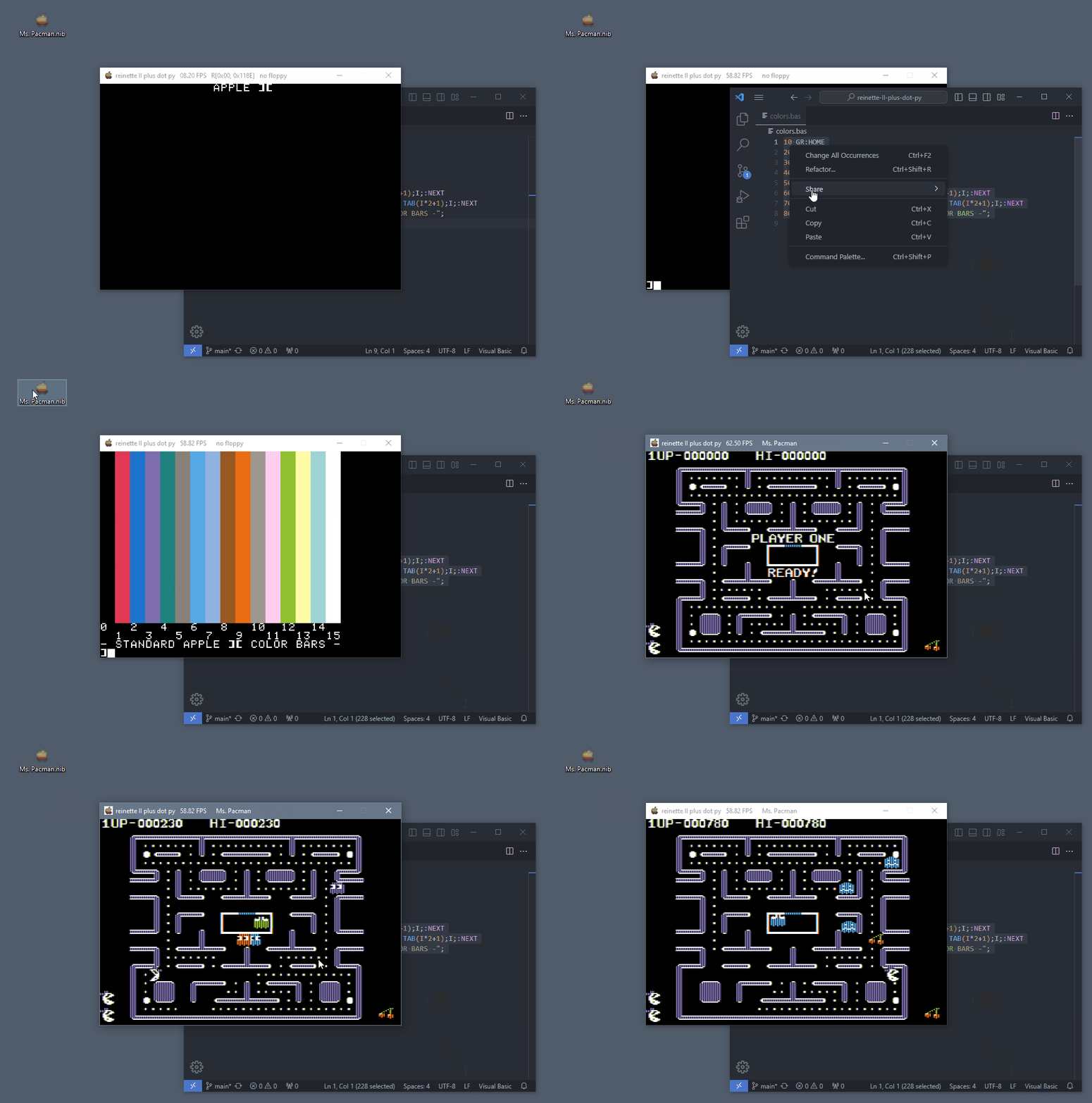 Copy an applesoft program and paste it using F3. Drag'n drop a floppy image will make the computer load it. The title bar shows : - The frame rate - If active, the drive head position (track/nibble) with R/W indicating if reading or writing - The name of the floppy if one has been loaded. ## Features - Language Card (64KB of RAM) - All video modes at 60 fps - window resize by integer factors - Single key screenshots - disk ][ - Drag'n drop floppy image files (.nib format only) - Joystick - Sound - etc... Uses the **SDL2** library ## installation and execution Get python, then install pySDL2 : ``` pip install pySDL2 pysdl2-dll ``` and run the emulator using : ``` python3 reinetteII+.py ``` Then, drag'n'drop a .nib file to *insert a floppy into the drive* or press reset (F11) to get to the APPLESOFT prompt ## Controls All emulator controls are performed using the functions keys : | key | action | |------|------------------------------------| | F1 | help screen | | F2 | take a screenshot | | F3 | paste text from clipboard | | F4 | mute / unmute sound | | F5 | toggle monochrome (in HGR only) | | F6 | decrease window size down to 1:1 | | F7 | increase window size up to 8:1 | | F8 | decrease desired FPS | | F9 | increase desired FPS | | F10 | toggle pause | | F11 | RESET | | F12 | power cycle | Joystick is emulated using the 1,2,3 and 5 keys on the numpad and CTRL and ALT for the buttons **Please star it if you like. Cheers**
