KO
|
EN
gitlite — search
Search
#python
#react
#python3
#csharp
#java
#machine-learning
#hacktoberfest
#php
#blog
#css
#markdown
#api
dotfiles
★ 73
Open GitHub ↗
My dotfiles
Download README (.md)
Explore Similar Repositories
archcraft-i3wm
:
// Configuration : I3wm
i3wm-rice-BlueLain
:
My i3wm rice Serial Experiments Lain
arcolinux-i3wm
:
No description available.
Screenz
:
A script to facilitate and automate multiple monitors under i3wm.
xplugd
:
Monitor, keyboard, and mouse plug/unplug helper for X
// repository documentation
Was this content helpful?
★ 0
(0 ratings)
Select Rating:
★
★
★
★
★
Submit Feedback
Recent Feedback
×
Download README
Do you want to download the
README.md
file for
dotfiles
?
Download (.md)
# dotfiles This repository holds my Linux config files. ## Mandatory unixporn screenshots New version as of July 2026: [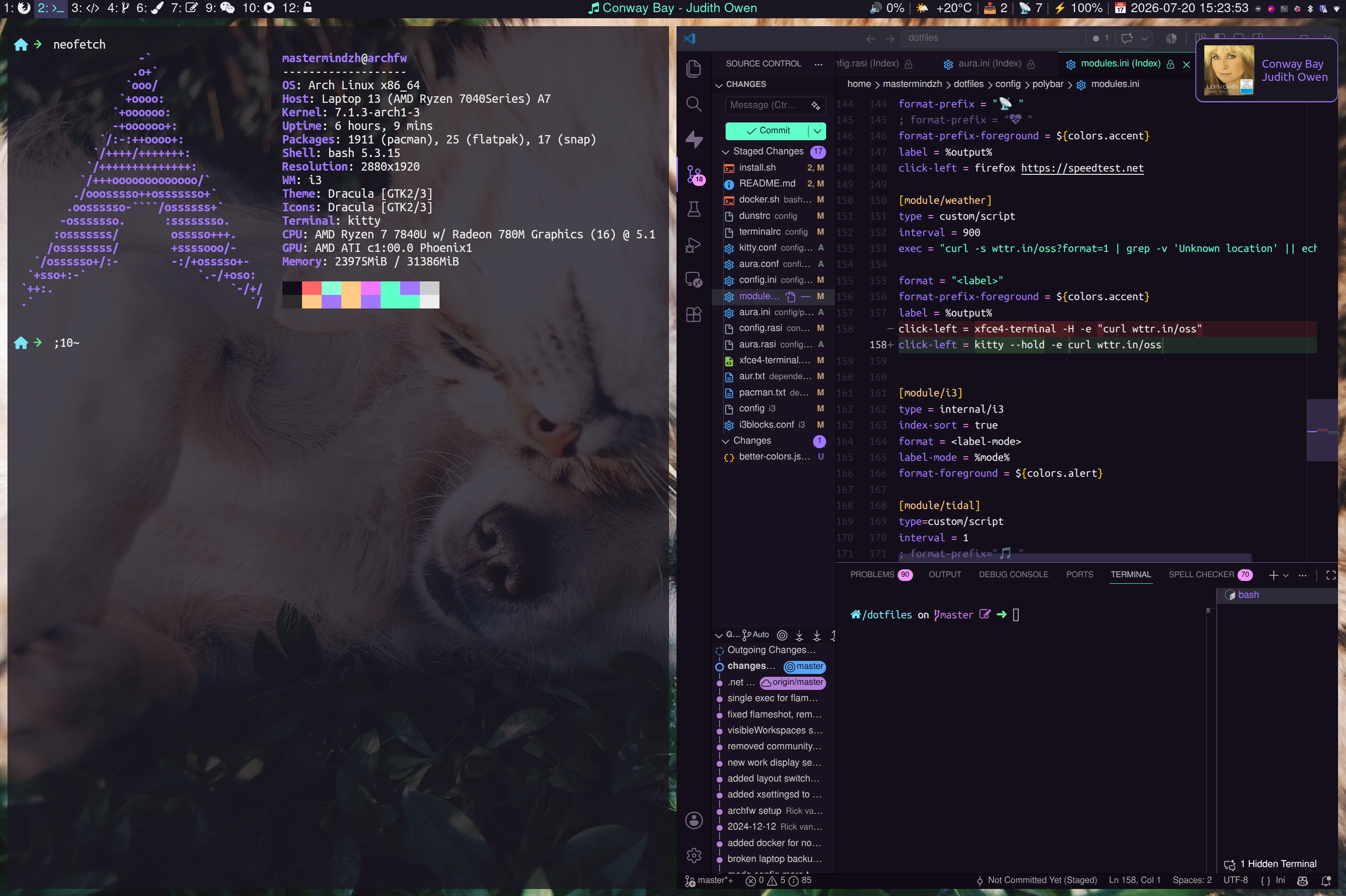](media/2026-07-20_15-23.png) Older versions: - [dracula](media/2024-dracula.png) - [dracula2](media/2024-dracula-2.png) - [dotfiles6](media/dotfiles6.png) - [dotfiles5-small](media/dotfiles-small-5.png) - [dotfiles5](media/dotfiles5.png) - [dotfiles4](https://raw.githubusercontent.com/Mastermindzh/dotfiles/master/media/dotfiles4.jpg) - [dotfiles3](media/dotfiles3.png) - [dotfiles2](media/dotfiles2.png) - [dotfiles](media/dotfiles.png) ## Tools | Purpose | Tool | | ---------------- | ---------------------------------------------------------------------- | | WM | i3 (i3-gaps) | | bar | polybar | | App launcher | rofi | | Shell | Bash | | Notifications | Dunst | | Package managers | Pacman & Trizen | | OS | Arch Linux | | Terminal | kitty | | Editor | nano & mousepad | | Code editor | vscode | | Browser | Firefox | | File manager | Thunar | | Music | Tidal through [Tidal-hifi](https://github.com/Mastermindzh/tidal-hifi) | ## computer specific setup Nowadays I use a few different computers and I used to apply the base config and configure each pc on its own. I've grown tired of this approach however so I added a "pc specific" setup in the installer. The pc specific setup bit will read the folder names in computers, offer you a choice, and execute the install.sh inside that folder. This allows me to get pc specific settings synced with git and applied easily. ## Getting x info to use in i3 Some things are handled by window class/title or have custom resolutions set, the tools below help obtain the info required: - `xprop` -> displays static `xwindow` info including Window class - `xwininfo` -> displays `xwindow` info including current size/position ## getting icons Copy/paste icons from these URLs: - [https://fontawesome.com/v5/cheatsheet](https://fontawesome.com/v5/cheatsheet) - [https://fonts.google.com/noto/specimen/Noto+Color+Emoji/glyphs?noto.query=noto+color+emoji](https://fonts.google.com/noto/specimen/Noto+Color+Emoji/glyphs?noto.query=noto+color+emoji) ## after-install After install read [./docs/afterinstall.md](./docs/afterinstall.md)
