KO
|
EN
gitlite — search
Search
#javascript
#python
#hacktoberfest
#react
#ai
#typescript
#llm
#go
#golang
#android
#machine-learning
#rust
#deep-learning
#linux
PercyJon.github.io
★ 9
Open GitHub ↗
JonHo's Bibliotheca
Download README (.md)
Explore Similar Repositories
cgstring
:
Experimenting with _Generic() for parametric constness in C11
Ada-promises
:
Implementing promises in Ada. Type-safe, efficient, thread-safe, ...
CAN-bootloader
:
CCS OTP Flash project and utility program to allow team to reprogram F28035 microcontrollers without the use of JTAG
browser-suspender
:
Suspend out-of-focus browser (Firefox) to save battery from useless CPU usage
steam-totp
:
Generates steam login/confirmation tokens, based on sharedSecret and identitySecret
// repository documentation
Was this content helpful?
★ 0
(0 ratings)
Select Rating:
★
★
★
★
★
Submit Feedback
Recent Feedback
×
Download README
Do you want to download the
README.md
file for
PercyJon.github.io
?
Download (.md)
# react-jwchat [](https://gitee.com/wx_504ae56474/react-jwchat/stargazers) [](https://gitee.com/wx_504ae56474/react-jwchat/members)      ## 介绍 react-jwchat 是一个简单的 web 聊天组件。主要作用是为快速实现在线聊天功能的前端页面,主要组件(暂时)包含聊天组件、联系人列表组件、单个联系人组件。 希望大家能多多提出宝贵意见,一起学习,共同进步。 **_希望大家能不吝 Star 🌟,谢谢大家啦~_** 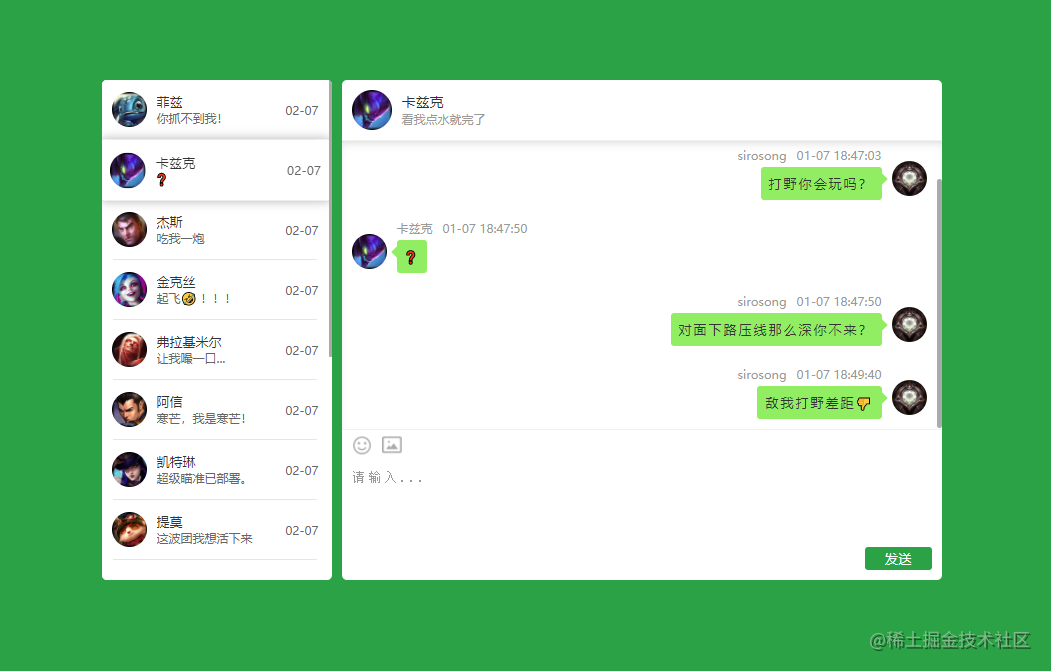 ## Star 趋势 [](https://giteye.net/chart/27AJP6G9) ## 安装 ```bash npm install react-jwchat # or yarn add react-jwchat ``` ## 组件 ### Chat --- 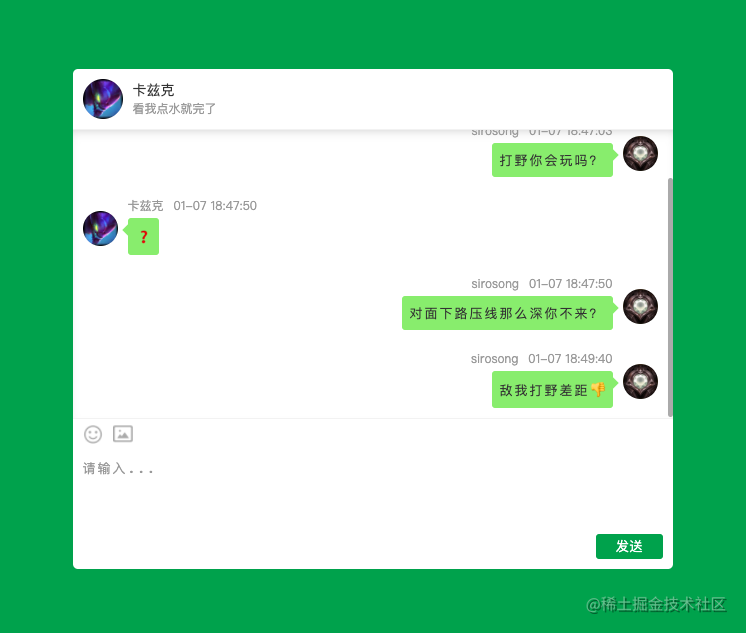 **使用:** ```jsx <Chat contact={contact} me={my} chatList={msgList} onSend={(msg) => {}} onEarlier={() => {}} onImage={(files) => {}} style={{ width: 600, height: 500, }} /> ``` **属性:** | key | type | desc | required | | --------- | ------- | ---------------------------------------------- | -------- | | contact | contact | 联系人信息 | true | | me | contact | 本人信息 | true | | onSend | func | 发送消息时触发回调,回调参数为组装好的消息对象 | true | | onImage | func | 选择图片后触发回调,回调参数为图片列表 | true | | onEarlier | func | 点击加载更多回调 | false | | style | style | 容器样式(使用组件时需要指定 width、height) | true | --- ### **ContactItem** --- 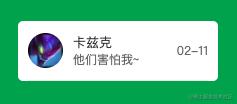 **使用:** ```jsx <ContactItem contact={contact} onClick={(contact) => console.log(contact)} /> ``` **属性:** | key | type | desc | required | | ------- | ------- | ---------------------------------------------------------- | -------- | | contact | contact | 联系人信息 | true | | onClick | func | 点击回调,回调参数包含当前联系人信息 | false | | border | boolean | 时候显示列表项底部分隔线,在 ContactList 组件中默认为 true | false | | style | style | 容器样式 | false | --- ### **ContactList** --- 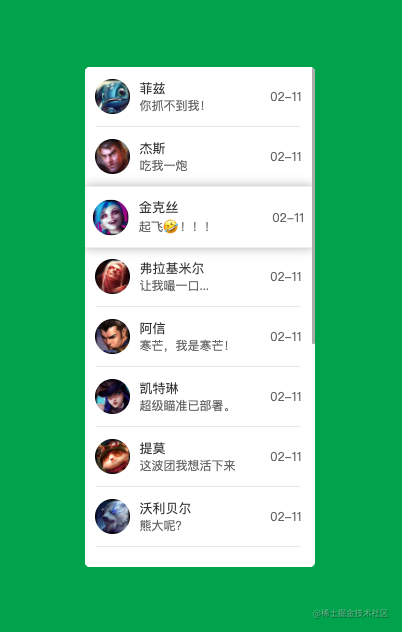 **使用:** ```jsx <ContactList data={contactList} onSelect={(contact) => console.log(contact)} /> ``` **属性:** | key | type | desc | required | | -------- | --------- | --------------------------------------------- | -------- | | data | contact[] | 联系人列表,数组中的每个元素都为 contact 类型 | true | | onSelect | func | 选中联系人触发回调,参数为当前选中联系人对象 | false | | style | style | 容器样式(**使用时需要指定高度**) | false | --- ## API #### contact 联系人信息对象 --- 示例: ```javascript { id: 16, avatar: '//game.gtimg.cn/images/lol/act/img/champion/Jinx.png', nickname: '金克丝', message: '这是一条信息', date: '02-11', desc: '一行简短的简介', } ``` 说明: | key | desc | | -------- | ------------------------------ | | id | 用户标示,需要唯一 | | avatar | 用户头像 | | nickname | 用户昵称 | | message | 最近一条信息 | | date | 信息更新时间 | | desc | 用户简介(用于在聊天框头部显示) | #### message 消息对象 --- 示例: > 当前信息为文字信息时,`message.type === 'text'` ```javascript { _id: '75b5bde8f3b9ef7aa9b704492cb28baf', date: 1610016580, user: { id: 1234, avatar: '//game.gtimg.cn/images/lol/act/a20201103lmpwjl/icon-ht.png', nickname: 'sirosong', desc: '这是我的第一条信息', }, message: { type: 'text', content: '敌我打野差距👎 ' }, }, ``` > 当前信息为文字信息时,`message.type === 'image'` ```javascript { _id: '75b5bde8f3b9ef7aa904492cb28baf', date: 1610016880, user: { id: 9527, avatar: '//game.gtimg.cn/images/lol/act/img/champion/Khazix.png', nickname: '卡兹克', desc: '这是我的第一条信息', }, message: { type: 'image', content: '//game.gtimg.cn/images/lol/act/a20201103lmpwjl/icon-ht.png', }, }, ``` 说明: | key | desc | | ------- | ---------------------------------- | | \_id | 每条信息的唯一标识,组件内自动生成 | | date | 消息产生时间 | | user | 当前消息发起人的信息 | | message | 消息内容主体 |
