KO
|
EN
gitlite — search
Search
#javascript
#python
#hacktoberfest
#react
#ai
#typescript
#llm
#go
#golang
#android
#machine-learning
#rust
#deep-learning
#linux
Rider-RimworldDevelopment
★ 18
Open GitHub ↗
No description available.
Download README (.md)
Explore Similar Repositories
lune-framework
:
Simple PHP framework inspired by Laravel.
aws-lambda-website-to-pdf
:
Convert a website to PDF using AWS lambda
ScIdClient
:
Simple Python Client to interact with Supercell ID
DDTV_Client
:
DDTV非官方客户端,基于WEB API运行,使用Jetpack Compose编写,同时支持桌面端和Android
TFManager
:
Add validations to your text fields, Group them together and navigate through them via keyboard's return button and accessory view.
// repository documentation
Was this content helpful?
★ 0
(0 ratings)
Select Rating:
★
★
★
★
★
Submit Feedback
Recent Feedback
×
Download README
Do you want to download the
README.md
file for
Rider-RimworldDevelopment
?
Download (.md)
# RimworldDev for Rider and ReSharper 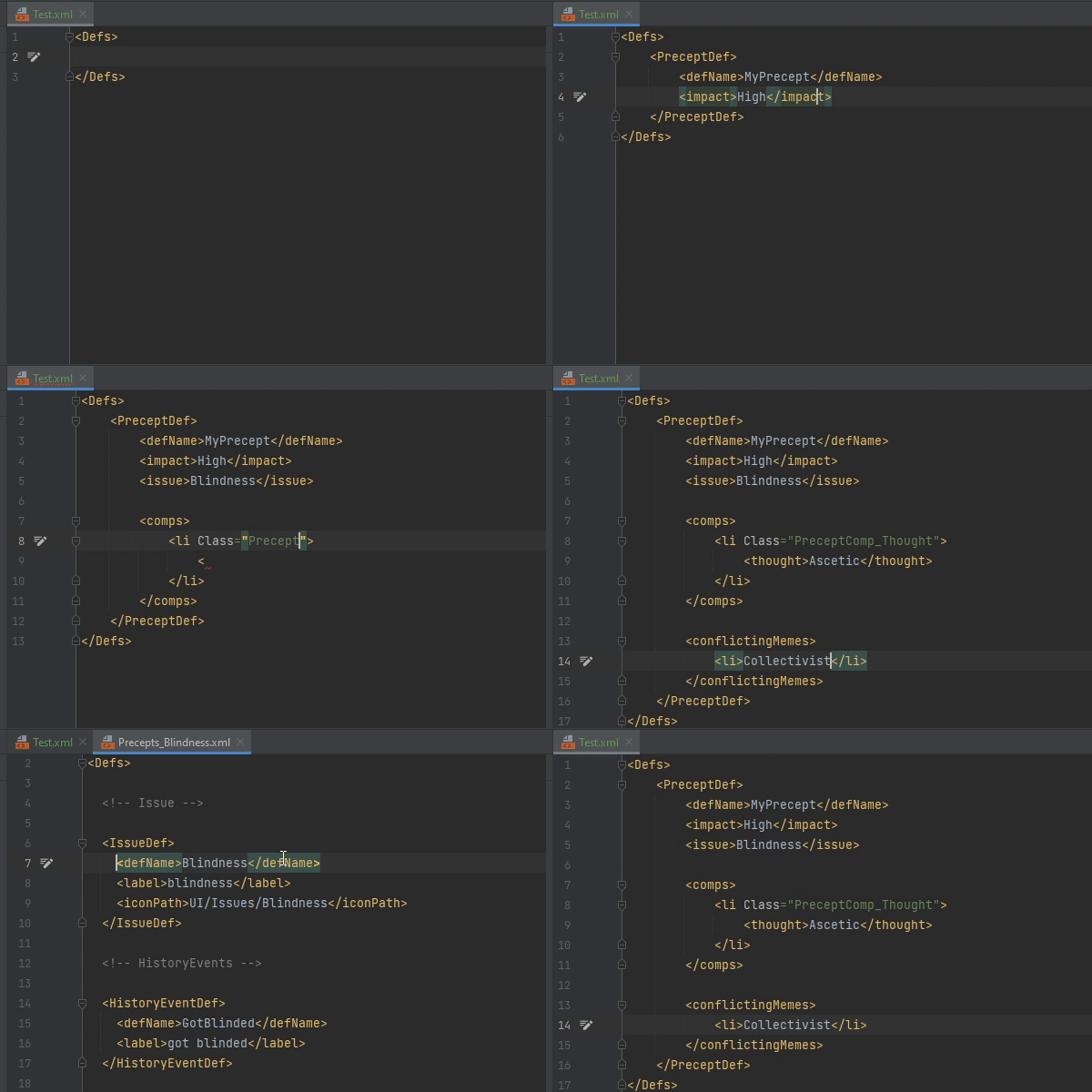 ## Intro This is my current Work In Progress plugin for JetBrains Rider (and ReSharper?) to bring some intelligence to Rimworld XML Definitions. Because all of the XML that you write for Rimworld is backed by C#, all the properties you define and the values that are allowed are just properties in a C# class, we're able to fetch the auto-complete options from C# itself. Expanding further from that, we can also link the XML back into the C# classes behind them, allowing you to Ctrl+Click into the definitions on which the XML sits. ## Features so far * Autocompletion for Defs * Autocomplete the DefTypes available * Autocomplete the properties available for a given DefType * Autocomplete the available DefNames when referencing other defs * Autocomplete DefNames when using `DefDatabase<Def>.GetNamed()` * Autocomplete DefNames when creating fields in `[DefOf]` classes * Autocomplete certain values for properties with fixed options (Such as Altitude Layer, boolean and directions) * Autocompletion for `Parent=""` attributes * Use `Ctrl+Click` to go references * When using them on DefTypes, just to the C# class for that Def * When using them on XML Properties, jump to the C# definition for that property * When using them on DefName references, jump to the XML definition for that DefName * When using them on certain XML values, jump to the C# definition for that value * When using them on `[DefOf]` fields, or `DefDatabase<Def>.GetNamed()` calls, jump to the XML definition for that DefName * When using them on `Parent=""` attributes, jump to the XML definition for that parent * Read the values in `Class=""` attributes to fetch the correct class to autocomplete from, such as in comps * Support for Custom Def Classes (Such as `<MyMod.CustomThingDef>`) * A Rimworld Run Configuration * Automatically loads Unity Doorstop if run in Debug mode * Specify a ModList and Save file to load for just this one launch * Rimworld Mod support in New Solution * Custom Rimworld XML Projects * Automatically includes Rimworlds Core and DLC defs * Reads your `About.xml` to automatically include the defs of mods that you rely on in your workspace * Basic validation for some XML Values * The ability to perform Find Usages on XML Defs * A "Generate" menu option to generate properties for a given XML Def * Includes a Rimworld Dictionary so that Rimworld terms don't get flagged as not real words by Rider * Transpilation Explorer, curtesy of [Zetrith](https://github.com/Zetrith/Remodder) ## Quick Architecture For Developers If you're interested in understanding how this plugin works or want to contribute, this section will probably be of interest to you. To begin with, there are two "entry points" into this plugin from the IDE: The [`RimworldReferenceProvider`](./src/dotnet/ReSharperPlugin.RimworldDev/References/RimworldReferenceProvider.cs) and the [`RimworldXMLItemProvider`](./src/dotnet/ReSharperPlugin.RimworldDev/RimworldXMLItemProvider.cs). The [`RimworldReferenceProvider`](./src/dotnet/ReSharperPlugin.RimworldDev/References/RimworldReferenceProvider.cs) is a class that tells Rider what references exist for a given XML Tag. In this context, a Reference is what the tag is attached to, so in our case the C# classes and properties that lie behind the XML. This provider works by collecting the path of the XML tag into a list (`['Defs', 'ThingDef', 'defName']` as an example) and then walking down that list and matching it up to C# classes and properties in those classes to come up with a C# Reference, then return that reference (In our example, it would have a reference to `ThingDef.defName`). This is the entry point if a user tries to Ctrl+Click on an XML Tag. The second entry point is when a user starts entering a new tag name and we want to display the autocomplete list for their options. This is the [`RimworldXMLItemProvider`](./src/dotnet/ReSharperPlugin.RimworldDev/RimworldXMLItemProvider.cs). The ItemProvider gets asked if it can provide any lookup items with it's `IsAvailable` method, and if it return true it'll then be asked to provide those items by having `AddLookupItems` called. Adding lookup items works in much the same way that adding references does: It creates a path list with `GetHierarchy` and then parses that list into a given C# Class with `GetContextFromHierarchy`. The next step is where it differs from ReferenceProvider: Rather than returning a reference to that class, it fetches all the fields declared by that class or it's super classes and adds them to it's lookup list. This is the autocomplete list shown to the user. A few small extra things are needed to make it all work smoothly. The first is the [`RimworldXMLCompletionContextProvider`](./src/dotnet/ReSharperPlugin.RimworldDev/RimworlXMLCompletionContextProvider.cs). By default the context that we're given in our Lookup Item Provider doesn't give us access to the full solution, which we need to be able to look up the attached modules to the solution to find the Rimworld C# Module. So we have our own custom context provider which grabs the solution from the XML File and adds it to the context. The other is the [`RimworldXmlReference`](./src/dotnet/ReSharperPlugin.RimworldDev/References/RimworldXmlReference.cs) which is just a class that we have to define to hold our reference from the XML to the C#. ## Acknowledgements The feature of exploring transpiled code is taken from Zetrith's open source plugin, [Remodder](https://github.com/Zetrith/Remodder). The feature would not have happened without them. ## FAQ **VS Code Plugin When?** I don't use VS Code, so likely not any time soon.
