KO
|
EN
gitlite — search
Search
#python
#java
#python3
#arduino
#golang
#machine-learning
#rust
#html
#flask
#javascript
#seismology
#nodejs
halo-theme-siren
★ 20
Open GitHub ↗
No description available.
Download README (.md)
Explore Similar Repositories
LASSO-MPC
:
PhD Publications and Thesis on LASSO Model Predictive Control
imgui-opencv
:
Use opencv, imgui and poco libraries in a project with Conan
spring-animation-keyframes
:
Generate css keyframes based on spring animations
aws-cloudformation-security-automation-for-wazuh
:
NIST based open source security automation delivered as AWS cloudformation
RTHS
:
Real-Time Hardware Sorter, Using A Multi-Dimensional Sorting Algorithm
// repository documentation
Was this content helpful?
★ 0
(0 ratings)
Select Rating:
★
★
★
★
★
Submit Feedback
Recent Feedback
×
Download README
Do you want to download the
README.md
file for
halo-theme-siren
?
Download (.md)
<h1><a href="https://github.com/halo-dev/halo-theme-siren" target="_blank">halo-theme-siren</a></h1> ## 说明 该主题的原作者为 [louie-senpai](https://github.com/louie-senpai),非常感谢做出这么优秀的主题。 原主题地址:[https://github.com/louie-senpai/Siren](https://github.com/louie-senpai/Siren) ## 预览截图 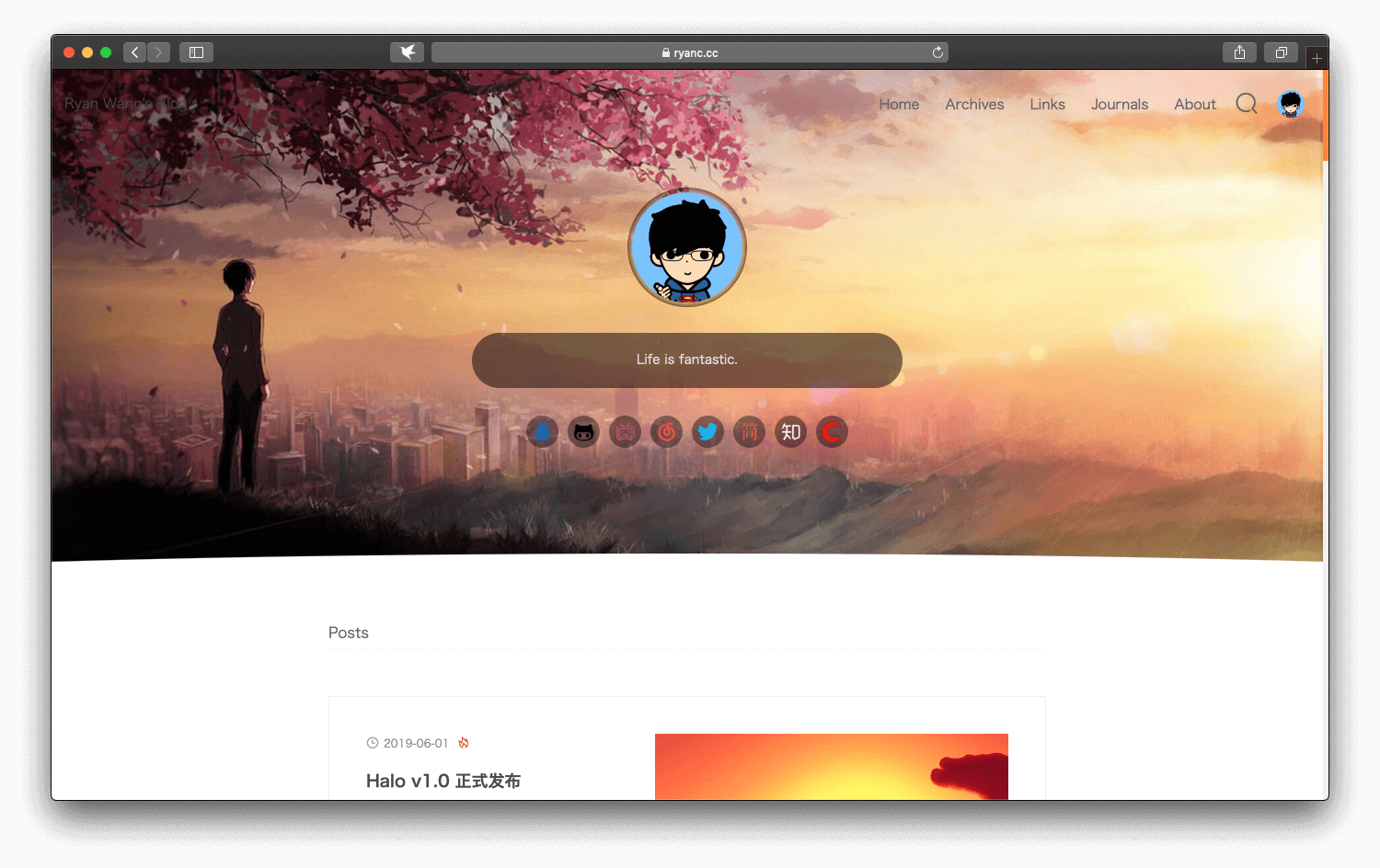 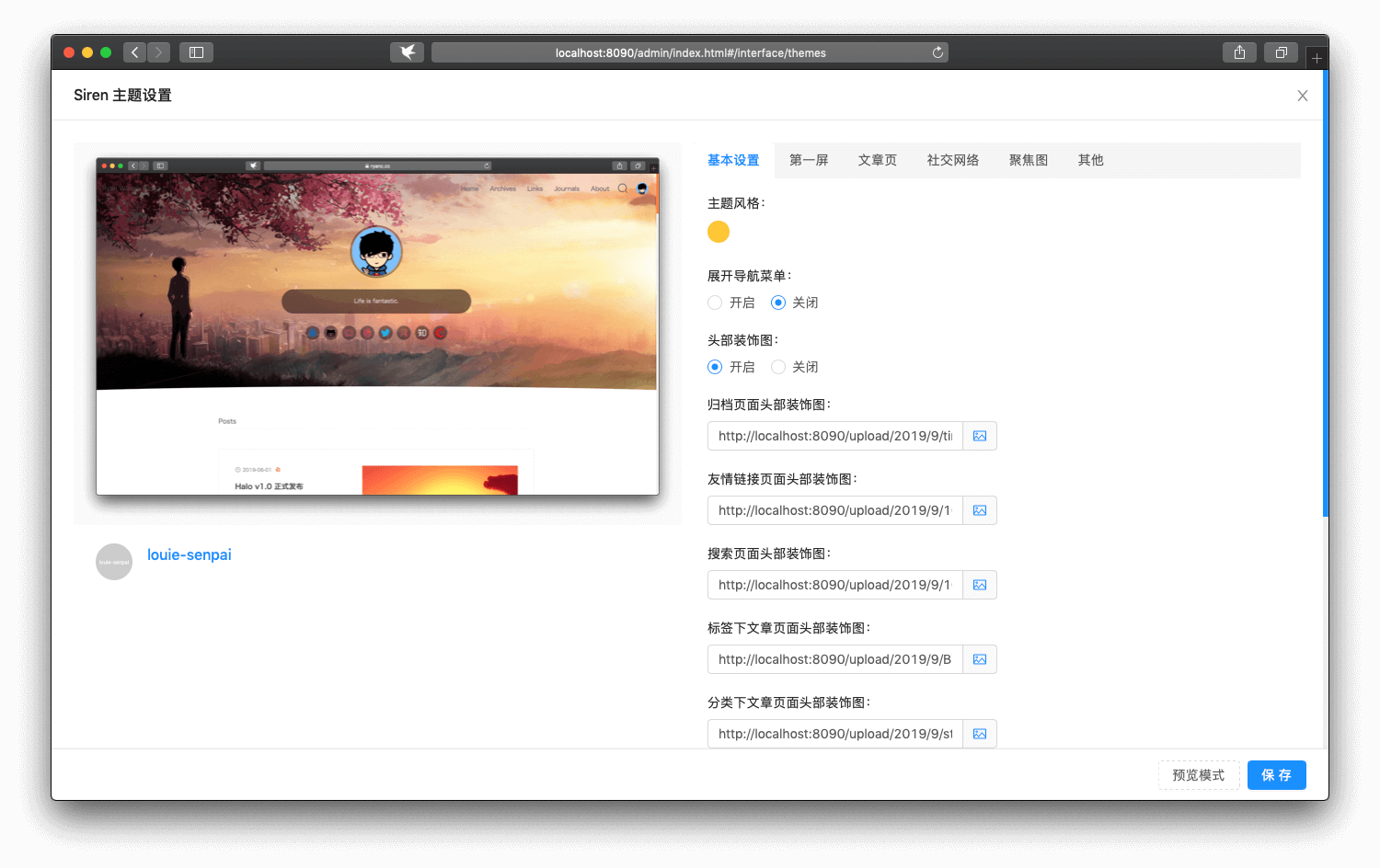 ## 安装方法 ### 方法一 1. [点击](https://github.com/halo-dev/halo-theme-siren/archive/master.zip)下载。 2. 进入后台 -> 外观 -> 主题。 3. 点击右下方按钮选择安装主题,随后选择 `本地上传`。 4. 选择下载好的主题包(zip)即可。 ### 方法二 1. 复制 `https://github.com/halo-dev/halo-theme-siren`。 2. 进入后台 -> 外观 -> 主题。 3. 点击右下方按钮选择安装主题,随后选择 `远程拉取`。 4. 粘贴复制的链接到远程地址,点击下载即可。 ## 更新方法 ### 方法一 1. 进入后台 -> 外观 -> 主题。 2. 找到需要更新的主题,点击主题下方的 `更多` 按钮。 3. 点击 `在线更新`。 ### 方法二 1. [点击](https://github.com/halo-dev/halo-theme-siren/archive/master.zip)下载最新的版本。 2. 进入后台 -> 外观 -> 主题。 3. 找到需要更新的主题,点击主题下方的 `更多` 按钮。 4. 点击 `从主题包更新`,选择下载好的主题包(zip)即可。
