KO
|
EN
gitlite — search
Search
#typescript
#ai-agents
#ai
#dsh-plugin
#deepseek-harness
#open-source
#claude-code
#codex
#cli
#developer-tools
#react
#windows
bulma-dashboard
★ 89
Open GitHub ↗
Bulma dashboard
Download README (.md)
Explore Similar Repositories
parquet-testing
:
Apache Parquet Testing
terraform-k8s-hcloud
:
A simple project to spin your k8s cluster with terraform, kubeadm on hcloud
Guardian
:
Service Side Swift:Vapor 3 based API Guardian Middleware. 🦁
spring-boot-demo
:
spring boot demo 是一个用来学习 spring boot 的项目,总共包含 47 个集成demo,已经完成 36 个。包含集成 actuator(监控)、admin(可视化监控)、logback(日志)、aopLog(通过AOP记录web请求日志)、统一异常处理(json级别和页面级别)、freemarker(模板引擎)、thymeleaf(模板引擎)、Beetl(模板引擎)、Enjoy(模板引擎)、JdbcTemplate、JPA(ORM框架)、mybatis(ORM框架)、通用Mapper、PageHelper、mybatis-plus、BeetlSQL、upload(本地文件上传和七牛云文件上传)、redis(缓存)、ehcache(缓存)、email(发送各种类型邮件)、task(基础定时任务)、quartz(动态管理定时任务)、swagger(API接口管理测试)、security(基于RBAC的动态权限认证)、Session共享、Zookeeper(结合AOP实现分布式锁)、websocket(服务端推送监控服务器运行信息)、socket.io(聊天室)、ureport2(中国式报表)、打包成war文件、集成 ElasticSearch(基本操作和高级查询)、集成Dubbo(采用官方的starter)、neo4j(图数据库)、docker(容器化)。
promql_java_client
:
java client for prometheus http api
// repository documentation
Was this content helpful?
★ 0
(0 ratings)
Select Rating:
★
★
★
★
★
Submit Feedback
Recent Feedback
×
Download README
Do you want to download the
README.md
file for
bulma-dashboard
?
Download (.md)
# Bulma Dashboard **Bulma Dashboard** is extension for the [Bulma](https://bulma.io) CSS framework that enables you to easily write dashboard-style interfaces with fixed horizontal panels. ## Installing The Bulma Dashboard extension is available as an [npm](https://npmjs.org) package: ```shell npm install bulma-dashboard ``` You can also download or link to the Sass or CSS files directly. ## Usage All functionality is used inside of the `dashboard` class, which is intended to take up the entire page. Here's an example: ```html <div class="dashboard is-full-height"> <!-- left panel --> <div class="dashboard-panel is-one-quarter"> </div> <!-- main section --> <div class="dashboard-main is-scrollable"> <nav class="navbar is-fixed-top"> <div class="navbar-brand"> <span class="navbar-item"> Bulma Dashbaord </span> </div> </nav> <section class="section"> <p class="title"> Main </p> </section> <!-- the footer will take up all unused space at the bottom --> <footer class="footer"> </footer> </div> <!-- right panel --> <div class="dashboard-panel is-small"> </div> </div> ``` ## Example You can see an example page in [`docs/index.html`](docs/index.html). Here's a screenshot: 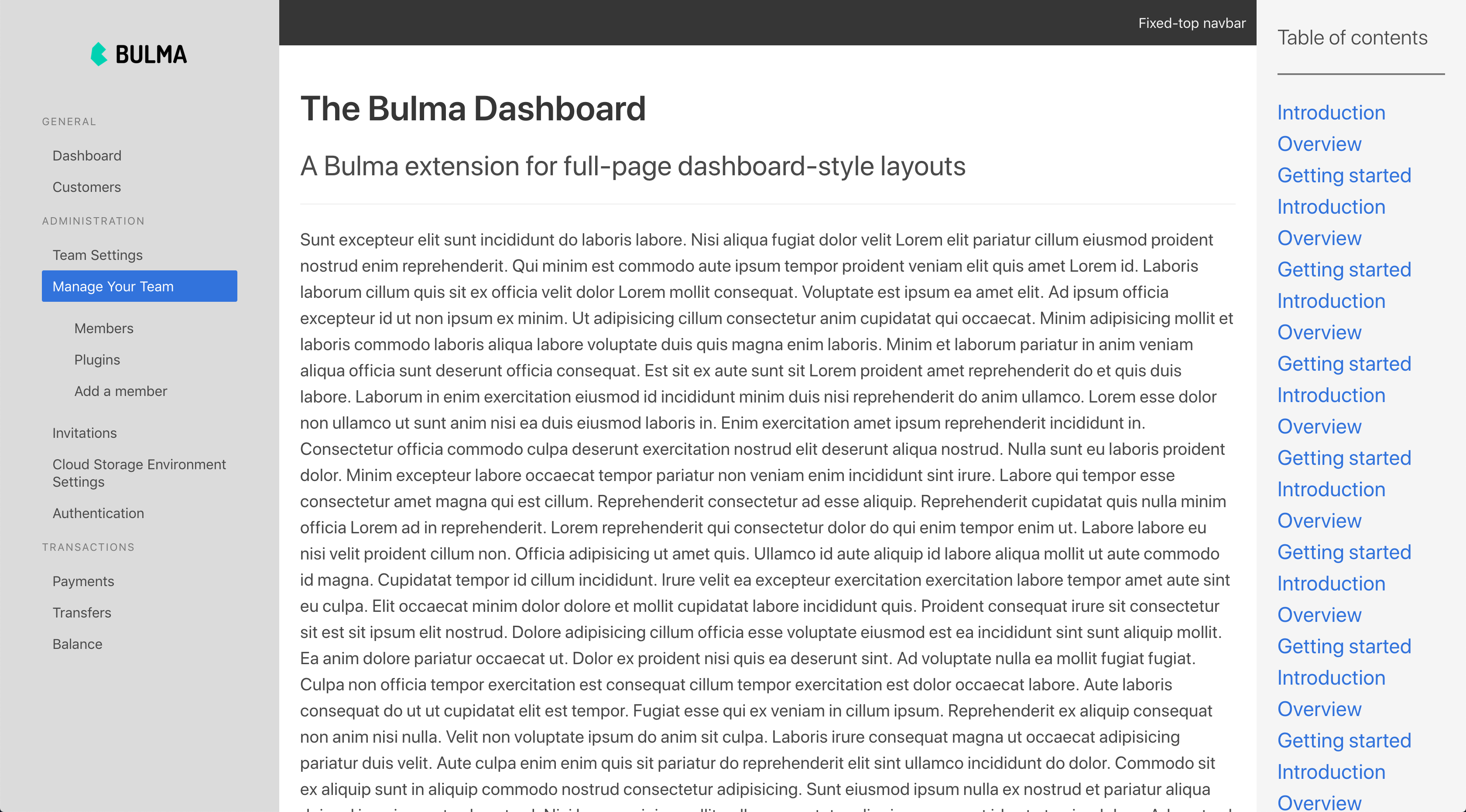 You can visit that page [here](https://lucperkins.github.io/bulma-dashboard/index.html). ## Footer If you add a Bulma `footer` in the dashboard main section, it will "stick" to the bottom and fill up all remaining space. ## Sizes There are a variety of widths available for panels: Class | Width :-----|:----- `is-one-quarter` | 1/4 `is-half` | 1/2 `is-one-third` | 1/3 `is-small` | 15rem `is-medium` | 25rem `is-large` | 30rem > By default, panels are 25rem wide. You can change that default using the `$dashboard-default-panel-width` variable. ## Scrolling You can add the `is-scrollable` class to any element to make it scrollable. ## Padding You can add the `has-thick-padding` class to a panel to bulk up the padding to double the default. ## Variables Variable | Default | Meaning :--------|:--------|:------- `$dashboard-default-panel-width` | 25rem | The default panel width if no size modifier is added `$dashboard-default-panel-padding` | 1.5rem | The padding in panels
