KO
|
EN
gitlite — search
Search
#javascript
#typescript
#python
#react
#swiftui
#deep-learning
#docker
#nodejs
#ai
#ffmpeg
#nextjs
#tailwindcss
cepathfind
★ 34
Open GitHub ↗
a path find for tilebase game in unity
Download README (.md)
Explore Similar Repositories
unity-procedural-dungeons
:
Dungeon generation and navigation using constrained random walks and A* in Unity
Skirmish
:
Game and prototypes with SharpDX and Directx 11
2D-Astar-Pathfinding-in-Unity
:
A 2D implementation of the Astar Pathfinding algorithm using Tilemaps in Unity
UAVHeading-CollisionAvoidance
:
A*-based collision avoidance for UAV path planning
quadtree_Astar
:
Python programm showing A* path finding on quadtree representation of a 2D map.
// repository documentation
Was this content helpful?
★ 0
(0 ratings)
Select Rating:
★
★
★
★
★
Submit Feedback
Recent Feedback
×
Download README
Do you want to download the
README.md
file for
cepathfind
?
Download (.md)
# CEPathFind a path find for tilebase game in unity 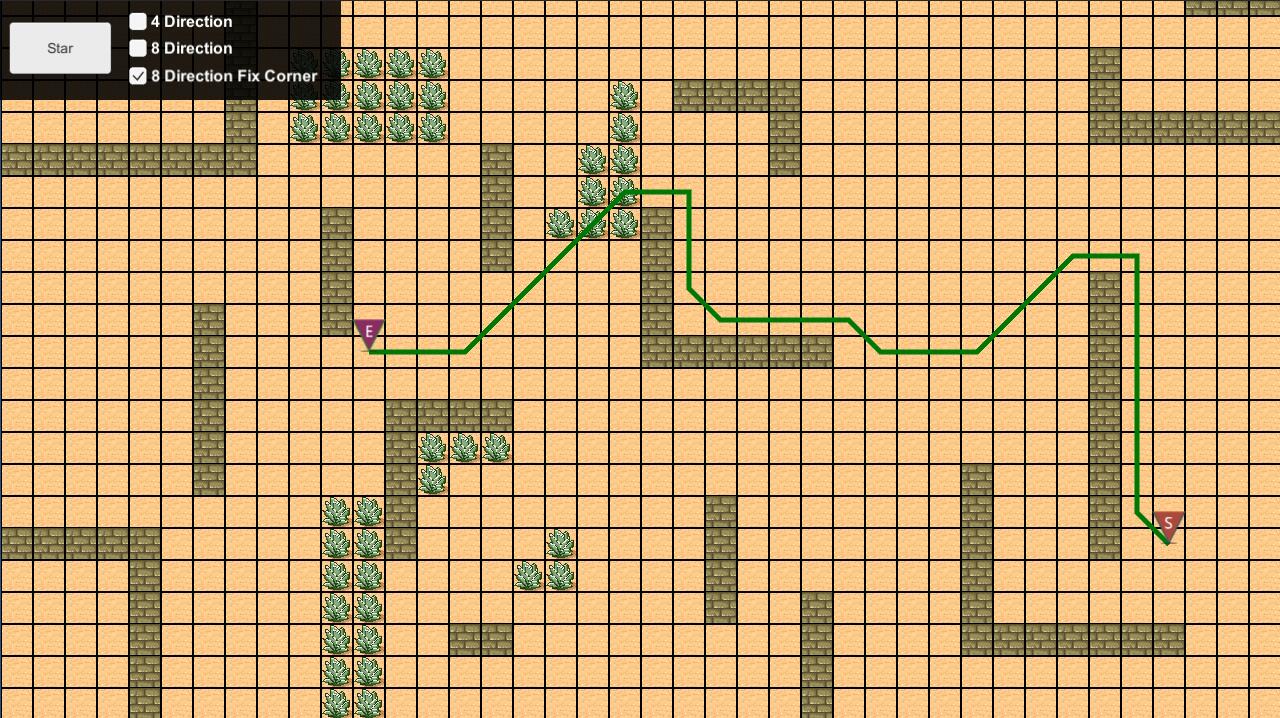 ## Update 12.05.2019 - change open list to `PriorityQueue` to gain some performance. - add max loop limiting in case path find run too long. @see more at CEPathFind.MAX_SEARCH_TIME - replace CEVector2Int with unity build in Vector2Int - rename some class for clearly the purpose. - fix some spelling mistake ## How to use ### Extend base engine before you use `CEPathFind`, you shoud provide an pathfind engine with overrde this class `CEPathFindMapAgent.cs` ```csharp //Get an tile property //you can check A start path find wiki for more info about score. override public void GetTileProperty (int _tileX, int _tileY, CEPathFindNode _star, CEPathFindNode _end, out bool _isWalkable, out int _score) { _isWalkable = true; _score = 1; } override public bool isTileWalkable (int _tileX, int _tileY) { return true; } override public TILE_SERACH_TYPE GetTileSerachType () { return TILE_SERACH_TYPE.EIGHT_DIRECTION_FIX_CORNER; } ``` ### Call pathfind there is two way to use it. - Immediate return ```csharp CEPathFindResult result = CEPathFind.FindPath (starTileX, starTileY, endTileX, endTileY, findEngine); Debug.Log(result.toString()); ``` in this way,the function will return the result immediately. --- - Async call back ```csharp CEPathFind.FindPathAsync (starTileX, starTileY, endTileX, endTileY, findEngine,ShowPath); private void ShowPath (CEPathFindResult _result) { Debug.Log(result.toString()); } ``` in this way ,you need provide an callback(`Action<(CEPathFindResult >`),when the path find finish ,it will call back. ~~***Attaction***: if you use this way, you should attach CEPathFind.cs to an gameObject.~~ also you can change the each tick search node num in `CEPathFindAgent.cs` ``` private const int EACH_TICK_SEARCH_NODE_NUM = 50; ``` --- ## PathFindType ### 4 direction 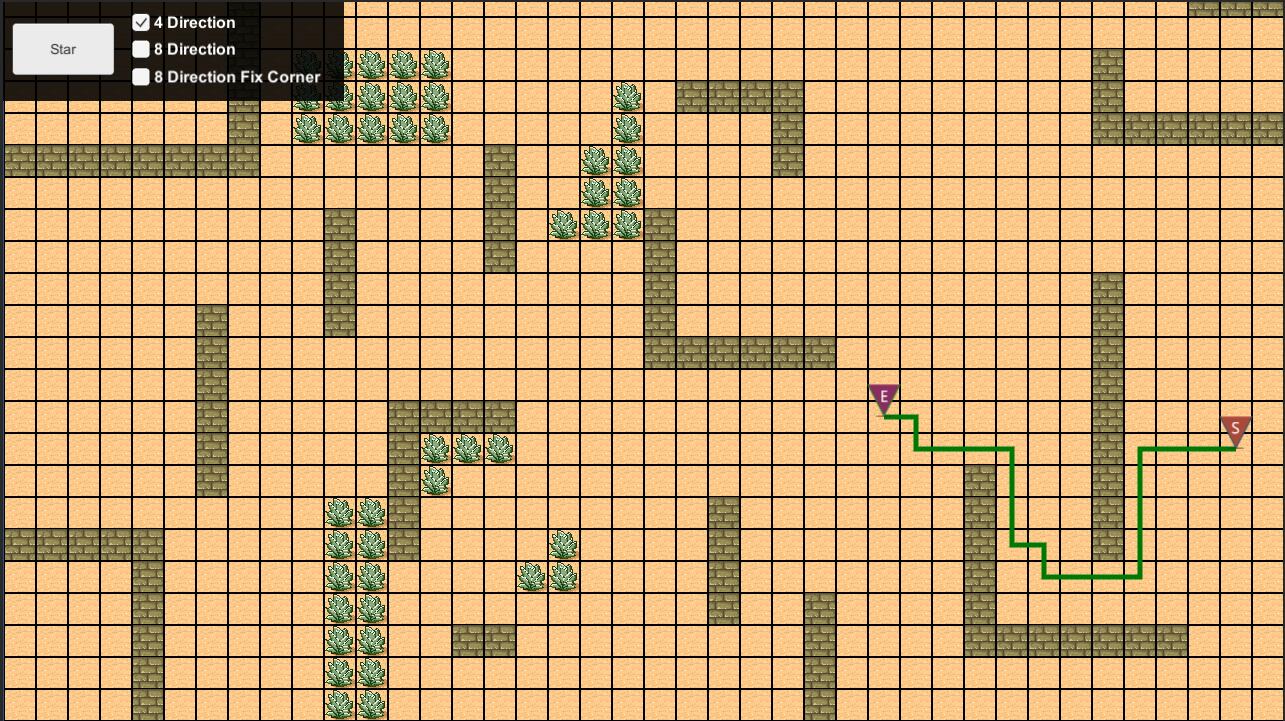 ### 8 direction 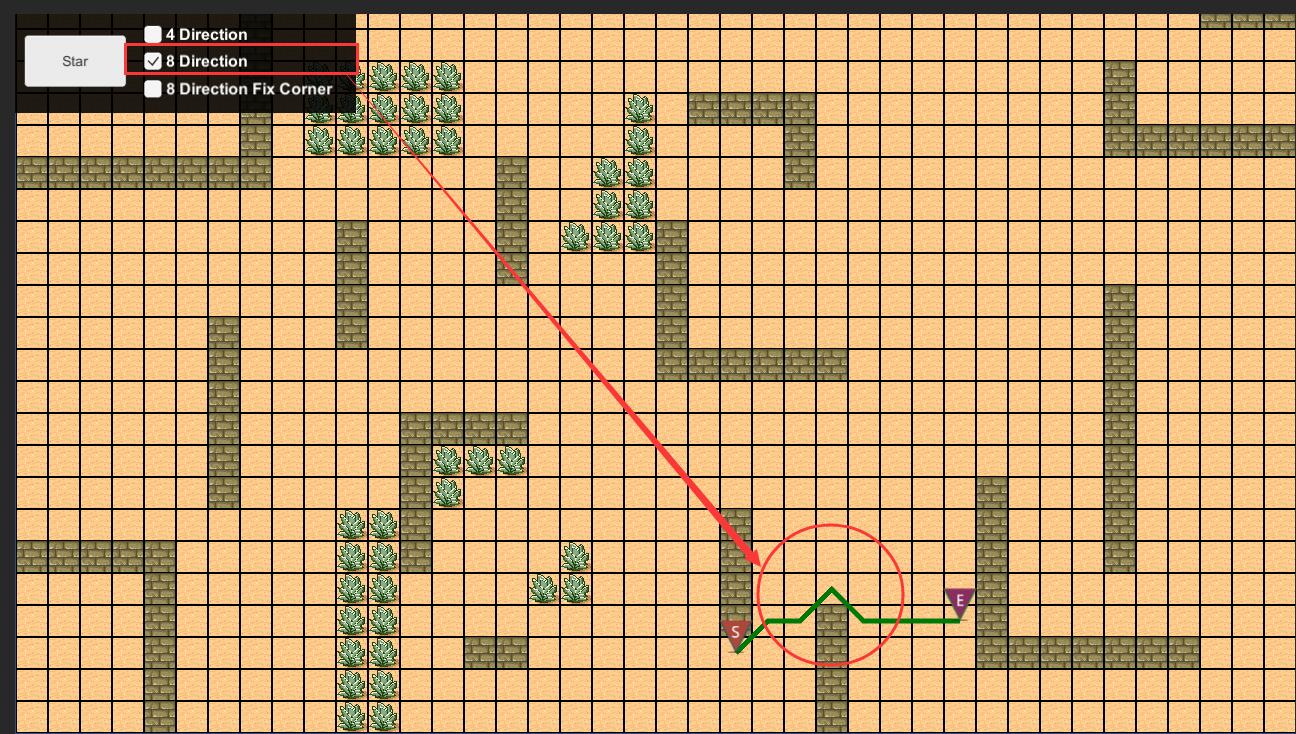 ### 8 direction with fix corner 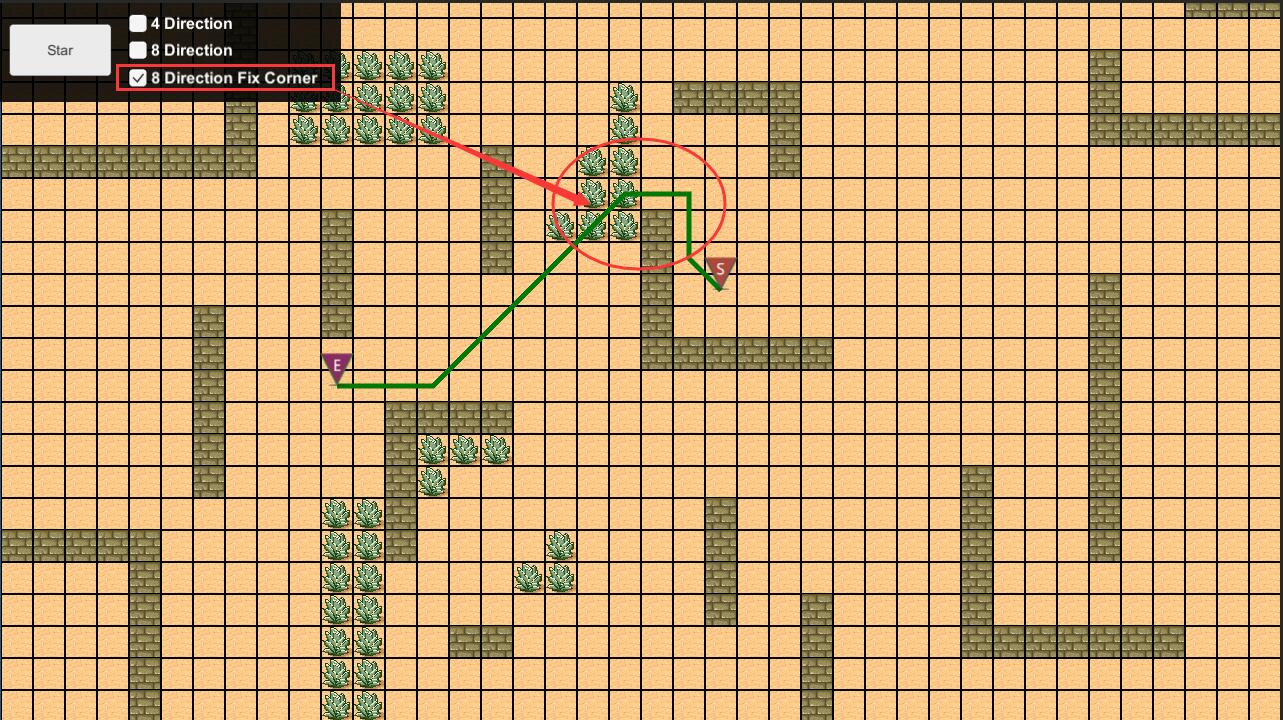 ## Issue e-mail: iamzealotwang@126.com thanks. Eran
