KO
|
EN
gitlite — search
Search
#python
#java
#python3
#arduino
#golang
#machine-learning
#rust
#html
#flask
#javascript
#seismology
#nodejs
elm-regl
★ 13
Open GitHub ↗
Elm bindings for regl.
Download README (.md)
Explore Similar Repositories
ProTrainer
:
An addon for Meteor client adding parkour to any server
clone-me
:
No description available.
ideal-octo-waffle
:
No description available.
open-in-cursor
:
open-in-cursor
GuevaraStian
:
No description available.
// repository documentation
Was this content helpful?
★ 0
(0 ratings)
Select Rating:
★
★
★
★
★
Submit Feedback
Recent Feedback
×
Download README
Do you want to download the
README.md
file for
elm-regl
?
Download (.md)
# Elm-regl Elm bindings for [regl](https://github.com/regl-project/regl). Aims to provide a set of declarative APIs to use WebGL in Elm through regl. Users don't need to worry about the low-level implementation but can write flexible, powerful effects using shaders efficiently. 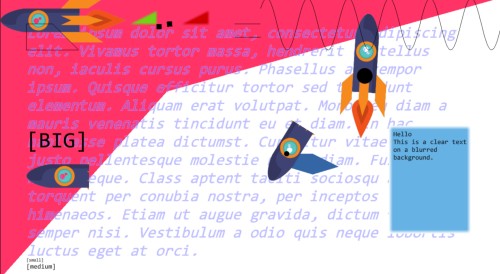 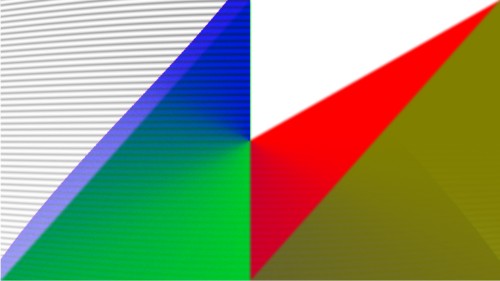  ## Usage You can learn how to use Elm-regl in the following ways: - See the examples in [test](./test). - Read the API docs. ### Steup HTML: ```html <!DOCTYPE HTML> <html> <head> <meta charset="UTF-8"> <title>Elm</title> <script type="text/javascript" src="Main.js"></script> <script type="text/javascript" src="https://cdn.jsdelivr.net/npm/elm-regl-js@1.2.1/dist/regl.js"></script> <link rel="stylesheet" href="style.css"> </head> <body oncontextmenu="return false;"> <div id="myapp"></div> </body> <script type="text/javascript"> var app = Elm.Main.init({ node: document.getElementById('myapp') }); if (app.ports.setView) { app.ports.setView.subscribe(function (v) { ElmREGL.setView(v); }); } if (app.ports.execREGLCmd) { app.ports.execREGLCmd.subscribe(function (v) { ElmREGL.execCmd(v); }); } const canvas = document.getElementById('elm-regl-canvas'); ElmREGL.init(canvas, app, []); </script> </html> ``` Note. Change `Main` to your top-level module. A basic elm module: ```elm port module Basic exposing (..) import Browser import Color import Html exposing (..) import Html.Attributes exposing (..) import Html.Events exposing (..) import REGL exposing (REGLStartConfig, startREGL, toHtmlWith) import String exposing (fromInt) port setView : Encode.Value -> Cmd msg port execREGLCmd : Encode.Value -> Cmd msg port recvREGLCmd : (Encode.Value -> msg) -> Sub msg port reglupdate : (Float -> msg) -> Sub msg main : Program () Model Msg main = Browser.element { init = init , view = view , update = update , subscriptions = subscriptions } type alias Model = {} init : () -> ( Model, Cmd Msg ) init _ = ( {} , Cmd.batch (batchExec execREGLCmd [ startREGL (REGLStartConfig 1920 1080 5 Nothing) ] ) ) type Msg = Tick Float | REGLRecv Encode.Value update : Msg -> Model -> ( Model, Cmd Msg ) update msg model = (model, Cmd.none) subscriptions : Model -> Sub Msg subscriptions _ = Sub.batch [ reglupdate Tick , recvREGLCmd REGLRecv ] view : Model -> Html Msg view _ = toHtmlWith { width = 1280, height = 720 } [ style "left" "0px" , style "top" "0px" , style "position" "fixed" ] ``` Check examples in `test` to see how to render! ### Example Usage ```elm REGL.group [ REGL.crt 50 ] [ REGL.clear (Color.rgba 1 1 1 1) , REGL.textbox ( 0, 1050 ) 100 ("hello :)" "arial" , REGL.quad ( 0, 0 ) ( 1920, 0 ) ( 1920 / 3, 1080 / 3 ) ( 0, 1080 ) (Color.rgba 1 0.2 0.4 1) , REGL.group [ REGL.blur 1 ] [ REGL.clear (Color.rgba 1 0.2 0.4 0) , REGL.triangle ( 700, 100 ) ( 700 + 100, 100 ) ( 700 + 100, 100 / 2 ) Color.red , REGL.triangle ( 500, 100 ) ( 500 + 100, 100 ) ( 500 + 100, 100 / 2 ) Color.green ] , REGL.poly [ ( 1100, 600 ) , ( 1100, 650 ) , ( 1200, 680 ) , ( 1300, 650 ) , ( 1200, 600 ) ] Color.blue , REGL.texture ( 0, 0 ) ( 600, 0 ) ( 600, 300 ) ( 0, 300 ) "enemy" ``` `REGL.group` is similar to `group` in `Elm-Canvas`. It groups a list of `Renderable`s into one. `Renderable` is a drawing command. Elm-regl provides several basic drawing commands like triangles, circles, etc. Unlike Elm Canvas, Elm-regl provides higher flexibility for one to operate on `Renderable`s. First, every `Effect` (similar to `Setting` in Elm-Canvas) is a shader that could be parameterized or customized by the users. Second, users could use `Compositor`s, e.g., ```elm REGL.Compositors.imgFade "mask" t renderable1 renderable2 ``` to composite two groups of `Renderable`s. Users also could write custom compositors through the GLSL shader language. ## Special Features - Use Framebuffer Objects (**FBO**) to draw. - Use Multi-channel Signed Distance Field (**MSDF**) to render text. - Efficient port implementation in JS. The corresponding JS port is at [elm-regl-js](https://github.com/linsyking/elm-regl-js).
