KO
|
EN
gitlite — search
Search
#javascript
#react
#typescript
#html
#ethereum
#css
#python
#react-native
#home-assistant
#github
#nodejs
#csharp
rsyslog-webui
★ 40
Open GitHub ↗
Web UI for rsyslog
Download README (.md)
Explore Similar Repositories
ckan-helm
:
Helm chart for CKAN
automating-your-data-pipeline-with-apache-airflow
:
Automating Your Data Pipeline with Apache Airflow
mira
:
JavaScript & Markdown live editor on your browser
Shiftlight
:
An opensource shiftlight project using Arduino and Neopixel products
Face-to-Parameter-V2
:
Fast and Robust Face-to-Parameter Translation for Game Character Auto-Creation, AAAI 2020
// repository documentation
Was this content helpful?
★ 0
(0 ratings)
Select Rating:
★
★
★
★
★
Submit Feedback
Recent Feedback
×
Download README
Do you want to download the
README.md
file for
rsyslog-webui
?
Download (.md)
# rsyslog-webui **Release 1.1.0** — see [CHANGELOG.md](CHANGELOG.md). `rsyslog-webui` is a web interface for browsing syslog events written by rsyslog into MySQL. It includes live search, live tail, role-based access, optional Microsoft Entra ID sign-in, and MFA options (TOTP and passkeys). ## Quick Start (Docker) ### Public / production (HTTPS on 80 and 443) This is the **default deployment path** when the UI is reachable on the internet (for example behind Cloudflare). `docker/tls.env.example` includes `COMPOSE_PROFILES=tls`, so Traefik starts without passing `--profile tls`. 1. Copy and edit secrets (domain, Let’s Encrypt email, Cloudflare DNS token, app passwords): ```bash cp docker/tls.env.example .env.tls ``` 2. Start: ```bash docker compose --env-file .env.tls up -d --build ``` 3. Open your hostname over HTTPS (for example `https://logs.example.com`). On first login, create your admin username and strong password. 4. Send a test syslog line to the collector: ```bash logger -n 127.0.0.1 -P 5514 -d -t rsyslog-webui-test "hello from host" ``` Alternate compose files with the same `.env.tls`: `docker-compose.tls.yml` (standalone TLS stack) or `docker-compose.tls-manual.yml` (your own PEM files). Details: [docs/deployment.md](docs/deployment.md) and [docker/TLS.md](docker/TLS.md). ### Local development (HTTP only, no Traefik) 1. Start: ```bash docker compose up --build -d ``` 2. Open `http://localhost:8080` (override with `WEB_PORT`). 3. On first login, create your admin username and strong password. 4. Test the collector as above. Collector notes: - Development and TLS/production stacks both accept network syslog on `5514` (TCP/UDP). - The collector only forwards incoming network messages to MySQL; it does not seed demo logs. - Producers can alternatively write directly to MySQL on the **host** port (default `3306`, override with `MYSQL_HOST_PORT`) via `ommysql`. PowerShell port override example (dev stack): ```powershell $env:WEB_PORT='8888' docker compose up --build -d ``` ## What You Get - Live syslog table with debounced keyword/filterset search. - Live polling (tail-like updates) with manual refresh controls. - Admin directory for local and Microsoft-backed users. - Admin audit logs for sign-in attempts, access decisions, and email delivery events. - Optional Entra ID OIDC + PKCE authentication flow. - MFA with TOTP and WebAuthn passkeys. - Password reset / email verification via Microsoft Graph mail. ## Documentation Map - [Installation](docs/installation.md) - [Configuration](docs/configuration.md) - [Authentication and MFA](docs/authentication.md) - [Deployment and TLS](docs/deployment.md) - [Architecture](docs/architecture.md) - [Testing](docs/testing.md) - [Security](docs/security.md) - [Troubleshooting](docs/troubleshooting.md) TLS deployment options (all use `.env.tls` from `docker/tls.env.example`): - **Recommended:** main `docker-compose.yml` — `docker compose --env-file .env.tls up -d --build` (`COMPOSE_PROFILES=tls` is already in the example file) - Equivalent standalone file: `docker-compose.tls.yml` — same Cloudflare DNS-01 ACME variables - Manual PEM files: `docker-compose.tls-manual.yml` — `docker/certs/tls.crt` and `docker/certs/tls.key` (no Cloudflare API key) If your `.env.tls` does not set `COMPOSE_PROFILES=tls`, pass `--profile tls` when using the main compose file. Details: [docs/deployment.md](docs/deployment.md) and [docker/TLS.md](docker/TLS.md). ## Security Notice - Never commit real domains, personal emails, API tokens, client secrets, or production credentials. - Keep `config.php`, `.env*`, and any private secrets outside version control. - If credentials were ever committed, rotate them immediately and audit repository history (including forks and mirrors) for exposure. ## Screenshots ### Mobile 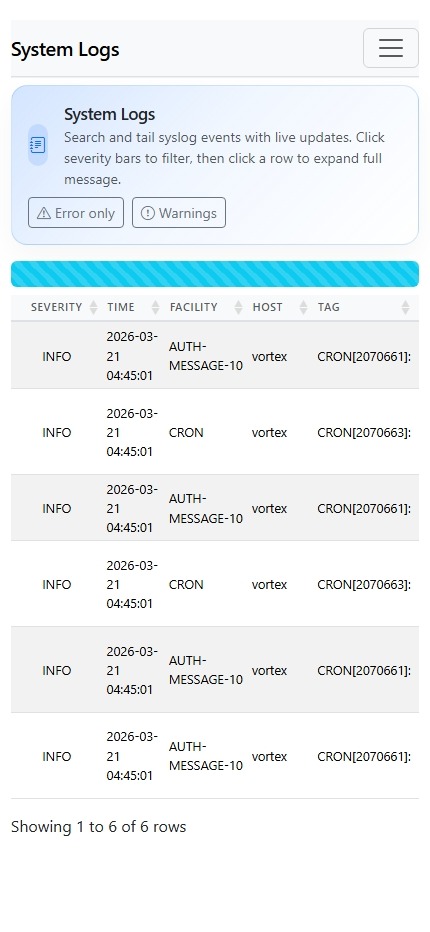 ### Desktop 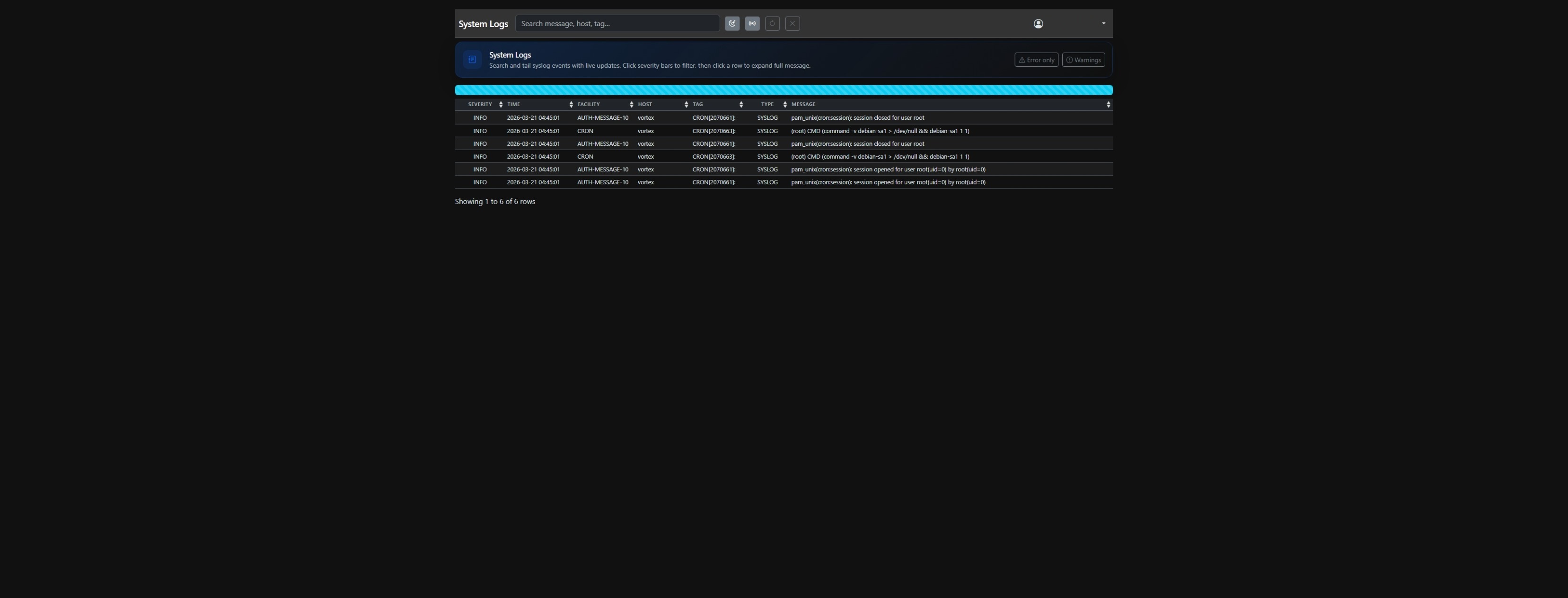 ### Admin Panel 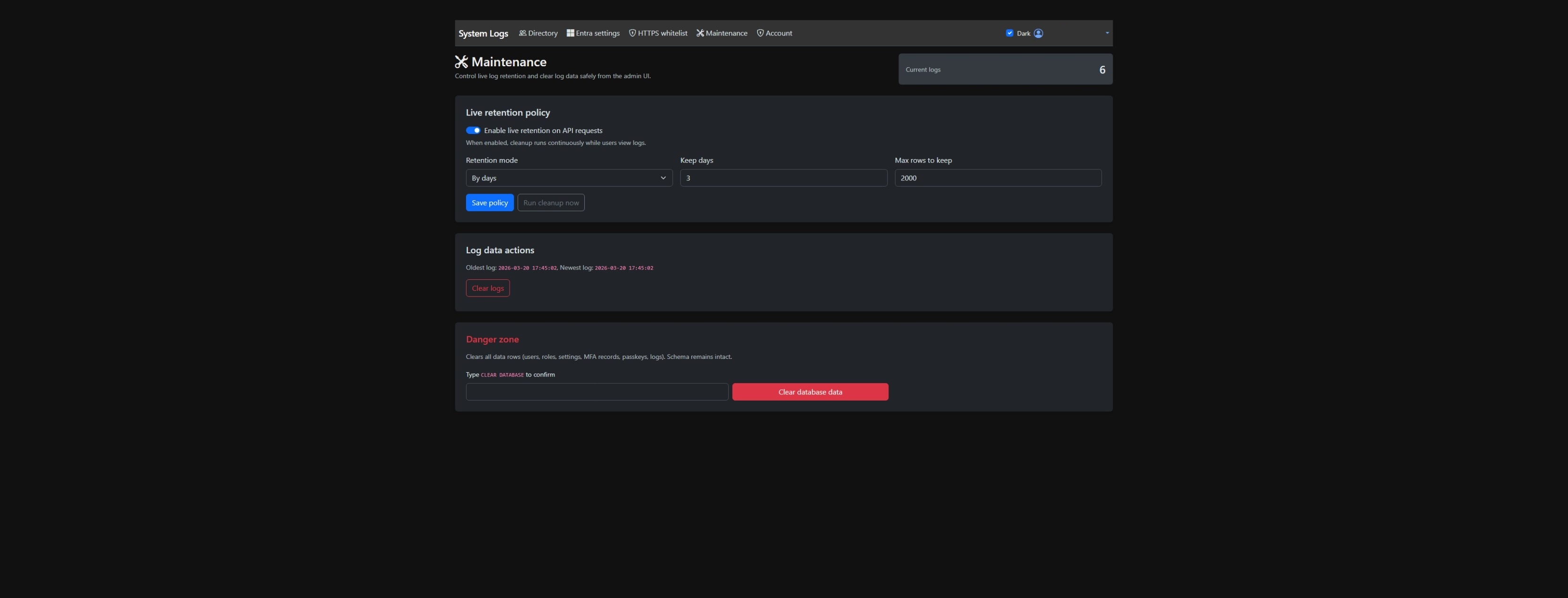 --- Original upstream inspiration: [hmsdao/bootstrap-rsyslog-ui](https://github.com/hmsdao/bootstrap-rsyslog-ui)
