KO
|
EN
gitlite — search
Search
#python
#java
#python3
#arduino
#golang
#machine-learning
#rust
#html
#flask
#javascript
#seismology
#nodejs
2.13-Ink-screen-clock
★ 10
Open GitHub ↗
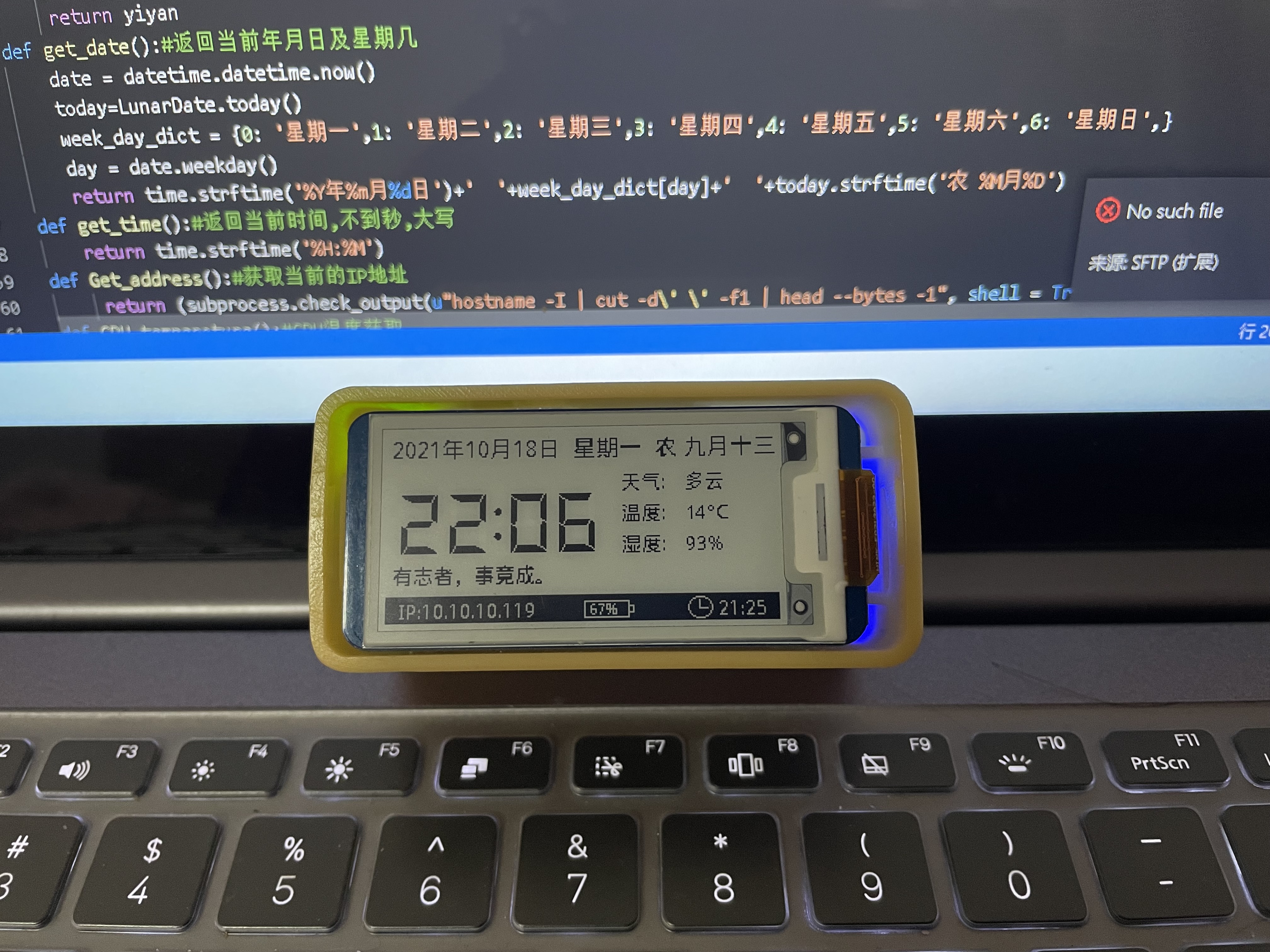
树莓派驱动微雪2.13墨水屏展示天气时钟
Download README (.md)
Explore Similar Repositories
all-data-tools
:
All Data Tools
MusIAC
:
music inpainting control
SoftwarePrinciples
:
This repository contains SOLID principles explainations and for each principle have an example.
Deep-SC
:
spectrum cartography via a mix of model-based and deep learning aided method.
micro-state
:
Tiny, global, efficient, hook-based state management for React
// repository documentation
Was this content helpful?
★ 0
(0 ratings)
Select Rating:
★
★
★
★
★
Submit Feedback
Recent Feedback
×
Download README
Do you want to download the
README.md
file for
2.13-Ink-screen-clock
?
Download (.md)
# 墨水屏展示当前时间及天气数据 ## API说明: #### 一言API 此网站可以获取指定长度指定类型的一个句子,可以限定返回长度及返回类型 https://international.v1.hitokoto.cn/?c=a&encode=text&max_length=20 #### 天气API 获取的天气是通过网页的接口,获取的内容保存在当前目录下的json文件接口的地址是在这里抓取的 http://www.weather.com.cn/ 在控制台f12就可以抓取到,手 动伪造一个来源即可正常的获取到该数据内容。 #### 外壳及电池模块 使用的是PiSugar的外壳,获取电源及树莓派(Raspberry)RTC时间都是靠这一部分模块完成的,附上github地址 https://github.com/PiSugar/PiSugar/wiki/PiSugar2 https://www.pisugar.com/ ps:如果没有使用此模块则需要更改代码内容,以避免运行出错。 #### 需要安装的依赖: ```Bash pip3 install borax pillow threading requests ``` 总体采用局刷方案,程序运行后一直处于程序的获取新数据的过程中,当发现数据变化后即开始自动局刷。 启动: 在文档中的***bin***文件夹下存在有start.sh文件,执行 ```Bash chmod +x start.sh ``` 授权, 直接运行start.sh时间即可 ```Bash ./start.sh ``` 特别注意: 在代码文件第三十三行,此次代码需要更改,否则将展示默认城市天气数据