KO
|
EN
gitlite — search
Search
#typescript
#ai-agents
#ai
#dsh-plugin
#deepseek-harness
#open-source
#cli
#claude-code
#codex
#developer-tools
#react
#windows
vim-colors-meh
★ 76
Open GitHub ↗
My perpetually WIP colorscheme
Download README (.md)
Explore Similar Repositories
typerx
:
A lightweight typescript annotation rest based extra (express、 mongoose、 angular、zorro、ng-alain ...).
angular-forum
:
Forum application built with Angular
branca
:
Authenticated and encrypted API tokens written in Rust. A secure JWT alternative.
Bukkript
:
Bukkript is a custom Kotlin Scripting Definition for customizing Minecraft Bukkit servers
schnorr-nizk
:
Schnorr Protocol for Non-interactive Zero-Knowledge Proofs
// repository documentation
Was this content helpful?
★ 0
(0 ratings)
Select Rating:
★
★
★
★
★
Submit Feedback
Recent Feedback
×
Download README
Do you want to download the
README.md
file for
vim-colors-meh
?
Download (.md)
# vim-colors-meh > A 256-color / 24-bit Vim color scheme, with preference for contrast over hues. It works for me, just publishing it in case someone has similar taste and wants to use it. 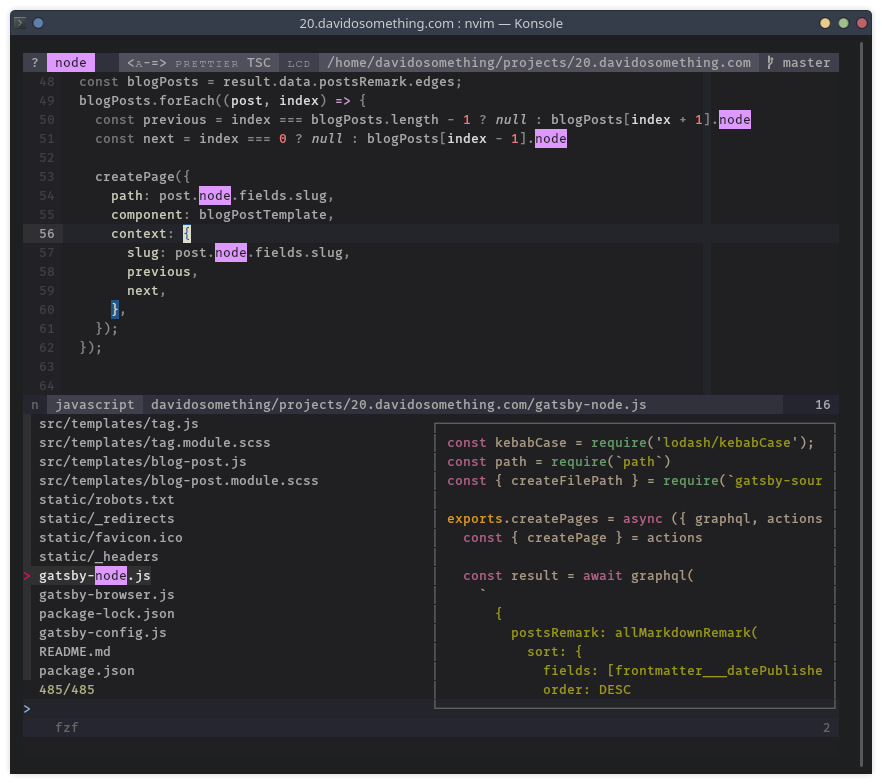  ## Installation Copy the files to the appropriate directories in `~/.vim/`, use vim's native pack, or use a plugin manager like [vim-plug](https://github.com/junegunn/vim-plug), e.g. ```viml Plug 'davidosomething/vim-colors-meh' colorscheme meh ``` Enable the pandoc syntax if you want special pandoc colors. It requires a full plugin install, so ensure the `plugin/` dir is part of your runtime. ```viml let g:meh_pandoc_enabled = 1 ``` ## Some design choices - The background is not fully black, and Normal text is not fully white to be easier on the eyes. - Comments are greyed-out and italicized - Returns are orange for easy scanning when you use early-return pattern - Booleans, `super`, `this`, and constants stand out - Strings are in blue since that is the color people most likely ignore - Text is slightly brown, and everything else is a contrasted ## Implementation details - As best as possible, the base Vim highlight groups and colorscheme specific groups are the only things that are actually assigned colors. Syntax specific highlight groups are links to those colors. - The `hi` command is called directly instead of using Vim variables and functions to call it dynamically. It makes things harder to manage, but it loads much faster. I may consider statically compiling it in the future. - I customize colors for the plugins I use or used in the past only. Feel free to fork if you want to add more. - Support for vim-pandoc is provided via an autoload function that is called on demand by the provided plugin to properly override the built-in pandoc colors. - Some other plugins are also customized, such as Neomake, showmarks, and vim-signature, but I might not be using those plugins at the moment so support may be limited. ## License MIT
