KO
|
EN
gitlite — search
Search
#javascript
#python
#hacktoberfest
#react
#ai
#typescript
#llm
#go
#golang
#android
#machine-learning
#rust
#deep-learning
#linux
sortinghat
★ 11
Open GitHub ↗
Harry Potter Sorting Hat
Download README (.md)
Explore Similar Repositories
jline
:
Sort, grep and join files where every line is JSON. 21C command line reality.
detect-conflict
:
Small utility library that check if a new file content can be merged safely in the on-disk existing file.
AndroidTrafficMonitor
:
Android手机流量监控
Strata
:
Automate the tasks necessary to develop on the CocoaPods websites
brasil-exemplo
:
Exemplo de como utilizar o módulo Brasil para consultar a receita federal
// repository documentation
Was this content helpful?
★ 0
(0 ratings)
Select Rating:
★
★
★
★
★
Submit Feedback
Recent Feedback
×
Download README
Do you want to download the
README.md
file for
sortinghat
?
Download (.md)
sortinghat ========== Harry Potter Sorting Hat. I don't own the audio. I think I can make an argument for fair use but I can takedown if necessary. Audio comes from "Harry Potter and the Sorcerer's Stone" and a youtube clip of the sorting hat at https://www.youtube.com/watch?v=YEdAqP7RKpw To install: * Install homebrew * brew install portaudio * pip install -r requirements.txt running python sort.py builds and plays a script randomly generated from some stalling lines a potential announcement of 'I KNOW', then finally the house. Only the house is guaranteed, any other sound is random Pass in a serial port and a an optional sample threshold (default 1000) and the script will read from a serial port If the average readings are over the threshold the script will trigger and block until the average drops below the threshold. ``` python sort.py /dev/tty.usbmodem1421 2000 ``` The location of your device will likely be different. And yes, the ravenclaw sound is kinda lame... sorry.. the hat does not seem to say it in the movie ##Hardware Here is an example of a hardware implementation. Materials * Flora -- http://www.adafruit.com/product/659 * Conductive thread -- http://www.adafruit.com/product/641 * Conductive Ribbon -- http://www.adafruit.com/product/1244 Pictures: 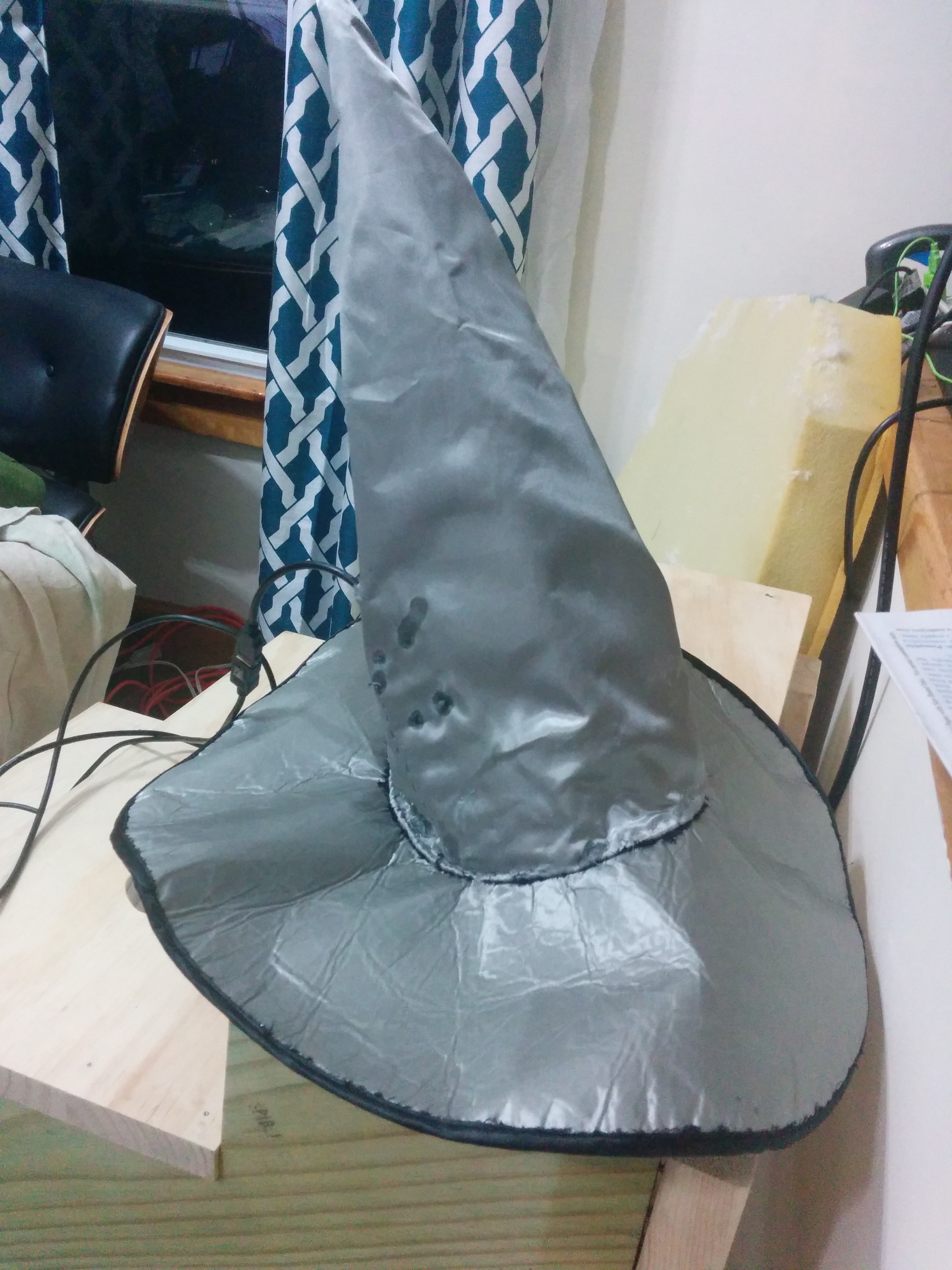 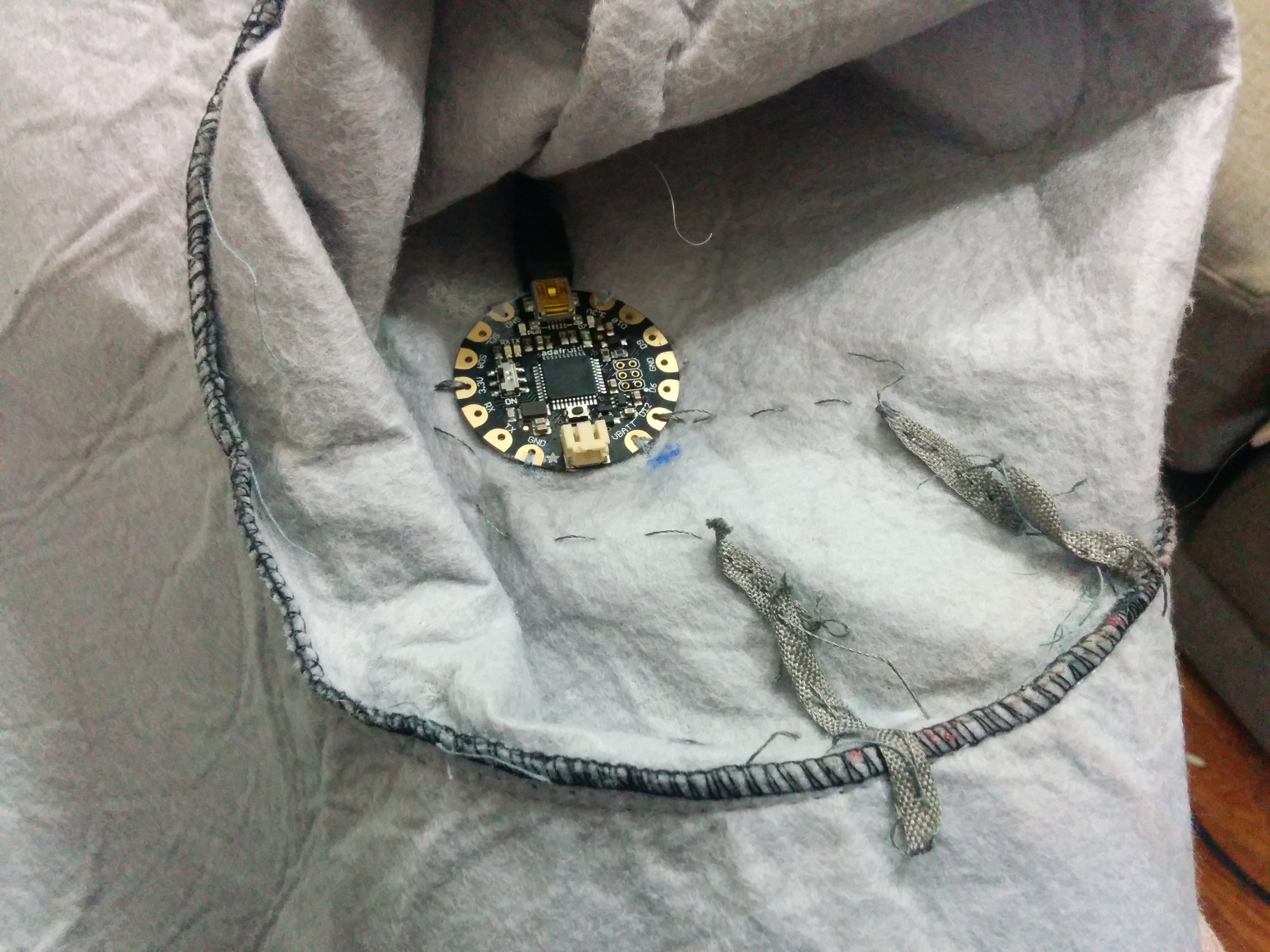 Sewing job left something to be desired but it worked pretty well. Sew the ribbon around the band of the hat and the Flora inside of the hat. Connect the ribbon and pin D9 on the Flora by sewing the conductive thread. Connect a second ribbon to pin 3.3v. Keep the ribbons close together but not touching. Someone putting the hat on will complete the circuit. If done correctly you should be able to upload the hatsensor.ino code to the Flora using the Arduino IDE. If you are unfamiliar with Flora or Arduino I suggest checking out https://learn.adafruit.com/
