KO
|
EN
gitlite — search
Search
#javascript
#python
#hacktoberfest
#react
#ai
#typescript
#llm
#go
#golang
#android
#machine-learning
#rust
#deep-learning
#linux
ClingOFPlayground
★ 14
Open GitHub ↗
Cling + OF = Playground
Download README (.md)
Explore Similar Repositories
SimplifyUnreal
:
A port of Simplify.js, a high-performance polyline simplification library
VMovie
:
RxJava + Retrofit + MVP
twitter
:
A Twitter clone I built when I studied at YRGO university
alexa-demos
:
Series of demos for the Amazon Alexa service
tiny-qiniu
:
A tiny qiniu sdk for uploading file.
// repository documentation
Was this content helpful?
★ 0
(0 ratings)
Select Rating:
★
★
★
★
★
Submit Feedback
Recent Feedback
×
Download README
Do you want to download the
README.md
file for
ClingOFPlayground
?
Download (.md)
# ClingOFPlayground ClingOFPlayground lets you live code openFrameoworks. It is an [openFrameworks](http://openframeworks.cc) application that have [Cling](https://root.cern.ch/cling) embedded inside of it with an in-app text editor that lets you write and execute c++ code. Example video: [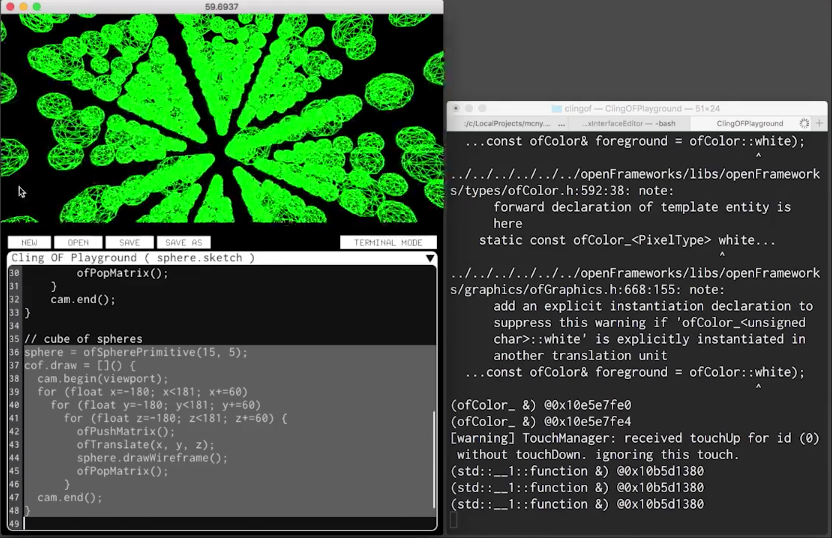](https://vimeo.com/198692331 "ClingOFPlayground") ## Build Only OSX currently, contributions for Linux/Windows are welcome. $ git clone https://github.com/galsasson/ClingOFPlayground $ cd ClingOFPlayground $ git submodule update --init --recursive Cling needs the path to the SDK used to build the embedding app (ClingOFPlayground) this path is currently set in ofApp.cpp, defined in the macro **OSX_SDK_PATH**. This path needs to be adjusted depending on your setup. Default value points to **/ Applications/Xcode.app/Contents/Developer/Platforms/MacOSX.platform/Developer/SDKs/MacOSX10.11.sdk** open **apps/ClingOFPlayground/ClingOFPlayground.xcodeproj** with xcode and build. ## Use To execute code select the line/s to execute and press shift+return. Its important to realize that the code executs on the next **update**. If you want to execute something over and over (like a draw function) you have to first declare a function and then add it as a listener to an event like **ofEvents().draw** or similar. You must include ofMain.h first, otherwise Cling will not know about OF symbols. Simple example: #include "ofMain.h" // declare the function (creates a new symbol with a global scope) void mydraw(ofEventArgs& args) { ofSetColor(255, 0, 0); ofFill(); ofDrawRectangle(10, 10, 20, 20); } // add listener ofAddListener(ofEvents().draw, &mydraw); If you omit the semicolon at the end of a line and execute it, cling will act as a REPL and will print the return value. Symbol unloading is supported but very hard to manage. Every variable and function you define will be added as a symbol in the global scope. It is currenty essentially imposible to unload a symbol once defined, so use lambdas instead. ### Using workspace/clingof.hpp clingof.hpp is a sort of a mailbox between the app and Cling. By including it you can easily redefine draw and update functions, redefine the audioOut function, or manipulate the scene graph of the app (using [ofxInterface](https://github.com/galsasson/ofxInterface)). Example: #include "workspace/clingof.hpp" cof.update = [](){ ofSetWindowTitle(ofToString(ofGetFrameRate())); } cof.draw = []() { ofSetColor(0, 255, 0); ofDrawRectangle(0, 0, 50, 50); } cof.audioOut = [](ofSoundBuffer& buff) { // white noise for (int i=0; i<buff.getNumFrames(); i++) { // left buff[i*buff.getNumChannels()] = ofRandom(-0.2,0.2); // right buff[i*buff.getNumChannels()+1] = ofRandom(-0.2,0.2); } } // Using the scene graph root // create button BitmapTextButton* tmpBtn = new BitmapTextButton(); tmpBtn->setup("Hello!!!"); cof.scene.addChild(tmpBtn); tmpBtn->setPosition(10, 10);
