KO
|
EN
gitlite — search
Search
#javascript
#python
#hacktoberfest
#react
#ai
#typescript
#llm
#go
#golang
#android
#machine-learning
#rust
#deep-learning
#linux
simple-image
★ 12
Open GitHub ↗
No description available.
Download README (.md)
Explore Similar Repositories
Minimal_E-Bike_Torquesensor_Precontroller
:
based on a digispark
gameoflife
:
Conway's Game of Life, in PyTorch, using convolutions
zabbix-impersonator
:
zabbix to prometheus adapter
ribbot
:
Script for querying merged PRs, open issues, and closed issues from config repos.
ExplorerPy
:
A software for mapping energy landscape with a variety of methods, using classical potentials. Based on the LAMMPS MD package.
// repository documentation
Was this content helpful?
★ 0
(0 ratings)
Select Rating:
★
★
★
★
★
Submit Feedback
Recent Feedback
×
Download README
Do you want to download the
README.md
file for
simple-image
?
Download (.md)
Note: This is a fork of the SimpleImage repository. It adds in extra functionality such as a toolbar to add images (rather than just drag and drop) and uses blob URL's to improve memory usage. # Simple Image Tool Provides Image Blocks for the [Editor.js](https://editorjs.io). Works only with pasted image URLs and requires no server-side uploader. 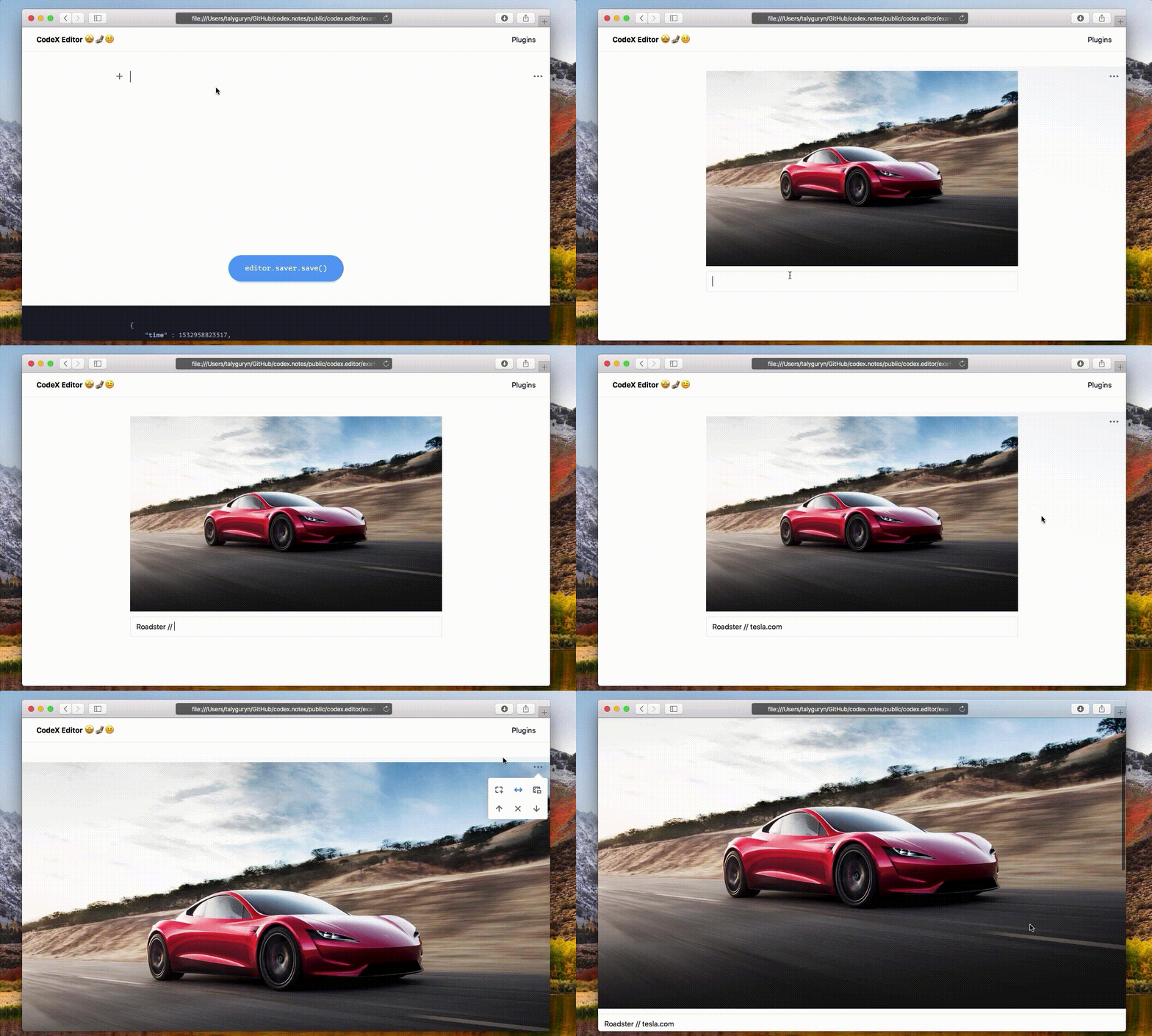 ## Installation ### Install via NPM Get the package ```shell npm i --save-dev simple-image-editorjs ``` Include module at your application ```javascript const SimpleImage = require('simple-image-editorjs'); ``` ### Download to your project's source dir 1. Upload folder `dist` from repository 2. Add `dist/bundle.js` file to your page. ### Load from CDN You can load specific version of package from [jsDelivr CDN](https://www.jsdelivr.com/package/npm/simple-image-editorjs). `https://cdn.jsdelivr.net/npm/simple-image-editorjs@latest` Then require this script on page with Editor.js. ```html <script src="..."></script> ``` ## Usage Add a new Tool to the `tools` property of the Editor.js initial config. ```javascript var editor = EditorJS({ ... tools: { ... image: SimpleImage, } ... }); ``` ## Config Params This Tool has no config params ## Tool's settings  1. Add border 2. Stretch to full-width 3. Add background ## Output data | Field | Type | Description | | -------------- | --------- | ------------------------------- | | url | `string` | image's url | | caption | `string` | image's caption | | withBorder | `boolean` | add border to image | | withBackground | `boolean` | need to add background | | stretched | `boolean` | stretch image to screen's width | ```json { "type" : "image", "data" : { "url" : "https://www.tesla.com/tesla_theme/assets/img/_vehicle_redesign/roadster_and_semi/roadster/hero.jpg", "caption" : "Roadster // tesla.com", "withBorder" : false, "withBackground" : false, "stretched" : true } } ```
