KO
|
EN
gitlite — search
Search
#python
#javascript
#typescript
#docker
#mysql
#css
#nodejs
#php
#react
#machine-learning
#java
#html
EDM115-ohmyposh-theme
★ 22
Open GitHub ↗
My very own Oh My Posh theme
Download README (.md)
Explore Similar Repositories
omp-manager
:
Installation and manager for Oh My Posh! The one thing you need to browse themes, install fonts, and configure shells
senkotheme
:
A senko-san inspired color theme for your computer! Made by Michii :3 Includes: Windows Terminal, Discord, Fastfetch, Spotify, VSCode, etc
omp.yazi
:
oh-my-posh prompt plugin for Yazi file manager
dotfiles
:
dotfiles
// repository documentation
Was this content helpful?
★ 0
(0 ratings)
Select Rating:
★
★
★
★
★
Submit Feedback
Recent Feedback
×
Download README
Do you want to download the
README.md
file for
EDM115-ohmyposh-theme
?
Download (.md)
# EDM115-ohmyposh-theme ## My very own Oh My Posh theme --- ## Preview : ### EDM115 NewLine 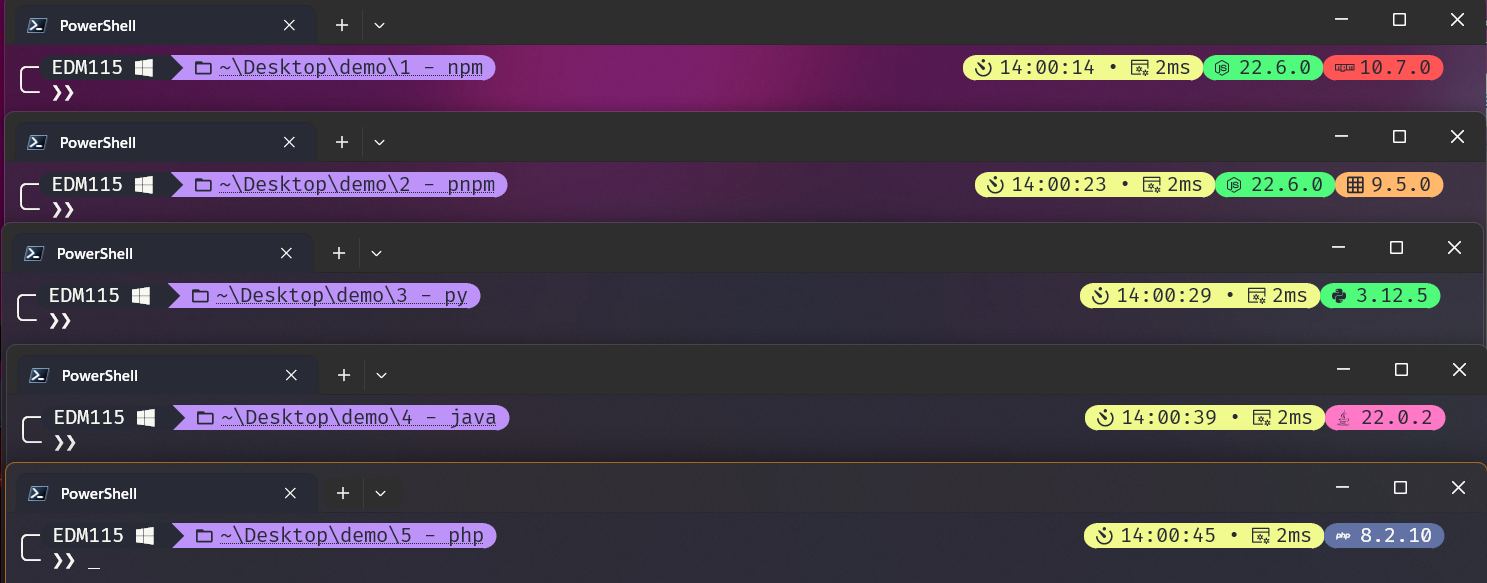 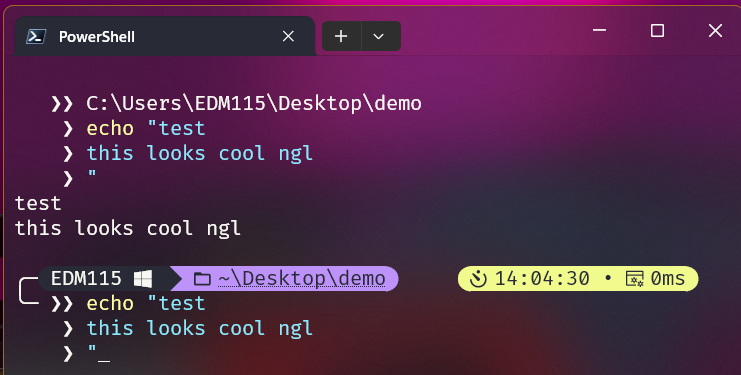 ### EDM115 OneLine 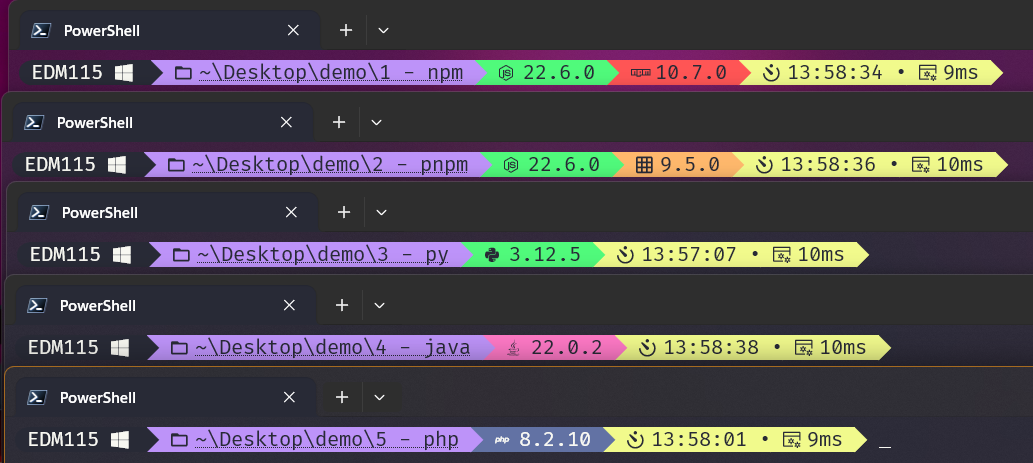 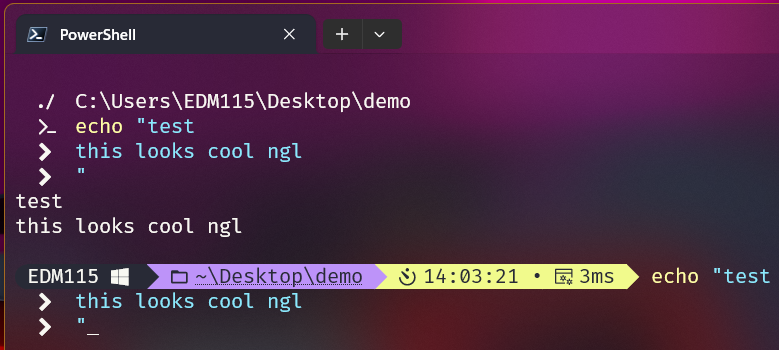 ### Demo of a basic Git workflow (in NewLine)         ### Root status (in NewLine) 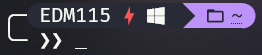 --- ## Installation : - Install [Oh My Posh](https://ohmyposh.dev/) (read the docs) - Install a [Nerd Font](https://github.com/ryanoasis/nerd-fonts/) - Set the font as default in your terminal ([tutorial by TroubleChute](https://www.youtube.com/watch?v=-G6GbXGo4wo)) ### Windows (PowerShell) - Add my themes in the themes folder (defaults to `%LOCALAPPDATA%\Programs\oh-my-posh\themes`) - Edit your PowerShell profile script (`notepad $PROFILE`) and add this at the very top : ```powershell $ErrorActionPreference = "SilentlyContinue" Write-Host "PowerShell $($PSVersionTable.PSVersion.Major).$($PSVersionTable.PSVersion.Minor).$($PSVersionTable.PSVersion.Patch)" Write-Host "" $ErrorActionPreference = "Continue" oh-my-posh init pwsh --config '%LOCALAPPDATA%\Programs\oh-my-posh\themes\EDM115-newline.omp.json' | Invoke-Expression ``` Obviously change the config path, and the name depending of the theme you want. The first 3 lines have to be at the very top, as they will suppress the annoying "theme took xx ms to load" message. ### Linux (Zsh) - Add my themes in the themes folder (defaults to `~/.local/share/oh-my-posh/themes`) - Edit your Zsh profile script (`nano ~/.zshrc`) and add this : ```zsh # Oh My Posh eval "$(oh-my-posh --init --shell zsh --config ~/.local/share/oh-my-posh/themes/EDM115-newline.omp.json)" ``` You can change the config path, and the name depending of the theme you want. --- ## Properties - Both themes uses the [Dracula](https://draculatheme.com/) color scheme - Included segments (in order) : - Session - Root - Os - Path - Git - Node - Npm - Pnpm - Python - Java - Docker - Php - Time - Executiontime - Time shows seconds - Python shows even outside of a venv - Git have some changes : - Shows changes in the worktree (both staged and unstaged) - Links to the upstream (on the git provider icon and branch name) - Shows by how many commits we are ahead or behind the upstream (with proper colors) - Shows the branch name - Path shows the full path, not only the current folder, and we can click on it to open the current folder in the file explorer - The NPM and PNPM segments appear only when their respective lockfiles are present ## But why 2 themes ? The first theme I made is `EDM115-oneline.omp.json` It features all elements I wanted and is clean But after seing the work of [thecodermehedi](https://github.com/thecodermehedi/dualsimplicity-ohmyposh-theme) and [RainbowCreamPie](https://github.com/RainbowCreamPie/vietnam-omp-theme), I decided to create `EDM115-newline.omp.json`, which skips a line and shows unessential modules rounded on the right. It is now the theme I use daily --- ## Attribution : These themes are licenced under the MIT License Also, feel free to edit them, change colors, icons, modules, ... Comment on the [issue #3](https://github.com/EDM115/EDM115-ohmyposh-theme/issues/3) if you used/edited them, I would love to see what you did with them ^^
