KO
|
EN
gitlite — search
Search
#python
#java
#python3
#arduino
#golang
#machine-learning
#rust
#html
#flask
#javascript
#seismology
#nodejs
angular-spring-boot-sample
★ 16
Open GitHub ↗
No description available.
Download README (.md)
Explore Similar Repositories
qolor
:
An atom package to color your queries!
es6-express-scaffold-app
:
ES6 Express SASS Gulp Babel BrowserSync sourcemap legacy support scaffold app
DemonBucket
:
Public File Sharing Network for Demonsaw
cerebral-view-react
:
React View layer package for Cerebral
wmtls
:
the wheels on the bus ...
// repository documentation
Was this content helpful?
★ 0
(0 ratings)
Select Rating:
★
★
★
★
★
Submit Feedback
Recent Feedback
×
Download README
Do you want to download the
README.md
file for
angular-spring-boot-sample
?
Download (.md)
# Angular Spring Demo Application [](https://travis-ci.org/hypery2k/angular-spring-boot-sample) ## Development-Setup ### Setup * Install JDK 8+ and Maven 3.3+ * Install MySQL5.5+ Server * Install NodeJS and npm (http://nodejs.org/download/) * Install Build Tools ```bash $ sudo npm install -g bower grunt-cli karma ``` * Install [docker](http://docs.docker.com) (optional) #### local setup Install MySQL and run the following SQL: ``` CREATE USER 'ngspring'@'localhost' IDENTIFIED BY 'password'; GRANT ALL PRIVILEGES ON * . * TO 'ngspring'@'localhost'; CREATE DATABASE NGSPRING; ``` Run maven ```bash $ mvn clean install idea:idea eclipse:eclipse ``` Projects can now imported in your favourite IDE ### Development 1. start the backend: ```bash $ vagrant up $ cd angular-spring-boot-webapp $ mvn spring-boot:run ``` 2. start the frontend: ```bash $ cd angular-spring-boot-webapp $ npm start ``` Browser now opens [localhost:9000](http://localhost:9000) and you can add some events ;) 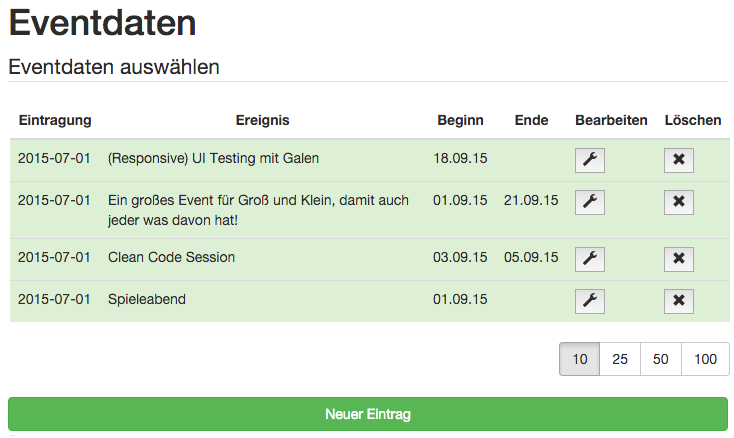 >Note: Any changes in the frontend will be lead to a reload in the browser Backend is available at [](http://localhost:9080) with user/password API is available at [](http://localhost:9080/swagger-ui.html) ### Docker #### Run ```bash $ mvn -Pdocker spring-boot:run ```
